LG MS4296OMBB - User Manual
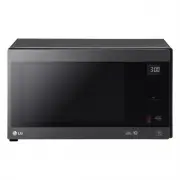
LG MS4296OMBB Microwave – User Manual, read for free online in PDF format. We hope this helps you resolve any issues you may have. If you have further questions, please contact us through the contact form.


Table of Contents:
- Page 2 – CONTENTS; How the Microwave Function Works; A very safe appliance
- Page 4 – e careful when handling the container.; trays and racks; ot doing so could cause them to burst or rupture.
- Page 6 – damage or electric shock.
- Page 8 – UNPACKING & INSTALLING; NOTE; microwave safe container
- Page 9 – Press the; STOP; button, and press the; START; button one time to start 30 seconds of cooking time.; YOUR OVEN IS NOW INSTALLED; Only the outside area of the button is pressed.; The; DISPLAY; CONTROL PANEL; Part
- Page 10 – DISPLAY ICON MEANINGS; Icon; SLIDE TOUCH KEY; Example: Increase the cooking time, Touch; • 0~3 minutes : Time setting will increase or; THE RIGHT TOUCH
- Page 11 – QUICK START; MICROWAVE POWER LEVELS; When cooking is complete, a chime will sound. The; End; in the display and the chime will sound every minute; HOW TO USE; MANUAL COOKING; Example: To cook food on 90% Power for 5
- Page 12 – CHILD LOCK; If the time of day was already set, the time of day will; REHEAT; Reheat; REHEAT MENU INSTRUCTIONS; Beverage; Casserole
- Page 13 – Sensor Cook; SENSOR COOK; Then let your microwave oven cook your selections.; Ute
- Page 15 – SOFTEN; MELT
- Page 16 – PROOF MENU INSTRUCTIONS
- Page 17 – INSTRUCTIONS; KEEP; Example: To keep food warm for 90minutes; arm; Clear; become dryer the longer it is Kept Warm.
- Page 18 – STEAM COOK; Utensil
- Page 19 – INVERTER DEFROST; • The length of defrosting time varies according to
- Page 20 – MICROWAVE-SAFE UTENSILS
- Page 22 – oven especially if the foil passes too closely to the walls of
- Page 23 – TO CLEAN YOUR OVEN; LG ThinQ Application; LG ThinQ Application Features; Using Audible Diagnosis to Diagnose Issues; Smart Diagnosis
- Page 25 – TECHNICAL SPECIFICATIONS
- Page 26 – Printed in China
OWNER’S MANUAL
MICROWAVE OVEN
Please read this owner’s manual thoroughly before operating.
(optional, please check model specification)
MFL69621111_00
MS429
****
www.lg.com
Copyright © 2020 LG Electronics Inc. All Rights Reserved
"Loading the manual" means you need to wait until the file loads and becomes available for online reading. Some manuals are very large, and the time they take to appear depends on your internet speed.
Was this manual helpful?
About this manual
- Brand
- LG
- Model
- MS4296OMBB
- Document type
- User Manual
- Category
- Microwave
- Language(s)
- English
- Pages
- 26
- File size
- 12.1 MB
- Format
Summary
CONTENTS CONTENTS 8 BEFORE USE 8 Unpacking & Installing 9 Control Panel 10 Display Icon Meanings 10 Slide Touch Key 10 The right Touch 0 1 The wrong Touch 11 Setting Clock 11 Quick Start 11 More/Less 11 Energy Saving 11 HOW TO USE 11 Manual Cooking 11 Microwave Power Levels 12 Child Lock 12 Rehe...
mode (for ovens with Combination function) will be • B e careful when handling the container. M icrowave heating of beverages can result in delayed eruptive boiling, therefore care must be taken when handing the container. - his model doesn't provide a temperature probe. T trays and racks (for ovens...
O nly connect the supply lead plug to an earthed power outlet socket that has the same rating and T his product is intended for domestic household applications only and not for commercial use. I t must not be used in mobile applications. specification requirement of the oven. I f you are unsure abou...


