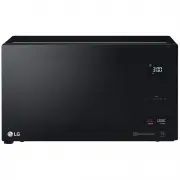
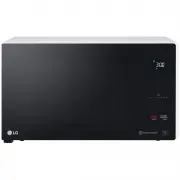
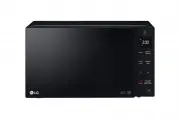
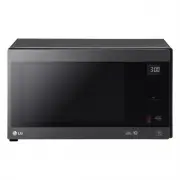
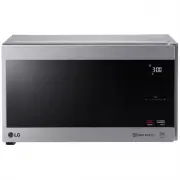
Page 2 - CONTENTS; How the Microwave Function Works; A very safe appliance
CONTENTS CONTENTS 8 BEFORE USE 8 Unpacking & Installing 9 Control Panel 10 Display Icon Meanings 10 Slide Touch Key 10 The right Touch 0 1 The wrong Touch 11 Setting Clock 11 Quick Start 11 More/Less 11 Energy Saving 11 HOW TO USE 11 Manual Cooking 11 Microwave Power Levels 12 Child Lock 12 Rehe...
Page 4 - e careful when handling the container.; trays and racks; ot doing so could cause them to burst or rupture.
mode (for ovens with Combination function) will be • B e careful when handling the container. M icrowave heating of beverages can result in delayed eruptive boiling, therefore care must be taken when handing the container. - his model doesn't provide a temperature probe. T trays and racks (for ovens...
Page 6 - damage or electric shock.
O nly connect the supply lead plug to an earthed power outlet socket that has the same rating and T his product is intended for domestic household applications only and not for commercial use. I t must not be used in mobile applications. specification requirement of the oven. I f you are unsure abou...
Page 8 - UNPACKING & INSTALLING; NOTE; microwave safe container
UNPACKING & INSTALLING BEFORE USE By following the basic steps on these two pages you will be able to quickly check that your oven is operating correctly. Please pay particular attention to the guidelines on where to install your oven. When unpacking your oven make sure you remove all accessorie...
Page 9 - Press the; STOP; button, and press the; START; button one time to start 30 seconds of cooking time.; YOUR OVEN IS NOW INSTALLED; Only the outside area of the button is pressed.; The; DISPLAY; CONTROL PANEL; Part
6 Press the STOP button, and press the START button one time to start 30 seconds of cooking time. 7 YOUR OVEN IS NOW INSTALLED 8 The contents of feeding bottles and baby food jars must be stirred or shaken and the temperature checked before consumption in order to avoid burns. 9 Button recognition m...
Page 10 - DISPLAY ICON MEANINGS; Icon; SLIDE TOUCH KEY; Example: Increase the cooking time, Touch; • 0~3 minutes : Time setting will increase or; THE RIGHT TOUCH
CONTROL PANEL DISPLAY ICON MEANINGS Icon Shows when the Microwave function is in operation. Shows in the display when More/Less time can be set. Shows when Cooking can be started by pressing the START button. Shows when the Cooking power level should be set. Shows when the food weight should be set....
Page 11 - QUICK START; MICROWAVE POWER LEVELS; When cooking is complete, a chime will sound. The; End; in the display and the chime will sound every minute; HOW TO USE; MANUAL COOKING; Example: To cook food on 90% Power for 5
11 BEFORE USE/ HOW TO USE MORE/LESS By using the ( - ) or ( + ) key, manual cook settings can be adjusted to cook food for a longer or shorter time. Pressing ( + ) will increase10 seconds to the cooking time each time you press it. Pressing ( - ) will decrens 10 seconds of cooking time each time you...
Page 12 - CHILD LOCK; If the time of day was already set, the time of day will; REHEAT; Reheat; REHEAT MENU INSTRUCTIONS; Beverage; Casserole
HOW TO USE 12 MICROWAVE POWER LEVEL CHART Power Level Use * Boiling water. * Browning ground beef. MS259**** MS429**** * Making candy. * Cooking poultry pieces, fish, & vegetables. * Cooking tender cuts of meat. * Reheating rice, pasta, & vegetables. * Reheating prepared foods quickly. * Reh...
Page 13 - will show in the display.; POPULAR MENU / SENSOR COOK INSTRUCTIONS; Then let your microwave oven cook your selections.; Ute
HOW TO USE 13 Weight Cod e Menu Instructions Ute nsil Limit 1 1. Place food (0.4 - 0.5 kg of meat, chicken, Dinner Plate Refrigerated Microwave- mashed potato, vegetable etc.) on a safe dish microwave-safe dish. Cover with plastic wrap and vent. Or a vented lid. 2. Place food in the oven. Choose the...
Page 15 - SOFTEN; MELT
HOW TO USE 15 Weight Code Menu Instructions Ute nsil Limit Initial Temperature 8 Risotto 1.2 kg Room Microwave- safe bowl Ingredients 200 g risotto rice 1 1/2 cups water or stock 1/2 cup milk 200 g raw beef , chopped 2 eggs 1 onion, chopped 50 g frozen green peas 100 g grated cheese Salt and pepper ...
Page 16 - PROOF MENU INSTRUCTIONS; KEEP WARM; Example: To keep food warm for 90minutes; Keep Warm; Clear; become dryer the longer it is Kept Warm.
16 HOW TO USE PROOF MENU INSTRUCTIONS Weight Initial Instructions Limit Temperature Code Menu Utensil Lukewarm 1 Microwave- safe bowl Yogurt 1. Thoroughly wash the proper sized microwave-safe bowl with hot water. 2. Pour 500 ml milk into the bowl. 3. Heat it about 1 minutes 30 seconds - 2 minutes 30...
Page 17 - INVERTER DEFROST; • The length of defrosting time varies according to
HOW TO USE 17 INVERTER DEFROST Four defrost sequences are preset in the oven. The INVERTER DEFROST feature provides you with the best defrosting method for frozen foods. The cooking guide will show you which defrost • Place foods in a shallow container or in a microwave roasting dish to catch the dr...
Page 18 - MICROWAVE-SAFE UTENSILS
18 MICROWAVE-SAFE UTENSILS MICROWAVE-SAFE UTENSILS test. Do not heat dinner plates that use any painted on decorative as they will arc if the paint has metallic content.
Page 20 - oven especially if the foil passes too closely to the walls of
20 FOOD CHARACTERISTICS & MICROWAVE COOKING oven especially if the foil passes too closely to the walls of the oven during rotation.
Page 21 - TO CLEAN YOUR OVEN; times and may even damage the oven.; USING THE SMART DIAGNOSISTM FUNCTION
21 TO CLEAN YOUR OVEN / USING THE SMART DIAGNOSIS™ FUNCTION STOP TO CLEAN YOUR OVEN times and may even damage the oven. Steam or condensation build up inside the door is normal if foods a Disconnect the mains plug from the power outlet before cleaning the oven to eliminate the possibility of electri...
Page 23 - TECHNICAL SPECIFICATIONS
23 TECHNICAL SPECIFICATIONS Microwave Frequency : 2450 MHz +/- 50 MHz (Group 2 / Class B) ** Group 2 equipment: group 2 contains all ISM RF equipment in which radio-frequency energy in the frequency range 9 kHz to 400GHz is intentionally generated and used or only used, in the form of electromagneti...
Page 24 - Printed in China
Printed in China LG Electronics Australia 2 Wonderland Drive Eastern Creek NSW 2766 (ABN : 98 064 531 264) FOR CUSTOMER SERVICE PLEASE CONTACT LG Service on 1300 LG CARE (1300 54 2273) AUSTRALIA or 0800 LG CARE (0800 54 2273) NEW ZEALAND www.lg.com