Page 2 - TIPS FOR SAVING ENERGY; For your records
2 TIPS FOR SAVING ENERGY ENGLISH TIPS FOR SAVING ENERGY Here are some tips that will help you minimize the power consumption when you use the airconditioner. You can use your air conditioner more efficiently by referring to the instructionsbelow: • Do not cool excessively indoors. This may be harmfu...
Page 3 - IMPORTANT SAFETY INSTRUCTIONS; READ ALL INSTRUCTIONS BEFORE USING THE APPLIANCE.; WARNING
IMPORTANT SAFETY INSTRUCTIONS IMPORTANT SAFETY INSTRUCTIONS READ ALL INSTRUCTIONS BEFORE USING THE APPLIANCE. Always comply with the following precautions to avoid dangerous situations and ensure peak per-formance of your product WARNING It can result in serious injury or death when the directions a...
Page 5 - CAUTION
IMPORTANT SAFETY INSTRUCTIONS 5 READ ALL INSTRUCTIONS BEFORE USING THE APPLIANCE. • Unplug the power plug if there is a noise, smell or smoke coming from the air conditioner. Fail- ure to do so may result in explosion or fire. • Make sure to ventilate sufficiently when this air conditioner and a hea...
Page 7 - TABLE OF CONTENTS
TABLE OF CONTENTS 7 ENGLISH TABLE OF CONTENTS 2 TIPS FOR SAVING ENERGY 3 IMPORTANT SAFETY INSTRUCTIONS 8 BEFORE USE 8 Components 9 Using the remote control 10 - Inserting batteries 10 - Installing the remote control holder 11 BASIC FUNCTIONS 11 Cooling your room 11 Heating your room 11 Removing humi...
Page 8 - BEFORE USE; Components; Outdoor unit; Operation ranges
8 BEFORE USE ENGLISH Air inlet vents Air outlet vents Base plate Refrigerant piping Connection wire Drain hose BEFORE USE Components Outdoor unit Air inlet Air filter Front grille Operationlamp Signal Receiver ON/OFF button Vertical louver Air outlet Horizontalvane NOTE ! The number of operation lam...
Page 9 - Using the remote control; Wireless remote control; IJ; m n
BEFORE USE 9 ENGLISH Using the remote control You can operate the air conditioner more conveniently with the remote control. You will find the buttons for the additional functions under the cover of the remote control. Wireless remote control Display screen Control panel * Some functions may not be ...
Page 10 - Inserting batteries
10 BEFORE USE ENGLISH Inserting batteries Insert batteries before using the remote control. The battery type used is AAA (1.5 V). 1 Remove the battery cover. 2 Insert the new batteries and make surethat the + and - terminals of the batteriesare installed correctly. 3 Reattach the battery cover. Inst...
Page 11 - BASIC FUNCTIONS; Cooling your room; NOTE
BASIC FUNCTIONS 11 ENGLISH BASIC FUNCTIONS Cooling your room (Cooling operation) 1 Press | to turn on the power. 2 Press f repeatedly to select the cooling operation.- A is displayed on the display screen. 3 Press G or H to set the desired tempera- ture. - The temperature range is 64°F (18°C)- 86°F ...
Page 12 - Fan Only Mode; Setting the current time
12 BASIC FUNCTIONS ENGLISH Fan Only Mode This mode only circulates the indoor air without changing the room temperature. The cooling lamp lights up in air circulation mode. 1 Press | to turn on the power. 2 Press / to select the air circulation oper- ation. - E is displayed on the display screen. 3 ...
Page 13 - Canceling the timer setting
BASIC FUNCTIONS 13 ENGLISH 2 Press E or F to select the minutes. 3 Press p to finish. Turning on the air conditioner auto-matically at a set time 1 Press m . - The icon below flickers at the bottom of the display screen. 2 Press E or F to select the minutes. 3 Press p to finish. Turning off the air ...
Page 14 - ADVANCED FUNCTIONS; Indoor air purification; Auto Clean operation
14 ADVANCED FUNCTIONS ENGLISH ADVANCED FUNCTIONS The air conditioner offers some additional ad-vanced functions. Changing room temperaturequickly (SURGE operation) This mode allows you to cool indoor air quicklyin summer or warm it quickly in winter. 1 Press | to turn on the power. 2 Press . - In SU...
Page 15 - Auto operation
ADVANCED FUNCTIONS 15 ENGLISH Auto operation (Artificial intelligence) In this mode, the fan speed and the tempera-ture adjust automatically, based on the roomtemperature. 1 Press | to turn on the power. 2 Press f repeatedly to select auto opera- tion. 3 Press G or H to select the desired oper- atio...
Page 16 - Energy saving cooling mode
16 ADVANCED FUNCTIONS ENGLISH * The feature can be changed according a type of model. * The feature can be changed according a type of model. Energy saving cooling mode This mode minimizes power consumption dur-ing cooling and increases the set temperatureto the optimal level for a more comfortable ...
Page 17 - Disabling auto restart
ADVANCED FUNCTIONS 17 ENGLISH Disabling auto restart Restarting the air conditionerautomatically When the air conditioner is turned on againafter a power failure, this function restores theprevious settings. This function is a factory de-fault setting. 1 Open the front cover. - Lift up both sides of...
Page 18 - MAINTENANCE
18 MAINTENANCE ENGLISH MAINTENANCE Clean the product regularly to maintain optimal performance and to prevent possible breakdown. * This may not be provided, depending on the model. Item Cleaning interval Cleaning method Air filter 2 weeks See “Cleaning air filter.” Indoor unit surface Regularly Use...
Page 19 - Cleaning the air filter
MAINTENANCE 19 ENGLISH Cleaning the air filter Clean the air filter once every 2 weeks ormore if necessary. 1 Turn off the power and unplug the powercord. 2 Open the front cover. - Lift up both sides of the cover slightly. * The feature can be changed according a type of model. 3 Hold the knob of th...
Page 20 - TROUBLESHOOTING; Self-diagnosis function
20 TROUBLESHOOTING ENGLISH TROUBLESHOOTING Self-diagnosis function This product has a built-in self-diagnosis function. If an error occurs the indoor unit will blink in 2second intervals. Before requesting service Please check the following before you contact the service center. If the problem persi...
Page 23 - Manuel d'exploitation; SPLIT SYSTEM DUCTLESS
TYPE : MURAL Applied Models :M09YJM12YJ Manuel d'exploitation SPLIT SYSTEM DUCTLESS FRANÇ AIS 960-912-01
Page 24 - ASTUCES POUR ECONOMISER L’ENERGIE; Pour vos archives
2 ASTUCES POUR ECONOMISER L’ENERGIE FRANÇ AIS ASTUCES POUR ECONOMISER L’ENERGIE Nous vous donnons ici quelques astuces qui vous permettront de minimiser la consommationd’énergie lorsque vous utilisez le climatiseur. Vous pouvez utiliser un climatiseur de manière plusefficace en vous référant aux ins...
Page 25 - CONSIGNES DE SECURITE IMPORTANTES; LISEZ ENTIEREMENT LES INSTRUCTIONS AVANT D’UTILISER L’APPAREIL.; ATTENTION
CONSIGNES DE SECURITE IMPORTANTES 3 FRANÇ AIS CONSIGNES DE SECURITE IMPORTANTES LISEZ ENTIEREMENT LES INSTRUCTIONS AVANT D’UTILISER L’APPAREIL. Respectez toujours les consignes suivantes pour éviter des situations dangereuses et garantirune performance optimale de votre produit. ATTENTION Le non res...
Page 27 - AVERTISSEMENT
CONSIGNES DE SECURITE IMPORTANTES 5 FRANÇ AIS LISEZ ENTIEREMENT LES INSTRUCTIONS AVANT D’UTILISER L’APPAREIL. • Débranchez la fiche d’alimentation si un bruit, une odeur ou la fumée proviennent du climatiseur. Dans le cas contraire, cela peut provoquer une explosion ou un incendie. • Assurez-vous qu...
Page 29 - TABLE DES MATIÈRES; AVANT L’UTILISATION
TABLE DES MATIÈRES 7 TABLE DES MATIÈRES 2 ASTUCES POURECONOMISER L’ENERGIE 3 CONSIGNES DE SECU-RITE IMPORTANTES 8 AVANT L’UTILISATION 8 Composants 9 Utilisation de la télécommande 10 Insertion des piles 10 Installation du support de la télécom- mande 11 FONCTIONS DE BASE 11 Refroidissement de votre ...
Page 30 - Unité intérieure; Composants
8 AVANT L’UTILISATION FRANÇ AIS Entrées d'air Sortie d'air Plaque de support Tuyauterie du réfrigérant Câble de branchement Flexible d'évacuation Voyant de fonctionnement Récepteur de signal Bouton ON/OFF Entrée d'air Filtre à air Récepteur de signal Volet vertical Sortie d'air Volethorizontal Unité...
Page 31 - Utilisation de la télécommande; Télécommande sans fil
AVANT L’UTILISATION 9 FRANÇ AIS Utilisation de la télécommande Vous pouvez utiliser le climatiseur plus facilement avec la télécommande. Les boutons correspondantaux fonctions supplémentaires sont disponibles au-dessous du couvercle de la télécommande. Télécommande sans fil Ecran d’affichage Panneau...
Page 32 - Insertion des piles
10 AVANT L’UTILISATION FRANÇ AIS Insertion des piles Insérez les piles avant d’utiliser la télécom-mande. Le type de piles utilisé est AAA (1,5V). 1 Enlevez le couvercle du compartiment àpiles. 2 Insérez les nouvelles piles + et - assurez-vous que les bornes de ces piles sontplacées correctement. 3 ...
Page 33 - Refroidissement de votre local; REMARQUE; FONCTIONS DE BASE
FONCTIONS DE BASE 11 FRANÇ AIS Refroidissement de votre local (mode refroidissement) 1 Appuyez sur | pour mettre le système en marche. 2 Appuyez sur f plusieurs fois pour sélec- tionner le mode refroidissement.- A s’affiche à l’écran. 3 Appuyez sur G ou H pour régler la tem- pérature de votre choix....
Page 34 - Ventilation de votre local; Réglage de l’heure actuelle
12 FONCTIONS DE BASE FRANÇ AIS Ventilation de votre local Ce mode permet seulement à l'air intérieur decirculer sans modifier la température am-biante. Le voyant de refroidissement s’allumeen mode circulation de l’air. 1 Appuyez sur | pour mettre le système en marche. 2 Appuyez sur / fois pour sélec...
Page 35 - Configuration du mode veille
FONCTIONS DE BASE 13 FRANÇ AIS 2 Appuyez sur E ou F pour les sélec- tionner. 3 Appuyez sur c pour terminer. Mise en marche automatique du cli-matiseur à une heure prédéfinie. 1 Appuyez sur m . - L’icône suivante se met à vaciller en bas de l’écran d’affichage. 2 Appuyez sur E ou F pour les sélec- ti...
Page 36 - FONCTIONS AVANCEES; Purification de l’air intérieur; Mode nettoyage automatique
14 FONCTIONS AVANCEES FRANÇ AIS FONCTIONS AVANCEES Le climatiseur offre certaines fonctions supplé-mentaires avancées. Modification rapide de la tem-pérature ambiante (Mode Refroidissement par jetsd’air/Chauffage) Ce mode vous permet de refroidir ou deréchauffer l’air intérieur rapidement en été oue...
Page 37 - Modèles Refroidissement uniquement; Fonctionnement automatique
FONCTIONS AVANCEES 15 FRANÇ AIS Modèles Refroidissement uniquement Fonctionnement automatique (intelligence artificielle) Dans ce mode, la vitesse de ventilation et latempérature sont réglées automatiquement,en fonction de la température ambiante. 1 Appuyez sur | pour mettre le système en marche. 2 ...
Page 39 - Funzione di Riavvio automatico
FONCTIONS AVANCEES 17 FRANÇ AIS Redémarrage automatique duclimatiseur Lorsque le climatiseur est remis en marcheaprès une coupure électrique, cette fonctionpermet de restaurer les paramètres précé-dents. Cette fonction est une configuration pardéfaut. 1 Ouvrez le couvercle avant. - Soulevez légèreme...
Page 41 - Nettoyage du filtre à air
MAINTENANCE 19 FRANÇ AIS Nettoyage du filtre à air Nettoyez le filtre à air une fois toutes les 2 se-maines ou plus le cas échéant. 1 Mettez le système hors tension etdébranchez le cordon d’alimentation. 2 Ouvrez le couvercle avant. - Soulevez légèrement les deux côtés du couvercle. * Le composant p...
Page 42 - Fonction de diagnostic automatique; DEPANNAGE
20 DEPANNAGE FRANÇ AIS Fonction de diagnostic automatique Ce produit comporte une fonction intégrée de diagnostic automatique. En cas d’erreur, le voyantde l’unité intérieure va clignoter avec des intervalles de 2 secondes. Avant une demande de service Veuillez vérifier les éléments suivants avant d...
Page 45 - TIPO : MONTADO EN LA PARED; Manual de Operaciones; SISTEMA SPLIT SIN CONDUCTOS
TIPO : MONTADO EN LA PARED Applied Models :M09YJM12YJ Manual de Operaciones SISTEMA SPLIT SIN CONDUCTOS ESP AÑOL 960-912-01
Page 46 - CONSEJOS PARA AHORRAR ENERGÍA; Como referencia
2 CONSEJOS PARA AHORRAR ENERGÍA ESP AÑOL CONSEJOS PARA AHORRAR ENERGÍA Estos consejos le ayudarán a reducir el consumo de energía cuando utilice el aire acondicionado. Podrá utilizar el aparato de aire acondicionado de forma eficiente siguiendo estas instrucciones: • No enfríe excesivamente los espa...
Page 47 - INSTRUCCIONES DE SEGURIDAD IMPORTANTES; LEA TODAS LAS INSTRUCCIONES ANTES DE UTILIZAR EL APARATO; ADVERTENCIA
INSTRUCCIONES DE SEGURIDAD IMPORTANTES INSTRUCCIONES DE SEGURIDAD IMPORTANTES LEA TODAS LAS INSTRUCCIONES ANTES DE UTILIZAR EL APARATO Cumpla con las siguientes precauciones para evitar situaciones de peligro y garantizar un fun-cionamiento óptimo de su producto. ADVERTENCIA Puede sufrir lesiones de...
Page 48 - LEA TODAS LAS INSTRUCCIONES ANTES DE UTILIZAR EL APARATO.
4 INSTRUCCIONES DE SEGURIDAD IMPORTANTES ESP AÑOL LEA TODAS LAS INSTRUCCIONES ANTES DE UTILIZAR EL APARATO. • No coloque una estufa u otro aparato de calefacción cerca del cable de alimentación. Podría producirse un incendio, una descarga eléctrica o un fallo del aparato. • Asegúrese de que el cable...
Page 49 - PRECAUCIÓN
INSTRUCCIONES DE SEGURIDAD IMPORTANTES 5 LEA TODAS LAS INSTRUCCIONES ANTES DE UTILIZAR EL APARATO. • Desenchufe el cable de alimentación si del aparato de aire acondicionado sale algún ruido, olor o humo. De lo contrario, podría ocasionarse una explosión o un incendio. • Asegúrese de ventilar sufici...
Page 51 - ÍNDICE; ANTES DEL USO; FUNCIONES AVANZADAS
ÍNDICE 7 ÍNDICE 2 CONSEJOS PARA AHOR-RAR ENERGÍA 3 INSTRUCCIONES DE SE-GURIDAD IMPORTANTES 8 ANTES DEL USO 8 Componentes 9 Utilización del mando a distancia 10 Colocación de las pilas 10 Instalación del soporte del mando adistancia 11 FUNCIONES BÁSICAS 11 Enfriamiento de la habitación 11 Riscaldamen...
Page 52 - Componentes; Unidades de interior; NOTA; Gamas de operaciones.
8 ANTES DEL USO ESP AÑOL Indicadorluminoso de operación Receptorde señal Botón ON/OFF (ENCENDIDO/ APAGADO) Entrada de aire Filtro de aire Rejilla frontal Rejilla vertical Aberturasde salida Rejilla horizontal ANTES DEL USO Componentes Unidades de interior Unidad exterior Aberturas deentrada de aire ...
Page 53 - Utilización del mando a distancia; Mando a distancia inalámbrico; Pantalla
ANTES DEL USO 9 Utilización del mando a distancia Puede utilizar el aire acondicionado de forma más cómoda con el mando a distancia. Encontrará los botones para las funciones adicionales bajo la tapa del mando a distancia. Mando a distancia inalámbrico Pantalla Panel de control * Algunas funciones p...
Page 54 - Colocación de las pilas
10 ANTES DEL USO ESP AÑOL Colocación de las pilas Introduzca las pilas antes de utilizar el mandoa distancia. Su utilizan pilas de tipo AAA (1,5 V). 1 Retire la tapa de las pilas. 2 Introduzca las pilas nuevas asegurándose+ de - respetar la polaridad. 3 Vuelva a colocar la tapa de las pilas. Instala...
Page 55 - Enfriamiento de la habitación; FUNCIONES BÁSICAS
FUNCIONES BÁSICAS 11 ESP AÑOL Enfriamiento de la habitación (Funcionamiento de refrigeración) 1 Pulse | para encender el aparato. 2 Pulse f repetidamente para seleccionar la función de refrigeración.- Se muestra A en la pantalla. 3 Pulse G o H para seleccionar la temper- atura deseada. - La temperat...
Page 56 - Aireación de la habitación; Ajuste de la hora actual
12 FUNCIONES BÁSICAS ESP AÑOL Aireación de la habitación Este modo sólo hace circular el aire interiorsin cambiar la temperatura de la habitación.En el modo de circulación se ilumina el indi-cador de refrigeración. 1 Pulse | para encender el aparato. 2 Pulse / para seleccionar el funciona- miento de...
Page 58 - Purificación del aire interior
14 FUNCIONES AVANZADAS ESP AÑOL El aparato de aire acondicionado ofrece fun-ciones avanzadas adicionales. Cambio rápida de la temper-atura de la habitación (Funcionamiento Jet Cool/calefac-ción) Este modo le permite enfriar el aire interiorrápidamente en verano, o calentarlo rápida-mente en invierno...
Page 59 - Modelos sólo de refrigeración; Funcionamiento automático
FUNCIONES AVANZADAS 15 Modelos sólo de refrigeración Funcionamiento automático (Inteligencia artificial) En este modo, la velocidad del ventilador y latemperatura se ajustan automáticamente,según la temperatura de la habitación. 1 Pulse | para encender el aparato. 2 Pulse f repetidamente para selecc...
Page 60 - Brillo de la pantalla
Modo de refrigeración conahorro de energía Este modo reduce el consumo de energía du-rante la refrigeración y aumenta la temper-atura seleccionada al nivel óptimo para lograrun ambiente más agradable. 1 Pulse | to turn the power on. 2 Pulse f repetidamente para seleccionar la función de refrigeració...
Page 62 - MANTENIMIENTO
18 MANTENIMIENTO ESP AÑOL MANTENIMIENTO Limpie el producto con regularidad para mantener un rendimiento óptimo y evitar posibles fallos. * Esta función puede no estar disponible, dependiendo del modelo. Filtro de aire NOTA ! • La ubicación y forma de los filtros puede variar, dependiendo del modelo....
Page 63 - Limpieza del filtro del aire.
MANTENIMIENTO 19 ESP AÑOL Limpieza del filtro del aire. Limpie el filtro de aire una vez cada dos sem-anas o más, si es necesario. 1 Apague el aparato y desconéctelo de lared. 2 Abra la tapa frontal. - Levante ligeramente ambos lados de la tapa. * La placa puede cambiar dependiendo del tipo de model...
Page 64 - SOLUCIÓN DE PROBLEMAS
20 SOLUCIÓN DE PROBLEMAS ESP AÑOL Función de autodiagnóstico Este producto tiene integrada una función de autodiagnóstico. Si se produce un error, el indicadorde la unidad de interior parpadeará en intervalos de 2 segundos. Antes de solicitar asistencia técnica Compruebe lo siguiente antes de poners...


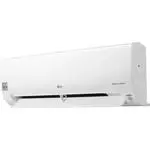 LG B24TS
User Manual
LG B24TS
User Manual
 LG B60LH
User Manual
LG B60LH
User Manual
 LG LB-H368GSS0
User Manual
LG LB-H368GSS0
User Manual
 LG LP0621WSR
User Manual
LG LP0621WSR
User Manual
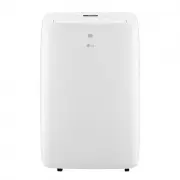 LG LP0721WSR
User Manual
LG LP0721WSR
User Manual
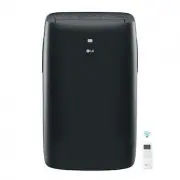 LG LP0821GSSM
User Manual
LG LP0821GSSM
User Manual
 LG LP1021BHSM
User Manual
LG LP1021BHSM
User Manual
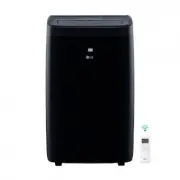 LG LP1021BSSM
User Manual
LG LP1021BSSM
User Manual
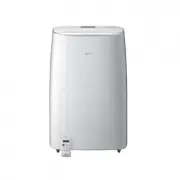 LG LP1419IVSM
User Manual
LG LP1419IVSM
User Manual
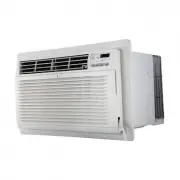 LG LT1016CER
User Manual
LG LT1016CER
User Manual
 LG LT1216CER
User Manual
LG LT1216CER
User Manual
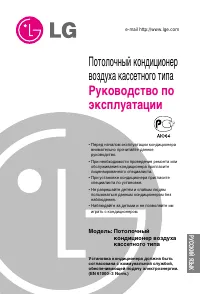 LG LT-B2861HL
User Manual
LG LT-B2861HL
User Manual
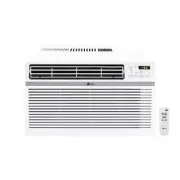 LG LW1016ER
User Manual
LG LW1016ER
User Manual
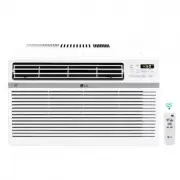 LG LW1017ERSM
User Manual
LG LW1017ERSM
User Manual
 LG LW1017ERSM1
User Manual
LG LW1017ERSM1
User Manual
 LG LW1216ER
User Manual
LG LW1216ER
User Manual
 LG LW1217ERSM1
User Manual
LG LW1217ERSM1
User Manual
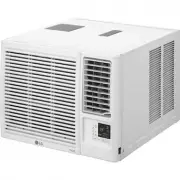 LG LW1221HRSM
User Manual
LG LW1221HRSM
User Manual
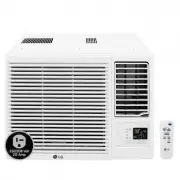 LG LW1223HR
User Manual
LG LW1223HR
User Manual