Page 2 - Table of Contents
Table of Contents User's GuideConnecting the stand 1 Connecting the Speakers 2 To install Portrait 3 Using the Remote Control 4 Name and Function of the Parts 6 Connecting to External Devices 7 When Connecting to your PC ..................................................................................
Page 3 - Connecting the stand; Parts
11 - Only on some models. Connecting the stand First, check if the following parts are all present. Stand (2) Screws (4) Parts 1. Take the parts for the stand out of the box and assemble them as shown in the picture. 2. Place a soft cloth on the table and put the product with the screen facing downw...
Page 4 - Connecting the Speakers; connect the speaker cable.; When the speaker is installed.; Cable tie
22 Connecting the Speakers Mount the product onto the speaker by using a screw as shown in the following connect the speaker cable. - Only on some models. When the speaker is installed. *Connect the input terminal with a proper color match. Remove the paper. Cable holder After installing your speake...
Page 5 - To install Portrait
33 To install Portrait - Only M3203C "When installing Portrait, rotate it clockwise based on its front." • M3703C If installed in portrait format, it will not be protected by the warranty. (No Warranty) Note
Page 6 - Using the Remote Control; Name of the Remote Control Buttons
44 Using the Remote Control Name of the Remote Control Buttons • AV Button • Sleep Button When watching AV, RGB PC,HDMI/DVI, Component The product will be automatically turned off after a certain period of time. Press this button repetitively to select an appropriate time duration • PSM Button - Tog...
Page 7 - Inserting batteries into remote control.
55 Using the Remote Control • AV Button If you press the button once, the following Input Signal Window will appear. Select the signal type you want using the button. • Input Select Button 1. Slide off the battery cover.2. Insert the batteries with correct polarity (+/-).3. Close the battery cover. ...
Page 8 - Name and Function of the Parts; Rear View
66 Name and Function of the Parts Rear View *LINE OUT A terminal used to connect to the speaker including a built-in amplifier (Amp). Make sure that the connecting terminal of the PC sound card is checked before connecting. If the Audio Out of PC sound card has only Speaker Out, reduce the PC volume...
Page 9 - Connecting to External Devices; Connect the power cord.; Connect the Audio cable.; When Connecting to your PC
77 First of all, see if the computer, product and the peripherals are turned off. Then, connect the signal input cable. When connecting with the D-Sub signal input cable.When connecting with the HDMI to DVI signal input cable (not included). * When HDMI PC is used, a compatiblity problem might occur...
Page 11 - Connect the LAN cable as shown in the below figure .; When using the LAN
99 • Using LAN establishes communication between your PC and the monitor and enables to use the OSD menus on the PC as well as on the monitor. Note Connecting to External Devices Connect the LAN cable as shown in the below figure . Connect the LAN cable and install the eZ-Net Manager program on the ...
Page 12 - Product 1; connector of other products.; Product 2; Daisy Chain Monitors
10 10 Use this function when displaying ANALOG RGB inputs of a PC to the other product. Product 1 • To use different products connected to each other Connect one end of the signal input cable(15-pin D-Sub Signal Cable) to the RGB OUT connector of product 1 and connect the other end to the RGB IN con...
Page 13 - VESA FDMI wall Mounting
11 11 Kensington Security Slot The Set is equipped with a kensington Security System connector on the back panel. The cable and lock are available separate and are not sold by LG. For more info, visit http://www.kensington.com, the internet home page of the Kensington company. This product supports ...
Page 14 - Product; Video Input
12 12 Connecting to External Devices When connecting with an BNC cable. • Select AV. When connecting with an S-Video cable. • Select AV. B A When connecting with a S-Video cable. • Connect to the S-Video input terminal to watch high image quality movies. Connect the video cable as shown in the below...
Page 15 - Connect the input terminal with a proper color match.; Select an input signal.
13 13 • Select Component Connect the video/audio cable as shown in the below figure and then, connect the power cord (See page 7). • Connect the input terminal with a proper color match. BNC Cable (not included) Product HDTV Receiver Select an input signal. Press the INPUT button on the remote contr...
Page 16 - HDMI to DVI
14 14 Connect the video/audio cable as shown in the below figure and then connect the power cord (See page 7). RCA-PC Audio Cable (not included) Product VCR/DVD/Set-top Box HDMI to DVI Signal Cable (not included) VCR/DVD/Set-top Box Product Select an input signal. Press the INPUT button on the remot...
Page 17 - - When using AV input, you can connect the AV Out to other monitors.; Watching AV Outputs
15 15 - When using AV input, you can connect the AV Out to other monitors. Video/TV BNC Cable (not included) Audio Cable (not included) BNC Cable (not included) Audio Cable (not included) Video/TV Product Connecting to External Devices • When multi-connecting in/out cascade format, no loss cables ar...
Page 18 - User Menus; Screen Adjustment options; Power Button; MENU Button; Adjust Button
16 User Menus Screen Adjustment options • Press this button to turn on the power. Press this button again to turn it off. • This Indicator lights up green when the display operates normally(on mode). If the display is in sleep (Energy Saving) mode, this indicator color changes to amber. Power Button...
Page 19 - INPUT Button
17 User Menus • This is where the unit receives signals from the remote control. Screen Adjustment options [For PC Analog signal] AUTO/SET Button AV Composite Video, Separate Video Component HDTV, DVD RGBPC 15-pin D-Sub analog signal HDMI/DVI Digital signal - Toggles between inputs INPUT Button IR R...
Page 20 - OSD Menu
18 OSD Menu Icon Function Description Picture Audio Adjusts the audio options. Adjusts screen brightness, contrast and color that you prefer. Note OSD(On Screen Disp lay) The OSD function enables you to adjust the screen status conveniently since it provides graphical presentation. Option Adjusts th...
Page 21 - How to adjust the OSD (On Screen Display) screen
19 User Menus How to adjust the OSD (On Screen Display) screen • Use the remote control to adjust the OSD screen. How to adjust the screen automatically Press the AUTO/SET button (AUTO button on a remote Control) in the PC analog signal. Then optimal screen settings will be selected that fit into th...
Page 22 - Adjusting Screen Color
20 User Menus Adjusting Screen Color Toggles between screen presets. • Vivid : Select this option to display with a sharp image. • Standard : The most general and natural screen display status. • Cinema : Select this option to lower brightness by one level. • Sport : Select this option to display wi...
Page 23 - Color
21 User Menus Red / Green / Blue Set your own color levels. Color Settings • Cool : Slightly purplish white. • Medium : Slightly bluish white. • Warm : Slightly reddish white. • User : Select this option to use the user-defined settings. Color Temperature Picture Picture Mode Color Temperature Advan...
Page 24 - Advanced
22 • NR : Removing the noise up to the point where it does not damage the original picture. • Gamma : Set your own gamma value. : -50/0/50 On the monitor, high gamma values display whitish images and low gamma values display high contrast images. • Film Mode : (Function works in the following mode -...
Page 25 - To select the image size of the screen.; Aspect Ratio; Just Scan
23 To select the image size of the screen. Aspect Ratio The aspect ratio is not adjusted from the original. It is set by the program being watched. Original This picture format is 4:3 aspect ratio. 4:3 Widescreen mode. 16:9 14:9 programs are viewed normally in 14:9 with black bars added to the top a...
Page 26 - Picture Reset; XGA Mode
24 Picture Picture ModeColor TemperatureAdvancedAspect RatioPicture Reset Screen To set Adjusting Screen Color Return Picture Mode , Color Temperature , Advanced, Aspect Ratio to the default factory settings. Picture Reset Picture Picture ModeColor TemperatureAdvancedAspect Ratio Picture Reset Scree...
Page 27 - Adjusting the audio function; Auto Volume
25 The best sound tone quality will be selected automatically depending on the video type that you're currently watching. Sound Mode Adjusting the audio function Note When connected to your computer and the 'Sound Mode' setting in the audio menu is Clear Voice, Standard , Music , Cinema or Sport , t...
Page 28 - Clock; Adjusting the timer function; Sleep Time; Auto Sleep
26 Clock Adjusting the timer function • In the event of power interruption (disconnection or power failure), the clock must be reset. • Once the on or off time is set, these functions operate daily at the preset time. • Off time function overrides On time function if they are set to the same time. •...
Page 30 - Selecting the options
28 Selecting the options Language To choose the language in which the control names are displayed. Use the buttons to select On or Off . The monitor can be set up so that it can only be used with the remote control. This feature can prevent unauthorized viewing.In order to lock the OSD screen adjust...
Page 31 - Indicator; DPM Select
29 User Menus Selecting the options Indicator You can set the Power Indicator and Logo Light. Power Indicator Use this function to set the power indicator on the front side of the product to On or Off. If you set Off, i will go Off. If you set On at any time, the power indicator will automatically b...
Page 32 - Tile mode; To use this function
30 Tile mode Tile mode and choose Tile alignment and set the ID of the current product to set location. * Only after pressing the SET button the adjustments made to the settings will be saved. It is used to enlarge the screen and also used with several products to view screen. • To use this function...
Page 35 - Factory Reset; Wait for IP Setup
33 Sets up network connections. -LAN : Enables communication via Ethernet. - RS232C : Enables communication via Serial. • Network Select Allocates and sets up IP automatically. • DHCP Sets up IP address, Gateway, Subnet Mask, Primary DNS and Secondary DNS. The setup process is complete when you sele...
Page 36 - Adjust Set ID and check Serial No. and SW version.; Set ID
34 Adjust Set ID and check Serial No. and SW version. Information Set ID Serial No. SW Version IP Address You can assign a unique Set ID NO (name assignment) to each product when several products are connected for display. Specify the number (01H~63H) using the button and exit. Use the assigned Set ...
Page 37 - Troubleshooting; No image is displayed
35 Note * Vertical frequency: To enable the user to watch the product display, screen image should be changed tens of times every second like a fluorescent lamp. The vertical frequency or refresh rate is the times of image display per second. The unit is Hz. * Horizontal frequency: The horizontal in...
Page 38 - The screen image looks abnormal.; • See if the video card resolution and frequency are
36 Troubleshooting ● Is the screen position wrong? ● Do thin lines appear on the background screen? ● Horizontal noise appears or the characters look blurred. ● The screen is displayed abnormally. The screen image looks abnormal. • D-Sub analog signal - Press the "AUTO" button in the remote ...
Page 39 - Screen has poor color resolution; The audio function does not work.
37 Troubleshooting • Set the number of colors to more than 24 bits (true color) Select Control Panel - Display - Settings - Color Table menu in Windows. • Check the connection status of the signal cable. Or, re-insert the PC video card. • Several pixels (red, green, white or black color) may appear ...
Page 40 - Dimensions; NOTE; Information in this document is subject to change without notice.; Width x Height x Depth; Net; Specifications
38 LCD Panel Power Dimensions &Weight NOTE Information in this document is subject to change without notice. 31.51 inches Visible diagonal (80.0 cm) TFT (Thin Film Transistor) LCD (Liquid Crystal Display) PanelVisible diagonal size: 80.0 cm0.51075 mm x 0.17025 mm x RGB(Pixel Pitch) Rated Voltage...
Page 41 - LCD Panel
39 Specifications LCD Panel Power Dimensions &Weight NOTE Information in this document is subject to change without notice. 37 inches Visible diagonal (94.0 cm) TFT (Thin Film Transistor)LCD (Liquid Crystal Display) PanelVisible diagonal size: 94.0 cm0.200 mm x 0.600 mm x RGB (Pixel Pitch) Rated...
Page 42 - RMS Audio Output; Audio
40 NOTE Information in this document is subject to change without notice. Max. Resolution RGB : 1600 X 1200 @60Hz HDMI/DVI : 1920 X 1080 @60Hz - It may not be supported depending on the OS or video card type. Recommended Resolution RGB : WXGA 1360 X 768@60Hz HDMI/DVI : WXGA 1360 X 768 @60Hz - It may...
Page 43 - PC Mode - Preset Mode
41 Preset mode Horizontal Frequency (kHz) Vertical Frequency (Hz) Preset mode Horizontal Frequency (kHz) Vertical Frequency (Hz) 1 2 *3 4 *5 6 7 *8 9 *10 640 x 350 720 x 400 640 x 480 640 x 480 800 x 600 800 x 600 832 x 624 1024 x 768 1024 x 768 1280 x 720 31.469 31.468 31.469 37.5 37.879 46.875 49....
Page 44 - Controlling the Multiple Product; Connecting the cable; Connect the RS-232C cable as shown in the picture.; monitor 1; Communication Parameter
Controlling the Multiple Product RS-232C A1 Connecting the cable Connect the RS-232C cable as shown in the picture. * The RS-232C protocol is used for communication between the PC and product. You can turn the product on/off, select an input source or adjust the OSD menu from your PC. Use this metho...
Page 45 - Command Reference List
Controlling the Multiple Product RS-232C A2 Command Reference List COMMAND1 COMMAND2 DATA1 DATA2 DATA3 01. Power k a 00H - 01H 02. Input Select k b 02H - 09H 03. Aspect Ratio k c 01H - 09H 04. Screen Mute k d 00H - 01H 05. Volume Mute k e 00H - 01H 06. Volume Control k f 00H - 64H 07. Contrast k g 0...
Page 46 - COMMAND1 COMMAND2 DATA1
Controlling the Multiple Product RS-232C A3 COMMAND1 COMMAND2 DATA1 DATA2 DATA3 46. Power Saving f l 00H - 03H 47. Power Indicator f o 00H - 01H 48. H Position f q 00H - 64H 49. V Position f r 00H - 64H 50. H Size f s 00H - 64H 51. V Size f t 00H - 64H 52. Scheduling input select f u 00H - 07H 00H -...
Page 47 - OK Acknowledgement; Transmission / Receiving Protocol
Controlling the Multiple Product RS-232C A4 OK Acknowledgement [Command2][ ][Set ID][ ][OK][Data][x] * The Product transmits ACK (acknowledgement) based on this format when receiving normal data. At this time, if the data is data read mode, it indicates present status data. If the data is data write...
Page 48 - Data 0 : Power Off 1 : Power On
Controlling the Multiple Product RS-232C A5 Transmission / Receiving Protocol 01. Power(Command : a) To control Power On/Off of the Set. Transmission [k][a][ ][Set ID][ ][Data][Cr] Data 0 : Power Off 1 : Power On Acknowledgement [a][ ][Set ID][ ][OK][Data][x] To show the status of Power On/Off. Tran...
Page 49 - Transmission
Controlling the Multiple Product RS-232C A6 03. Aspect Ratio(Command : c) (Main picture format) To adjust the screen format.You can also adjust the screen format using the ARC(Aspect Ratio Control) button on remote control or in theScreen menu. Transmission [k][c][ ][Set ID][ ][Data][Cr] Data 1 : No...
Page 55 - Abnormal State : Used to Read the power off status when Stand-by mode.
Controlling the Multiple Product RS-232C A12 Transmission / Receiving Protocol 16. Abnormal state (Command : z) Abnormal State : Used to Read the power off status when Stand-by mode. Transmission [k][z][ ][Set ID][ ][Data][Cr] Data FF : Read 0 : Normal (Power on and signal exist)1 : No signal (Power...
Page 56 - To send IR remote key code.
Controlling the Multiple Product RS-232C A13 18. Auto Configure(Command: j u) To adjust picture position and minimize image shakingautomatically. it works only in RGB(PC) mode. Transmission [j][u][ ][Set ID][ ][Data][Cr] Data 1 : To set Acknowledgement [u][ ][Set ID][ ][OK][Data][x] Transmission / R...
Page 57 - Data
Controlling the Multiple Product RS-232C A14 20. Tile Mode(Command : d d) Change a Tile Mode. Transmission [d][d][][Set ID][][Data][x] * The data can not be set to 0X or X0 except 00. Acknowledgement [d][][00][][OK/NG][Data][x] Transmission / Receiving Protocol Data Description 00 or 11 Tile mode is...
Page 60 - To assign the Tile ID for Tiling function .; To adjust the picture mode.; MODE
Controlling the Multiple Product RS-232C A17 25. Tile ID Set(Command : d i) To assign the Tile ID for Tiling function . Transmission [d][i][][Set ID][][Data][x] Data Min : 00H ~ Max : 19H (Hexadecimal code) Acknowledgement [i][][Set ID][][OK/NG][Data][x] 26 Natural Mode (In Tile mode) (Command : d j...
Page 61 - To adjust the Sound mode.; Mode; To check the Fan fault of the TV.
Controlling the Multiple Product RS-232C A18 Transmission / Receiving Protocol 28. Sound Mode (Command : d y ) To adjust the Sound mode. Transmission [d][y][][Set ID][][Data][x] Data Structure Acknowledgement [y][][Set ID][][OK/NG][Data][x] ▲ Data(Hex) 00010203040506 Mode Clear VoiceStandardMusicCin...
Page 62 - To read the inside temperature value.; To read the elapsed time.
Controlling the Multiple Product RS-232C A19 31. Temperature value (Command : d n) To read the inside temperature value. Transmission [d][n][][Set ID][][Data][x] * The data is always FF(in Hex). Acknowledgement [n][][Set ID][][OK/NG][Data][x] * The data is 1 byte long in Hexadecimal. 32. Lamp fault ...
Page 63 - Automatically adjust the volume level.
Controlling the Multiple Product RS-232C A20 33. Auto volume (Command : d u) Automatically adjust the volume level. Transmission [d][u][][Set ID][][Data][x] Data 0 : Off 1 : On Acknowledgement [u][][Set ID][][OK/NG][Data][x] 34. Speaker (Command : d v) Turn the speaker on or off. Transmission [d][v]...
Page 64 - Set the current time.
Controlling the Multiple Product RS-232C A21 35. Time (Command : f a) Set the current time. Transmission [f][a][][Set ID][][Data1][][Data2][][Data3][Cr] [Data1]0 : Monday1 : Tuesday2 : Wednesday3 : Thursday4 : Friday5 : Saturday6 : Sunday [Data2]0H~17H (Hours) [Data3]00H~3BH (Minutes) Acknowledgemen...
Page 65 - Set days for On Timer.; Set days for Off Timer.
Controlling the Multiple Product RS-232C A22 36. On Timer (On/Off Timer) On, Off (Command : F b) Set days for On Timer. Transmission [f][b][][Set ID][][Data1][][Data2][Cr] [Data1]0 (Write), FFH(Read) [Data2]00H~FFHbit0 : Monday On Timer On(1), Off(0)bit1 : Tuesday On Timer On(1), Off(0)bit2 : Wednes...
Page 69 - Set the OSD language.
Controlling the Multiple Product RS-232C A26 42. Power On Delay (Command : f h) Set the schedule delay when the power is turned on (Unit: second). Transmission [f][h][][Set ID][][Data][Cr] Data : 00H ~ 64H (Data value) • Refer to ‘Real data mapping’ page A8. Acknowledgement [h][][Set ID][][OK/NG][Da...
Page 70 - Execute the Picture, Screen and Factory Reset functions.
Controlling the Multiple Product RS-232C A27 44. DPM Select (Command : f j) Set the DPM (Display Power Management) function. Transmission [f][j][][Set ID][][Data][Cr] Data 0 : Off 1: On Acknowledgement [j][][Set ID][][OK/NG][Data][x] Transmission / Receiving Protocol ▲ 45. Reset (Command : f k) Exec...
Page 71 - To set the Power saving mode.; To set the LED for Power Indicator
Controlling the Multiple Product RS-232C A28 46. Power saving(Command : f I) To set the Power saving mode. Transmission [f][I][][Set ID][][Data][Cr] Data 0 : Off 1: (static level 1)2: (static level 2)3: (static level 3) Acknowledgement [I][][Set ID][][OK/NG][Data][x] Transmission / Receiving Protoco...
Page 72 - To set the Horizontal position
Controlling the Multiple Product RS-232C A29 Transmission / Receiving Protocol 49. V Position (Command : f r) To set the Horizontal position Transmission [f][r][][Set ID][][Data][Cr] * The data range is from 00 to 64(in Hex) • Refer to ‘Real data mapping’ page A8. Acknowledgement [r][][Set ID][][OK/...
Page 73 - To set the Vertical size
Controlling the Multiple Product RS-232C A30 Transmission / Receiving Protocol 51. V Size (Command : f t) To set the Vertical size Transmission [f][t][][Set ID][][Data][Cr] * The data range is from 00 to 64(in Hex) • Refer to ‘Real data mapping’ page A8. Acknowledgement [t][][Set ID][][OK/NG][Data][...
Page 74 - To read the serial numbers; To select input source for TV depending on day.
Controlling the Multiple Product RS-232C A31 53. Serial no.Check (Command : f y) To read the serial numbers Transmission [f][y][][Set ID][][Data][Cr] Data FF (to read the serial numbers) Acknowledgement [y][][Set ID][][OK/NG][Data1] ~ [Data13] [x] ▲ Transmission / Receiving Protocol 52. Scheduling I...
Page 75 - Check the software version.; To select input source for the Set.
Controlling the Multiple Product RS-232C A32 54. S/W Version (Command : f z) Check the software version. Transmission [f][z][][Set ID][][Data][Cr] Data FFH : Read Acknowledgement [z][][Set ID][][OK/NG][Data][x] Transmission / Receiving Protocol ▲ 55. Input Select (Command : x b) To select input sour...
Page 76 - IR Codes; How to connect
IR Codes RS-232C A33 How to connect Remote Control IR Code Connect your wired remote control to Remote Control port on the Product. Output waveform single pulse, modulated with 37.917KHz signal at 455KHz Carrier frequency FCAR = 1/Tc = fosc/12Duty ratio = T1/Tc = 1/3 Configuration of frame • 1st fra...


 LG 22MP410-B (22MP410-B)
User Manual
LG 22MP410-B (22MP410-B)
User Manual
 LG 24GL600F
User Manual
LG 24GL600F
User Manual
 LG 24MD4KL-B.AUS
User Manual
LG 24MD4KL-B.AUS
User Manual
 LG 27LQ615S
User Manual
LG 27LQ615S
User Manual
 LG 27MD5KL-B.AUS
User Manual
LG 27MD5KL-B.AUS
User Manual
 LG 27MP400-B
User Manual
LG 27MP400-B
User Manual
 LG 27UL500
User Manual
LG 27UL500
User Manual
 LG 27UL500WAUS
User Manual
LG 27UL500WAUS
User Manual
 LG 27UL850
User Manual
LG 27UL850
User Manual
 LG 27UP850N-W (27UP850N-W)
User Manual
LG 27UP850N-W (27UP850N-W)
User Manual
 LG 28MQ780-B
User Manual
LG 28MQ780-B
User Manual
 LG 32GN50R-B (32GN50R-B)
User Manual
LG 32GN50R-B (32GN50R-B)
User Manual
 LG 32GQ850-B (32GQ850-B)
User Manual
LG 32GQ850-B (32GQ850-B)
User Manual
 LG 32MN500M-B
User Manual
LG 32MN500M-B
User Manual
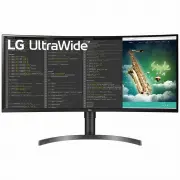 LG 35WN75C
User Manual
LG 35WN75C
User Manual
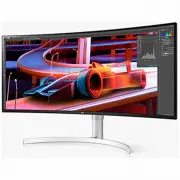 LG 38WN95C-WL
User Manual
LG 38WN95C-WL
User Manual
 LG E2060S
Manual
LG E2060S
Manual
 LG E2360V
Manual
LG E2360V
Manual
 LG UltraWide 34WP500-B
User Manual
LG UltraWide 34WP500-B
User Manual
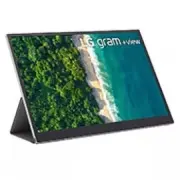 LG 16MQ70
User Manual
LG 16MQ70
User Manual