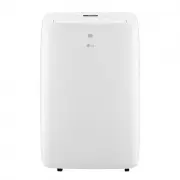
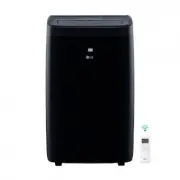
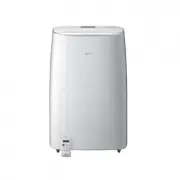
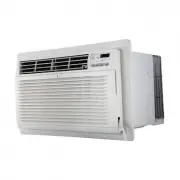
Page 2 - TABLE OF CONTENTS
TABLE OF CONTENTS SAFETY INSTRUCTIONS .............................................................. 3 IMPORTANT SAFETY INSTRUCTIONS ..........................................................4 PRODUCT OVERVIEW .................................................................. 7 Exterior Parts .........
Page 3 - SAFETY INSTRUCTIONS; READ ALL INSTRUCTIONS BEFORE USE; your appliance. Always read and follow all safety messages.; WARNING; instructions are not followed.
3 EN SAFETY INSTRUCTIONS READ ALL INSTRUCTIONS BEFORE USE Your safety and the safety of others are very important.We have provided many important safety messages in this manual and on your appliance. Always read and follow all safety messages. This is the safety alert symbol.This symbol alerts you t...
Page 4 - IMPORTANT SAFETY INSTRUCTIONS; including the following:
4 EN IMPORTANT SAFETY INSTRUCTIONS WARNING To reduce the risk of explosion, fire, death, electric shock, scalding or injury to persons when using this product, follow basic precautions, including the following: INSTALLATION • Before use, the appliance must be properly installed as described in this ...
Page 6 - CAUTION; To reduce the risk of minor or moderate injury to persons,; INSTALLATION; SAVE THESE INSTRUCTIONS
6 EN CAUTION To reduce the risk of minor or moderate injury to persons, malfunction, or damage to the product or property when using this product, follow basic precautions, including the following: INSTALLATION • Take care when installing the product that exhaust or condensation does not damage near...
Page 7 - PRODUCT OVERVIEW; Exterior Parts
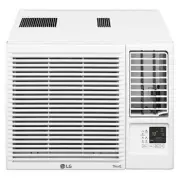
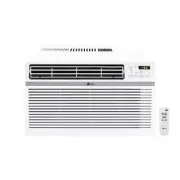
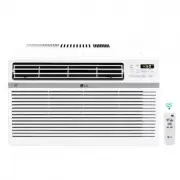
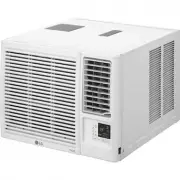
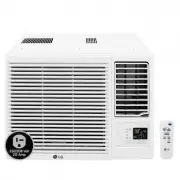
7 EN PRODUCT OVERVIEW Exterior Parts Interior Parts 7 45 8 3 6 1 2 8 3 2 5 471 6 1 Control Panel 1 Evaporator 2 Remote Control 2 Air Guide 3 Air Filter 3 Brace 4 Vertical Air Deflector (Horizontal Louver) 4 Compressor 5 Horizontal Air Deflector (Vertical Louver) 5 Condenser 6 Front Grille 6 Base Pan...
Page 8 - Electrical Data
8 EN INSTALLATION Electrical Data Power cord may include a current interrupter device. TEST and RESET buttons are provided on the plug case. The device should be tested on a periodic basis by frist pressing the TEST button and then the RESET button. If the TEST button does not trip or if the RESET b...
Page 9 - Tools Needed
9 EN Parts Included (Appearance May Vary) Drain Pipe Right curtain panel Left curtain panel Foam strip (Non-adhesive) Foam-PE (2) (Adhesive backed) Lower panel guide (2) Window locking bracket Sill support (2) Type “A” Screws Type “A” Screws (13) (13) Type “B” Screws Type “B” Screws (3) (3) Type “C”...
Page 10 - How to Install the Unit; Window Requirements; Storm Window Requirements
10 EN How to Install the Unit 1 To prevent vibration and noise, make sure the unit is installed securely and firmly. 2 Install the unit out of direct sunlight. 3 There should be no obstacles, such as a fence or wall, within 20” from the back of the cabinet because it will prevent heat radiation of t...
Page 11 - Preparation of Cabinet
11 EN Preparation of Cabinet 1 Remove 4 screws which fasten the cabinet at both sides and at the back. (Keep the screws for later use.) Shipping Shipping Screws Screws 2 Slide the unit from the cabinet by gripping the base pan handle and pulling forward while bracing the cabinet. CAUTION • The unit ...
Page 12 - Cabinet Installation
12 EN Cabinet Installation Inside Sill Inside Sill Center Hole Center Hole Outside Sill Outside Sill 1 Open the window. Mark a line on the center of the inside sill.Carefully place the cabinet in the window and align the center hole on the cabinet bottom front with the center line on the sill. Insid...
Page 13 - Unit Installation
13 EN 6 Mount the cabinet to the window sill using 3 type B screws in the holes on the front angle. Sash Track Sash Track Front Angle Front Angle Screws (Type B) Screws (Type B) 7 Pull each curtain panel out until it meets the window sash track. Sash Track Sash Track Front Angle Front Angle Upper Pa...
Page 15 - OPERATION; Control Panel and Remote Control; Remote Control
15 EN OPERATION Control Panel and Remote Control 1 2 3 4 7 6 5 Remote Control 1 4 2 7 3 NOTE • The feature may be changed according to the type of model. 1 Power Press to turn the air conditioner ON or OFF. 4 Operation Mode Press the Mode button to cycle between 4 types of air conditioner operation:...
Page 16 - Wireless Remote Control; Inserting Batteries
16 EN 5 Wi-Fi (Wi-Fi Model Only) Enables connection of the air conditioner to the home Wi-Fi. NOTE • Follow instructions on ThinQ application on how to connect to your unit. 6 Clean Filter The Clean Filter LED lights up to notify you that the filter needs to be cleaned. After cleaning the filter, pr...
Page 17 - Air Direction; Additional Features
17 EN Air Direction Airflow can be adjusted by changing the direction of the air conditioner’s louvers. Adjusting Horizontal Airflow Direction The horizontal airflow is adjusted by moving the levers of the vertical louvers to the left or right. Adjusting Vertical Airflow Direction Touch the horizont...
Page 18 - SMART FUNCTIONS; LG ThinQ Application; LG ThinQ Application Features
18 EN SMART FUNCTIONS LG ThinQ Application This feature is only available on models with the b or ThinQ logo The LG ThinQ application allows you to communicate with the appliance using a smartphone. LG ThinQ Application Features Communicate with the appliance from a smartphone using the convenient s...
Page 19 - Smart Diagnosis
19 EN Installing the LG ThinQ Application Search for the LG ThinQ application from the Google Play Store or Apple App Store on a smartphone. Follow instructions to download and install the application. Open Source Software Notice Information To obtain the source code under GPL, LGPL, MPL, and other ...
Page 21 - MAINTENANCE; Air Filter; Cleaning the Air Filter
21 EN MAINTENANCE WARNING • Before cleaning or performing maintenance, disconnect the power supply and wait until the fan stops. Air Filter Check the air filter at least twice a month to see if cleaning is necessary. Trapped particles in the filter can build up and block the airflow, reducing coolin...
Page 22 - TROUBLESHOOTING; Before Calling for Service; Normal Sounds You May Hear
22 EN TROUBLESHOOTING Before Calling for Service The appliance is equipped with an automatic error-monitoring system to detect and diagnose problems at an early stage. If the appliance does not function properly or does not function at all, check the following before you call for service. Normal Sou...
Page 26 - WARRANTY
26 EN WARRANTY ARBITRATION NOTICE: THIS LIMITED WARRANTY CONTAINS AN ARBITRATION PROVISION THAT REQUIRES YOU AND LG TO RESOLVE DISPUTES BY BINDING ARBITRATION INSTEAD OF IN COURT, UNLESS YOU CHOOSE TO OPT OUT. IN ARBITRATION, CLASS ACTIONS AND JURY TRIALS ARE NOT PERMITTED. PLEASE SEE THE SECTION TI...
Page 27 - FOR YOUR RECORDS
27 EN THIS WARRANTY IS IN LIEU OF ANY OTHER WARRANTY, EXPRESS OR IMPLIED, INCLUDING AND WITHOUT LIMITATION TO, ANY WARRANTY OF MERCHANTABILITY OR FITNESS FOR A PARTICULAR PURPOSE. TO THE EXTENT ANY IMPLIED WARRANTY IS REQUIRED BY LAW, THIS WARRANTY IS LIMITED IN DURATION TO THE TERM PERIOD EXPRESSED...