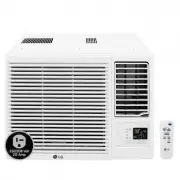
Page 2 - Room Air Conditioner; Room Air Conditioner Owner’s Manual; TABLE OF CONTENTS; FOR YOUR RECORDS; READ THIS MANUAL; PRECAUTION; A. Safety Precautions
2 Room Air Conditioner Room Air Conditioner Owner’s Manual TABLE OF CONTENTS FOR YOUR RECORDS Write the model and serial numbers here: Model # Serial # You can find them on a label on the side of each unit. Dealer's Name Date Purchased n Staple your receipt to this page in the event you needit to pr...
Page 3 - ENGLISH; Safety Precautions; Meanings of symbols used in this manual are as shown below.; Be sure to follow the instruction.; Use the correctly rated breaker or fuse.
Owner's Manual 3 Safety Precautions ENGLISH Safety Precautions To prevent injury to the user or other people and property damage, the following instructions must be followed. ■ Incorrect operation due to ignoring instruction will cause harm or damage. The seriousness is classified bythe following in...
Page 5 - Do not block the inlet or outlet of air flow.
Owner's Manual 5 Safety Precautions ENGLISH Do not use the product for special purposes,such as preserving foods, works of art, etc. Itis a consumer air conditioner, not a precisionrefrigeration system. • There is risk of damage or loss of property. Do not block the inlet or outlet of air flow. • It...
Page 6 - Electrical Safety; Temporary Use of an Adapter; This symbol alerts you to the risk of electric shock.; NOTE
6 Room Air Conditioner Electrical Safety Electrical Safety • This appliance must be properly grounded. To minimize the risk of electric shock, you must alway plug into a grounded oulet. • Do not cut or remove the grounding prong from the power plug. • Attaching the adapter ground terminal to the wal...
Page 7 - Product Introduction; Indoor Units; Outdoor Unit
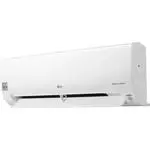
Owner's Manual 7 Here is a brief introduction of the indoor and outdoor units. Please see the information specific to yourindoor unit type. Product Introduction Product Introduction Air Inlet Front Panel Air Filter On/Off button Signal Receptor Plasma filter Indoor Units ENGLISH Air intake vents Air...
Page 8 - How to insert the Batteries; Operating Instructions; Operating Method
8 Room Air Conditioner Operating Instructions How to insert the Batteries Wireless Remote Controller Maintenance 1. Remove the battery cover by pulling it according to the arrow direction. 2. Insert new batteries making sure that the (+) and (-) of battery are installed correctly. 3. Reattach the co...
Page 9 - Operation Mode; Wireless Remote Controller
Owner's Manual 9 ENGLISH ON OFF CANCEL AUTO CLEAN SET 1 3 5 4 9 10 12 1416 18 7 2 8 13 15 11 6 Cooling Operation Auto Operation or Auto Changeover Healthy Dehumidification Operation Flip-up door(opened) Heating Operation Signal transmitter • Cooling Model( ), Heat Pump Model( ) 17 Operation Mode Ope...
Page 11 - Auto; Auto Changeover Operation (Heat Pump Model)
Owner's Manual 11 ENGLISH During Healthy Dehumidification Operation ❏ If you select the dehumidification mode on the OPERATION MODESELECTION BUTTON, the product starts to run the dehumidificationfunction. It automatically sets the room temperature and airflow volume tothe best condition for dehumidi...
Page 12 - Jet Cool/Heat Operation; AUTO CLEAN
12 Room Air Conditioner Operating Instructions Jet Cool/Heat Operation NEO PLASMA Purification Operation (Optional) AUTO CLEAN ❏ During auto clean function, only START/STOP BUTTON, PLASMA BUTTON and AUTO CLEAN BUTTONcan be used. NOTE ❏ During auto clean function, moistures left in indoor units after...
Page 13 - Forced operation; Heat pump Model; Test operation
Owner's Manual 13 ENGLISH Energy-Saving Cooling Mode (Optional) Operating Instructions Energy-saving cooling mode can save energy in cooling and healthy dehumidification operation, because itcan operate efficiently by setting body-adaptation time according to the change of time and temperature andad...
Page 14 - In cooling mode or healthy dehumidification mode:; To cancel the timer setting; Sleep Mode
14 Room Air Conditioner Operating Instructions Delay off timer Delay on timer Delay off and on timer Delay on and off timer 1. Press the SLEEP MODE AUTO BUTTON to set the time when you want the unit to stop automatically.2. The timer is programmed in one-hour increments by pressing the SLEEP MODE AU...
Page 15 - Auto Restart Function
Owner's Manual 15 ENGLISH This operation circulates the air without cooling or heating. It canbe activated by pressing the AIR CIRCULATION BUTTON. Oncethe air circulation is activated you can select the air speed bypressing the INDOOR FAN SPEED SELECTOR BUTTON. The up/down airflow (Vertical airflow)...
Page 16 - Indoor Unit; Air Filters; Maintenance and Service
Don't touch this plasma filter within 10 seconds after opening the inlet grille, it may cause an electric shock. 16 Room Air Conditioner Open the front panel as shown.Then pull the filter tab slightly forward to remove the air filter.After removing the air filter remove the plasma filter by slightly...
Page 17 - Do not overcool the room.
Owner's Manual 17 Maintenance and Service Outdoor Unit The heat exchanger coils and panel vents of the outdoor unit should be checked regularly. If clogged with dirt or soot, the heat exchanger and panel vents may be professionally steam cleaned. Dirty or clogged coils will reduce the operating effi...
Page 18 - Troubleshooting Tips! Save time and money!; The air conditioner may be operating abnormally when:; Problem
18 Room Air Conditioner Troubleshooting Tips! Save time and money! The air conditioner may be operating abnormally when: Problem n The air conditioner isunplugged. n The fuse is blown/circuitbreaker is tripped. n Power failure. n High voltage. n Airflow is restricted. n The air filter is dirty. n Th...
Page 19 - Register your product Online!
LGEUSLG Electronics, Air conditioning Division Applied Models :AS-W243DGY9AS-W303DGY9AS-W363DGY9 1000 Sylvan Ave., Englewood Cliffs, NJ 07632LGECILG Electronics Canada Inc.20 NORELCO DRIVE. NORTH YORK, ONTARIO M9L 2X6. www.lg.com USA, press #2 for PTAC, TTW USA, press #3 for DFS, Multi V CANADA 888-...