Page 2 - TABLE OF CONTENTS
2 TABLE OF CONTENTS TABLE OF CONTENTS 3 IMPORTANT SAFETY INSTRUCTIONS 6 PRODUCT OVERVIEW 6 Parts6 Specifications 7 OPERATION 8 SMART FUNCTIONS 8 LG SmartThinQ Application 9 FCC Notice (For transmitter module contained in this product) 9 FCC RF Radiation Exposure Statement 10 MAINTENANCE 10 Surface M...
Page 3 - IMPORTANT SAFETY INSTRUCTIONS; WARNINg; CAUTION; STATE OF CALIFORNIA PROPOSITION 65 WARNINgS; WARNINg
3 IMPORTANT SAFETY INSTRUCTIONS ENGLISH IMPORTANT SAFETY INSTRUCTIONS Read and follow all instructions when using the range to prevent the risk of fire, electric shock, personal injury, or damage. This guide does not cover all possible conditions that may occur. Always contact your service agent or ...
Page 4 - gENERAL SAFETY PRECAUTIONS
4 IMPORTANT SAFETY INSTRUCTIONS gENERAL SAFETY PRECAUTIONS To reduce the risk of fire, electric shock, serious injury or death when using the range hood, follow basic safety precautions, including the following: WARNINg • If you receive a damaged product, immediately contact your dealer or builder. ...
Page 5 - READ AND SAVE ThESE INSTRUCTIONS
5 IMPORTANT SAFETY INSTRUCTIONS ENGLISH WARNINg • TO REDUCE THE RISK OF INJURY TO PERSONS IN THE EVENT OF A RANGE- TOP GREASE FIRE: – SMOTHER FLAMES with a close-fitting lid, cookie sheet or metal tray, then turn off the burner. BE CAREFUL TO PREVENT BURNS. If the flames do not go out immediately, E...
Page 6 - PRODUCT OVERVIEW; Parts
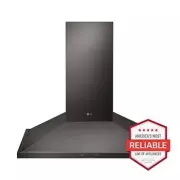
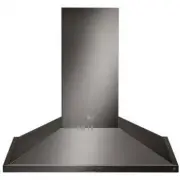
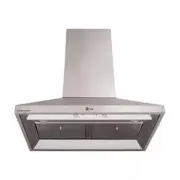
6 PRODUCT OVERVIEW PRODUCT OVERVIEW Parts 1 4 5 2 3 1 hOOD2 ICON TOUCh CONTROL PANEL3 LED STRIP LIghT4 MESh FILTER 5 SIDE PANEL (Only for LShD3689BD, LShD3680ST) Specifications hood Models LShD3689BD, LShD3680ST, LShD3089BD, LShD3080ST hood Width LSHD3689BD, LSHD3680ST : 36 InchesLSHD3089BD, LSHD308...
Page 7 - OPERATION
7 OPERATION ENGLISH OPERATION 1 3 2 4 1 POWER / DELAY OFF BUTTON Power Button Function • Button will turn power on and off for entire hood (fan and lights). • Hood will remember the last speed and light level it was turned off at. (Example: Press the button to turn off the hood with fan speed at lev...
Page 8 - SMART FUNCTIONS; Lg SmartThinQ Application; Before Using Lg SmartThinQ; Installing the Lg SmartThinQ
8 SMART FUNCTIONS SMART FUNCTIONS Lg SmartThinQ Application The LG SmartThinQ application allows you to communicate with the appliance using a smartphone. Before Using Lg SmartThinQ • For appliances with the or logo 1 Use a smartphone to check the strength of the wireless router (Wi-Fi network) near...
Page 9 - Lg SmartThinQ Application Features; Open Source Software Notice; FCC Notice (For transmitter
9 SMART FUNCTIONS ENGLISH Lg SmartThinQ Application Features • For appliances with the or logo Settings Allows you to set various options on the hood and in the application. Monitoring Use this function to check the current status from one screen. NOTE • If you change your wireless router, your Inte...
Page 10 - MAINTENANCE; Surface Maintenance
10 MAINTENANCE MAINTENANCE Surface Maintenance Clean periodically with hot soapy water and a clean cotton cloth. Do not use corrosive or abrasive detergent, or steel wool/scouring pads which will scratch and damage surface. Do not use products containing chlorine bleach or citrus-based cleaners.For ...
Page 11 - TROUBLEShOOTINg; Before Calling for Service
11 TROUBLESHOOTING ENGLISH TROUBLEShOOTINg Before Calling for Service Symptoms Possible Causes / Solutions After installation, the unit doesn’t work. • The power source is not turned ON.- Make sure the circuit breaker and the unit’s power is ON. • The power cord and the cable locking connector are n...
Page 15 - MANUAL DEL PROPIETARIO; CAMPANA
ESPAÑOL MANUAL DEL PROPIETARIO CAMPANA Lea detenidamente el manual del propietario antes de poner el aparato en funcionamiento y consérvelo a mano en todo momento para su referencia. www.lg.com LSHD3689BD LSHD3089BDLSHD3680ST LSHD3080ST MFL70282902_00 Copyright © 2017 LG Electronics Inc. Todos los D...
Page 16 - ÍNDICE
2 ÍNDICE ÍNDICE 3 INSTRUCCIONES IMPORTANTES DE SEGURIDAD 6 DESCRIPCIÓN GENERAL DEL PRODUCTO 6 Piezas6 Especificaciones 7 FUNCIONAMIENTO 8 FUNCIONES INTELIGENTES 8 Aplicación LG SmartThinQ 9 Aviso de la FCC (para el módulo transmisor contenido en este producto) 9 Declaración sobre exposición a la rad...
Page 17 - INSTRUCCIONES IMPORTANTES DE; ADVERTENCIA; PRECAUCIÓN; ADVERTENCIAS DE LA PROPUESTA 65 DEL ESTADO DE; ADVERTENCIA
3 INSTRUCCIONES IMPORTANTES DE SEGURIDAD Español INSTRUCCIONES IMPORTANTES DE SEGURIDAD Lea y siga todas las instrucciones cuando utilice la cocina para evitar riesgos de incendios, descargas eléctricas, lesiones personales o daños. Esta guía no incluye todas las situaciones posibles que podrían ocu...
Page 18 - PRECAUCIONES GENERALES DE SEGURIDAD
4 INSTRUCCIONES IMPORTANTES DE SEGURIDAD PRECAUCIONES GENERALES DE SEGURIDAD Para reducir el riesgo de incendio, descargas eléctricas, lesiones graves o muerte al usar esta campana extractora, siga las precauciones de seguridad básicas, incluidas las siguientes: ADVERTENCIA • Si recibe un producto d...
Page 19 - LEA Y GUARDE ESTAS INSTRUCCIONES
5 INSTRUCCIONES IMPORTANTES DE SEGURIDAD Español ADVERTENCIA • Para reducir el riesgo de incendio provocado por grasa en la superficie de la cocina: – Nunca deje las hornallas sin supervisión en configuraciones de altas temperaturas. Los derramamientos por ebullición producen humo y los derrames de ...
Page 20 - DESCRIPCIÓN GENERAL DEL PRODUCTO; Piezas
6 DESCRIPCIÓN GENERAL DEL PRODUCTO DESCRIPCIÓN GENERAL DEL PRODUCTO Piezas 1 4 5 2 3 1 CAMPANA2 PANEL DE CONTROL TÁCTIL CON ICONOS 3 LUZ LED4 FILTROS DE MALLA 5 PANEL LATERAL (solo para LSHD3689BD, LSHD3680ST) Especificaciones Modelos de campana LSHD3689BD, LSHD3680ST, LSHD3089BD, LSHD3080ST Ancho d...
Page 21 - FUNCIONAMIENTO
7 FUNCIONAMIENTO Español FUNCIONAMIENTO 1 3 2 4 1 BOTÓN DE ENCENDIDO / APAGADO RETARDADO Función del botón de encendido • El botón ON/OFF *Timed enciende y apaga toda la campana (ventilador y luces) • La campana recordará la última velocidad y el nivel de luc a los que se apagó. (Ejemplo: Pulse el b...
Page 22 - FUNCIONES; Previo a utilizar LG SmartThinQ; Instalando la aplicación LG
8 FUNCIONES INTELIGENTES FUNCIONES INTELIGENTES Aplicación LG SmartThinQ La aplicación LG SmartThinQ le permite comunicarse con el electrodoméstico usando un teléfono inteligente. Previo a utilizar LG SmartThinQ • Para electrodomésticos con el o logo 1 Utilice un teléfono inteligente para verificar ...
Page 23 - Funciones de la aplicación LG; Aviso de Información de Código; Aviso de la FCC (para el
9 FUNCIONES INTELIGENTES Español Funciones de la aplicación LG SmartThinQ • Para electrodomésticos con el o logo Ajustes Le permite configurar varias opciones en el campana y en la aplicación. Monitoreo Esta función le permite observar el estado actual finalización en la pantalla. NOTA • Si cambia s...
Page 24 - MANTENIMIENTO; Mantenimiento de la
10 MANTENIMIENTO MANTENIMIENTO Mantenimiento de la superficie Limpie periódicamente con agua caliente jabonosa y un paño de algodón limpio. No utilice detergentes corrosivos o abrasivos, o estropajos de aluminio o abrasivos que arañarían la superficie y la dañarían. No utilice productos que contenga...
Page 25 - SOLUCIÓN DE PROBLEMAS; Antes de llamar al servicio técnico
11 SOLUCIÓN DE PROBLEMAS Español SOLUCIÓN DE PROBLEMAS Antes de llamar al servicio técnico Síntomas Causas/soluciones posibles Tras su instalación, la unidad no funciona. • La fuente de alimentación no está encendida − Asegúrese de que el interruptor y la alimentación de la unidad están encendidos. ...
Page 29 - MEMO