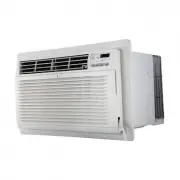
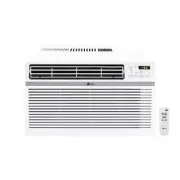
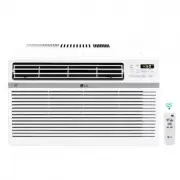
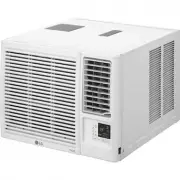
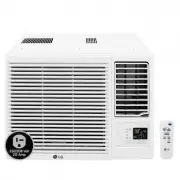
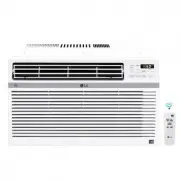
Page 2 - Packaged Terminal Air Conditioner/Heat Pump Owner's Manual; TABLE OF CONTENTS; FOR YOUR RECORDS
2 Room Air Conditioner Packaged Terminal Air Conditioner/Heat Pump Owner's Manual TABLE OF CONTENTS FOR YOUR RECORDS Write the model and serial numbers here: Model #Serial # Dealer's NameDate Purchased Staple your receipt to this page in the event you need it to prove date of purchase or for warrant...
Page 3 - Safety Precautions; WARNING; WARNING; Installation; Be sure to follow the instruction.; • It may cause failure and
Ownerʼs Manual 3 ENGLISH Safety Precautions Safety Precautions Incorrect operation due to ignoring instruction will cause harm or damage. The seriousnessis classified by the following indications. Meanings of symbols used in this manual are as shown below. WARNING CAUTION This symbol indicates the p...
Page 4 - Operation
4 Room Air Conditioner Safety Precautions n Operation Do not place the power cord near a heater. • It may cause fire and electric shock. Do not allow water to run into electric parts. • It will cause failure of machine or electric shock. Use a soft cloth to clean. Do not use wax, thinner, or a stron...
Page 5 - CAUTION; • Be considerate of your neighbor.
Ownerʼs Manual 5 ENGLISH Safety Precautions CAUTION n Installation Do not operate or stop theunit by inserting or pullingout the power plug. • It will cause electric shock or fire due to heat generation. Do not damage or use anunspecified power cord. • It will cause electric shock or fire. Do not op...
Page 7 - Before Operation; Contact an installation specialist for installation.; Preparing for Operation
Ownerʼs Manual 7 ENGLISH Before Operation Before Operation 1. Contact an installation specialist for installation. This is NOT a do-it-yourself project. 2. Plug in the power plug properly.3. Use a dedicated circuit.4. Do not use an extension cord. Consult a professional installer or electrician.5. D...
Page 8 - This symbol alerts you to the risk of electric shock.; NOTICE; THE SLEEVE AND THE REAR GRILLE; Introduction; Symbols Used in this Manual
8 Room Air Conditioner Introduction This symbol alerts you to the risk of electric shock. This symbol alerts you to hazards that could cause harm tothe air conditioner. This symbol indicates special notes. NOTICE This air conditioner should be installed in accordance with the National Electric Code....
Page 9 - Electrical Safety; Electrical Data
Ownerʼs Manual 9 ENGLISH Electrical Safety Electrical Safety Electrical Data 208 / 230V~ 265V~ Power cord may include a current interrupter device. A test and reset button is provided on the plug case. The device should be tested on a periodic basis by first pressing the TEST button and then the RES...
Page 11 - How to Install the Unit
Ownerʼs Manual 11 ENGLISH Installation How to Install the Unit Installation 406 mm (16") 1,066 mm (42") 3 49 mm (13 3 / 4 ") 536 mm (21") Dimension of air conditioner Dimension of sleeve assembly (optional) Over 20" HEAT RADIATION WALL WALL INSULATION SLEEVE INTAKE AIR COOLED AIR...
Page 12 - UNIT INSTALLATION
12 Room Air Conditioner Installation • UNIT INSTALLATION 1. Remove the shipping screw from the ventilation door. 2. Remove the front gille by pulling it out at the bottom to release it, then lift it up along the unit top front. 6. Slide the unit into the wall sleeve and secure with 4 screws through ...
Page 13 - Control Locations; Manual Controls; VENTILATION
Owner ʼ s Manual 13 ENGLISH Control Locations Control Locations Manual Controls • VENTILATION The ventilation lever is located to the lower left side of the unit.The ventilation lever must be in the CLOSE position inorder to maintain the best cooling & heating conditions.When fresh air is necess...
Page 14 - Electronic Controls; POWER; TIMER
14 Room Air Conditioner Control Locations Electronic Controls POWER MODE - Push this button to cycle through the modes from COOL FAN HEAT COOL. - COOL • Fan runs continually for normal cooling operation. - ENERGY SAVER • The fan stops when the compressor stops cooling & heating operations. Appro...
Page 16 - Additional Controls; REMOVING THE FRONT GRILLE; • TEMPER
16 Room Air Conditioner Control Locations Additional Controls • REMOVING THE FRONT GRILLE Additional controls are available afterremoving the front grille and optioncover of control box.To remove the front grille, pull out thebottom of front grille and then lift up.To reinstall the front grille, pla...
Page 17 - REMOTE/LOCAL CONTROL; ENERGY SAVER; FRONT DESK CONTROL; REMOTE WALL THERMOSTAT
• REMOTE/LOCAL CONTROL When remote/local switch #1 is on, it allow the unit to operate by the Remote Wall Thermostat. The unit control by buttons are not available. • ENERGY SAVER The energy saver switch #2 is on. This switch is set at cycle fan to provide continuous fan operation in cool or heat mo...
Page 18 - Disassembly Instructions
18 Room Air Conditioner Control Locations 1. Remove the front grille. 2. To remove the front grille, pull out the bottom of the front grille and then lift up.Re-install the component by referring to theremoval procedure. 3. To reinstall the front grille, place the tabs over the top of the unit and p...
Page 19 - Maintenance and Service; Air Filter Cleaning
Maintenance and Service Ownerʼs Manual 19 Maintenance and Service Air Filter Cleaning Vent Filter TURN OFF THE AIR CONDITIONER AND REMOVE THE PLUG FROM THE POWER OUTLET. The air filter should be checked at least twice a month to see if cleaning is necessary. Trapped particles in the filter will buil...
Page 20 - Chassis; Drainage
20 Room Air Conditioner Maintenance and Service Chassis Front Grille Compressor / Fan Motor The chassis must be cleaned every four months or more often as the atmospheric conditions require. Use water and detergent to clean the basepan, center partition and coils. The use of harsh cleaning materials...
Page 21 - Troubleshooting; Common Problems and Solutions
Maintenance and Service Ownerʼs Manual 2 1 Problem Possible Causes What To Do The air conditioner isunplugged. Make sure the air conditioner plug is pushedcompletely into the outlet. The fuse is blown/circuitbreaker is tripped. Check the house fuse/circuit breaker box andreplace the fuse or reset th...
Page 23 - Please read this manual carefully before operating; TYPE : Room Air Conditioner; Lea atentamente este instructivo de operaciones; OWNER’S MANUAL; AIR
www.lg.com http://www.lghvac.com Copyright © 2017-2018 LG Electronics Inc. All Rights Reserved. Copyright © 2017-2018 LG Electronics Inc. Tous droits réservés. Please read this manual carefully before operating your set and retain it for future reference. TYPE : Room Air Conditioner ESPAÑOL LP153HDU...
Page 24 - PARA SUS ARCHIVOS; Manual del usuario del acondicionador de aire tipo Ventana; TABLA DE CONTENIDOS
2 Aparato de aire acondicionado PARA SUS ARCHIVOS Escriba aquí el modelo y número de serie: Modelo n°:Serie n°: Puede encontrarlos en la etiqueta de calidad y el panel frontal de la base de cada unidad. Nombre del distribuidor:Fecha de compra: Adjunte su recibo a esta página con la grapadora para el...
Page 25 - Precauciones de Seguridad; Este símbolo indica la posibilidad de muerte o de seria lesión.; ADVERTENCIA; Instalación; Siga estas instrucciones.
Manual del propietario 2 5 ESPA ÑOL Precauciones de Seguridad Precauciones de Seguridad Se deben seguir las siguientes instrucciones, para evitar lesiones al usuario y daños a la propiedad. Una operación incorrecta por ignorar las instrucciones provocará lesiones o daños. La seriedad se clasificapor...
Page 26 - Operación
2 6 Aparato de aire acondicionado Precauciones de Seguridad n Operación No ponga el cable dealimentación cerca de uncalentador. • Puede ocasionar un incendio y una descarga eléctrica. No permita que entre aguaen las piezas eléctricas. • Puede provocar fallos en el producto o descargaseléctricas. Uti...
Page 27 - PRECAUCION; Mantenga nivelado el producto al instalarlo.
Manual del propietario 2 7 ESPA ÑOL Precauciones de Seguridad PRECAUCION n Instalación No opere ni detenga launidad insertando oestirando de enchufe. • De lo contrario, puede provocar una descarga eléctrica oincendio debido a la generaciónde calor. No dañe ni use un enchufede alimentación noespecifi...
Page 29 - Antes de poner el equipo en funcionamiento; afiladas de metal puede causar lesiones.; Preparación para el funcionamiento
29 o ir a t e i p o r p l e d l a u n a M ESPA ÑOL Antes de poner el equipo en funcionamiento Antes de poner el equipo en funcionamiento 1. Póngase en contacto con un especialista para realizar la instalación. 2. Enchufe correctamente la toma de alimentación.3. Utilice un circuito dedicado. 4. No ut...
Page 30 - Este símbolo le avisa del riesgo de descarga eléctrica.; AVISO; EL MANGUITO Y LA REJILLA POSTERIOR; Introducción; Símbolos utilizados en este manual
3 0 Aparato de aire acondicionado Introducción Este símbolo le avisa del riesgo de descarga eléctrica. Este símbolo le avisa de los peligros que podrían dañar elaparato de aire acondicionado. Este símbolo indica notas especiales. AVISO Este acondicionador de aire se debería instalar de acuerdo con e...
Page 31 - Seguraida Electrica; Datos Electricos
Manual del propietario 3 1 ESPA ÑOL Seguraida Electrica Seguraida Electrica Datos Electricos Utilice el enchufe de la pared Consumo de Energía Utilice un fusible de15AMP. o unInterruptor de 15AMP. Utilice un fusible de20AMP. o unInterruptor de 20AMP.(2500W Calentadora ơ o un Interruptor de 15AMP.) U...
Page 32 - IMPORTANTE
3 2 Aparato de aire acondicionado Seguraida Electrica IMPORTANTE (FAVORLEA CON ATENCIÓN) POR LA SEGURIDAD PERSONAL DEL USUARIO,ESTE APARATO DEBE SER DEBÍDAMENTENEUTRALIZADO. El cordón de energía de éste aparato esta equipadocon tres patas(cable a tierra). Utilice éste con unenchufe de pared de tres ...
Page 33 - Cómo instalar la unidad
Manual del propietario 33 ESPA ÑOL Instalación Cómo instalar la unidad Instalación Más de 20" Más de 20" RADIACIÓN DE CALOR PARED PARED AISLAMIENTO ALOJAMIENTO ENTRADA DE AIRE AIRE REFRIGERADO Burbuja del nivel de 1/4" Parte frontal Banda aislante Posterior ALOJAMIENTO 280 mm (11") •...
Page 34 - INSTALACIÓN DE LA UNIDAD
3 4 Aparato de aire acondicionado Instalación 1. Quite el tornillo de embalaje de la puerta de ventilación. 2. Para ello, quite la rejilla delantera tirando de ella hacia fuera desde la parte inferior y, a continuación,levántela por encima de la parte delantera de launidad. 6. Deslice la unidad haci...
Page 35 - Ubicación de los controles; Controles manuales; VENTILACIÓN
Manual del propietario 35 ES PA ÑOL Ubicación de los controles Ubicación de los controles Controles manuales • VENTILACIÓN La palanca de ventilación está ubicada en el lateralizquierdo inferior de la unidad.La palanca de ventilación debe estar en la posición CERRADO para mantener las mejores condici...
Page 36 - Controles electrónicos; FAN SPEED
3 6 Aparato de aire acondicionado Ubicación de los controles Controles electrónicos - Pulse este botón para desplazarse por los modos POWER MODE - COOL FAN HEAT COOL. FAN SPEED {High(F2) Low(F1) High(F2)} °F • Cada vez que pulse este botón, se desplazará por los ajustes de la siguiente forma: • Para...
Page 37 - Autodiagnóstico
Ubicación de los controles FUNCIÓN: Si la unidad sufriera una avería, el LED OPERATIVO verde situado en la pantalla PCB utilizado por la unidad se iluminará para indicar los códigos de error. USO: Si el cliente ha registrado una queja en el Centro de servicio, deberá ser muy claro a la hora de regis...
Page 38 - Controles adicionales; • EXTRACCIÓN DE LA REJILLA DELANTERA; • LIMITACIÓN DE TEMPERATURA
38 Aparato de aire acondicionado Ubicación de los controles Controles adicionales • EXTRACCIÓN DE LA REJILLA DELANTERA Los controles adicionales están disponibles al extraer larejilla delantera y la tapa opcional de la caja de controles.Para extraer la rejilla delantera, tire de la parte inferior de...
Page 40 - Instrucciones de desmontaje
40 Aparato de aire acondicionado Ubicación de los controles 1. Extraiga la rejilla delantera.2. Para extraer la rejilla delantera, tire de la parte inferior de la misma hacia fuera y despuéshacia arriba.Vuelva a instalar el componente siguiendo elprocedimiento de extracción. 3. Para conexión a travé...
Page 41 - Mantenimiento y asistencia técnica; Limpieza del filtro de aire
Mantenimiento y asistencia técnica Manual del propietario 41 Ilustración A – Ventilación (Left side of unit) Ilustración B – Extracción del filtro de ventilación Mantenimiento y asistencia técnica Limpieza del filtro de aire Filtro de ventilación APAGUE EL ACONDICIONADOR DE AIRE Y RETIRE EL ENCHUFE ...
Page 42 - Armazón
4 2 Aparato de aire acondicionado Mantenimiento y asistencia técnica Armazón REJILLA FRONTAL Compresor / Motor del ventilador Limpie el armazón cada cuatro meses o con mayor frecuencia según las condiciones atmosféricas. Utilice agua y detergente para limpiar la bandeja base, la división central y l...
Page 43 - Problemas comunes y soluciones
Mantenimiento y asistencia técnica Manual del propietario 4 3 Problema Causas posibles Què hacer El aire acondicionado estadesconectado. Asegurese que ei aire acondicionado esta conectadocompletamente a la fuente de energia. El fusible esta quemado/el interruptorde energia se habloqueado. Cheque los...