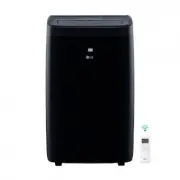
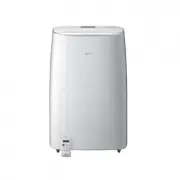
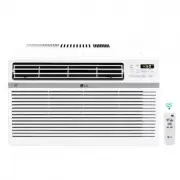
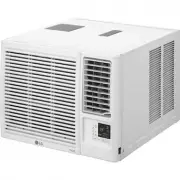
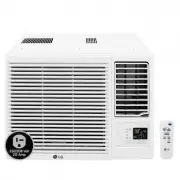
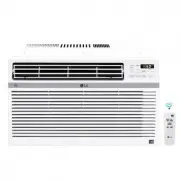
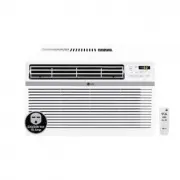
Page 2 - I N T R O D U C T I O N
2 Congratulations on your purchase and welcome to the LG family. Your new LG Air Conditioner combines high-eff iciency operation with p ortab le convenience. By following the operating and care instructions in this manual, your air conditioner will provide you with many years of reliable service. TH...
Page 3 - I M P O R TA N T S A F E T Y I N S T R U C T I O N S; READ ALL INSTRUCTIONS BEFORE USE; English; Your safety and the safety of others is very important.; WARNING; BASIC SAFETY PRECAUTIONS
I M P O R TA N T S A F E T Y I N S T R U C T I O N S READ ALL INSTRUCTIONS BEFORE USE 3 English WARNING This symbol indicates the possibility of death or serious injury. CAUTION This symbol indicates the possibility of injury or damage to property. Your safety and the safety of others is very import...
Page 4 - CAUTION; ELECTRICAL SAFETY; Electrical Shock Hazard
4 I M P O R TA N T S A F E T Y I N S T R U C T I O N S READ ALL INSTRUCTIONS BEFORE USE • To avoid possible cuts, avoid contacting the metal parts of the air conditioner when removingor reinstalling the filter. It can result in the risk ofpersonal injury. • Do not block the air inlet or outlet of th...
Page 5 - SAVE THESE INSTRUCTIONS
5 English I M P O R TA N T S A F E T Y I N S T R U C T I O N S READ ALL INSTRUCTIONS BEFORE USE PREFERRED GROUNDING METHOD Ensure proper ground exists before use. For additional safety, the power cord features an integrated circuit breaker. Test and reset buttons are provided on the plug case. The c...
Page 6 - KEY PARTS AND COMPONENTS; P A R T S A N D F E AT U R E S
6 1 2 3 4 5 6 7 KEY PARTS AND COMPONENTS CONTROL PANEL AND DISPLAY Easy-to-read white LCD display shows the operati o n state. Digital touch buttons make changing settings quick and easy. MOTORIZED AIR DISCHARGE The adjustable louvered air discharge opens automatically when the air conditioner is tu...
Page 7 - P A RT S A N D F E AT U R E S
English P A RT S A N D F E AT U R E S 1 2 3 4 5 6 7 POWER ON/OFF Turns the air conditioner on and off. When turning on, a rising tone will sound to confirm. When turning off, a descending tone will sound. AUTO CLEAN The AUTO CLEAN functio n is used to remov e moisture from the heat exchangers and he...
Page 8 - H O W TO U S E; BEFORE USING YOUR AIR CONDITIONER; PREPARING FOR OPERATION; UNPACKING THE AIR CONDITIONER
H O W TO U S E Refer to the Installation Instructions included inthis manual before using the air conditioner. Once the air conditioner has been properlyassembled and installed: Plug the power cord into its own dedicatedproperly grounded outlet. You will hear atone to confirm that the conditioner is...
Page 9 - H O W TO U S E; BEFORE USING YOUR AIR CONDITIONER; CAUTI ON
9 2 H O W TO U S E BEFORE USING YOUR AIR CONDITIONER CAUTI ON • If the liquid from the batteries gets onto your skin or clothes, wash it well with clean water . Do not use the remote if the bat teries have leaked. • If you eat the liquid from the batteries, brush your teeth and see doctor. The chemi...
Page 10 - USING THE CONTROLS; COOL; ENERGY; HEAT
1 0 Press the POWER butto n to turn the air conditioner ON or OFF. When you turn the air c tone will play and the LCD display will show the set temperature and any active onditioner on, an ascending mode.The air discharge on the top of the air conditioner wil automatically open. When turning the air...
Page 11 - gli
1 1 USING THE CONTROLS En gli sh Pressing the FAN button cycles the circulation fan speed from low (F1) to medium (F2) to high (F3).The selected fan speed will be shown in the LCD display. The function can be used in either COOL , FAN or HEAT modes. When changing fan speeds, there is a brief delay b...
Page 12 - H O W TO U S E
1 2 To turn the AUTO CLEAN function on, press the AUTO CLEAN button while the air conditioner is running in COOL,DRY or ENERGY SAVER mode. This function can only be selected from the remote ;it is not available from the control panel.It must be set each time you wish to run the AUTO CLEAN function. ...
Page 13 - I N S TA L L AT I O N I N S T R U C T I O N S; PREPARING FOR INSTALLATION; The air conditioner is heavy! Use two or more people to
English I N S TA L L AT I O N I N S T R U C T I O N S PREPARING FOR INSTALLATION WARNING The air conditioner is heavy! Use two or more people to lift and install the unit! Failure to do so could result in back injury or other injuries. The following c ompo nents are used for window venting.Not all c...
Page 14 - WINDOW VENT PANEL AND EXTENSIONS
I N S TA L L AT I O N I N S T R U C T I O N S WINDOW VENT PANEL AND EXTENSIONS The window installation kit allows you to install the air conditioner in most vertical-sliding windows 18 " to 48 " wide, or casement-style windows from 18 " to 48 " high. For an 18 " window opening, u...
Page 15 - I N S TA L L AT I O N I N S T R U C T I O N S; INSTALLATION IN VERTICAL SLIDING WINDOWS
Foam seal A (Adhesive type) Foam seal C (Adhesive type- shorter) NOTE : The window installation kit can be used with vertical sliding windows betwe en 18" and 48" wide. 1 Cut the foam seal A(adhesive type) & C(adhesive type-shorter) to the proper length, and attach it to the window sash ...
Page 17 - INSTALLATION IN CASEMENT STYLE WINDOWS
Foam seal A (Adhesive type) Foam seal C (Adhesive type- shorter) 1 Cut the foam seal A(adhesive type) & C(adhesive type-shorter) to the proper length, and attach it to the window sash and frame. 2 Insert the vent panel assembly, including extension panels, if needed, into the window opening. Ext...
Page 19 - C A R E A N D C L E A N I N G; CLEANING THE CASE
Wipe the case with aslightly damp cloth, thenwipe dry with a dry clothor towel. • To prevent damage to the finish, do not usegasoline, benzene, thinner, etc., or anyabrasive cleansers to clean the airconditioner; they may damage the finish. • Never pour water onto or into the unit; itcould damage in...
Page 20 - EMPTYING THE WATER COLLECTION TANK; end of the hose a suitable; FL apperars in the display; C A R E A N D C L E A R I N G
2 0 E ngl is h EMPTYING THE WATER COLLECTION TANK Drain hose Drain hose When the internal water collection tank is full, FL will appear in the display and the air conditioner will turn off until the tank is emptied . Unplug the air conditioner, disconnect the exhaust hose from the back, and move the...
Page 21 - STORING THE AIR CONDITIONER; C A R E A N D C L E A R I N G
STORING THE AIR CONDITIONER If the air conditioner will not be used for anextended period of time: Drain the water collection tank completely and leave the botto m drain cap and rubber plug long enough to allow any residual water to drain out. Once the tank is completely drained and no more water fl...
Page 22 - BEFORE CALLING FOR SERVICE; T R O U B L E S H O O T I N G; Problem
22 English BEFORE CALLING FOR SERVICE T R O U B L E S H O O T I N G Problem Possible Causes Solutions Air conditioner will • The air conditioner plug is • Make sure electrical plug is plugged completely into a not start not completely inserted in live, properly grounded outlet. the electrical outlet...
Page 24 - PORTABLE AIR CONDITIONER LIMITED WARRANTY — USA
2 4 English LG ELECTRONICS, INC. PORTABLE AIR CONDITIONER LIMITED WARRANTY — USA Should your LG Portable Air Conditioner prove to be defective in material or workmanship under normal use during the warranty period listed below,effective from the date of original consumer purchase of the product, LG ...
Page 25 - IN T R O D U C C I Ó N
25 INSTRUCCIONES DE SEGURIDAD IMPORTANTES Precauciones básicas de seguridad N. . . . . . . . 26, 27 Seguridad eléctrica . . . . . . . . . . . . . . . . . . . . . 27, 28 Felicitaciones por su compra y bienvenido a la familia de LG. Su nuevo acondicionador de aire LG combina un funcionamiento de alta ...
Page 26 - I N S T R U C C I O N E S D E S E G U R I D A D I M P O R TA N T E S; Español; PRECAUCIÓN; Su seguridad y la seguridad de otros son muy importantes.; ADVERTENCIA; PRECAUCIONES BÁSICAS DE SEGURIDAD
I N S T R U C C I O N E S D E S E G U R I D A D I M P O R TA N T E S LEA TODAS LAS INSTRUCCIONES ANTES DE USAR 26 Español ADVERTENCIA Este símbolo indica la posibilidad de muerte o lesiones graves. PRECAUCIÓN Este símbolo indica la posibilidad de lesiones o daños a la propiedad. Su seguridad y...
Page 27 - SEGURIDAD ELÉCTRICA; Peligro de descarga eléctrica
PRECAUCIÓN Para reducir el riesgo de incendio, descarga eléctrica o lesiones a personas cuando utilice este artefacto, deben seguirse precauciones básicas deseguridad, incluyendo las siguientes: SEGURIDAD ELÉCTRICA ADVERTENCIA Peligro de descarga eléctrica No seguir estas instrucciones puede provoca...
Page 28 - GUARDE ESTAS INSTRUCCIONES
28 DISYUNTOR INTEGRADO Test Reset SEGURIDAD ELÉCTRICA Para seguridad adicional, el cable de energía El disyuntor debe probarse en forma o si el botón RESET (reconfiguración) no queda trabado, desenchufe el acondicionador de aire de inmediato y comuníquese con un técnico de LG. cuenta con un disyunto...
Page 29 - P I E Z A S Y C A R A C T E R Í S T I C A S; PIEZAS Y COMPONENTES CLAVE
29 1 2 3 4 5 6 7 P I E Z A S Y C A R A C T E R Í S T I C A S PIEZAS Y COMPONENTES CLAVE PANEL DE CONTROL Y PANTALLA La pantalla digital de fácil lectura muestra la temperatura configurada y las luces indicadoras indican el modo de funcionamiento. Los simples botones de presión facilitan y aceler...
Page 30 - li; PANEL DE CONTROL Y CONTROL REMOTO
30 E n g li s h PANEL DE CONTROL Y CONTROL REMOTO 2 3 4 5 6 8 AUTO CLEAN(autolimpieza) La función de AUTOLIMPIEZA sirve para eliminar la humedad del intercambiador de calor y ayudar a prevenir la formación de olor. Esta función se puede activar solamente desde el Remoto. FAN SPEED(velocidad del vent...
Page 31 - ANTES DE UTILIZAR EL ACONDICIONADOR DE AIRE; C Ó M O U T I L I Z A R E L A R T E FA C TO; ANTES DE UTILIZAR EL ACONDICIONADOR DE AIRE
C Ó M O U T I L I Z A R E L A R T E FA C TO Lea las Instrucciones de instalación incluidas eneste manual antes de usar el acondicionador deaire. Una vez que el acondicionador de aire se hamontado e instalado correctamente: Enchufe el cable de energía en untomacorriente de uso exclusivo con ade...
Page 33 - CÓMO USAR LOS CONTROLES
33 CÓMO USAR LOS CONTROLES Presione el botón POWER para encender (ON) o apagar (OFF) el acondicionador de aire. Al encender el acondicionador de aire, se oirá una señal sonora ascendente y la pantalla mostrará la temperatura configurada e indicadores de configuración de modos especiales. La salida d...
Page 36 - I N S T R U C C I O N E S D E I N S TA L A C I Ó N; PREPARACIÓN PARA LA INSTALACIÓN; ¡El acondicionador de aire es pesado! ¡Utilice; COMPONENTES DE SALIDA
36 Español I N S T R U C C I O N E S D E I N S TA L A C I Ó N PREPARACIÓN PARA LA INSTALACIÓN ADVERTENCIA ¡El acondicionador de aire es pesado! ¡Utilice dos o más personas para levantar e instalar la unidad! No hacerlo puede provocar lesiones en la espalda u otras lesiones. Los siguientes compon...
Page 42 - CÓMO LIMPIAR LA CUBIERTA; C U I D A D O Y L I M P I E Z A; CÓMO LIMPIAR EL FILTRO DE AIRE
42 CÓMO LIMPIAR LA CUBIERTA Limpie la cubierta con un paño ligeramentehúmedo, luego sequecon un paño o toalla. • Para evitar daños al acabado, no utilice gasolina, benceno, solvente, etc., o cualquier limpiador abrasivo para limpiar el acondicionador de aire; pueden dañar el acabado. • Nunca vierta ...
Page 43 - Empleando el puerto inferior de drenaje
Desenchufe el acondicionador de aire, desconecte la manguera de salida de la parte trasera, y traslade el acondicionador de aire a un lugar de drenaje adecuado o al exterior. También puede colocar un recipiente bajo el drenaje con capacidad para 1 cuarto de galón de agua. Quite la tapa de drenaje de...
Page 44 - CÓMO GUARDAR EL ACONDICIONADOR DE AIRE
44 C U I D A D O Y L I M P I E Z A CÓMO GUARDAR EL ACONDICIONADOR DE AIRE Si no va a usar el acondicionador de aire durante un período prolongado: Drene el tanque de recolección de aguacompletamente y deje el pico de drenajedestapado el tiempo suficiente para eliminarel agua residual. Una vez qu...
Page 45 - ANTES DE LLAMAR AL SERVICIO TÉCNICO; Problema; D E T E C C I Ó N D E P R O B L E M A S
45 Español ANTES DE LLAMAR AL SERVICIO TÉCNICO Antes de llamar al servicio técnico, examine esta lista. Puede ahorrarle tiempo y dinero. La lista incluyesituaciones comunes que no son el resultado de mano de obra o materiales defectuosos del artefacto. Problema Causas posibles Soluciones El acondici...
Page 47 - ACONDICIONADOR DE AIRE PORTÁTIL –GARANTÍA LIMITADA – EE.UU.
Español LG ELECTRONICS, INC. ACONDICIONADOR DE AIRE PORTÁTIL –GARANTÍA LIMITADA – EE.UU. Si su acondicionador de aire portátil LG llegara a tener defectos en los materiales o en la mano de obra bajo un uso normal, durante el período de garantíaestablecido a continuación, vigente desde la fecha origi...