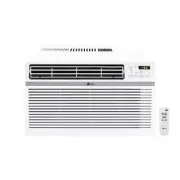
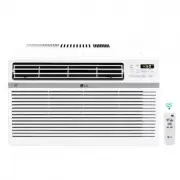
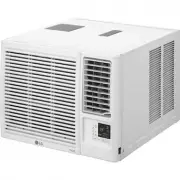
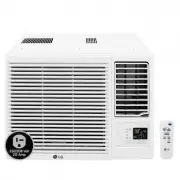
Page 2 - TABLE OF CONTENTS
TABLE OF CONTENTS SAFETY INSTRUCTIONS .............................................................. 3 IMPORTANT SAFETY INSTRUCTIONS ..........................................................4 PRODUCT OVERVIEW .................................................................. 8 Key Parts and Compone...
Page 3 - SAFETY INSTRUCTIONS; READ ALL INSTRUCTIONS BEFORE USE
3 EN SAFETY INSTRUCTIONS READ ALL INSTRUCTIONS BEFORE USE Your safety and the safety of others are very important.We have provided many important safety messages in this manual and on your appliance. Always read and follow all safety messages. This is the safety alert symbol.This symbol alerts you t...
Page 4 - including the following:
4 EN IMPORTANT SAFETY INSTRUCTIONS WARNING To reduce the risk of explosion, fire, death, electric shock, scalding or injury to persons when using this product, follow basic precautions, including the following: INSTALLATION • Before use, the appliance must be properly installed as described in this ...
Page 6 - CAUTION; To reduce the risk of minor or moderate injury to persons,; INSTALLATION
6 EN CAUTION To reduce the risk of minor or moderate injury to persons, malfunction, or damage to the product or property when using this product, follow basic precautions, including the following: INSTALLATION • Take care when installing the product that exhaust or condensation does not damage near...
Page 7 - SAVE THESE INSTRUCTIONS
7 EN REFRIGERANT (FOR R32 ONLY) WARNING • Do not use means to accelerate the defrosting process or to clean, other than those recommended by the manufacturer. • The appliance shall be stored in a room without continuously operating ignition sources (for example: open flames an operating gas applianc...
Page 8 - PRODUCT OVERVIEW; Key Parts and Components
8 EN PRODUCT OVERVIEW Key Parts and Components 1 AIR DISCHARGE The adjustable louvered air discharge opens automatically when the air conditioner is turned on, and closes when it is turned off. It can also be set to oscillate to distribute air more evenly through the room. 7 8 6 1 4 5 3 2 2 CONTROL ...
Page 9 - Electrical Data
9 EN INSTALLATION Electrical Data Power cord may include a current interrupter device. TEST and RESET buttons are provided on the plug case. The device should be tested on a periodic basis by frist pressing the TEST button and then the RESET button. If the TEST button does not trip or if the RESET b...
Page 10 - PREPARING FOR OPERATION; Wireless Remote Control; Inserting Batteries
10 EN Before Installation the Air Conditioner PREPARING FOR OPERATION Refer to the Installation Instructions included in this manual before using the air conditioner. Once the air conditioner has been properly assembled and installed: 1 Plug the power cord into its own dedicated properly grounded ou...
Page 11 - PREPARING FOR INSTALLATION; Basic Installation Materials Supplied; SELECTION OF INSTALLATION LOCATION
11 EN PREPARING FOR INSTALLATION Basic Installation Materials Supplied Shape Parts Name Shape Parts Name Hose Mounting plate insulation (2 pcs) Base mounting plate (23”, 1 pcs) Window gap insulation (1 pcs) Extension mounting plate (16”, 1 pcs) Fixing clips (2 pcs) Extension mounting plate (23”, 1 p...
Page 12 - WINDOW VENT PANEL AND EXTENSIONS
12 EN WINDOW VENT PANEL AND EXTENSIONS The window installation kit allows you to install the air conditioner in most vertical-sliding windows 23” to 60” wide, or horizontal-sliding windows from 23” to 60” high. Panel Window open A B C Fig. (23") (16") (23") 23" a 24"~38" b 39...
Page 14 - Attaching Foam Weather Seals; Positioning Vent Hose
14 EN 3 Attaching Foam Weather Seals 1 Cut the mounting plate insulation to the chassis length and insert it on both sides of the mounting plate. 2 Move the mounting plate to the end of the chassis, close the window and secure it with the security bracket. CAUTION • Be sure to install the window fix...
Page 15 - Attaching Foam Weather Seals; Inserting Panel Assembly
15 EN INSTALLATION (HORIZONTAL) 1 Attaching Foam Weather Seals Cut the mounting plate insulation to the chassis length and insert it on both sides of the mounting plate.(Attaching the foam weather seals to the panel assembly rather than the window sash and frame makes for easier cleanup when removin...
Page 16 - Connecting Vent Hose; Positioning Vent Hose
16 EN 4 Connecting Vent Hose Align the tabs on the diffuser end of the vent hose to the slots in the panel assembly opening. Insert the diffuser and push it in the Lock direction to assemble with the mounting plate. • If disconnected, reconnect the other end of the vent hose to the product by insert...
Page 17 - OPERATION; Control Panel and Remote Control; Remote Control
17 EN OPERATION Control Panel and Remote Control 1 2 3 9 4 5 7 6 8 Remote Control 1 2 6 10 3 4 75 Auto Swing NOTE • The feature may be changed according to the type of model. 1 Power ( t ) Press to turn the air conditioner ON or OFF. 3 Sleep Mode This mode keeps operating noise to a minimum and turn...
Page 18 - Turning Condensation Fan On
18 EN 6 Delay ON/OFF Timer Delay ON - When the air conditioner is off, set it to automatically turn on from 1 to 24 hours later, at its previous mode and fan settings. Delay OFF - When the air conditioner is on, set it to automatically turn off from 1 to 24 hours later. NOTE • Each press of the Time...
Page 19 - SMART FUNCTIONS; LG ThinQ Application; LG ThinQ Application Features
19 EN SMART FUNCTIONS LG ThinQ Application This feature is only available on models with the b or ThinQ logo The LG ThinQ application allows you to communicate with the appliance using a smartphone. LG ThinQ Application Features Communicate with the appliance from a smartphone using the convenient s...
Page 20 - Smart Diagnosis
20 EN Installing the LG ThinQ Application Search for the LG ThinQ application from the Google Play Store or Apple App Store on a smartphone. Follow instructions to download and install the application. Open Source Software Notice Information To obtain the source code under GPL, LGPL, MPL, and other ...
Page 22 - MAINTENANCE; WARNING; Cleaning the Case
22 EN MAINTENANCE WARNING • Before cleaning or performing maintenance, disconnect the power supply and wait until the fan stops. Emptying the Water Collection Tank When the internal water collection tank is full, the LED display will show FL and the air conditioner will turn off until the tank is em...
Page 23 - TROUBLESHOOTING; Before Calling for Service; Normal Sounds You May Hear
23 EN TROUBLESHOOTING Before Calling for Service The appliance is equipped with an automatic error-monitoring system to detect and diagnose problems at an early stage. If the appliance does not function properly or does not function at all, check the following before you call for service. Normal Sou...
Page 27 - WARRANTY
27 EN WARRANTY WHAT THIS WARRANTY COVERS: LG Electronics U.S.A., Inc. (“LG”) warrants your LG Portable Air Conditioner (“product”) against defect in materials or workmanship under normal household use, during the warranty period set forth below, LG will, at its option, repair or replace the product....
Page 28 - FOR YOUR RECORDS
28 EN THIS WARRANTY IS IN LIEU OF ANY OTHER WARRANTY, EXPRESS OR IMPLIED, INCLUDING AND WITHOUT LIMITATION TO, ANY WARRANTY OF MERCHANTABILITY OR FITNESS FOR A PARTICULAR PURPOSE. TO THE EXTENT ANY IMPLIED WARRANTY IS REQUIRED BY LAW, THIS WARRANTY IS LIMITED IN DURATION TO THE TERM PERIOD EXPRESSED...