Page 2 - INTRODUCTION
PARTS AND FEATURES Key Parts and Components . . . . . . . . . . . . . . . . . . . 6 Control Panel and Remote . . . . . . . . . . . . . . . . . . . . 7 HOW TO USE Before Using Your Air Condition er . . . . . . . . . . . . 8, 9 Using the Controls . . . . . . . . . . . . . . . . . . . . . . . . . . 10 ...
Page 3 - I M P O R TA N T S A F E T Y I N S T R U C T I O N S; READ ALL INSTRUCTIONS BEFORE USE; English; Your safety and the safety of others is very important.; WARNING; BASIC SAFETY PRECAUTIONS
I M P O R TA N T S A F E T Y I N S T R U C T I O N S READ ALL INSTRUCTIONS BEFORE USE 3 English WARNING This symbol indicates the possibility of death or serious injury. CAUTION This symbol indicates the possibility of injury or damage to property. Your safety and the safety of others is very import...
Page 4 - CAUTION; ELECTRICAL SAFETY; Electrical Shock Hazard
4 I M P O R TA N T S A F E T Y I N S T R U C T I O N S READ ALL INSTRUCTIONS BEFORE USE • To avoid possible cuts, avoid contacting the metal parts of the air conditioner when removingor reinstalling the filter. It can result in the risk ofpersonal injury. • Do not block the air inlet or outlet of th...
Page 5 - SAVE THESE INSTRUCTIONS
5 English I M P O R TA N T S A F E T Y I N S T R U C T I O N S READ ALL INSTRUCTIONS BEFORE USE Due to potential safety hazards, the use ofan adapter plug is strongly discouraged. For temporary connections, use only a UL-listed adapter. Ensure that the large slot in the adapter is aligned with the l...
Page 6 - KEY PART AND COMPONTS; PARTS AND FEATURES
6 ^ 1 2 3 9 5 7 8 SWIVELING CASTERS FILTER UPPER DRAIN PORT 9 Check all the accessories included in the package and please refer to the installation instructions for their usage. KEY PART AND COMPONTS CONTROL PANEL AND DISPLAY AIR DISCHARGE INTEGR ATED HANDLES 6 BOTTOM DRAIN PORT FLEXIBLE VENTING HO...
Page 7 - To vary from Fahrenheit to Celsius, press both UP and DOWN button; CONTROL PANEL AND REMOTE; PA RT S A N D F E AT U R E S
En gli sh 7 1 2 4 5 1 8 Press these buttons to set room temperature or time when in Time On/Off mode. 6 Display different signals accordingly. 7 AUTO SWING 8 CELSIUS AND FAHRENHEIT EXCHANGE BUTTON To vary from Fahrenheit to Celsius, press both UP and DOWN button 3 CONTROL PANEL AND REMOTE Operation ...
Page 8 - BEFORE USING YOUR AIR CONDITIONER; H O W TO U S E
Refer to the Installation Instructio ns included inthis manual before using the air conditioner.Once the air conditio ner has been properlyassembled and installed: Plug the power cord into its own dedicatedproperly grounded outlet. Do not plug ot her appliances into the same outlet; it could overloa...
Page 11 - I N S TA L L AT I O N I N S T R U C T I O N S; SELECTION OF INSTALLATION LOCATION; Install the unit on a flat and dry place.
I N S TA L L AT I O N I N S T R U C T I O N S 50cm 50cm English 11 The length of the exhaust pipe is specially designed according to the specification of this product. Do not replace or prolong it with your own private hose as this could cause mal-function. WARNING 1 2 SELECTION OF INSTALLATION LOCA...
Page 12 - ATTACHING THE HOSE AND DIFFUSER
I N S TA L L AT I O N I N S T R U C T I O N S ATTACHING THE HOSE AND DIFFUSER Insert the large adapter end of the hose intothe hole on the back of the air condit ioner. NOTE: The air con ditio ner is shipped with the hose installed. The hose may be removed for cleaningand storage, if necessary. Simp...
Page 13 - PREPARING FOR INSTALLATION; The air conditioner is heavy! Use two or more people to
English I N S TA L L AT I O N I N S T R U C T I O N S PREPARING FOR INSTALLATION WARNING The air conditioner is heavy! Use two or more people to lift and install the unit! Failure to do so could result in back injury or other injuries. The following components are used for window venting. Not all co...
Page 14 - WINDOW VENT PANEL AND EXTENSIONS
I N S TA L L AT I O N I N S T R U C T I O N S WINDOW VENT PANEL AND EXTENSIONS The window installation kit allows you to install the air conditioner in most vertical-sliding windows 18 " to 48 " wide, or casement-style windows from 18 " to 48 " high. For an 18 " window opening, u...
Page 15 - I N S TA L L AT I O N I N S T R U C T I O N S; INSTALLATION IN VERTICAL SLIDING WINDOWS
Foam seal A (Adhesive type) Foam seal C (Adhesive type- shorter) NOTE : The window installation kit can be used with vertical sliding windows betwe en 18" and 48" wide. 1 Cut the foam seal A(adhesive type) & C(adhesive type-shorter) to the proper length, and attach it to the window sash ...
Page 17 - INSTALLATION IN CASEMENT STYLE WINDOWS
Foam seal A (Adhesive type) Foam seal C (Adhesive type- shorter) 1 Cut the foam seal A(adhesive type) & C(adhesive type-shorter) to the proper length, and attach it to the window sash and frame. 2 Insert the vent panel assembly, including extension panels, if needed, into the window opening. Ext...
Page 19 - C A R E A N D C L E A N I N G
噝 噝 CLEANING THE CASE CLEANING THE AIR FILTER Your air conditioner is designed for year-roundoperation with only minimal ceaning and maintenance From maximum efficiency, it is recommended that you have the cooling coils inspected and cleaned annually. Your local Goldstar AuthorizedService Center can...
Page 20 - WATER DRAINAGE; Contact the professional service for help.; C A R E A N D C L E A R I N G; Using the Upper Drain Port ( Dry Mode Only); ,QVWDOODGUDLQKRVHijPPLQQHUGLPHQVLRQDQGSODFHWKHRSHQ
WATER DRAINAGE This product has a self-evaporative system. The condensing water will be recycled to cool the condenser. This can not only improve cooling efficiency, but also save energy for you. · Under the Cool or Fan mode, there`s no need of water drainage · During dehumidifying mode, remove the ...
Page 21 - STORING THE AIR CONDITIONER; YX; C A R E A N D C L E A N I N G; Defrost Operation
1 2 3 1 2 3 4 4 STORING THE AIR CONDITIONER If the air conditioner will not be used for anextened period of time : Drain the water collection tank completelyand leave the bottom drain cap off longenough to allow any residual water to drainout. Once the tank is completely drainedand no more water flo...
Page 22 - BEFORE CALLING FOR SERVICE; T R O U B L E S H O O T I N G; Problem
BEFORE CALLING FOR SERVICE T R O U B L E S H O O T I N G Problem Possible Causes Solutions Air conditioner will • The air conditioner plug is • Make sure electrical plug is plugged completely into a not start not completely inserted in live, properly grounded outlet. the electrical outlet. • The hou...
Page 23 - Then contact a qualified electrician.
BEFORE CALLING FOR SERVICE Problem Code appears in the display. · Protection ( Water-full protection, to prevent spilling). P2 E1, E2 E3 E4 Description · Sensor protection, to avoid occurrence of unit damage, auto-stop protection. · Unit-abnormal protection, to avoid occurrence of unit damage. · :KH...
Page 24 - PORTABLE AIR CONDITIONER LIMITED WARRANTY — USA
2 4 LG ELECTRONICS, INC. PORTABLE AIR CONDITIONER LIMITED WARRANTY — USA Should your LG Portable Air Conditioner prove to be defective in material or workmanship under normal use during the warranty period listed below,effective from the date of original consumer purchase of the product, LG Electron...
Page 25 - IN T R O D U C C I Ó N
25 IN T R O D U C C I Ó N Felicitaciones por su compra y bienvenido a la familia de LG. Su nuevo acondicionador de aire LG combina un funcionamiento de alta eficiencia con la comodidad de la portabilidad. Siguiendo las instrucciones de funcionamiento y cuidados de este manual, su acondicionad...
Page 26 - I N S T R U C C I O N E S D E S E G U R I D A D I M P O R TA N T E S; sp; PRECAUCIÓN; Su seguridad y la seguridad de otros son muy importantes.; ADVERTENCIA; PRECAUCIONES BÁSICAS DE SEGURIDAD
I N S T R U C C I O N E S D E S E G U R I D A D I M P O R TA N T E S LEA TODAS LAS INSTRUCCIONES ANTES DE USAR 26 E sp añ o l ADVERTENCIA Este símbolo indica la posibilidad de muerte o lesiones graves. PRECAUCIÓN Este símbolo indica la posibilidad de lesiones o daños a la propiedad. Su segurid...
Page 27 - LEA TODAS LAS INSTRUCCIONES ANTES DE USAR; SEGURIDAD ELÉCTRICA; Peligro de descarga eléctrica
27 I N S T R U C C I O N E S D E S E G U R I D A D I M P O R TA N T E S LEA TODAS LAS INSTRUCCIONES ANTES DE USAR • Para evitar posibles cortes, evite el contacto con las piezas metálicas del acondicionador de aire cuandoquite o vuelva a instalar el filtro. Puede provocar unriesgo de lesiones ...
Page 28 - GUARDE ESTAS INSTRUCCIONES; DISYUNTOR INTEGRADO
28 E sp añ o l I N S T R U C C I O N E S D E S E G U R I D A D I M P O R TA N T E S LEA TODAS LAS INSTRUCCIONES ANTES DE USAR MÉTODO DE CONEXIÓNA TIERRA PREFERIDO Verifique quehaya unaconexión a tierraadecuada antesdel uso. Debido a peligros de seguridad potenciales,recomendamos enfáticamente ...
Page 29 - P I E Z A S Y C A R A C T E R Í S T I C A S; PIEZAS Y COMPONENTES CLAVE; Chequee todos los accesorios incluidos
P I E Z A S Y C A R A C T E R Í S T I C A S PIEZAS Y COMPONENTES CLAVE 1 2 4 7 3 PANEL DE CONTROL Y PANTALLA La pantalla digital de fácil lectura muestra la temperatura configurada y las luces indicadoras indican el modo de funcionamiento. Los simples botones de presión facilitan y aceleran los ...
Page 30 - PANEL DE CONTROL Y CONTROL REMOTO; NOTA
30 E sp añ o l PANEL DE CONTROL Y CONTROL REMOTO P I E Z A S Y C A R A C T E R Í S T I C A S 1 1 PODER La operación se empieza al apretar el botón y se termina al hacerlo otra vez. 1 2 3 4 5 6 UP DOWN 2 MODO Apriete este botón para elegir el modo de VENTILACIÓN, FRESCO y AUTO. 3 FAN SPEED (v it ...
Page 31 - C Ó M O U T I L I Z A R E L A R T E FA C TO; ANTES DE UTILIZAR EL ACONDICIONADOR DE AIRE; PREPARACIÓN PARA LA OPERACIÓN
31 C Ó M O U T I L I Z A R E L A R T E FA C TO Lea las Instrucciones de instalación incluidas eneste manual antes de usar el acondicionador deaire. Una vez que el acondicionador de aire se hamontado e instalado correctamente: Enchufe el cable de energía en untomacorriente de uso exclusivo con ...
Page 33 - CÓMO USAR LOS CONTROLES; MODO DE VENTILACIÓN; NO USE EL MODO SEQUEDAD SIN INSTALAR EL MANGUERA DE DRENAJE.
CÓMO USAR LOS CONTROLES 1. MODO DE FRESCO Apriete el botón de MODO(o el de FRESCO) para elegir el modo de FRESCO. 2. MODO DE SEQUEDAD Elige el botón de Sequedad para entrar en el modo de deshumidificación. En caso del modo de Sequedad la veloci dad del ventilador está pre-establecida. El botón de ve...
Page 34 - Elección de ubicación para la instalación.; Instale la unidad sobre un sitio plano y seco.; I N S T R U C C I O N E S D E I N S TA L A C I Ó N
34 La longitud del tubo de escape es designado especialmente de acuerdo a las especificaciones del producto. No lo sustituya ni prolongue con su manguera privada ya que esto podría causar mal funcionamiento. ADVERTENCIA Elección de ubicación para la instalación. Instale la unidad sobre un sitio plan...
Page 35 - CÓMO CONECTAR LA MANGUERA Y EL DIFUSOR
I N S T R U C C I O N E S D E I N S TA L A C I Ó N CÓMO CONECTAR LA MANGUERA Y EL DIFUSOR NOTA: El acondicionador de aire se envía con la manguera instalada. Si fuese necesario, la manguera puede quitarse para limpieza o almacenamiento. Simplemente invierta los pasos siguientes para quitarla. In...
Page 36 - PREPARACIÓN PARA LA INSTALACIÓN; ¡El acondicionador de aire es pesado! ¡Utilice; COMPONENTES DE SALIDA
36 E sp añ o l I N S T R U C C I O N E S D E I N S TA L A C I Ó N PREPARACIÓN PARA LA INSTALACIÓN ADVERTENCIA ¡El acondicionador de aire es pesado! ¡Utilice dos o más personas para levantar e instalar la unidad! No hacerlo puede provocar lesiones en la espalda u otras lesiones. Los siguientes co...
Page 42 - CÓMO LIMPIAR LA CUBIERTA; C U I D A D O Y L I M P I E Z A; CÓMO LIMPIAR EL FILTRO DE AIRE; hh
42 CÓMO LIMPIAR LA CUBIERTA Limpie la cubierta con un paño ligeramentehúmedo, luego sequecon un paño o toalla. • Para evitar daños al acabado, no utilice gasolina, benceno, solvente, etc., o cualquier limpiador abrasivo para limpiar el acondicionador de aire; pueden dañar el acabado. • Nunca vierta ...
Page 43 - Español; Drinaje de agua; ahorrar energía para usted.; de enfriamiento, sino también; Empleando el puerto inferior de drenaje
Español C U I D A D O Y L I M P I E Z A Drinaje de agua Este producto tiene un sistema de auto-evaporación. El agua de condensación, se reciclará para enfriar el condensador. Esto no sólo puede mejorar la eficiencia ahorrar energía para usted. Cuando hace falta deshumidificación en caso de alta ...
Page 44 - CÓMO GUARDAR EL ACONDICIONADOR DE AIRE; Operación de descongelación; El deshumidificador tiene un control incorporado de sentido de
44 C U I D A D O Y L I M P I E Z A CÓMO GUARDAR EL ACONDICIONADOR DE AIRE Si no va a usar el acondicionador de aire durante un período prolongado: Drene el tanque de recolección de aguacompletamente y deje el pico de drenajedestapado el tiempo suficiente para eliminarel agua residual. Una vez qu...
Page 45 - ANTES DE LLAMAR AL SERVICIO TÉCNICO; Problema; D E T E C C I Ó N D E P R O B L E M A S
45 E sp añ o l ANTES DE LLAMAR AL SERVICIO TÉCNICO Antes de llamar al servicio técnico, examine esta lista. Puede ahorrarle tiempo y dinero. La lista incluyesituaciones comunes que no son el resultado de mano de obra o materiales defectuosos del artefacto. Problema Causas posibles Soluciones Ci Xanm...
Page 46 - Entonces póngase en contacto con un electricista calificado.
46 D E T E C C I Ó N D E P R O B L E M A S ANTES DE LLAMAR AL SERVICIO TÉCNICO Prblemas Cotigo se muestra en la pantalla · Protección (Protección de agua llena, para evitar derrame). P2E1, E2 E3 E4 Descripción · La protección del sensor, para evitar ocurrir daños a la unidad, protección de auto-...
Page 47 - ACONDICIONADOR DE AIRE PORTÁTIL –GARANTÍA LIMITADA – EE.UU.
E sp añ o l LG ELECTRONICS, INC. ACONDICIONADOR DE AIRE PORTÁTIL –GARANTÍA LIMITADA – EE.UU. Si su acondicionador de aire portátil LG llegara a tener defectos en los materiales o en la mano de obra bajo un uso normal, durante el período de garantía establecido a continuación, vigente desde la fecha ...


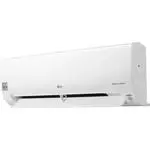 LG B24TS
User Manual
LG B24TS
User Manual
 LG LP0621WSR
User Manual
LG LP0621WSR
User Manual
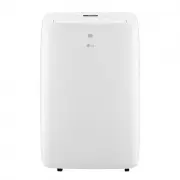 LG LP0721WSR
User Manual
LG LP0721WSR
User Manual
 LG LP0821GSSM
User Manual
LG LP0821GSSM
User Manual
 LG LP1021BHSM
User Manual
LG LP1021BHSM
User Manual
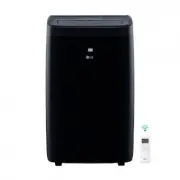 LG LP1021BSSM
User Manual
LG LP1021BSSM
User Manual
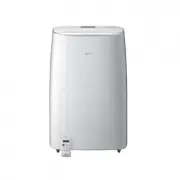 LG LP1419IVSM
User Manual
LG LP1419IVSM
User Manual
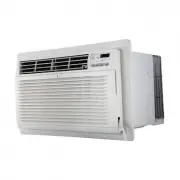 LG LT1016CER
User Manual
LG LT1016CER
User Manual
 LG LT1216CER
User Manual
LG LT1216CER
User Manual
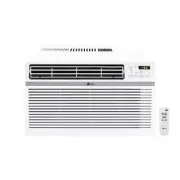 LG LW1016ER
User Manual
LG LW1016ER
User Manual
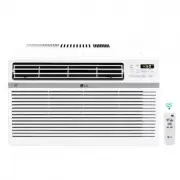 LG LW1017ERSM
User Manual
LG LW1017ERSM
User Manual
 LG LW1017ERSM1
User Manual
LG LW1017ERSM1
User Manual
 LG LW1216ER
User Manual
LG LW1216ER
User Manual
 LG LW1217ERSM1
User Manual
LG LW1217ERSM1
User Manual
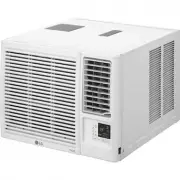 LG LW1221HRSM
User Manual
LG LW1221HRSM
User Manual
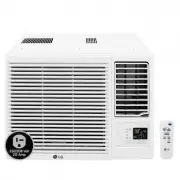 LG LW1223HR
User Manual
LG LW1223HR
User Manual
 LG LW1516ER
User Manual
LG LW1516ER
User Manual
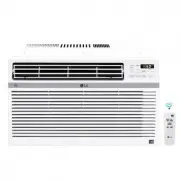 LG LW1521ERSM1
User Manual
LG LW1521ERSM1
User Manual
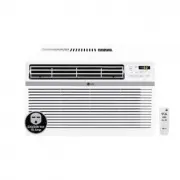 LG LW1816ER
User Manual
LG LW1816ER
User Manual