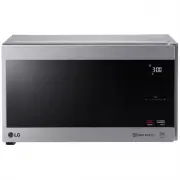
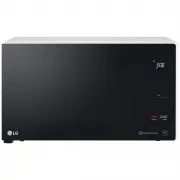
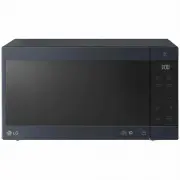
Page 2 - PRECAUTIONS TO AVOID POSSIBLE; Thank you for purchasing a
- 2 - Please record the model number and serial number of this unit for future reference. We also suggest you record the details of your contact with LG (LG Electronics U.S.A., Inc.) concerning this unit. Staple your receipt here as proof of purchase. Model No:Serial No:Dealer: Dealer Phone No: Cust...
Page 3 - TABLE OF CONTENTS
TABLE OF CONTENTS TABLE OF CONTENTS ...................................... 3 Location of Model Number .................................... 6Oven Specifications .............................................. 6Electrical Rating .................................................... 6Electrical Requireme...
Page 4 - IMPORTANT SAFETY INSTRUCTIONS; WARNING
IMPORTANT SAFETY INSTRUCTIONS The safety instructions below will tell you how to use your oven and avoid harm to yourself or damage to your oven. WARNING - To reduce the risk of burns, excessive microwave energy:• Read all the instructions before using your oven.• Do not allow children to use this o...
Page 5 - SAVE THESE INSTRUCTIONS; The manufacturer; unauthorized; FEDERAL COMMUNICATIONS COMMISSION; Your microwave oven must be installed following the guide of
SAVE THESE INSTRUCTIONS • To avoid improperly cooking some foods. - Do not heat any types of baby bottles or baby food. Uneven heating may occur and possibly cause personal injury. - Do not heat small-necked containers, such as syrup bottles. - Do not deep-fat fry in your microwave oven. - Do not at...
Page 6 - SPECIFICATIONS
Please read this owner’s manual. It will tell you how to use all the fine features of this microwave oven. LOCATION OF MODEL NUMBER To request service information or replacement parts, the service center will require the complete model number of your microwave oven. The number is on the left side of...
Page 7 - MICROWAVE OVEN FEATURES; FEATURES; Cooking Guide Label; Grease Filter
Metal Shielded Window Tray MICROWAVE OVEN FEATURES w WARNING: FEATURES Do not operate the oven when empty or without the glass tray. It is best to leave a glass of water in the oven when not in use. The water will safely absorb all microwave energy, if the oven is accidentally started. Your microwav...
Page 8 - OVEN CONTROL PANEL
OVEN CONTROL PANEL 12 1415 17 23 20 16 21 22 19 13 23 1 67 9 11 8 10 4 5 18 FEATURES - 8 -
Page 9 - NOTE: If you try to enter
1. DISPLAY. The Display includes a clock and indicators to tell you time of day, cooking time settings and cooking functions selected. Touch number pads to enter cooking time, power level, quantities or weights. Touch this pad to turn the Vent on or off. Touch this pad to turn the cooktop/countertop...
Page 10 - Audible signals are available to guide you when; • A programming tone will sound; each time; • Four tones; signal the end of a cooking cycle.; CLOCK; CHILD LOCK; To restart cooking, close; the door and; Touch; INTERRUPTING COOKING; USING YOUR MICROWAVE OVEN
LEARN ABOUT YOUR MICROWAVE OVEN This section discusses the concepts behind microwave cooking and introduces you to the basics you need toknow to operate your microwave oven. Please read this information before use. AUDIBLE SIGNALS Audible signals are available to guide you when setting and using you...
Page 11 - COOKTOP LIGHT; TIME DEFROST
The ent $!%&''"&($()*!"+&0%(3!0'40!$ "+&'#04(6&6!!78)9!#6+ ent !)6&4!0;89+4()'3&&*< "=86&4!0!=4()'3&&*<!0("+0&&"8$&'"!"#0)"+&4()!44 Touch: Display Shows: 1. Once for HIGHTwice for Low 2. Turn off fa...
Page 12 - TIMED COOKING
: TIMED COOKING This feature lets you program a specific cook timeand power. For best results, there are 10 powerlevel settings in addition to HIGH (100%) power .Refer to the “Microwave Power Levels Table” onpage 13 for more information. NOTE: If you do not select a power level, the oven will automa...
Page 13 - SOFTEN; START Enter; MELT; MELT TABLE; elt; elt; STOP Clear; Energy Saving
2 3 . Choose 16 oz. 4 . Touch START Enter . NOTE: After 4 seconds, the oven will start automatically. When the cook time is over, you will hear four beeps and End will display. SOFTEN Soften provides four preset categories for melt.Butter, Ice Cream, Cream Cheese, Frozen Juice. Example: To Soften 3 ...
Page 14 - NOTE: Once cook time has been entered, you can also use the; NOTE: Refer to a reliable cookbook for cooking times; MICROWAVE POWER LEVELS; COOK Power
For best results, some recipes call for different cookpowers. The lower the cook power, the slower thecooking. Each number from 1 to 9 stands for a different percentage of full cook power.The following chart gives the percentage of cookpower each number pad stands for, and the cookpower name usually...
Page 15 - AUTO DEFROST; OPERATING TIPS; BREAD
Example: To defrost 1.2 lbs of ground beef. Touch: Display Shows: 1 . 2 . 1. 2 T o enter the weight 3 . Time counting down. AUTO DEFROST defrost sequences are preset in the oven. The auto defrost feature provides you with the best defrosting method for frozen foods. The cooking guide will show you w...
Page 16 - DEFROSTING TIPS
DEFROSTING TIPS • When using Auto Defrost, the weight to be entered is the net weight in pounds and tenths of pounds(the weight of the food minus the container). • Before starting, make sure you have removed any of the metal twist-ties which often come with frozenfood bags, and replace them with str...
Page 17 - PIZZA; End; End; Using Quick Touch; FROZEN ENTREE; End; End
: Your oven’s menu has been preprogrammed to cookfood automatically. Tell the oven what you want.Then let you microwave oven cook your selections. PIZZA Pizza lets you reheat up to 3 slices of pizza. A slice is based on a 5 ounce slice. NOTE: • Place on a low plate & paper towel.• Do not cover. ...
Page 18 - AUTO COOK; Display Show; COOKING GUIDE FOR AUTO COOK; CODE
AUTO COOK Auto Cook provides four preset categories for cooking. Touch: Display Shows: Example: To cook 2 cups of Casserole. Touch: Display Show 1. Choose food category. Touch pad Category of Time (s) Fresh vegetable 1 Frozen 2 vegetable Rice 3 Casserole 4 s: 2. Time counting down and COOK. Enter qu...
Page 19 - AUTO REHEAT; COOKING GUIDE FOR AUTO REHEAT
AUTO REHEAT Auto Reheat provides four preset categories for Touch: Display Shows: 2. Time counting down and COOK. Enter quantity/servings. When the cook time is over, you will hear four beeps and End will display. Number of Category cups/Items Dinner plate 1 - 2 servings Soup/sauce 1 - 4 cups Casser...
Page 20 - Cooking Fish and Shellfish: General Directions; POWER; Fish And Shellfish Cooking Table; COOKING TIPS
GETTING THE BEST COOKINGRESULTS To get the best results from your microwave oven, readand follow the guidelines below. • Storage Temperature: Foods taken from the freezer or refrigerator take longer to cook than the samefoods at room temperature. The time for recipes inthis book is based on the norm...
Page 21 - Recommended; Cooking Sauces: Tips and Techniques; Meat; Cooking Meat: General Directions
Appetizers / Sauces / Soups Cooking Appetizers: Tips and Techniques Recommended • Crisp crackers, such as melba toast, shredded wheat and crisp rye crackers are best for microwave use. Wait until party time to add the spreads. Place a paper towel under the crackers while they cook in the microwave o...
Page 22 - Meat Cooking Table
Meat Cooking Table POWER LEVEL COOKING TIME DIRECTIONS MEAT HI 5 5 HI 3 3 HI 1-1 1/2 minutes 1 1/2 -2 minutes 2 1/2 -3 1/2 minutes 8-10 minutes per pound RARE(135°F) 11-13 minutes per pound MEDIUM(155°F) 11-12 minutes per pound RARE(135°F) 12-13 minutes per pound MEDIUM(145°F) 13-14 minutes per poun...
Page 23 - Poultry; Cooking Poultry: General Directions; Poultry Cooking Table
• Prepare the poultry for cooking. - Defrost completely.- Arrange poultry pieces with thicker pieces at the outside edge of the baking dish. When cooking legs,arrange them like the spokes of a wheel. - Cover the baking dish with waxed paper to reduce splattering. - Use a browning agent or cook with ...
Page 24 - Pasta And Rice; Cooking Pasta and Rice: Tips and Techniques; Pasta Cooking Table; Rice Cooking Table
Microwave cooking and conventional cooking of pasta,rice, and cereal require about the same amount of time,but the microwave is a more convenient methodbecause you can cook and serve in the same dish. There is no stirring needed and leftover pasta tastesjust like fresh cooked when reheated in the mi...
Page 25 - MAINTENANCE; CARE AND CLEANING; CLEANING THE GREASE FILTERS; CHARCOAL FILTER REPLACEMENT
MAINTENANCE CARE AND CLEANING For best performance and safety, keep the oven clean inside and outside. Take special care to keep the inner door panel and the oven front frame free of food or grease build-up. Never use rough powder or pads. Wipe the microwave oven inside and out, including the hood b...
Page 26 - OVEN LIGHT REPLACEMENT; COOKTOP/NIGHT LIGHT REPLACEMENT; QUESTIONS AND ANSWERS
MAINTENANCE OVEN LIGHT REPLACEMENT screws) 3. Tip the cover forward, then lift out to remove. 4. Remove the cover screw,pull the cover forward and then lift up the bulb holder. 5. Replace bulb with a 30 watt appliance bulb. 6. Replace the bulb holder. 7. Slide the top of the vent cover into place. P...
Page 27 - MICROWAVE UTENSIL GUIDE
USE OVENPROOF GLASS (treated for high intensity heat):utility dishes, loaf dishes, pie plates,cake plates, liquid measuring cups,casseroles and bowls without metallictrim. CHINA: bowls, cups, serving plates and platterswithout metallic trim. PLASTIC: Plastic wrap (as a cover)-- lay the plasticwrap l...
Page 28 - BEFORE CALLING FOR SERVICE
Check the following list to be sure a service call is really necessary. A quick reference of this manual as well as reviewing additional information on items to check, may prevent an unneeded service call. If nothing on the oven operates: • check for a blown circuit fuse or a tripped main circuit br...
Page 29 - PROBLEM
BEFORE CALLING FOR SERVICE You can often correct operating problems yourself. If your microwave oven fails to work properly, locate theoperating problem in the chart below and try the solutions marked for each problem.If the microwave oven still does not work properly, contact the nearest Service ce...
Page 30 - PARTS; MAG; HOW SERVICE IS HANDLED:; EXCEED THE PURCHASE PRICE PAID BY YOU FOR THE PRODUCT.
LIMITED WARRANTY (USA) ARBITRATION NOTICE: THIS LIMITED WARRANTY CONTAINS AN ARBITRATION PROVISION THAT REQUIRES YOU AND LG TO RESOLVE DISPUTES BY BINDING ARBITRATION INSTEAD OF IN COURT, UNLESS YOU CHOOSE TO OPT OUT. IN ARBITRATION, CLASS ACTIONS AND JURY TRIALS ARE NOT PERMITTED. PLEASE SEE THE SE...
Page 31 - Problem
• Damage or failure caused by incorrect electrical current, voltage, or ventilation/plumbing codes. • Damage or failure caused by transportation and handling, including scratches, dents, chips, and/or other damage to the finish of the Product, unless such damage is reported within one (1) week of de...
Page 32 - PROCEDURE FOR RESOLVING DISPUTES:
Problem Cause Solution Spark / Arcing Aluminum foil or metal utensil used in microwave mode DO NOT use aluminum foil or metal utensils in microwave mode - Check user instructions Unit has no power 1. House power turned off (power supply) 2. Tripped breaker 3. The power cord is not installed properly...
Page 33 - Agreement to Binding Arbitration and Class Action Waiver.; Arbitration Rules and Procedures.; Hearings and Location.
Notice of Dispute. In the event you intend to commence an arbitration proceeding, you must first notify LG in writing at least 30 days in advance of initiating the arbitration by sending a letter to LG at LG Electronics, USA, Inc. Attn: Legal Department- Arbitration 1000 Sylvan Ave, Englewood Cliffs...