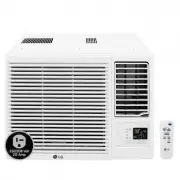
Page 2 - Room Air Conditioner Owner’s Manual; TABLE OF CONTENTS; FOR YOUR RECORDS; READ THIS MANUAL; PRECAUTION
2 Room Air Conditioner Room Air Conditioner Owner’s Manual TABLE OF CONTENTS FOR YOUR RECORDS Write the model and serial numbers here: Model # Serial # You can find them on a label on the side of each unit. Dealer's Name Date Purchased ■ Staple your receipt to this page in the event you needit to pr...
Page 3 - ENGLISH; Safety Precautions; Be sure to follow the instruction.; Installation
Owner's Manual 3 Safety Precautions ENGLISH Safety Precautions To prevent the injury of the user or other people and property damage, the following instructions must befollowed. ■ Incorrect operation due to ignoring instruction will cause harm or damage. The seriousness is classifiedby the following...
Page 4 - Operation
4 Room Air Conditioner Safety Precautions Be cautious whenunpacking and installingthe product. • Sharp edges could cause injury. Be especially careful of thecase edges and the fins on thecondenser and evaporator. For installation, alwayscontact the dealer or anAuthorized Service Center. • There is r...
Page 8 - Disuse
8 Room Air Conditioner Safety Precautions Do not recharge ordisassemble the batteries.Do not dispose of batteriesin a fire. • They may burn or explode. If the liquid from the batteriesgets onto your skin or clothes,wash it well with clean water.Do not use the remote if thebatteries have leaked. • Th...
Page 9 - Prior to Operation; Preparing for Operation
Owner's Manual 9 ENGLISH Prior to Operation Prior to Operation 1. Contact an installation specialist for installation.2. Plug in the power plug properly.3. Use a dedicated circuit.4. Do not use an extension cord.5. Do not start/stop operation by plugging/unplugging the power cord.6. If the cord/plug...
Page 10 - Introduction; This symbol alerts you to the risk of electric shock.; Features; Indoor
10 Room Air Conditioner Introduction Introduction This symbol alerts you to the risk of electric shock. This symbol alerts you to hazards that may cause harm to theair conditioner. This symbol indicates special notes. NOTICE Features Symbols used in this Manual Signal Receptor Front Panel Air Inlet ...
Page 11 - Electrical Safety; WARNING: This appliance must be properly grounded.; Preferred method; Ensure proper ground
Owner's Manual 11 ENGLISH Electrical Safety Electrical Safety WARNING: This appliance must be properly grounded. To minimize the risk of electric shock, you must alway plug into a grounded oulet. WARNING: Do not cut or remove the grounding prong from the power plug. WARNING: Attaching the adapter gr...
Page 12 - Temporary Use of an Adapter; WARNING: Never use the appliance with a broken adapter.; Temporary Use of an Extension Cord; Temporary method; Adapter Plug
12 Room Air Conditioner Electrical Safety Temporary Use of an Adapter We strongly discourage the use of an adapter due to potential safety hazards. For temporary connections, use only a UL-listed adapter, available from most local hardware stores. Ensure that thelarge slot in the adapter is aligned ...
Page 13 - Operating Instructions; How to insert the Batteries; Signal receptor
Owner's Manual 13 ENGLISH Operation indicating lamps Operating Instructions Operating Instructions How to insert the Batteries Storage and Tips for using the Remote Controller 1. Remove the battery cover by pulling it according to the arrow direction. 2. Insert new batteries making sure that the (+)...
Page 14 - Controls; Operation Mode; Remote Control Operations
14 Room Air Conditioner Operating Instructions Controls Cooling Operation Auto Operation or Auto Changeover Healthy Dehumidification Operation Heating Operation • Cooling Model( ), Heat Pump Model( ) Operation Mode ON OFF CANCEL SET ° C/ ° F AUTO CLEAN 1 3 5 4 9 10 12 18 16 7 2 8 13 15 11 6 Flip-up ...
Page 15 - Cooling operation
Owner's Manual 15 ENGLISH ON Cooling Healthy Dehumidification Auto Heating (Heat pump model only) To lower the temperature To raise the temperature Operating Instructions Press the Start/Stop button. The unit will respond with a beep. Open the door of the remote controller. To select Cooling Operati...
Page 17 - Auto changeover operation(Heat pump model only)
Owner's Manual 17 ENGLISH ON Cooling Healthy Dehumidification Auto changeover Heating (Heat pump model only) To lower the temperature To raise the temperature Operating Instructions Auto changeover operation(Heat pump model only) Press the Start/Stop button. The unit will respond with a beep. Open t...
Page 18 - Healthy dehumidification operation
18 Room Air Conditioner ON Cooling Healthy Dehumidification Auto Heating (Heat pump model only) Operating Instructions Press the Start/Stop button.The unit will respond with a beep. Open the door of the remote controller. To select Healthy Dehumidification Operation , press the Operation Mode Select...
Page 20 - or; Jet cool operation
20 Room Air Conditioner or or Operating Instructions ❏ During the JET COOL function at any moment, the A/C starts to blow the cool air at extremelyhigh speed for 30 minutes setting the room temp. automatically to 64°F(18°C).It is especially used to cool the room temp. quickly in a hot summer. In hea...
Page 22 - NEO PLASMA Air Purifying Operation only; NEO PLASMA purification operation(Optional)
22 Room Air Conditioner Operating Instructions Press the Start/Stop button.The unit will respond with abeep. 1 Open the door of the remotecontroller. Press the PLASMAbutton.Operation will start when the buttonis pressed and stop when the buttonis pressed again. 2 Set the fan speed again with the doo...
Page 23 - nd F operation; For more details, refer to functions next pages.
Owner's Manual 23 ENGLISH ON OFF CANCEL SET ° C/ ° F AUTO CLEAN ON OFF SET Operating Instructions Press the Start/Stop button. The unit will respond with a beep. Open the door of the remote control and press the 2ndFunction button to operate functions printed in blue unterbuttons.(Check the indicati...
Page 24 - Sleep mode; Setting the time; Additional Features
24 Room Air Conditioner Delay OFF Timer Delay ON Timer Delay OFF and ON Timer Delay ON and OFF Timer Operating Instructions Sleep mode 1. Press the Sleep Mode Auto button to set the time you want the unit to stop automatically. 2. The Timer is programmed in one-hour increments by pressing the Sleep ...
Page 25 - Airflow direction control; Air circulation mode; Auto clean
Owner's Manual 25 ENGLISH Fan speed is on low. Fan speed is on medium. Fan speed is on high. CHAOS Air AUTO CLEAN Operating Instructions ❏ During Auto Clean function, moistures left in indoor units after Cooling Operation or HealthyDehumidification Operation can be removed. ❏ During Auto Clean funct...
Page 26 - High; Power button; Forced operation; Helpful information
26 Room Air Conditioner High Speed Power button Operating Instructions Operation procedures when the remote control can't be used.The operation will be started if the power button is pressed.If you want to stop operation, re-press the button. Forced operation Auto restart In case the power comes on ...
Page 27 - Maintenance and Service; Indoor Unit; Air filter
Owner's Manual 27 ENGLISH Air Intake Vents Air Outlet Vents ConnectingWires Piping Drain Hose Base Plate Maintenance and Service Maintenance and Service Indoor Unit Outdoor Unit WARNING: Turn the system off before cleaning. To clean, wipe with a soft, dry cloth.Do not use bleach or abrasives. Supply...
Page 28 - Cleaning Filter
28 Room Air Conditioner Front Panel Hook Air Filter Hook Hanger Maintenance and Service Cleaning Filter • Recomended use period : About 3 months 1. Lift the front panel, hold it up and pull the Air filter. 2. Remove the Plasma Filters. WARNING: Don't touch the PLASMA Filterwithin 10 seconds after op...
Page 29 - Common Problems and Solutions; Before calling for service
Owner's Manual 29 ENGLISH Maintenance and Service Common Problems and Solutions Before calling for service If you have problems with your air conditioner, read the following information and try to solvethe problem. If you cannot find a solution, turn off the air conditioner and contact your dealer. ...
Page 30 - Troubleshooting; The air conditioner may be operating abnormally when:; Problem
30 Room Air Conditioner Maintenance and Service Troubleshooting The air conditioner may be operating abnormally when: Problem ■ The air conditioner isunplugged. ■ The fuse is blown/circuitbreaker is tripped. ■ Power failure. ■ Airflow is restricted. ■ The thermostat may not beset high enough. ■ The ...
Page 31 - CANADA
CANADA Service call Number # : (888) LG Canada, (888) 542-2623