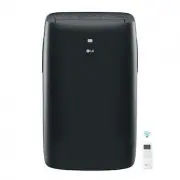
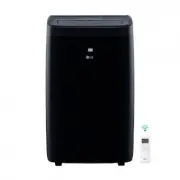
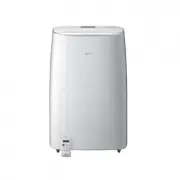
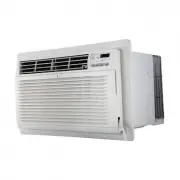
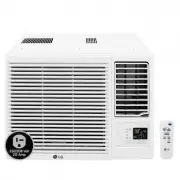
Page 2 - ENGLISH; TIPS FOR SAVING ENERGY; For your records
2 TIPS FOR SAVING ENERGY ENGLISH TIPS FOR SAVING ENERGY Here are some tips that will help you minimize the power consumption when you use the air conditioner. You can use your air conditioner more efficiently by referring to the instructions below: • Do not cool excessively indoors. This may be harm...
Page 3 - IMPORTANT SAFETY INSTRUCTIONS; READ ALL INSTRUCTIONS BEFORE USING THE APPLIANCE.; WARNING
IMPORTANT SAFETY INSTRUCTIONS IMPORTANT SAFETY INSTRUCTIONS READ ALL INSTRUCTIONS BEFORE USING THE APPLIANCE. Always comply with the following precautions to avoid dangerous situations and ensure peakperformance of your product WARNING It can result in serious injury or death when the directions are...
Page 5 - CAUTION
IMPORTANT SAFETY INSTRUCTIONS 5 ENGLISH READ ALL INSTRUCTIONS BEFORE USING THE APPLIANCE. • Unplug the power plug if there is a noise, smell or smoke coming from the air conditioner. Failure to do so may result in explosion or fire. • Make sure to ventilate sufficiently when this air conditioner and...
Page 6 - SAVE THESE INSTUCTIONS
6 IMPORTANT SAFETY INSTRUCTIONS ENGLISH Use • Remove the batteries when the remote control is not in use for an extended period of time. Failure to do so may result in product failure. • Make sure that the filter is installed before you operate the air conditioner. Failure to do so mayresult in prod...
Page 7 - TABLE OF CONTENTS
TABLE OF CONTENTS 7 ENGLISH TABLE OF CONTENTS 2 TIPS FOR SAVING ENERGY 3 IMPORTANT SAFETY INSTRUCTIONS 8 BEFORE USE 8 Components 9 Using the remote control 10 - Inserting batteries 10 - Installing the remote control holder 11 BASIC FUNCTIONS 11 Cooling your room 11 Heating your room 11 Removing humi...
Page 8 - BEFORE USE; Components; Outdoor unit; NOTE
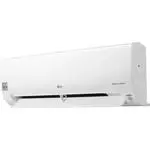
8 BEFORE USE ENGLISH Air inlet vents Air outlet vents B ase plate Coolant piping Connection wire Drain hose BEFORE USE Components Outdoor unit Signal receiver Front Panel Air Discharge Air Filter ON/OFF button NOTE ! The number of operation lamps and their locations may vary, depending on the model ...
Page 9 - Using the remote control; Wireless remote control; m n
BEFORE USE 9 ENGLISH Using the remote control You can operate the air conditioner more conveniently with the remote control. You will find the buttons for the additional functions under the cover of the remote control. Wireless remote control Display screen Control panel * Some functions may not be ...
Page 11 - BASIC FUNCTIONS; Cooling your room; ing; Heating your room
BASIC FUNCTIONS 11 ENGLISH BASIC FUNCTIONS Cooling your room (Cool ing o p e ra t i o n ) 1 Press d to turn on the power. 2 Press f repeatedly to select the cooling operation.- A is displayed on the display screen. 3 Press u or v to set the desired temperature. - The temperature range is 64.4 °F (18...
Page 12 - Airing your room; Setting the current time
12 BASIC FUNCTIONS ENGLISH Airing your room (Air Circulation operation) This mode only circulates the indoor air without changing the room temperature. The cooling lamp lights up in air circulation mode. 1 Press d to turn on the power. 2 Fan button : Press / turn on the air circulation operation. - ...
Page 14 - ADVANCED FUNCTIONS; Indoor air purification; Auto Clean operation
14 ADVANCED FUNCTIONS ENGLISH ADVANCED FUNCTIONS The air conditioner offers some additionaladvanced functions. Changing room temperaturequickly (Jet Cool/Heat operation) This mode allows you to cool indoor airquickly in summer or warm it quickly inwinter. 1 Press d to turn on the power. 2 Press h . ...
Page 15 - Auto operation; Auto Changeover operation
ADVANCED FUNCTIONS 15 ENGLISH Cooling-only models Auto operation (Artificial intelligence) In this mode, the fan speed and thetemperature adjust automatically, based onthe room temperature. 1 Press d to turn on the power. 2 Press f repeatedly to select auto operation. 3 Press ] or [ to select the de...
Page 16 - Disabling auto restart
Energy saving cooling mode This mode minimizes power consumptionduring cooling and increases the settemperature to the optimal level for a morecomfortable environment. 1 Press d to turn the power on. 2 Press f repeatedly to select the cooling operation. 3 Press b . - G is displayed on the display sc...
Page 17 - MAINTENANCE
ADVANCED FUNCTIONS 17 ENGLISH MAINTENANCE Clean the product regularly to maintain optimal performance and to prevent possible breakdown. * This may not be provided, depending on the model. Item Cleaning interval Cleaning method Air filter 2 weeks See “Cleaning air filter.” Indoor unit surface Regula...
Page 18 - Cleaning the air filter
1 8 MAINTENANCE ENGLISH Cleaning the air filter Clean the air filter once every 2 weeks ormore if necessary. 1 Pull out the upper section of front paneland lift it up. 2 Take out a filter with front panel held. 3 Dry it completely in the shade aftercleaning. 4 Then set a filter orderly. 5 Put the ho...
Page 19 - TROUBLESHOOTING; Self-diagnosis function
MAINTENANCE 19 ENGLISH TROUBLESHOOTING Self-diagnosis function This product has a built-in self-diagnosis function. If an error occurs, the lamp of the indoor unitwill blink in 2 second intervals. If this occurs, contact your local dealer or service center. Before requesting service Please check the...