Page 2 - TABLE OF CONTENTS
2 TABLE OF CONTENTS TABLE OF CONTENTS 3 IMPORTANT SAFETY INSTRUCTIONS 6 PRODUCT OVERVIEW 6 Parts6 Specifications 7 OPERATION 8 SMART FUNCTIONS 8 LG ThinQ Application 9 FCC Notice 9 FCC RF Radiation Exposure Statement 9 Industry Canada Statement 9 IC Radiation Exposure Statement 11 MAINTENANCE 11 Sur...
Page 3 - IMPORTANT SAFETY INSTRUCTIONS; WARNING; TO REDUCE THE RISK OF FIRE, ELECTRIC SHOCK, OR INJURY TO PERSONS,; CAUTION
3 IMPORTANT SAFETY INSTRUCTIONS ENGLISH IMPORTANT SAFETY INSTRUCTIONS Read and follow all instructions when using the range to prevent the risk of fire, electric shock, personal injury, or damage. This guide does not cover all possible conditions that may occur. Always contact your service agent or ...
Page 4 - GENERAL SAFETY PRECAUTIONS
4 IMPORTANT SAFETY INSTRUCTIONS GENERAL SAFETY PRECAUTIONS To reduce the risk of fire, electric shock, serious injury or death when using the range hood, follow basic safety precautions, including the following: WARNING • If you receive a damaged product, immediately contact your dealer or builder. ...
Page 5 - READ AND SAVE THESE INSTRUCTIONS
5 IMPORTANT SAFETY INSTRUCTIONS ENGLISH WARNING • TO REDUCE THE RISK OF INJURY TO PERSONS IN THE EVENT OF A RANGE- TOP GREASE FIRE: – SMOTHER FLAMES with a close-fitting lid, cookie sheet or metal tray, then turn off the burner. BE CAREFUL TO PREVENT BURNS. If the flames do not go out immediately, E...
Page 6 - PRODUCT OVERVIEW; Parts
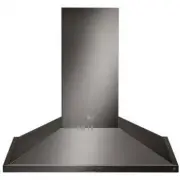
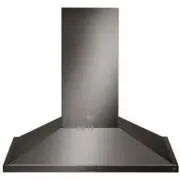
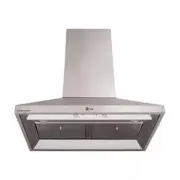
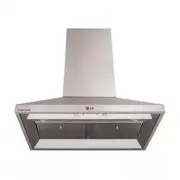
6 PRODUCT OVERVIEW PRODUCT OVERVIEW Parts 1 4 5 2 3 1 HOOD2 ICON TOUCH CONTROL PANEL3 LED STRIP LIGHT4 MESH FILTER 5 SIDE PANEL (Only for HCED3615S, HCED3615D) Specifications Hood Models HCED3015S, HCED3615S, HCED3015D, HCED3615D Hood Width HCED3015S, HCED3015D : 30 InchesHCED3615S, HCED3615D : 36 I...
Page 7 - OPERATION
7 OPERATION ENGLISH OPERATION 1 3 2 4 1 POWER / DELAY OFF BUTTON Power Button Function • Button will turn power on and off for entire hood (fan and lights). • Hood will remember the last speed and light level it was turned off at. (Example: Press the button to turn off the hood with fan speed at lev...
Page 8 - SMART FUNCTIONS; LG ThinQ Application; LG ThinQ Application Features; Settings; Before Using LG ThinQ Application
8 SMART FUNCTIONS SMART FUNCTIONS LG ThinQ Application This feature is only available on models with the or logo.The LG ThinQ application allows you to communicate with the appliance using a smartphone. LG ThinQ Application Features Settings Allows you to set various options on the oven and in the a...
Page 9 - Installing the LG ThinQ Application; Wireless LAN Module Specifications
9 SMART FUNCTIONS ENGLISH Installing the LG ThinQ Application Search for the LG ThinQ application from the Google Play Store or Apple App Store on a smartphone. Follow instructions to download and install the application. Wireless LAN Module Specifications Model LCW-003 Frequency Range 2412 - 2462 M...
Page 10 - Open Source Software Notice
10 SMART FUNCTIONS Open Source Software Notice Information To obtain the source code under GPL, LGPL, MPL, and other open source licenses, that is contained in this product, please visit http:// opensource.lge.com. In addition to the source code, all referred license terms, warranty disclaimers and ...
Page 11 - MAINTENANCE; Surface Maintenance
11 MAINTENANCE ENGLISH MAINTENANCE Surface Maintenance Clean periodically with hot soapy water and a clean cotton cloth. Do not use corrosive or abrasive detergent, or steel wool/scouring pads which will scratch and damage surface. Do not use products containing chlorine bleach or citrus-based clean...
Page 12 - TROUBLESHOOTING; Before Calling for Service
12 TROUBLESHOOTING TROUBLESHOOTING Before Calling for Service Symptoms Possible Causes / Solutions After installation, the unit doesn’t work. • The power source is not turned ON.- Make sure the circuit breaker and the unit’s power is ON. • The power cord and the cable locking connector are not conne...
Page 21 - LG Customer Information Center
Centre d’informations aux consommateurs LG Enregistrez votre produit en ligne! www.lg.com 1-800-243-0000 États-Unis 1-888-542-2623 CANADA LG Customer Information Center Register your product Online! www.lg.com 1-800-243-0000 USA 1-888-542-2623 CANADA