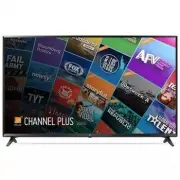
Page 2 - ENGLISH; Warning! Important Safety
2 ENGLISH Warning! Important Safety instructions Read these instructions. Keep these instructions. Heed all warnings. Follow all instructions. CAUTION RISK OF ELECTRIC SHOCK DO NOT OPEN CAUTION : TO REDUCE THE RISK OF ELECTRIC SHOCK DO NOT REMOVE COVER (OR BACK). NO USER SERVICEABLE PARTS INSIDE. RE...
Page 4 - Preparing
4 ENGLISH • Use only an authorized AC adapter and power cord approved by LG Electronics. Otherwise, this may result in fire, electric shock, malfunction, or product deformation. • Never disassemble the AC adapter or power cord. This may result in fire or electric shock. • Handle the adapter carefull...
Page 5 - Lifting and Moving the TV
5 ENGLISH • Make sure that the screws are fastened tightly. (If they are not fastened securely enough, the TV may tilt forward after being installed.) • Do not fasten the screws with excessive force otherwise they may be worn out and become loose. • Make sure to wring any excess water or cleaner fro...
Page 6 - Using the Button; Basic Functions; Mounting on a Table
6 ENGLISH Using the Button You can operate the TV functions, using the button. Basic Functions Power On (Press)Power Off 1 (Press and Hold) Menu Control (Press 2 ) Menu Selection (Press and Hold 3 ) 1 All running apps will close. 2 You can access and adjust the menu by pressing the button when TV is...
Page 7 - Mounting on a Wall
7 ENGLISH Securing the TV to a Wall (Depending upon model) 1 Insert and tighten the eye-bolts, or TV brackets and bolts on the back of the TV. - If there are bolts inserted at the eye-bolts position, remove the bolts first. 2 Mount the wall brackets with the bolts to the wall. Match the location of ...
Page 9 - Connecting to an Antenna or
9 ENGLISH Connections (Notifications) You can connect various external devices to the TV. Supported external devices are: HD receivers, DVD players, VCRs, audio systems, USB storage devices, PC, gaming devices, and other external devices. For more information on an external device’s connection, refe...
Page 10 - Remote Control
10 ENGLISH Remote Control (Some buttons and services may not be provided depending upon models or regions.)The descriptions in this manual are based on the buttons on the remote control. Please read this manual carefully and use the TV correctly. To install batteries, open the battery cover, replace...
Page 11 - Licenses
11 ENGLISH Licenses Supported licenses may differ by model. For more information about licenses, visit www.lg.com. Open Source Software Notice Information To obtain the source code under GPL, LGPL, MPL, and other open source licenses, that is contained in this product, please visit http://opensource...
Page 12 - Specifications; Television System; Wireless Module Specifications
12 ENGLISH • Generated Sound - Cracking noise A cracking noise that occurs when watching or turning off the TV is generated by plastic thermal contraction due to temperature and humidity. This noise is common for products where thermal deformation is required. - Electrical circuit humming/panel buzz...
Page 13 - Regulatory; FCC NOTICE; FCC Radio Frequency Interference
13 ENGLISH Regulatory FCC NOTICE (For USA)This equipment has been tested and found to comply with the limits for a Class B digital device, pursuant to Part 15 of the FCC Rules. These limits are designed to provide reasonable protection against harmful interference in a residential installation. This...
Page 15 - THE CONSUMER ELECTRONICS INDUSTRY CARES; TUNE IN TO SAFETY; MOVING AN OLDER TELEVISION TO A NEW PLACE IN; PROPER TELEVISION PLACEMENT MATTERS
THE CONSUMER ELECTRONICS INDUSTRY CARES • Manufacturers, retailers and the rest of the consumer electronics industry are committed to making home entertainment safe and enjoyable. • As you enjoy your television, please note that all televisions – new and old- must be supported on proper stands or in...
Page 17 - OWNER’S MANUAL; EXTERNAL CONTROL
OWNER’S MANUAL EXTERNAL CONTROL DEVICE SETUP Please read this manual carefully before operating the set and retain it for future reference. www.lg.com
Page 18 - KEY CODES
2 ENG ENGLISH 2 KEY CODES KEY CODES • This feature is not available for all models. Code (Hexa) Function Note Code (Hexa) Function Note 00 CH +, PR + R/C Button 53 List R/C Button 01 CH -, PR - R/C Button 5B Exit R/C Button 02 Volume + R/C Button 60 PIP(AD) R/C Button 03 Volume - R/C Button 61 Blue ...
Page 19 - EXTERNAL CONTROL DEVICE SETUP; Image shown may differ from your TV.; USB to Serial converter with USB Cable; USB Type; USB IN; which is not made nor provided by LG.; The connection interface may differ from your TV.
3 ENG ENGLISH 3 EXTERNAL CONTROL DEVICE SETUP EXTERNAL CONTROL DEVICE SETUP • Image shown may differ from your TV. Connect the USB to Serial converter/RS-232C input jack to an external control device (such as a computer or an A/V control system) to control the product’s functions externally. Note: T...
Page 20 - Customer Computer
4 ENG ENGLISH 4 EXTERNAL CONTROL DEVICE SETUP Phone jack Type • You need to purchase the phone-jack to RS-232 cable required for the connection between the PC and the TV, which is specified in the manual. * For other models, connect to the USB port.* The connection interface may differ from your TV....
Page 21 - Communication Parameters; Communication code : ASCII code; Command reference list; COMMAND1 COMMAND2
5 ENG ENGLISH 5 EXTERNAL CONTROL DEVICE SETUP Communication Parameters • Baud rate : 9600 bps (UART) • Data length : 8 bits • Parity : None • Stop bit : 1 bit • Communication code : ASCII code • Use a crossed (reverse) cable. Command reference list (Depending on model) COMMAND1 COMMAND2 DATA (Hexade...
Page 22 - Transmission / Receiving Protocol; Transmission; : Space – ASCII code ‘0x20’; OK Acknowledgement; data of the PC computer.; Error Acknowledgement; non-viable functions or communication errors.; Real data mapping (Hexadecimal
6 ENG ENGLISH 6 EXTERNAL CONTROL DEVICE SETUP Transmission / Receiving Protocol Transmission [Command1][Command2][ ][Set ID][ ][Data][Cr] [Command 1] : First command to control the TV. (j, k, m or x) [Command 2] : Second command to control the TV. [Set ID] : You can adjust the [Set ID] to choose des...
Page 25 - South Korea and Japan Model
9 ENG ENGLISH 9 EXTERNAL CONTROL DEVICE SETUP 18. Equalizer (Command : j v) ► Adjust EQ of the set. Transmission [j][v][ ][Set ID][ ][Data][Cr] 0 0 0 0 0 0 0 0 MSB Frequency Data LSB 7 6 5 Frequency 4 3 2 1 0 Step 0 0 0 1st Band 0 0 0 0 0 0(decimal) 0 0 1 2nd Band 0 0 0 0 1 1(decimal) 0 1 0 3rd Band...
Page 26 - For Japan Model
10 ENG ENGLISH 10 EXTERNAL CONTROL DEVICE SETUP * Analog Antenna/Cable Data 00 : Physical Channel Number - Antenna (ATV) : 02~45 (Decimal: 2 ~ 69) - Cable (CATV) : 01, 0E~7D (Decimal : 1, 14~125) [Data 01 ~ 04]: Major/Minor Channel Number Data 01 & 02: xx (Don't care) Data 03 & 04: xx (Don't...
Page 27 - For Plasma TV
11 ENG ENGLISH 11 EXTERNAL CONTROL DEVICE SETUP 2. Tune to the BS (ISDB-BS) channel 30. Set ID = All = 00 Data 00 = Don’t know Physical = 00 Data 01 & 02 = Major is 30 = 00 1E Data 03 & 04 = Don’t Care = 00 00 Data 05 = Digital BS TV = 07 Total = ma 00 00 00 1E 00 00 07 * This feature is var...
Page 30 - LED TV
P/No: MFL69673502 (1709-REV03) Printed in Korea 43UJ6300 49UJ6300 55UJ6300 60UJ6300 65UJ6300 43UJ6350 49UJ6350 55UJ6350 60UJ6350 65UJ6350 43UJ6050 49UJ6050 55UJ6050 60UJ6050 65UJ6050 www.lg.com a X 2 (M4 X L16) 43UJ6300 43UJ6350 43UJ6050 X 4 (M4 X L16) 49UJ6300 49UJ6350 49UJ6050 43UJ6300 43UJ6350 43...
Page 32 - a b
1 4-A 49UJ6300 / 49UJ6350 49UJ6050 / 55UJ6300 55UJ6350 / 55UJ6050 4-B 3 2 B A B A B A B A B A 5 B A B A A B A B A B B A B A A B A B B A B A 3 3 3 49UJ6300 / 55UJ6300 / 60UJ6300 / 65UJ6300 49UJ6350 / 55UJ6350 / 60UJ6350 / 65UJ6350 49UJ6050 / 55UJ6050 / 60UJ6050 / 65UJ6050 a b c 60UJ6300 / 60UJ6350 60...