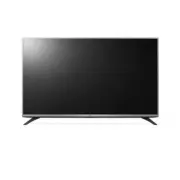
Page 9 - Safety and Reference; * LG LED TVs are LCD TVs with LED backlighting.; OWNER’S MANUAL
www.lg.com Please read this manual carefully before operating your TV and retain it for future reference. 32LF510B 32LH510B 40LH5300 43LF5100 49LF5100 43LF5400 49LF5400 Safety and Reference LED TV* * LG LED TVs are LCD TVs with LED backlighting. OWNER’S MANUAL P/NO : MFL68663707 (1609-REV04) *MFL686...
Page 10 - ENGLISH; Important Safety Instructions
2 ENGLISH Important Safety Instructions Always comply with the following precautions to avoid dangerous situations and ensure peak performance of your product. WARNING/CAUTION RISK OF ELECTRIC SHOCK DO NOT OPEN TO REDUCE THE RISK OF ELECTRIC SHOCK DO NOT REMOVE COVER (OR BACK). NO USER SERVICEABLE P...
Page 14 - Preparing; NOTE; Lifting and Moving the TV
6 ENGLISH Preparing NOTE • Image shown may differ from your TV. • Your TV’s OSD (On Screen Display) may differ slightly from that shown in this manual. • The available menus and options may differ from the input source or product model that you are using. • New features may be added to this TV in th...
Page 15 - Using the Joystick Button; Basic Functions; Mounting on a Table; CAUTION
7 ENGLISH • Hold the top and bottom of the TV frame firmly. Make sure not to hold the transparent part, speaker, or speaker grille area. • Use at least two people to move a large TV. • When transporting the TV by hand, hold the TV as shown in the following illustration. • When transporting the TV, d...
Page 16 - Mounting on a Wall
8 ENGLISH Securing the TV to a Wall (optional) (Depending upon model) 1 Insert and tighten the eye-bolts or TV brackets and bolts on the back of the TV. - If there are bolts inserted at the eye-bolts position, remove the bolts first. 2 Mount the wall brackets with the bolts to the wall. Match the lo...
Page 17 - Connecting to an Antenna or Cable; Other Connections
9 ENGLISH CAUTION • Remove the stand before installing the TV on a wall mount by performing the stand attachment in reverse. NOTE • When using the wall mounting bracket, apply the adhesive protective label to cover the unused stand openings. This will prevent the accumulation of dust and dirt. (Use ...
Page 19 - Settings; To set up the channels automatically
11 ENGLISH Settings To set up the channels automatically SETTINGS • CHANNEL • Auto Tuning Memorizes automatically the channels being broadcast. • The channels will not be memorized properly if the antenna/cable is not installed correctly. • Auto Tuning memorizes the channels that are currently being...
Page 21 - To use the TV power sound; To remove the USB device; Warning when using USB storage devices; To See the Web Manual
13 ENGLISH To use the TV power sound (For 49LF5400-UH)[This feature is available in certain countries only.] SETTINGS • OPTION • TV Power Sound This feature lets you turn on/off the sound effects that you hear when your TV is switched on or off. To remove the USB device Q.MENU • Eject USB Once the m...
Page 22 - Open Source Software Notice; Television System
14 ENGLISH Open Source Software Notice Information To obtain the source code under GPL, LGPL, MPL, and other open source licenses, that is contained in this product, please visit http://opensource.lge.com. In addition to the source code, all referred license terms, warranty disclaimers and copyright...
Page 23 - Component port connecting information
15 ENGLISH HDMI (DTV) supported mode Resolution Horizontal Frequency (kHz) Vertical Frequency (Hz) 640 x 480p 31.46 59.94 31.50 60.00 720 x 480p 31.47 59.94 31.50 60.00 1280 x 720p 44.96 59.94 45.00 60.00 1920 x 1080i 33.72 59.94 33.75 60.00 1920 x 1080p 26.97 23.97 27.00 24.00 33.71 29.97 33.75 30....
Page 24 - Regulatory; FCC NOTICE; FCC Radio Frequency Interference
16 ENGLISH Regulatory FCC NOTICE (For USA)This equipment has been tested and found to comply with the limits for a Class B digital device, pursuant to Part 15 of the FCC Rules. These limits are designed to provide reasonable protection against harmful interference in a residential installation. This...
Page 25 - WARNING; NOTE TO CABLE/TV INSTALLER
17 ENGLISH WARNING (For Canada) [For product having the wireless function using 5 GHz frequency bands] • The device for operation in the band 5150–5250 MHz is only for indoor use to reduce the potential for harmful interference to co-channel mobile satellite systems; • For devices with detachable an...
Page 26 - THE CONSUMER ELECTRONICS INDUSTRY CARES; TUNE IN TO SAFETY; MOVING AN OLDER TELEVISION TO A NEW PLACE IN; PROPER TELEVISION PLACEMENT MATTERS
THE CONSUMER ELECTRONICS INDUSTRY CARES • Manufacturers, retailers and the rest of the consumer electronics industry are committed to making home entertainment safe and enjoyable. • As you enjoy your television, please note that all televisions – new and old- must be supported on proper stands or in...
Page 27 - LG Customer Information Center; Register your product Online!
LG Customer Information Center For inquires or comments, visit www.lg.com or call; 1-800-243-0000 USA, Consumer User 1-888-865-3026 USA, Commercial User 1-888-542-2623 CANADA Register your product Online! www.lg.com The model and serial numbers of the TV are located on the back and on one side of th...