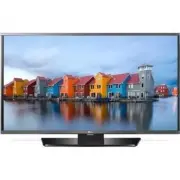
Page 8 - Safety and Reference; * LG LED TVs are LCD TVs with LED backlighting.; OWNER’S MANUAL
www.lg.com Please read this manual carefully before operating your TV and retain it for future reference. 32LH510B 40LH5300 43LF5100 49LF5100 43LF5400 49LF5400 Safety and Reference LED TV* * LG LED TVs are LCD TVs with LED backlighting. OWNER’S MANUAL P/NO : MFL68663707 (1604-REV01) *MFL68663707*
Page 9 - ENGLISH; Important Safety Instructions
2 ENGLISH Important Safety Instructions Always comply with the following precautions to avoid dangerous situations and ensure peak performance of your product. WARNING/CAUTION RISK OF ELECTRIC SHOCK DO NOT OPEN TO REDUCE THE RISK OF ELECTRIC SHOCK DO NOT REMOVE COVER (OR BACK). NO USER SERVICEABLE P...
Page 13 - Preparing; Lifting and Moving the TV
6 ENGLISH Preparing NOTE • Image shown may differ from your TV. • Your TV’s OSD (On Screen Display) may differ slightly from that shown in this manual. • The available menus and options may differ from the input source or product model that you are using. • New features may be added to this TV in th...
Page 14 - Using the Joystick Button; Basic Functions; Mounting on a Table
7 ENGLISH • Use at least two people to move a large TV. • When transporting the TV by hand, hold the TV as shown in the following illustration. • When transporting the TV, do not expose the TV to jolts or excessive vibration. • When transporting the TV, keep the TV upright; never turn the TV on its ...
Page 15 - Mounting on a Wall
8 ENGLISH Securing the TV to a Wall (optional) (Depending upon model) 1 Insert and tighten the eye-bolts or TV brackets and bolts on the back of the TV. - If there are bolts inserted at the eye-bolts position, remove the bolts first. 2 Mount the wall brackets with the bolts to the wall. Match the lo...
Page 16 - Connecting to an Antenna or Cable; Other Connections
9 ENGLISH CAUTION • Remove the stand before installing the TV on a wall mount by performing the stand attachment in reverse. NOTE • When using the wall mounting bracket, apply the adhesive protective label to cover the unused stand openings. This will prevent the accumulation of dust and dirt. (Use ...
Page 18 - Settings; To set up the channels automatically
11 ENGLISH Settings To set up the channels automatically SETTINGS • CHANNEL • Auto Tuning Memorizes automatically the channels being broadcast. • The channels will not be memorized properly if the antenna/cable is not installed correctly. • Auto Tuning memorizes the channels that are currently being...
Page 20 - Warning when using USB storage devices; To See the Web Manual
13 ENGLISH Warning when using USB storage devices • USB storage devices with a built-in auto recognition program or its own driver may not work. • Some USB storage devices may not work or may work improperly. • Use only those USB storage devices formatted with FAT32 or NTFS File System provided by W...
Page 21 - External Control Device Setup; Television System
14 ENGLISH External Control Device Setup (For 43/49LF5400)To obtain the external control device setup information, please visit www.lg.com. Troubleshooting • Cannot control the TV with the remote control. - Check if anything such as tape has been placed over the receiver. - Check if there is any obs...
Page 22 - Component port connecting information
15 ENGLISH HDMI (DTV) supported mode Resolution Horizontal Frequency (kHz) Vertical Frequency (Hz) 640 x 480p 31.46 59.94 31.50 60.00 720 x 480p 31.47 59.94 31.50 60.00 1280 x 720p 44.96 59.94 45.00 60.00 1920 x 1080i 33.72 59.94 33.75 60.00 1920 x 1080p 26.97 23.97 27.00 24.00 33.71 29.97 33.75 30....
Page 23 - Regulatory; FCC NOTICE; FCC Radio Frequency Interference
16 ENGLISH Regulatory FCC NOTICE (For USA)This equipment has been tested and found to comply with the limits for a Class B digital device, pursuant to Part 15 of the FCC Rules. These limits are designed to provide reasonable protection against harmful interference in a residential installation. This...
Page 24 - NOTE TO CABLE/TV INSTALLER
17 ENGLISH WARNING (For Canada) [For product having the wireless function using 5 GHz frequency bands] • The device for operation in the band 5150–5250 MHz is only for indoor use to reduce the potential for harmful interference to co-channel mobile satellite systems; • For devices with detachable an...
Page 25 - THE CONSUMER ELECTRONICS INDUSTRY CARES; TUNE IN TO SAFETY; MOVING AN OLDER TELEVISION TO A NEW PLACE IN; PROPER TELEVISION PLACEMENT MATTERS
THE CONSUMER ELECTRONICS INDUSTRY CARES • Manufacturers, retailers and the rest of the consumer electronics industry are committed to making home entertainment safe and enjoyable. • As you enjoy your television, please note that all televisions – new and old- must be supported on proper stands or in...