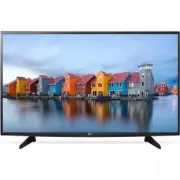
Page 9 - Safety and Reference; * LG LED TVs are LCD TVs with LED backlighting.; OWNER’S MANUAL
www.lg.com Please read this manual carefully before operating your TV and retain it for future reference. 32LH570B 43LH5700 49LH5700 55LH5750 Safety and Reference LED TV* * LG LED TVs are LCD TVs with LED backlighting. OWNER’S MANUAL P/NO : MFL69272417 (1601-REV00) *MFL69272417*
Page 10 - ENGLISH; Important Safety Instructions
2 ENGLISH Important Safety Instructions Always comply with the following precautions to avoid dangerous situations and ensure peak performance of your product. WARNING/CAUTION RISK OF ELECTRIC SHOCK DO NOT OPEN TO REDUCE THE RISK OF ELECTRIC SHOCK DO NOT REMOVE COVER (OR BACK). NO USER SERVICEABLE P...
Page 14 - Preparing; Lifting and Moving the TV
6 ENGLISH Preparing NOTE • Image shown may differ from your TV. • Your TV’s OSD (On Screen Display) may differ slightly from that shown in this manual. • The available menus and options may differ from the input source or product model that you are using. • New features may be added to this TV in th...
Page 15 - Using the Joystick Button; Basic Functions; Mounting on a Table
7 ENGLISH • When transporting the TV, do not expose the TV to jolts or excessive vibration. • When transporting the TV, keep the TV upright; never turn the TV on its side or tilt towards the left or right. • When handling the TV, be careful not to damage the protruding buttons. CAUTION • Avoid touch...
Page 16 - Mounting on a Wall
8 ENGLISH Securing the TV to a Wall (optional) (Depending upon model) 1 Insert and tighten the eye-bolts or TV brackets and bolts on the back of the TV. - If there are bolts inserted at the eye-bolts position, remove the bolts first. 2 Mount the wall brackets with the bolts to the wall. Match the lo...
Page 17 - Connecting to an Antenna or; Other Connections
9 ENGLISH A B CAUTION • Remove the stand before installing the TV on a wall mount by performing the stand attachment in reverse. Connections (Notifications) You can connect various external devices to the TV. Supported external devices are: HD receivers, DVD players, VCRs, audio systems, USB storage...
Page 18 - Remote Control
10 ENGLISH Remote Control (Depending upon model)The descriptions in this manual are based on the buttons on the remote control. Please read this manual carefully and use the TV correctly. To install batteries, open the battery cover, replace batteries (1.5 V AAA) matching the and ends to the label i...
Page 19 - Licenses
11 ENGLISH B Changes the picture mode. (Home) Accesses the Home menu. Changes the sound mode. (Q.Settings) Accesses the quick settings. Accesses the quick menu. Navigation button (up / down / left / right) Scrolls through menus or options. Selects menus or options and confirms your input. Returns to...
Page 20 - Specifications; Television System; Wireless LAN module
12 ENGLISH Specifications Product specifications may be changed without prior notice due to upgrade of product functions.Estimated yearly energy consumption indicated on the FTC label is measured in accordance with the Test Procedures for Television Sets (USA only).The actual energy consumption depe...
Page 21 - Regulatory; FCC NOTICE; FCC Radio Frequency Interference
13 ENGLISH Regulatory FCC NOTICE (For USA)This equipment has been tested and found to comply with the limits for a Class B digital device, pursuant to Part 15 of the FCC Rules. These limits are designed to provide reasonable protection against harmful interference in a residential installation. This...
Page 22 - NOTE TO CABLE/TV INSTALLER
14 ENGLISH WARNING (For Canada) [For product having the wireless function using 5 GHz frequency bands] • The device for operation in the band 5150–5250 MHz is only for indoor use to reduce the potential for harmful interference to co-channel mobile satellite systems; • For devices with detachable an...
Page 23 - THE CONSUMER ELECTRONICS INDUSTRY CARES; TUNE IN TO SAFETY; MOVING AN OLDER TELEVISION TO A NEW PLACE IN; PROPER TELEVISION PLACEMENT MATTERS
THE CONSUMER ELECTRONICS INDUSTRY CARES • Manufacturers, retailers and the rest of the consumer electronics industry are committed to making home entertainment safe and enjoyable. • As you enjoy your television, please note that all televisions – new and old- must be supported on proper stands or in...
Page 25 - EXTERNAL CONTROL
OWNER’S MANUAL EXTERNAL CONTROL DEVICE SETUP Please read this manual carefully before operating the set and retain it for future reference. www.lg.com
Page 26 - KEY CODES
2 ENG ENGLISH 2 KEY CODES KEY CODES • This feature is not available for all models. Code (Hexa) Function Note Code (Hexa) Function Note 00 CH +, PR + R/C Button 53 List R/C Button 01 CH -, PR - R/C Button 5B Exit R/C Button 02 Volume + R/C Button 60 PIP(AD) R/C Button 03 Volume - R/C Button 61 Blue ...
Page 27 - EXTERNAL CONTROL DEVICE SETUP; USB to Serial converter with USB Cable; USB IN
3 ENG ENGLISH 3 EXTERNAL CONTROL DEVICE SETUP EXTERNAL CONTROL DEVICE SETUP • Image shown may differ from your TV. Connect the USB to Serial converter/RS-232C input jack to an external control device (such as a computer or an A/V control system) to control the product’s functions externally. Note: T...
Page 28 - Customer Computer
4 ENG ENGLISH 4 EXTERNAL CONTROL DEVICE SETUP Phone jack Type • You need to purchase the phone-jack to RS-232 cable required for the connection between the PC and the TV, which is specified in the manual. * For other models, connect to the USB port.* The connection interface may differ from your TV....
Page 29 - Communication Parameters; Command reference list
5 ENG ENGLISH 5 EXTERNAL CONTROL DEVICE SETUP Communication Parameters • Baud rate : 9600 bps (UART) • Data length : 8 bits • Parity : None • Stop bit : 1 bit • Communication code : ASCII code • Use a crossed (reverse) cable. Command reference list (Depending on model) COMMAND1 COMMAND2 DATA (Hexade...
Page 30 - Transmission / Receiving Protocol; Transmission; OK Acknowledgement; Error Acknowledgement; Real data mapping (Hexadecimal
6 ENG ENGLISH 6 EXTERNAL CONTROL DEVICE SETUP Transmission / Receiving Protocol Transmission [Command1][Command2][ ][Set ID][ ][Data][Cr] [Command 1] : First command to control the TV. (j, k, m or x) [Command 2] : Second command to control the TV. [Set ID] : You can adjust the [Set ID] to choose des...
Page 37 - Network IP Control; How to connect
13 ENG ENGLISH 13 EXTERNAL CONTROL DEVICE SETUP Network IP Control (For USA only) How to connect 1. Connect your TV to a wired or wireless network. 2. Press and hold the (Settings) button on the remote control for at least 5 seconds on the Live TV screen. Once the Live TV channel banner appears at t...