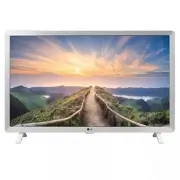
Page 3 - * LG LED TV applies LCD screen with LED backlights.; OWNER’S MANUAL; Safety and Reference
www.lg.com Copyright 2020 LG Electronics Inc. All Rights Reserved. *MFL69376207* (2007-REV02) 24LM520D Printed in Korea * LG LED TV applies LCD screen with LED backlights. Please read this manual carefully before operating your TV and retain it for future reference. OWNER’S MANUAL Safety and Referen...
Page 4 - Table of contents
2 ENGLISH Table of contents Important safety instructions ------------------- 3 Licenses ----------------------------------------------- 7 Open source software notice information ---- 7 Preparing --------------------------------------------- 7 Lifting and moving the TV ------------------------ 8 Set...
Page 10 - Lifting and moving the TV; Setting up the TV
Lifting and moving the TV When moving or lifting the TV, read the following to prevent the TV from being scratched or damaged and for safe transportation regardless of its type and size. y It is recommended to move the TV in the box or packing material that the TV originally came in. y Before moving...
Page 11 - Using the button; Basic Functions; Mounting on a table; Using the kensington security system
Using the button y Image shown may differ from your TV. y You can operate your TV by pressing the button. Basic Functions Power On / Off (Press) Mounting on a table 1 Lift and tilt the TV into its upright position on a table. - Leave a 100 mm (3.9 inches) (minimum) space from the wall for proper ven...
Page 12 - Mounting on a wall
Mounting on a wall An optional wall mount can be used with your LG Television. Consult with your local dealer for a wall mount that supports the VESA standard used by your TV model. Carefully attach the wall mount bracket at the rear of the TV. Install the wall mount bracket on a solid wall perpendi...
Page 13 - Connecting to an antenna or cable; Other connections
Connections (Notifications) You can connect various external devices to the TV. Supported external devices are: HD receivers, DVD players, VCRs, audio systems, PC, gaming devices, and other external devices. For more information on an external device’s connection, refer to the manual provided with e...
Page 14 - Remote control
Remote control (Some buttons and services may not be provided depending upon models or regions.) The descriptions in this manual are based on the buttons on the remote control. Please read this manual carefully and use the TV correctly. To install batteries, open the battery cover, replace batteries...
Page 15 - Settings; To set up the channels automatically; To select picture mode
Settings To set up the channels automatically (Settings) [CHANNEL] [Auto Tuning] Memorizes automatically the channels being broadcast. y The channels will not be memorized properly if the antenna/cable is not installed correctly. y [Auto Tuning] memorizes the channels that are currently being broadc...
Page 17 - Cannot control the TV with the remote control.
To see web manual To obtain the external control device setup information, please visit www.lg.com . Troubleshooting Cannot control the TV with the remote control. y Check if anything such as tape has been placed over the receiver. y Check if there is any obstacle between the product and the remote ...
Page 18 - Specifications
Specifications Product specifications may be changed without prior notice due to upgrade of product functions. Models Dimensions (W x H x D) Weight Power consumption (Outgoing condition) Power requirement With stand (mm) Without stand (mm) With stand (kg) Without stand (kg) 24LM520D 563.1 x 367 x 15...
Page 20 - Regulatory; FCC Notice
FCC Radio Frequency Interference Requirements (for UNII devices) High power radars are allocated as primary users of the 5.25 to 5.35 GHz and 5.65 to 5.85 GHz bands. These radar stations can cause interference with and/or damage this device. This device cannot be co-located with any other transmitte...
Page 21 - Note to Cable/TV Installer
RSS-247 Requirement (For Canada)[For product having the wireless function using 5 GHz frequency bands] i. the device for operation in the band 5150–5250 MHz is only for indoor use to reduce the potential for harmful interference to co-channel mobile satellite systems;ii. for devices with detachable ...
Page 23 - THE CONSUMER TECHNOLOGY INDUSTRY CARES; PROPER TELEVISION PLACEMENT MATTERS; TUNE IN TO SAFETY; WALL OR CEILING MOUNT YOUR TELEVISION; MOVING AN OLDER TELEVISION TO A NEW PLACE IN YOUR HOME
THE CONSUMER TECHNOLOGY INDUSTRY CARES Manufacturers, retailers and the rest of the consumer technology industry are committed to making products safe and enjoyable. As you enjoy your television, please note that all televisions – new and old- must be supported on proper stands or installed accordin...
Page 24 - Register your product Online!
LG Customer Information Center For inquires or comments, visit www.lg.com or call; 1-800-243-0000 USA, Consumer User 1-888-865-3026 USA, Commercial User 1-888-542-2623 CANADA Register your product Online! www.lg.com Supplier’s Declaration of Conformity Trade Name LG Responsible Party LG Electronics ...
Page 25 - afin de pouvoir le consulter ultérieurement.; MANUEL D’UTILISATION; Sécurité et références
www.lg.com Copyright 2020 LG Electronics inc. Tous droits réservés. 24LM520D * Téléviseur à DEL de LG s’applique à l’écran ACL avec rétroéclairage à DEL. Veuillez lire ce manuel attentivement avant d’utiliser l’appareil et conservez-le afin de pouvoir le consulter ultérieurement. MANUEL D’UTILISATIO...
Page 26 - Table des matières; Soulèvement et déplacement du téléviseur -- 8
2 FR ANÇAIS Table des matières Consignes de sécurité importantes-------------- 3 Licences ------------------------------------------------ 7 Informations sur les logiciels libres ------------- 7 Préparation ------------------------------------------- 7 Soulèvement et déplacement du téléviseur -- 8 I...
Page 32 - Installation du téléviseur
Soulèvement et déplacement du téléviseur Lorsque vous désirez déplacer ou soulever le téléviseur, lisez tout d’abord ce qui suit pour éviter d’égratigner ou d’endommager le téléviseur, ainsi que pour effectuer un transport sécuritaire sans égard au type et à la taille du téléviseur. y Il est recomma...
Page 33 - Utilisation du bouton; Fonctions de base; Installation sur une table; Utilisation du système de sécurité
Utilisation du bouton y Les illustrations peuvent ne pas correspondre à votre téléviseur. y Vous pouvez faire fonctionner le téléviseur en appuyant sur le bouton. Fonctions de base Mise sous / hors tension (appuyez) Installation sur une table 1 Soulevez et inclinez le téléviseur dans sa position ver...
Page 34 - Installation au mur
Installation au mur Une fixation murale optionnelle peut être utilisée pour installer votre téléviseur LG. Consultez votre fournisseur local afin de trouver une fixation murale qui correspond aux normes VESA de votre modèle de téléviseur. Posez soigneusement le support de fixation murale au dos de v...
Page 35 - Raccordement à une antenne ou au; Autres connexions
Connexions (notifications) Vous pouvez connecter différents appareils externes au téléviseur. Les dispositifs externes suivants sont pris en charge : HD, les lecteurs DVD, les magnétoscopes, les systèmes audio, les ordinateurs, les consoles de jeu et d’autres appareils externes. Pour plus d’informat...
Page 36 - Télécommande
Télécommande (Certains boutons et services peuvent ne pas être offerts selon le modèle ou la région.) Les descriptions qui se trouvent dans le présent manuel font référence aux touches qui se trouvent sur la télécommande. Veuillez lire le présent manuel attentivement et utiliser le téléviseur correc...
Page 37 - Paramètres; Réglage automatique des chaînes
Paramètres Réglage automatique des chaînes (Paramètres) [CHAÎNE] [Syntonisation auto] Permet de mémoriser automatiquement les chaînes en cours de diffusion. y Les chaînes ne seront pas mémorisées correctement si l’antenne ou le câble ne sont pas bien installés. y L’option [Syntonisation auto] mémori...
Page 39 - La télécommande ne fonctionne pas.; Le téléviseur ne diffuse pas d'image ni de son.; Le téléviseur s’éteint brusquement.
Pour afficher le guide sur le web Pour obtenir des renseignements sur la configuration de l’appareil de commande externe, visitez le www.lg.com . DÉPANNAGE La télécommande ne fonctionne pas. y Assurez-vous que rien n’a été placé sur le récepteur (du ruban adhésif, par exemple). y Vérifiez qu’aucun o...
Page 40 - Caractéristiques techniques
Caractéristiques techniques Les caractéristiques techniques des produits peuvent être modifiées sans préavis en raison de mises à niveau des fonctions des produits en question. Modèles Dimensions (L x H x P) Poids Consommation énergétique (conditions par défaut) Alimentation Avec socle (mm) Sans soc...
Page 42 - Réglementation
Exigences de la FCC en matière d’interférences des fréquences radio (pour les appareils UNII) Les radars à haute puissance sont attribués comme utilisateurs principaux des bandes de fréquence de 5,25 à 5,35 GHz et de 5,65 à 5,85 GHz. Les stations radars peuvent causer des interférences avec cet appa...
Page 43 - Remarque à l’intention de
Exigences du CNR-247 (Pour le Canada)[Pour les produits ayant la fonction sans fil utilisant des bandes de fréquences de 5 GHz] i. les dispositifs fonctionnant dans la bande de 5 150 à 5 250 MHz sont réservés uniquement pour une utilisation à l’intérieur afin de réduire les risques de brouillage pré...
Page 46 - Enregistrez votre produit en ligne!
Service à la clientèle LG Pour toute question ou commentaire, visitez le www.lg.com ou appelez : 1-800-243-0000 États-Unis, résidentiel 1-888-865-3026 États-Unis, commercial 1-888-542-2623 CANADA Enregistrez votre produit en ligne! www.lg.com Déclaration de conformité du fournisseur Appellation comm...