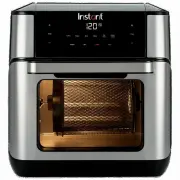
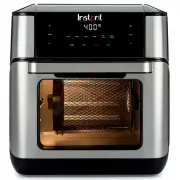
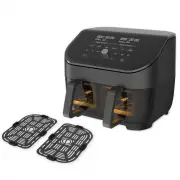
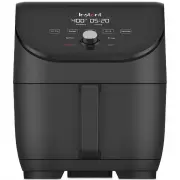
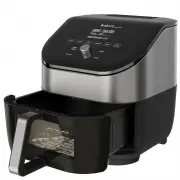
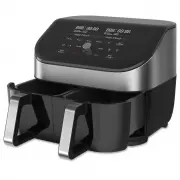
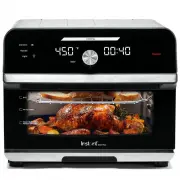
Page 2 - IMPORTANT SAFEGUARDS; WARNING; CAUTION
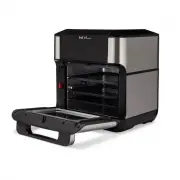
2 IMPORTANT SAFEGUARDS Read this manual carefully and completely, and retain for future reference. Failure to adhere to safety instructions may result in serious injury. WARNING At Instant Brands™ your safety always comes first. The Instant™ Vortex™ Plus family was designed with your safety in mind,...
Page 4 - SAVE THESE INSTRUCTIONS.
4 IMPORTANT SAFEGUARDS Read this manual carefully and completely, and retain for future reference. Failure to adhere to safety instructions may result in serious injury. WARNING 23. While cooking, the internal temperature of the appliance reaches several hundred degrees. To avoid personal injury, ne...
Page 5 - Find Your Model Name and Serial Number; Special Cord Set Instructions
5 IMPORTANT SAFEGUARDS IMPORTANT SAFEGUARDS Read this manual carefully and completely, and retain for future reference. Failure to adhere to safety instructions may result in serious injury. WARNING Model: Vortex Plus 10 1400-1600W 220-240V~ 50-60Hz 10 Litres 7.7 kg cm: 33.6L x 33.6W x 36.5H Find Yo...
Page 7 - Getting Started; Initial Setup
7 Getting Started Initial Setup "No one is born a great cook; one learns by doing." – Julia Child 1. Pull that Instant™ Vortex™ Plus Air Fryer Oven out of the box! 2. Remove all the packaging material from in and around the oven, and make sure to remove all the accessories from inside the ov...
Page 8 - Initial Test Run
8 CAUTION The air fryer oven and air frying accessories will be hot during and after cooking. To avoid the risk of burn injury, DO NOT touch hot surfaces with unprotected hands. Getting Started Initial Test Run Do you have to do the test run? No — but getting to know the ins and outs of your Instant...
Page 9 - Control Panel
9 Control Panel 1 Time/Temperature Display Alternates to show the cooking time, the set temperature, reminder messages and error messages. 2 + / − Temp Use the + / − Temp keys if you want to adjust the cooking temperature.Touch and hold the key to scroll quickly. 3 + / − Time Use the + / − Time keys...
Page 10 - Settings
10 To do this... Do this! Wake the air fryer oven Touch any key or open and close the oven door. The display shows OFF to let you know that it's in standby mode and ready for action. Turn sounds on and off In standby mode, touch and hold both − keys (beneath Time and Temp ) for 5 seconds. Error aler...
Page 11 - Status Messages
11 The air fryer oven is in standby mode. A smart program is in the Preheat stage. Not applicable to Reheat and Dehydrate. This message appears to let you know that the air fryer oven has reached the perfect cooking temperature and food can be added (if it hasn’t been already). Not applicable to Reh...
Page 12 - Cooking; Cooking Accessories
12 Cooking Cooking in the Instant™ Vortex™ Plus Air Fryer Oven is quick and easy — food goes in, crispy deliciousness comes out! Find full instructions for use and cooking time tables online at instantpot.com.au or download the free Instant Pot app for fun, easy to follow recipes. Cooking Accessorie...
Page 13 - Dehydrate and Reheat
13 Cooking Dehydrate and Reheat Smart Program Default Time Time Range Default Temperature Temperature Range Notes Dehydrate 7 hours (07:00) 1 to 72 hours (01:00 to 72:00) 49°C 35 to 79°C Perfect for homemade dried fruit and vegetables, jerky and more. Reheat 10 minutes (00:10) 1 to 60 minutes (00:01...
Page 14 - Rotisserie Cooking; Rotisserie Accessories
14 Rotisserie Cooking The Instant™ Vortex™ Plus Air Fryer Oven is equipped with EvenCrisp ™ technology for simple rotisserie-style cooking with delicious results. Always insert rotisserie accessories and food items into the cooking chamber before preheating the air fryer oven. Find the full manual a...
Page 16 - Stage 2: Removing the accessories
16 CAUTION The air fryer oven and rotisserie accessories will be hot during and after cooking. Always use the rotisserie lift to remove rotisserie accessories and exercise extreme caution when removing food from the hot cooking chamber. Always use proper hand protection when handling and/or disassem...
Page 18 - Warranty
18 Limited Warranty This Limited Warranty is issued by Corelle Brands (Australia) Pty Ltd ( Corelle Brands Australia ) and is effective for one year from the date of original consumer purchase. Proof of original purchase date and return of your appliance is required to obtain service under this Limi...