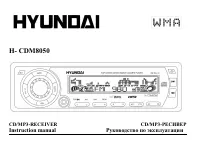
Page 2 - Table of contents
2 Dear customer! Thank you for purchasing our product. For safety, it is strongly recommended to read this manual carefully beforeconnecting, operating and/or adjusting the product and keep the manual for reference in the future. Table of contents Table of contents .....................................
Page 3 - Important safeguards
3 Important safeguards · Read carefully through this manual to familiarize yourself with this high-quality sound system. · Disconnect the vehicle's negative battery terminal while mounting and connecting the unit. · When replacing the fuse, be sure to use one with an identical amperage rating. Using...
Page 4 - Installation/Connections; Installation way
4 Installation/Connections First complete the electrical connections, and then check them for correctness. Installation way It is an anti-theft installation way. The chassis wear a metal sliding housing. Please have the wiring connection of thepower supply, speakers and antenna as for the requiremen...
Page 6 - Speaker connection
6 Speaker connection Notes: · In spite of having any kinds of speaker system, must use 4 ohms impedance of speaker to reduce the distortionduring high volume level. · Prohibit to make the conductors of auto antenna and ground touch with each other.
Page 7 - Panel controls
Page 9 - Function of controls
9 Function of controls 1. To turn on/off the unitPress any button except the EJECT and OPEN button to turn on the unit. Press the POWER button shortly to turn offthe unit but the electronic clock and the backlight. Press the POWER button long to turn off the unit, the electronicclock and the backlig...
Page 10 - CONTRAST; LOUD
10 Volume mode Press SEL button shortly and repeatedly to select sound mode VOLUME, BASS (without preset DSP),TREBLE (without preset DSP), BALANCE and FADER. In each mode, the waiting time is about 5 seconds, and when the waiting time is over, it will return to the last display mode of tuner and CDP...
Page 12 - Radio mode
12 beep sound (alarm) will output and the LCD will be displayed LOST TP TA, but the retune mode will not beactivated. TA VOLUME --- 18 will be displayed by default. Rotate the VOL knob to adjust the TA VOLUME value such as: 0<-->40. REGIONAL --- OFF will be displayed by default. Rotate the VOL...
Page 14 - TA Mode
14 TA Mode To tune for a station with the traffic announcement.When press the button, it is activated as TA mode on or off.When pressed the AF button long, it will turn on/off EON mode.* The EON function offers radio the ability for local stations to break into a national station s broadcast for the...
Page 15 - CD Mode
15 CD Mode 1. To load/unload discPress the OPEN button to flip down the front panel and then insert the disc into the CD compartment or press the EJbutton to eject the disc from the disc compartment.2. To select next or previous track to playUnder DISC mode, press the >>| button to select next...
Page 17 - PTY Mode
17 PTY Mode Press the PTY button shortly and repeatedly to turn on/off the PTY mode.When turning on the PTY mode, the LCD will display PTY and NEWS. Then rotate the VOL knob to select one ofPTY programs: (-->NEWS)--> AFFAIRS -->INFO-->SPORT-->EDUCATE-->DRAMA-->CULTURE -->SCIE...
Page 18 - AF Mode
18 AF Mode When pressed short, AF switching mode is selected and the state of AF switching mode is displayed by AF segmentin display.Segment off: AF switching mode off.Segment on: AF switching mode on, and has RDS information.Segment flashing: AF switching mode on, but RDS informationWhen AF switchi...
Page 19 - MP3 Overview; Notes on MP3; Notes on creating your own CD-Rs or CD-RWs containing MP3 files
19 MP3 Overview Notes on MP3 · MP3 is short for MPEG Audio Layer 3 and refers to an audio compression technology standard. · This product allows playback of MP3 files on CD-ROM, CD-R or CD-RW discs. · The unit can read MP3 files written in the format compliant with ISO 9660. However it does not supp...
Page 22 - Handling compact discs; Cleaning; Cleaning the cabinet
22 Handling compact discs · Dirty, scratched or warped discs may cause skip ping or noise. · Handle the disc only by the edges. To keep clean do not touch its surface. · Discs should be stored in their cases after use to avoid scratches. · Do not expose discs to direct sunlight, high humidity, high ...
Page 23 - Troubleshooting guide; Symptom
23 Troubleshooting guide Symptom Cause Solution General No power The car ignition is not on. The fuse is blown. If the power supply is properly connected tothe car accessory switch the ignition key to" ACC ".Replace the fuse. Disc Disc cannot be loaded. Presence of CD disc inside the player....
Page 25 - Specification; MW Section; Line out
25 Specification Specifications are subject to change without notice. Mass and dimension are approximate. General. Power supply: 13.8V DC Current consumption max. 15A Maximum power output: 50Wx4 channels Fuse: 15A Dimensions (W x H x D) 178 x 50 x 165 mm FM Stereo Radio. Frequency range: 65.0 74.0 /...
Page 34 - VOLUME
34 VOLUME SEL VOLUME, BASS ( DSP), TREBLE ( DSP), BALANCE FADER. 5 , . VOL . SEL 2 , MENU. MENU, EQ. 5 SEL >> , << . : EQ: FLAT --- EQ: FLAT. VOL : <-->FLAT<-->ROCK<-->POP<-->CLASSIC<-->. CONTRAST --- CONTRAST 10. + 0 10. CLK FORMAT --- 12H. VOL : <-->...
Page 41 - PTY
41 MP3/WMA BAND 2 , NAVIGATE. SEL VOL . VOL . , SEL , VOL . SEL . 10. Id3 Mp3 MP3 A.P , , , . 3 ID3 1.0/2.0, . 11. CD BAND : --> S-CDP --> CT --> Animation--> PTY PTY , PTY. PTY PTY NEWS. VOL PTY : (-->NEWS)--> AFFAIRS -->INFO-->SPORT-->EDUCATE-->DRAMA-->CULTURE --&g...