Page 2 - Table of contents
2 Dear customer! Thank you for purchasing our product. For safety, it is strongly recommended to read this manual carefully before connecting,operating and/or adjusting the product and keep the manual for reference in the future. Table of contents Table of contents .....................................
Page 3 - Important safeguards
3 Important safeguards · Read carefully through this manual to familiarize yourself with this high-quality sound system. · Use only in a 12-volt DC negative-ground electrical system. · Disconnect the vehicle's negative battery terminal while mounting and connecting the unit. · When replacing the fus...
Page 4 - Installation/Connections
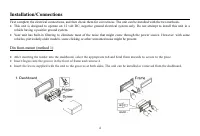
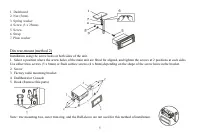
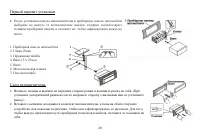
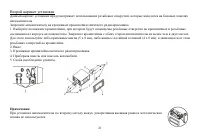
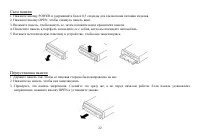
4 Installation/Connections First complete the electrical connections, and then check them for correctness. The unit can be installed with the two methods. · This unit is designed to operate on 12 volt DC, negative ground electrical system only. Do not attempt to install this unit in avehicle having ...
Page 7 - Electrical connections
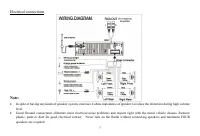
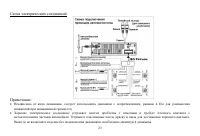
7 Electrical connections Note: · In spite of having any kinds of speaker system, must use 4 ohms impedance of speaker to reduce the distortion during high volumelevel. · Good Ground connections eliminate most electrical noise problems and require tight with the metal vehicle chassis. Removeplastic, ...
Page 8 - Panel controls
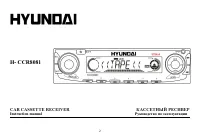
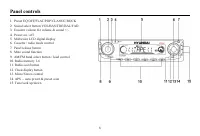
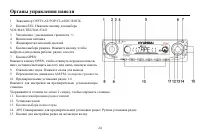
8 Panel controls 1. Preset EQ OFF/FLAT/POP/CLASSIC/ROCK 2. Sound select button VOL/BAS/TRE/BAL/FAD 3. Encoder volume for volume & sound +/- 4. Power on / off 5. Multicolor LCD digital display 6. Cassette / radio mode control 7. Panel release button 8. Mute sound function 9. AM/FM band select but...
Page 9 - Basic operation
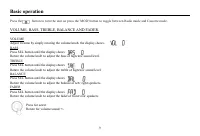
9 Basic operation Press the button to turn the unit on press the 'MOD' button to toggle between Radio mode and Cassette mode. VOLUME, BASS, TREBLE, BALANCE AND FADER. VOLUMEAdjust Volume by simply rotating the volume knob, the display shows.BASSPress SEL button until the display showsRotate the volu...
Page 10 - PRESET BEEP SOUND ON/OFF & PRESET VOLUME LEVEL; LOUD AND PRESET EQ FUNCTION; CLOCK DISPLAY FUNCTION
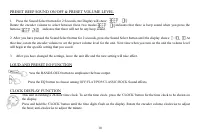
10 PRESET BEEP SOUND ON/OFF & PRESET VOLUME LEVEL 1. Press the Sound Select button for 2 Seconds, the Display will show:Rotate the encoder volume to select between these two modes: indicates that there is beep sound when you press thebuttons; indicates that there will not be any beep sound. 2. A...
Page 11 - Radio operation
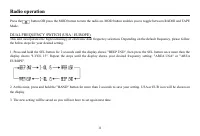
11 Radio operation Press the button OR press the MOD button to turn the radio on. MOD button enables you to toggle between RADIO and TAPEMode. DUAL FREQUENCY SWITCH (USA / EUROPE) This unit incorporates the high technology of electronic dual frequency selection. Depending on the default frequency, p...
Page 12 - PRESET / RECALL MEMORY
12 BAND AND TUNING-(TUNE, SEEK) Press the BAND (band) button for AM, FM or OIRT radio mode function.At the radio mode, press TUNE up or TUNE down button for less than 1 second to move radio frequencynumber up or down by one step to tune the reception frequency manually. Or press and hold for more th...
Page 13 - Cassette operation; Rewind and Faster Forward; Rewind or Faster Forward
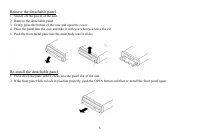
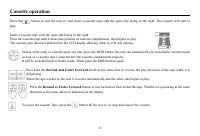
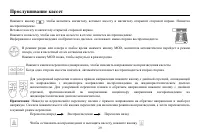
13 Cassette operation Press the button to turn the unit on, and insert a cassette tape with the open side facing to the right. The cassette will start toplay. Insert a cassette tape with the open side facing to the right.Press the cassette tape until it locks into position of cassette compartment, t...
Page 14 - Cleaning; Cleaning the cabinet; Components
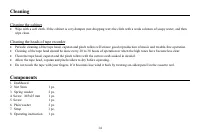
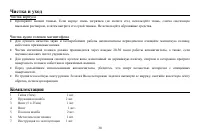
14 Cleaning Cleaning the cabinet · Wipe with a soft cloth. If the cabinet is very dampen (not dropping wet) the cloth with a weak solution of soapy water, and then wipe clean. Cleaning the heads of tape recorder · Periodic cleaning of the tape head, capstan and pinch rollers will ensure good reprodu...
Page 15 - Troubleshooting guide; General; Radio
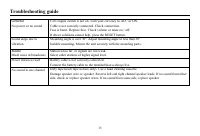
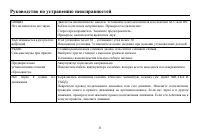
15 Troubleshooting guide General No power or no sound Car's engine switch is not on. Turn your car's key to ACC or ON.Cable is not correctly connected. Check connection.Fuse is burnt. Replace fuse. Check volume or mute on / off.If above solutions cannot help, press the RESET button. Sound skips due ...
Page 16 - Specification; FM
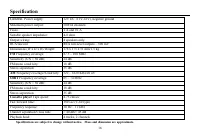
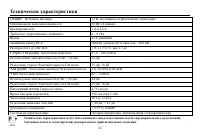
16 Specification Specifications are subject to change without notice. Mass and dimension are approximate. General. Power supply: 12V DC (11V-16V), negative ground Maximum power output: 50Wx4 channels Fuses: 1 A and 10 A Suitable speaker impedance: 4-8 ohm Output wiring: 4 speakers only. RCA line out...
Page 28 - APS
28 , BAND AM, FM OIRT . , . , . , . 6 , . 18 , F 1, F 2, F 3 ( ). . BAND AM, FM , . 2 . , . APS 3 , . 6 6 . . 30 . , BAND 6 . APS 2 . , . APS 1 - 6 .