Page 2 - Product Overview; writes on the paper, which brings you a real shock experience.
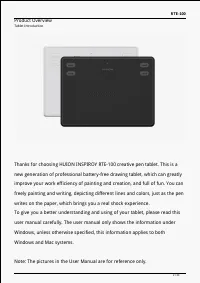
RTE-100 Product Overview Tablet Introduction Thanks for choosing HUION INSPIROY RTE-100 creative pen tablet. This is a new generation of professional battery-free drawing tablet, which can greatly improve your work efficiency of painting and creation, and full of fun. You can freely painting and wri...
Page 3 - Please see the detailed product introduction.
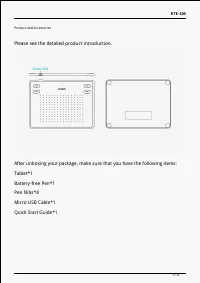
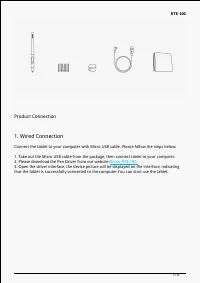
RTE-100 Product and Accessories Please see the detailed product introduction. After unboxing your package, make sure that you have the following items: Tablet*1 Battery-free Pen*1 Pen Nibs*8 Micro USB Cable*1 Quick Start Guide*1 3 / 34
Page 4 - Product Connection; Please download the Pen Driver from our website:
RTE-100 Product Connection 1. Wired Connection Connect the tablet to your computer with Micro USB cable. Please follow the steps below: 1. Take out the Micro USB cable from the package, then connect tablet to your computer. 2. Please download the Pen Driver from our website: Driver-RTE-100. 3. Open ...
Page 5 - Android connection; Please follow the steps below:
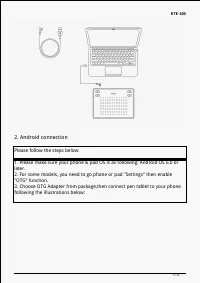
RTE-100 2. Android connection Please follow the steps below: 1. Please make sure your phone & pad OS is as following: Android OS 6.0 or later. 2. For some models, you need to go phone or pad "Settings" then enable "OTG" function. 3. Choose OTG Adapter from package,then connect pe...
Page 6 - Driver and Setting; Please download the driver from our website:
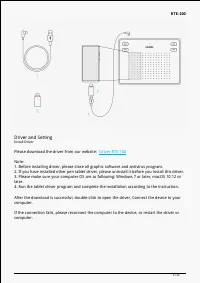
RTE-100 Driver and Setting Install Driver Please download the driver from our website: Driver-RTE-100 Note: 1. Before installing driver, please close all graphic software and antivirus program. 2. If you have installed other pen tablet driver, please uninstall it before you install this driver. 3. P...
Page 8 - See Section
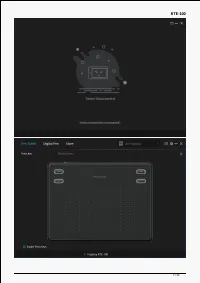
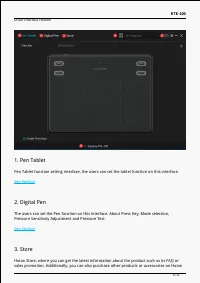
RTE-100 Driver Interface Preview 1. Pen Tablet Pen Tablet function setting interface, the users can set the tablet function on this interface. See Section 2. Digital Pen The users can set the Pen function on this interface. About Press Key, Mode selection, Pressure Sensitivity Adjustment and Pressur...
Page 9 - Switch between Devices; Press Key
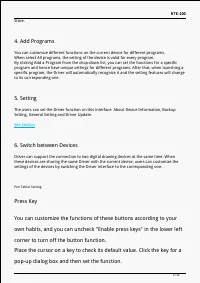
RTE-100 Store. 4. Add Programs You can customize different functions on the current device for different programs. When select All programs, the setting of the device is valid for every program. By clicking Add a Program from the drop-down list, you can set the functions for a specific program and h...
Page 10 - Note: The pictures in the User Manual are for reference only.
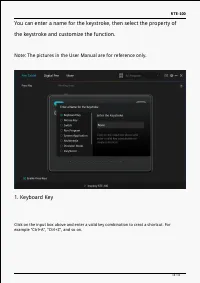
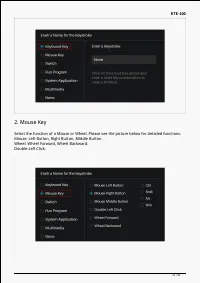
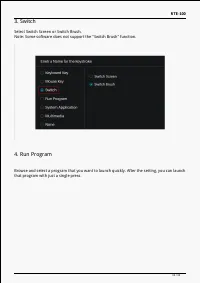
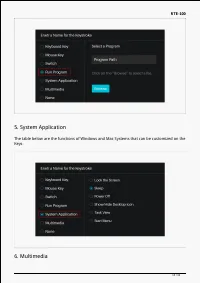
RTE-100 You can enter a name for the keystroke, then select the property of the keystroke and customize the function. Note: The pictures in the User Manual are for reference only. 1. Keyboard Key Click on the input box above and enter a valid key combination to creat a shortcut. For example "Ctr...
Page 13 - System Application
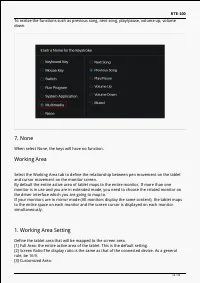
RTE-100 5. System Application The table below are the functions of Windows and Mac Systems that can be customized on the Keys. 6. Multimedia 13 / 34
Page 14 - When select None, the keys will have no function.; Working Area; and cursor movement on the monitor screen.; Working Area Setting; Define the tablet area that will be mapped to the screen area.
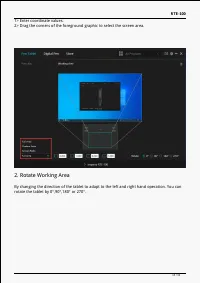
RTE-100 To realize the functions such as previous song, next song, play/pause, volume up, volume down. 7. None When select None, the keys will have no function. Working Area Select the Working Area tab to define the relationship between pen movement on the tablet and cursor movement on the monitor s...
Page 15 - Rotate Working Area
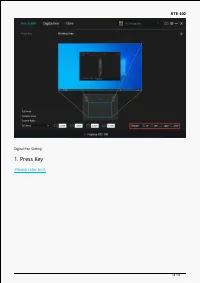
RTE-100 1> Enter coordinate values. 2> Drag the corners of the foreground graphic to select the screen area. 2. Rotate Working Area By changing the direction of the tablet to adapt to the left and right hand operation. You can rotate the tablet by 0°,90°,180° or 270°. 15 / 34
Page 17 - movement, but cannot complete the specified action.
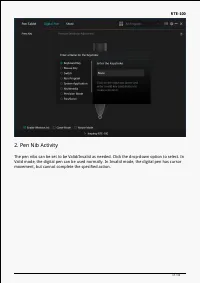
RTE-100 2. Pen Nib Activity The pen nibs can be set to be Valid/Invalid as needed. Click the drop-down option to select. In Valid mode, the digital pen can be used normally. In Invalid mode, the digital pen has cursor movement, but cannot complete the specified action. 17 / 34
Page 18 - Enable Windows ink
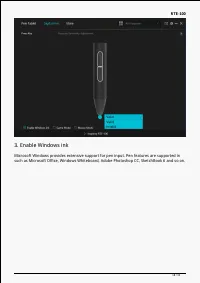
RTE-100 3. Enable Windows ink Microsoft Windows provides extensive support for pen input. Pen features are supported in such as Microsoft Office, Windows Whiteboard, Adobe Photoshop CC, SketchBook 6 and so on. 18 / 34
Page 19 - is not recommended for non-OSU game users.
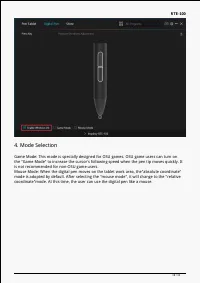
RTE-100 4. Mode Selection Game Mode: This mode is specially designed for OSU games. OSU game users can turn on the "Game Mode" to increase the cursor's following speed when the pen tip moves quickly. It is not recommended for non-OSU game users. Mouse Mode: When the digital pen moves on the ...
Page 20 - Pressure Sensitivity Adjustment
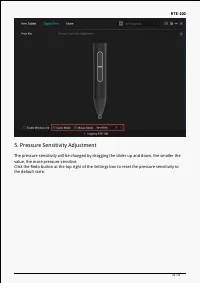
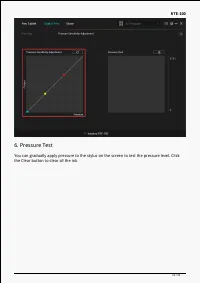
RTE-100 5. Pressure Sensitivity Adjustment The pressure sensitivity will be changed by dragging the slider up and down, the smaller the value, the more pressure sensitive. Click the Redo button at the top right of the Settings box to reset the pressure sensitivity to the default state. 20 / 34
Page 21 - the Clear button to clear all the ink.
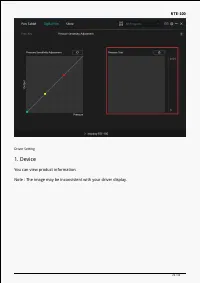
RTE-100 6. Pressure Test You can gradually apply pressure to the stylus on the screen to test the pressure level. Click the Clear button to clear all the ink. 21 / 34
Page 22 - You can view product information.
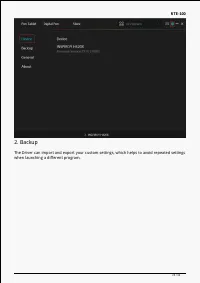
RTE-100 Driver Setting 1. Device You can view product information. Note : The image may be inconsistent with your driver display. 22 / 34
Page 23 - when launching a different program.
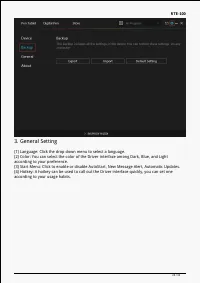
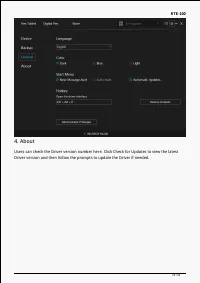
RTE-100 2. Backup The Driver can import and export your custom settings, which helps to avoid repeated settings when launching a different program. 23 / 34
Page 26 - Digital Pen Basic Operation; Note: Picture shown is for illustration purposes only.; Hold the Pen; switch while drawing or positioning with the pen.
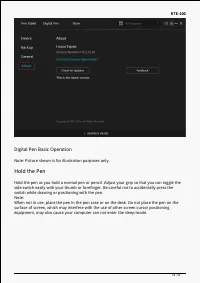
RTE-100 Digital Pen Basic Operation Note: Picture shown is for illustration purposes only. Hold the Pen Hold the pen as you hold a normal pen or pencil. Adjust your grip so that you can toggle the side switch easily with your thumb or forefinger. Be careful not to accidentally press the switch while...
Page 27 - Position the cursor; will move to the new position accordingly.
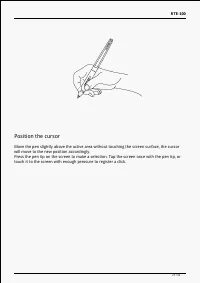
RTE-100 Position the cursor Move the pen slightly above the active area without touching the screen surface, the cursor will move to the new position accordingly. Press the pen tip on the screen to make a selection. Tap the screen once with the pen tip, or touch it to the screen with enough pressure...
Page 28 - Click
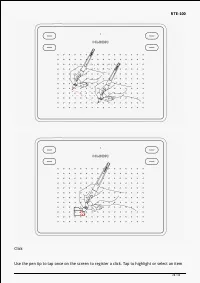
RTE-100 Click Use the pen tip to tap once on the screen to register a click. Tap to highlight or select an item 28 / 34
Page 29 - on the screen and double-click to open it.; Move
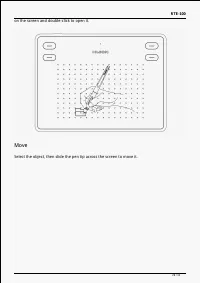
RTE-100 on the screen and double-click to open it. Move Select the object, then slide the pen tip across the screen to move it. 29 / 34
Page 30 - Use the side buttons
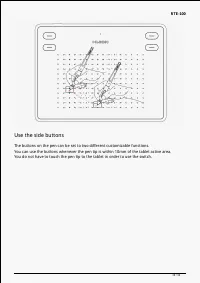
RTE-100 Use the side buttons The buttons on the pen can be set to two different customizable functions. You can use the buttons whenever the pen tip is within 10mm of the tablet active area. You do not have to touch the pen tip to the tablet in order to use the switch. 30 / 34
Page 31 - Pen Nib Replacement
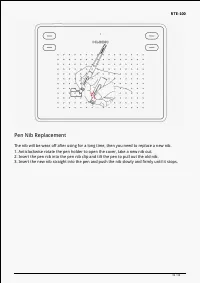
RTE-100 Pen Nib Replacement The nib will be wear off after using for a long time, then you need to replace a new nib. 1. Anticlockwise rotate the pen holder to open the cover, take a new nib out. 2. Insert the pen nib into the pen nib clip and tilt the pen to pull out the old nib. 3. Insert the new ...
Page 32 - Specifications; Appearance
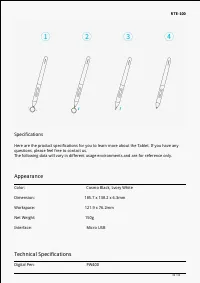
RTE-100 Specifications Here are the product specifications for you to learn more about the Tablet. If you have any questions, please feel free to contact us. The following data will vary in different usage environments and are for reference only. Appearance Color: Cosmo Black, Lvory White Dimension:...
Page 33 - OS Compatibility; Troubleshooting Solutions; There is no pressure in the graphics software but the cursor moves.
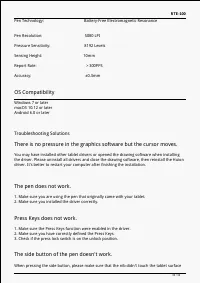
RTE-100 Pen Technology: Battery-Free Electromagnetic Resonance Pen Resolution: 5080 LPI Pressure Sensitivity: 8192 Levels Sensing Height: 10mm Report Rate: >300PPS Accuracy: ±0.3mm OS Compatibility Windows 7 or later macOS 10.12 or later Android 6.0 or later Troubleshooting Solutions There is no pre...