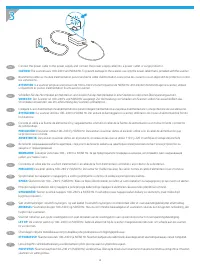
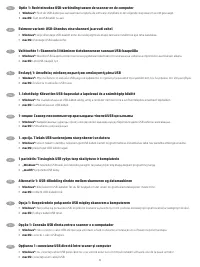
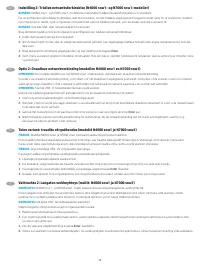
Page 7 - Connect the USB cable now.; Windows®; Branchez le câble USB maintenant.
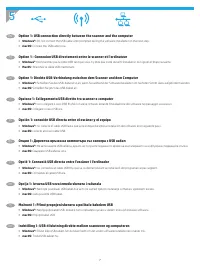
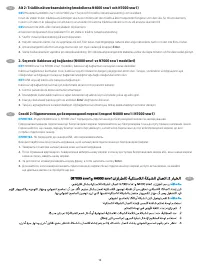
5 EN Option 1: USB connection directly between the scanner and the computer • Windows®: Do not connect the USB cable until prompted during the software installation in the next step. • macOS: Connect the USB cable now. FR Option 1 : Connexion USB directement entre le scanner et l’ordinateur • Window...
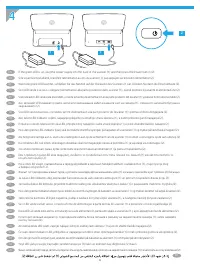
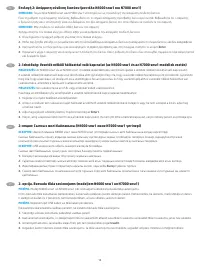
Page 8 - conecte o cabo USB agora.
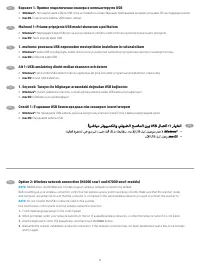
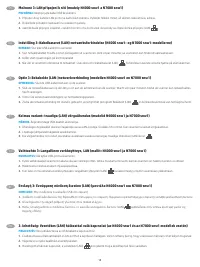
NL ET Esimene variant: USB-ühendus otse skanneri ja arvuti vahel • Windows®: ärge ühendage USB-kaablit enne, kui seda järgmises etapis tarkvara installimise ajal teha palutakse. • macOS: ühendage USB-kaabel kohe. FI Vaihtoehto 1: Skannerin liittäminen tietokoneeseen suoraan USB-kaapelilla • Windows®...
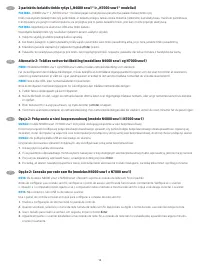
Page 9 - Вариант 1. Прямое подключение сканера к компьютеру по USB
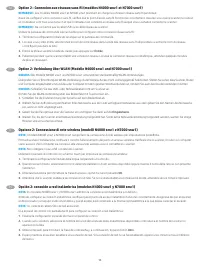
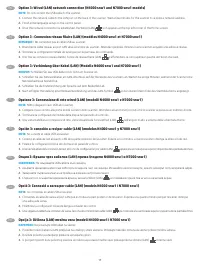
EN Option 2: Wireless network connection (N4000 snw1 and N7000 snw1 models) NOTE: N4000 snw1 and N7000 snw1 models support wireless network connection by default. Before setting up your wireless connection, verify that the wireless access point is working correctly. Make sure that the scanner, route...
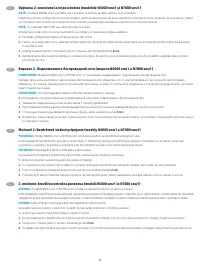
Page 19 - Não conecte o cabo USB ao scanner.; NOTĂ
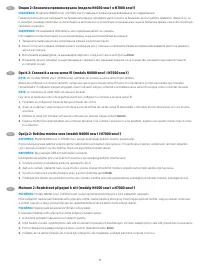
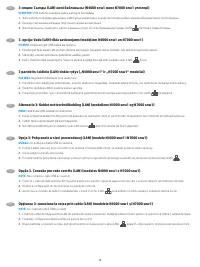
KK 3-опция: Сымды (LAN) желі байланысы (N4000 snw1 және N7000 snw1 үлгілері) ЕСКЕРТПЕ: USB кабелін сканерге қайта жалғауға болмайды. 1. Желі кабелін сканердің артындағы LAN портына жалғаңыз. Сканер желі мекенжайын алғанша бірнеше минут күте тұрыңыз. 2. Басқару тақтасында алғашқы тілді орнату жұмысын...
Page 20 - ПРИМІТКА
RU Вариант 3. Подключение по проводной сети (модели N4000 snw1 и N7000 snw1) ПРИМЕЧАНИЕ. Не подсоединяйте кабель USB к сканеру. 1. Подключите сетевой кабель к сетевому порту сзади сканера. Подождите несколько минут, чтобы сканер получил сетевой адрес. 2. Завершите первоначальную настройку языка с па...
Page 21 - Pilotes et logiciels; Download and install software from scanner support website; Software and Drivers
6 Télécharger et installer le logiciel à partir du site Web d’assistance du scanner 1. Rendez-vous à la page www.hp.com/support . 2. Sélectionnez Pilotes et logiciels . 3. Téléchargez le logiciel adapté à votre modèle de scanner et à votre système d’exploitation. 4. Lancez le fichier du logiciel à p...
Page 22 - Preuzmite i instalirajte softver s web-mjesta za podršku skenera; Softver i upravljački programi
Изтегляне и инсталиране на софтуер от уеб сайт за поддръжка на скенер 1. Отидете на www.hp.com/support . 2. Изберете Софтуер и драйвери . 3. Изтеглете софтуера за вашия модел скенер и вашата операционна система. 4. Стартирайте софтуерния файл от папката, в която сте го записали. 5. Следвайте инструк...
Page 23 - Lataa ja asenna ohjelmisto tuen verkkosivulta; Siirry osoitteeseen
Laadige tarkvara skanneri toe veebisaidilt alla ja installige see 1. Minge aadressile www.hp.com/support . 2. Valige Software and Drivers (Tarkvara ja draiverid). 3. Laadige alla skanneri mudeli ja operatsioonisüsteemiga sobiv tarkvara. 4. Käivitage tarkvarafail kaustast, kuhu see salvestati. 5. Tar...
Page 24 - Faça o download e instale o software do site de suporte do scanner; Software e Drivers
Atsisiųskite ir įdiekite programinę įrangą iš skaitytuvo palaikymo svetainės 1. Apsilankykite www.hp.com/support . 2. Pasirinkite Software and Drivers (programinė įranga ir tvarkyklės). 3. Atsisiųskite savo skaitytuvo modeliui ir operacinei sistemai skirtą programinę įrangą. 4. Paleiskite programinė...
Page 25 - Yazılımı tarayıcı destek web sitesinden indirip kurun; Yazılım ve Sürücüler
Stiahnite si a nainštalujte softvér z webovej stránky podpory skenera 1. Prejdite na lokalitu www.hp.com/support . 2. Vyberte položku Software and Drivers (Softvér a ovládače). 3. Prevezmite softvér určený pre váš model skenera a operačný systém. 4. Spustite súbor z priečinka, kde je uložený. 5. Pri...
Page 28 - prohibited, except as allowed under the copyright laws.; Trademark Credits
6FW06-90011 Marketing name Regulatory Model Number Product number HP ScanJet Pro 2000 s2 SHNGD-1902-02 6FW06A HP ScanJet Pro 3000 s4 SHNGD-1902-01 6FW07A HP ScanJet Pro N4000 snw1 SHNGD-1902-00 6FW08A HP ScanJet Enterprise Flow 5000 s5 SHNGD-1604 (WW except India)SHNGD-1604-00 (India only) 6FW09A HP...