Page 2 - SAFETY; READ AND SAVE THESE INSTRUCTIONS
• • • • • • • • • • • • • • • Basic safety precautions should always be followed when using electrical appliances. Electrical equipment and installations regulated by national legislation must be followed. The appliance should be transported upright or on its side. Do not turn on the appliance for a...
Page 6 - Cooling and Dehumidifying
1 THANK YOU Congratulations on your purchase of this Honeywell Portable Air Conditioner. Regarding the information pertaining to the installation, handling, servicing, cleaning and disposal of the appliance, please refer to the below paragraph of the manual. USER TIPS Portable Air Conditioners are i...
Page 7 - PARTS DESCRIPTION; 0) Lower Dust Filter
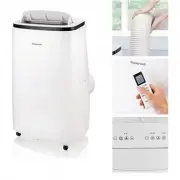
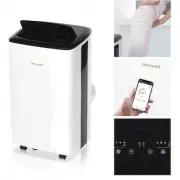
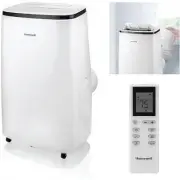
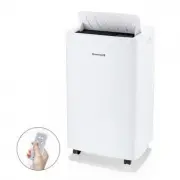
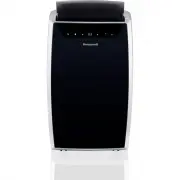
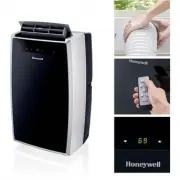
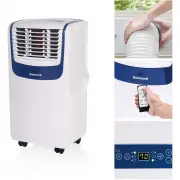
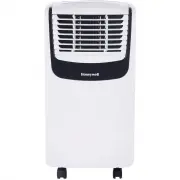
2 PARTS DESCRIPTION EN 1) Control Panel 9) Upper Rubber Drain Plug (Dehumidifying Mode) 2) Air Outlet 10) Lower Dust Filter 3) Handle 11) Drain Tube (For Continuous Drain) 4) Casters 12) Drain Plug Cap 5) Remote Control 13) Lower Rubber Drain Plug (Air Conditioning Mode) 6) Hose Connector 14) Power ...
Page 8 - INSTALLATION; Window Bracket Kit
3 EN INSTALLATION It is important that the installation instructions below are followed for successful installation of thisPortable Air Conditioner. Please call Customer Support if you have any difficulties or queriesregarding these installation procedures. Installation Kit: Installation Steps: Exha...
Page 9 - Part B
4 EN INSTALLATION (CONTINUED) 2. Connect the hose to the rear exhaust outlet on the back of the unit. Slide-in the hose connector then rotate clockwise until it is locked in place. Note: After setting the window bracket to the size of your window, please remove it from the window and follow the inst...
Page 10 - The Portable Air Conditioner is now ready to use.
5 EN INSTALLATION (CONTINUED) Horizontal Sliding Window Vertical Sliding Window 5. The Portable Air Conditioner is now ready to use. 4. Connect the window bracket to the window. 3. Connect the window bracket to the window bracket panel adapter. Ensure that all connections are tight and installed pro...
Page 12 - USE AND OPERATION; CONTROL PANEL; Press; RESTART DELAY; Fan Speed cannot be adjusted in Sleep Mode and Dehumidifying Mode.; FAN SPEED CONTROL
7 USE AND OPERATION CONTROL PANEL FUNCTION BUTTONS 1) Indicator Lights 5) Timer / Temperature Set Controls 2) Power Control 6) Fan Speed Control 3) Sleep Mode 7) Timer Control 4) Mode Control 8) Swing Control EN Press to turn ON/OFF the unit. The air vent will automatically swing open when the unit ...
Page 14 - WATER FULL LIGHT; will illuminate and unit will beep 5 times for; AUTOMATIC DEFROST FEATURE; is ON in Air; SLEEP MODE
9 USE AND OPERATION (CONTINUED) EN FUNCTION BUTTONS (CONTINUED) TIMER CONTROL While the unit is turned on, press the timer button then press the or to select the number of hours you would like the unit to continue to run. The unit will turn on/off automatically. AUTO TURN OFF: While unit is running,...
Page 15 - REMOTE CONTROL; All key functions can be accessed from the remote control.
10 Timer / Temperature Set Control Under timer mode, press and to adjust the time setting for 1 hour intervals.Timer setting is available from 1 - 24 Under cooling and heating mode, press and to up or down the temperature. EN USE AND OPERATION (CONTINUED) REMOTE CONTROL All key functions can be acce...
Page 16 - CLEANING AND MAINTENANCE; Appliance Maintenance:; : You may use a vacuum cleaner to remove dust.; Dust Filter Maintenance:
11 CLEANING AND MAINTENANCE Appliance Maintenance: Turn off the appliance before disconnecting the power supply.Only clean the appliance with a soft dry cloth. 1.2. EN Switch off and unplug the Portable Air Conditioner from theelectrical outlet.Remove the Upper Filter/ Grill, unscrew the Lower Filte...
Page 17 - End of Season Storage and Maintenance:; If the appliance will not be used for a long time, follow these steps:
12 Be sure to drain the left-over water condensation. Remove the lower drain plug and use a drain pan to collect the water (make sure to replace the deain plug cap when finished).To dry excess moisture, run the unit in Fan only mode for 30 minutes before storing.Turn off and unplug the Portable Air ...
Page 18 - WATER CONDENSATION DRAINAGE; illuminates with a red light). This indicates that; Manual Draining in Cooling, Dehumidifying Modes
13 EN WATER CONDENSATION DRAINAGE When there is excess water condensation inside the unit, the air conditioner stops running and shows a warning light (the WATER FULL indicator illuminates with a red light). This indicates that the water condensation needs to be drained using the following procedure...
Page 19 - TROUBLESHOOTING GUIDE; PROBLEM
14 TROUBLESHOOTING GUIDE The following troubleshooting guide addresses the most common problems. If problems persist, call customer support. Unplug and disconnect the appliance from the power source before attempting to troubleshoot. EN PROBLEM POSSIBLE CAUSE SOLUTION The air conditioningunit does n...
Page 21 - ERROR CODE GUIDE; ERROR CODE; Indoor temperature sensor failure (open circuit or short circuit).
16 ERROR CODE GUIDE ERROR CODE ERROR POSSIBLE CAUSE "E1" Indoor temperature sensor failure (open circuit or short circuit). "E2" Pipe temperature sensor failure (open circuit or short circuit). EN