Page 5 - WARNINGS AND CAUTIONS; C a u t i o n; Caution; afety
WARNINGS AND CAUTIONS Warning High voltages are used in the operation of this television receiver. Do not remove the cabinet back from your set. Refer servicing to qualified service personnel. Warning To prevent fire or electrical shock hazard, do not expose the television receiver to rain or moistu...
Page 6 - Introduction; INSTALLATION; Composite Video; M a i n p a r a m e t e r; M a i n f e a t u r e s; U s e d a s Te l e v i s i o n , d i s p l a y t e r m i n a l ,; Vdeo Input x1
Introduction INSTALLATION CAUTION *Locate the TV in the room where light does not strike the screen directly.*Total darkness or a reflection on the picture screen can cause eyestrain. Soft and indirect lighting is recommended for comfortable viewing.*Allow enough space between the TV and the wall to...
Page 7 - PRESET MODE; PC
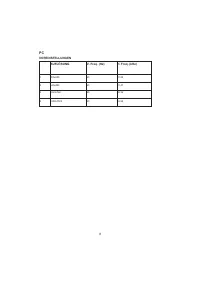
PRESET MODE PC P. 0 6 02 Introduction 3 5 6 1024x768 1280x1024 60 60 1 640x480 60 31.47 2 800x600 60 37.88 48.36 63.98 RESOLUTION V.Freq.(Hz) H.Freq.(KHz) 4 1360x768 60 47.7 1920x1080 (Olny for 21.5",23.6") 60 66.64
Page 8 - I N S TA L L AT I O N N O T E S; r e c o m m e n d e d f o r c o m f o r t a b l e v i e w i n g .; B a s e S t a n d A s s e m b l y I n s t r u c t i o n
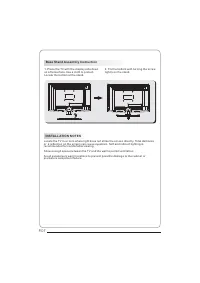
I N S TA L L AT I O N N O T E S L o c a t e t h e T V i n a r o o m w h e r e l i g h t d o e s n o t s t r i k e t h e s c r e e n d i r e c t l y. To t a l d a r k n e s s o r a r e f l e c t i o n o n t h e s c r e e n c a n c a u s e e y e s t r a i n . S o f t a n d i n d i r e c t l i g h t i ...
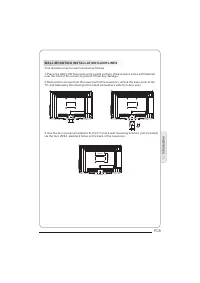
Page 9 - WA L L M O U N T I N G I N S TA L L AT I O N G U I D E L I N E S; T h i s t e l e v i s i o n c a n b e w a l l m o u n t e d a s f o l l o w s :
WA L L M O U N T I N G I N S TA L L AT I O N G U I D E L I N E S T h i s t e l e v i s i o n c a n b e w a l l m o u n t e d a s f o l l o w s : 1 . P l a c e t h e L E D L C D Te l e v i s i o n o n t o a s o l i d s u r f a c e . P l e a s e p l a c e s o m e s o f t m a t e r i a l o v e r t h e ...
Page 10 - Front control panel; R e a r / S i d e S o c k e t s; Remote Control
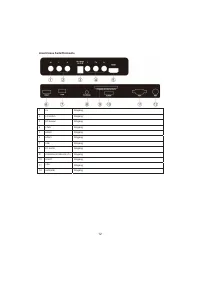
1 AV 2 input 3 YPbPr input 4 input 5 input input 7 SCART input 8 PC AUDIO input 9 L/R AUDIO Intput 1011 Input 12 input 3 1 2 Front control panel 1 2 3 Remote control sensor.Indicator LED: BLUE: POWER ON. RED: STAND BY. Key board. R e a r / S i d e S o c k e t s 1 SOURCE Display the input source menu...
Page 12 - C O M M O N I N T E R FA C E
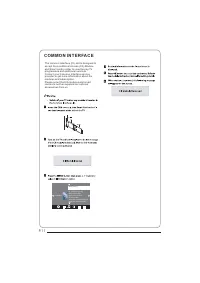
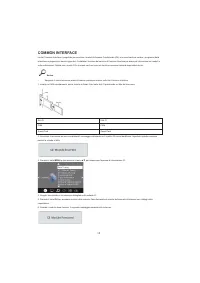
T h e c o m m o n i n t e r f a c e ( C I ) s l o t i s d e s i g n e d t o a c c e p t t h e c o n d i t i o n a l A c c e s s ( C A ) M o d u l e a n d S m a r t c a r d i n o r d e r t o v i e w t h e p a y T V p r o g r a m m e s a n d a d d i t i o n a l s e r v i c e s .C o n t a c t y o u r C...
Page 13 - Remote control; t h e p r o g r a m m e
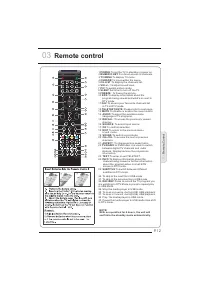
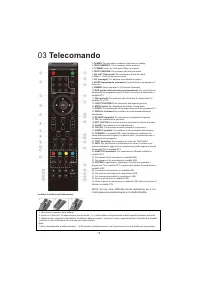
Remote control 03 P. 1 2 1 O K 2 3 4 5 6 7 8 9 0 + C H _ + _ V O L P O W E R M U T E A U D I O R E C A L L T V M E N U S O U R C E C H . L I S T S O U N D E X I T P I C S L E E P A S P E C T T E X T T V / R A D I O F R E E Z E I N F O FAV E P G R E V E A L H O L D L I S T I N D E X S U B PA G E S I ...
Page 14 - REMOTE CONTROL
E TEXT SELECTING A PAGE DIRECT ACCESS TO THE ITEMS INDEX SUB PAGE HOLD REVEAL Press: You will obtain : LIST TELETEXT E n t e r t h e n u m b e r o f t h e p a g e r e q u i r e d u s i n g t h e 0 t o 9 u p / d o w n . E x a m p l e : p a g e 1 2 0 , e n t e r 1 2 0 . T h e n u m b e r i s d i s p l...
Page 15 - Operation; OPERATION; I n s t a l l a t i o n G u i d e; You can search channels and edit programs here.
P. 1 4 04 Operation OPERATION 04 I n s t a l l a t i o n G u i d e Pls press to select country at first , then press OK button to start auto tuning . N O T E : All the channels including ATV, DTV and Radio can be tuning by one time,if the Tune Type is DTV+ATV . This screen only appear when the TV fi...
Page 16 - . S O U N D M E N U; F a v o u r i t e; This menu can display the CI card' s information.; R e n a m e :
P. 1 5 < > B a la n c eA u t o Vo lu m e S o u n d M o d e S t a n d a r d S O U N D NOTE: 1).Tint is available in NTSC system only.2).There are four colors temperature modes can be selected medium, warm, cool,user3).Screen is available in PC mode only which, can adjust Horizontal position, ve...
Page 17 - If you want unblock the program,; . O P T I O N M E N U; I N F O
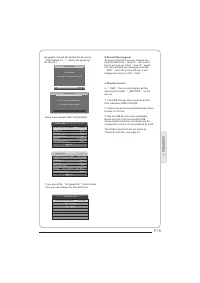
P. 1 6 6 . L O C K M E N U NOTE: The default pass word is 6666.Block program: Press to choose the program ,press teletext green button to block the program. If you want unblock the program, pls enter the main menu , input the password,then press green button again.Parental guidance: Press to choose ...
Page 18 - . P r e p a r e t o r e c o r d t h e p r o g r a m; . P V R f u n c t i o n
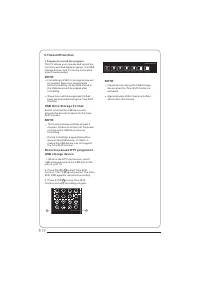
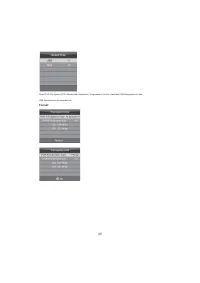
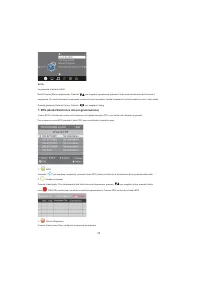
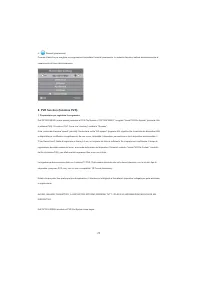
P. 1 7 1 . P r e p a r e t o r e c o r d t h e p r o g r a m 8 . P V R f u n c t i o n Select Disk:select which disc to save the record file. Check PVR File System: check if the PVR File System set up in the USB device or not. Format: < > R e s t o r e F a c t o r y D e f a u lt O S D L a n g ...
Page 19 - . R e c o r d t h e p r o g r a m
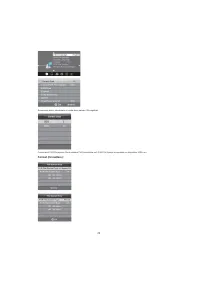
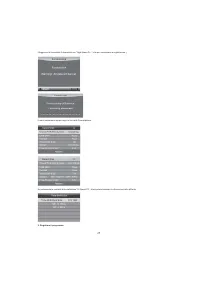
04 Operation P. 1 8 below menu appear after Format finish: 2 . R e c o r d t h e p r o g r a m 3 . P l a y t h e r e c o r d (Suggest to format the format the device by “ High Speed Fs... ” , which can speed up the record.) Wa r n in g ! A ll d a ta w ill b e lo s t. S ta r t E x it F o r m a t d is...
Page 20 - . Ti m e s h i f t f u n c t i o n
P. 1 9 1 . P r e p a r e t o r e c o r d t h e p r o g r a m 9 . Ti m e s h i f t f u n c t i o n T h i s T V a l l o w s y o u t o p a u s e a n d r e c o r d t h e c u r r e n t l y w a t c h e d d i g i t a l p r o g r a m t o a U S B s t o r a g e d e v i c e , a n d t o r e s u m e t o t h e p ...
Page 21 - Ti m e S h i f t l i m i t a t i o n s :
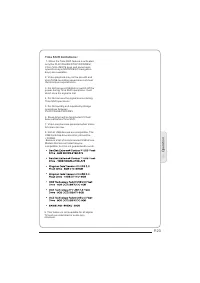
04 Operation P. 2 0 9 . T h i s f e a t u r e i s n o t a v a i l a b l e f o r a l l d i g i t a lT V, s u c h a s s c r a m b l e d o r a u d i o o n l y c h a n n e l s . Ti m e S h i f t l i m i t a t i o n s : 1 . W h e n t h e Ti m e S h i f t f e a t u r e i s a c t i v a t e d , o n l y t h ...
Page 22 - 0 . U S B P l a y e r; S u b t i t l e : 1 / 1
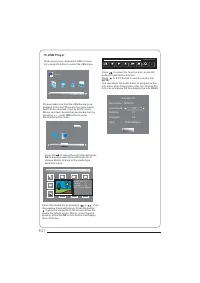
P. 2 1 P r e s s s o u r c e k e y, a n d s e l s c t U S B i n s o u r e l i s t , p r e s s O K b u t t o n t o e n t e r t h e U S B m e n u . 1 0 . U S B P l a y e r P l e a s e m a k e s u r e t h a t t h e U S B d e v i c e h a v e p l u g g e d i n t h e s l o t . T h e r e a r e f o u r t y ...
Page 23 - Trouble shooting; Tr o u b l e p h e n o m e n o n S y m p t o m; rouble shooting
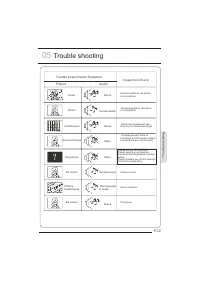
P i c t u r e A u d i o S n o w N o i s e a n t e n n a p o s i t i o n , d i r e c t i o n o r c o n n e c t i o n I n s p e c t i o n C h e c k I n t e r f e r e n c e N o i s e e l e c t r o n i c e q u i p m e n t , c a r /m o t o r c y c l e , f l u o r e s c e n t l i g h t N o r m a l P i c t...
Page 24 - Specification; Colour system; Sound system; YP; Accessory; Power supply; TV-Tunning System Auto Preset 400 CH
Specification Colour system Sound system BG, DK, I, L,L' Video input SCART, YP b P r , AV, VGA, HDMI, USB. Y/P b /P r 480i/p, 576i/p, 720p, 1080i, 1080p Audio output 3W+3W Environment conditions Working temperature: +5 C - +35 C Working humidity: 20% - 80% Storage temperature: Accessory * The part s...
Page 25 - BEDIENUNGSANLEITUNG
1 LCD-FERNSEHER BEDIENUNGSANLEITUNG Bitte lesen Sie die Bedienungsanleitung aufmerksam durch, bevor Sie Ihren Fernseher benutzen. Bewahren Sie die Anleitungen für zukünftigen Nachschlagen auf. MODELL LET19C430 LET22C430 LET24C430
Page 27 - Sicherheits- und Warnhinweise; WILLKOMMEN; WICHTIGE INFORMATIONEN; STROMSCHLAGGEFAHR
3 01 Sicherheits- und Warnhinweise WILLKOMMEN Vielen Dank, dass Sie sich für diesen 19/22/24-Zoll LED LCD-Fernseher entschieden haben. Diese Anleitung hilft Ihnen bei der Einstellung und Bedienung Ihres Fernsehers. Vergewissern Sie sich zunächst, dass alle Zubehörteile mitgeliefert wurden: 19" H...
Page 28 - SICHERHEITSHINWEISE; Reparaturarbeiten stets an den autorisierten Kundendienst.
4 SICHERHEITSHINWEISE • Warnung: Zur Vermeidung von Feuer und Stromschlag öffnen Sie nicht das Gerätegehäuse. Es befinden sich keine vom Verbraucher wartbaren Teile im Innern des Gerätes. Wenden Sie sich mit Wartungs- und Reparaturarbeiten stets an den autorisierten Kundendienst. • Warnung: Zur Verm...
Page 29 - WARN- UND VORSICHTSHINWEISE; Warnung
5 WARN- UND VORSICHTSHINWEISE Warnung Vorsicht Dieser Fernseher wird mit Hochspannung betrieben. Öffnen Sie nicht das Gerätegehäuse. Wenden Sie sich mit Wartungs- und Reparaturarbeiten stets an den autorisierten Kundendienst. Zur Vermeidung von Feuer und Stromschlag setzen Sie das Gerät nicht Regen ...
Page 31 - Einleitung; Ausstattungsmerkmale; Parameter
7 02 Einleitung VORSICHT Nehmen Sie keine Veränderungen am Fernseher vor, nehmen Sie keine Einstellungen vor, die nicht in dieser Bedienungsanleitung beschrieben sind. LED-Fernseher werden mit Hochspannung betrieben. Ziehen Sie vor dem Reinigen stets den Netzstecker, dann wischen Sie den Fernseher m...
Page 32 - VOREINSTELLUNGEN
8 PC VOREINSTELLUNGEN AUFLÖSUNG V. Freq. (Hz) H. Freq. (kHz) 1 800x600 60 37,88 2 640x480 60 31,47 3 1024x768 60 48,36 4 1280x1024 60 63,98
Page 33 - Standfuß montieren; Bildschirm zu schützen. Setzen Sie den Standfuß unten an.; HINWEISE ZUR INSTALLATION; Fernsehen empfohlen.
9 Standfuß montieren 1. Legen Sie den Fernseher mit dem Bildschirm auf eine flache Arbeitsfläche. Legen Sie ein Tuch unter, um den Bildschirm zu schützen. Setzen Sie den Standfuß unten an. 2. Schrauben Sie den Standfuß von unten mit der Schraube fest an. HINWEISE ZUR INSTALLATION Stellen Sie den Fer...
Page 34 - WANDMONTAGE; Dieser Fernseher kann wie folgt an der Wand montiert werden:
10 WANDMONTAGE Dieser Fernseher kann wie folgt an der Wand montiert werden: 1. Legen Sie den Fernseher mit dem Bildschirm auf eine flache Arbeitsfläche. Legen Sie ein Tuch unter, um den Bildschirm zu schützen. 2. Schrauben Sie die Halterung für den Standfuß unten am Fernseher ab (bewahren Sie den St...
Page 35 - Fernbedienung; Frontblende
11 Fernbedienung Frontblende 1 Sensor Fernbedienung 2 Status-LED: BLAU: eingeschaltet ROT: Stand-by-Modus 3 Funktionstasten 1 SOURCE Menü der Eingangsquellen anzeigen. 2 MENU Hauptmenü anzeigen. 3 CH+/CH- Im TV-Modus schalten Sie mit CH+ oder CH- den Kanal aufwärts oder abwärts um. Im MENÜ wählen Si...
Page 36 - Anschlüsse Seite/Rückseite
12 Anschlüsse Seite/Rückseite 1 AV Eingang 2 L/R AUDIO Eingang 3 DC Netzteil Eingang 4 YPbPr Eingang 5 HDMI2 Eingang 6 HDMI1 Eingang 7 USB Eingang 8 PC AUDIO Eingang 9 COMMON INTERFACE (CI) Eingang 10 SCART Eingang 11 VGA Eingang 12 ANTENNE Eingang
Page 37 - FERNSEHER ANSCHLIEßEN; ANTENNE ANSCHLIEßEN
13 FERNSEHER ANSCHLIEßEN ANTENNE ANSCHLIEßEN Schließen Sie die Antenne auf der Rückseite des Fernsehers am Anschluss ANT IN an. SIGNAL VERBESSERN Zur Verbesserung schlechter Bildqualität in bestimmten Bereichen benutzen Sie einen Antennenverstärker (nicht mitgeliefert). PC AM FERNSEHER ANSCHLIEßEN S...
Page 38 - COMMON INTERFACE
14 COMMON INTERFACE Der Schacht Common Interface (CI) dient der Aufnahme des Conditional Access (CA) Moduls und der Smartcard für Bezahlsender. Bitte wenden Sie sich an Ihren Dienstanbieter für weitere Informationen. Bitte beachten Sie, dass CA Module und Smartcards von uns nicht geliefert werden. W...
Page 40 - FERNBEDIENUNG; TEXT
16 FERNBEDIENUNG VIDEOTEXT Videotext ist ein Informationssystem, das von einigen Sendern übertragen wird und wie eine Zeitung aufgebaut ist. Hier haben Sie ebenfalls Untertitel für Hörgeschädigte (Kabelnetzwerke, Satellitenkanäle usw.). Drücken Sie: Sie haben folgende Funktion: TEXT Mit dieser Taste...
Page 41 - BEDIENUNGSHINWEISE; Installation
17 04 BEDIENUNGSHINWEISE Installation Dieses Menü wird beim ersten Einschalten des Fernsehers angezeigt bzw. nachdem Sie das Gerät zu den Werkseinstellungen zurückgestellt haben. Wählen Sie Ihre Sprache und das Land, damit wird die automatische Kanalsuche gestartet. Anschließend wird der erste aufge...
Page 52 - Timeshiftfunktion; USB-Laufwerk formatieren
28 9. Timeshiftfunktion 1. Vorbereitung der Aufnahme Mit diesem Fernseher können Sie das aktuelle Programm unterbrechen und auf einen USB-Speichermedium aufzeichnen, dann ab der Unterbrechung weiter sehen. BITTE BEACHTEN SIE: • Das USB 2. 0 Speichermedium muss formatiert sein. Erstellen Sie vor der ...
Page 53 - Limitierungen der Timeshiftfunktion:
29 Limitierungen der Timeshiftfunktion: 1. Bei aktivierter Timeshiftfunktion stehen Ihnen nur WIEDERGABE/PAUSE/STOPP/VORLAUF/RÜCKLAUF/VOL+/VOL-/MUTE sowie einige allgemeine Funktionstasten (ENTER/EXIT/Navigation) zur Verfügung. 2. Die Videowiedergabe ist nicht gleichmäßig und kann springen, falls di...
Page 55 - Störungserkennung; Problem
31 05 Störungserkennung Problem Bild Ton Überprüfen verschneit gestört Antennenposition, Ausrichtung oder Anschluss Schatten normaler Ton Antennenposition, Ausrichtung oder Anschluss Störungen gestört elektronische Geräte, Fahrzeug/Motorrad, Neonlicht normales Bild stummgeschaltet Lautstärke (stummg...
Page 56 - Spezifikationen; SCART Eingang/Ausgang
32 Spezifikationen Farbsystem PAL-B/G, I, D/K SECAM- B/G, D/K L, L' Tonsystem B/G, DK, I, L, L' Videoeingänge SCART, YPbPr, AV, VGA, HDMI, USB. Y/Pb/Pr 480i/p, 576i/p, 720p, 1080i, 1080p HDMI 480i/p, 576i/p, 720p, 1080i, 1080p Spannungsversorgung DC 12 V, 3 A (Netzteil mitgeliefert) Audioausgang 2 x...
Page 57 - Récepteur TV LCD; MANUEL DE
1 Récepteur TV LCD MANUEL DE L'UTILISATEUR Lisez attentivement ce manuel avant d'utiliser votre téléviseur et conservez ce manuel dans un bon endroit pour toute référence ultérieure. Modèle : LET19C430 LET22C430 LET24C430
Page 59 - Avertissements et mesures de sécurité; BIENVENUE; INFORMATION IMPORTANTE; RISQUES D'ELECTROCUTION
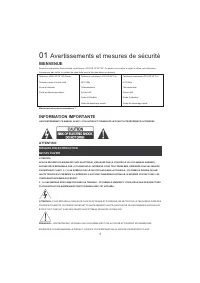
3 01 Avertissements et mesures de sécurité BIENVENUE Nous vous remercions d'avoir acheté ce téléviseur LCD LED 19"/22"/24". Ce guide va vous aider à régler et utiliser votre téléviseur. Commencez par vérifier le contenu de votre boîte avec la liste des pièces ci-dessous : Téléviseur LCD ...
Page 60 - INSTRUCTIONS DE SÉCURITÉ; tomber, causant des dommages ou des blessures.
4 INSTRUCTIONS DE SÉCURITÉ • Attention : Pour réduire le risque d'électrocution, ne déposez aucun panneau. Aucun des éléments internes ne peut être réparé par l'utilisateur. Confiez l'entretien à un technicien qualifié. • Attention : POUR REDUIRE LES RISQUES D'INCENDIE OU D'ELECTROCUTION, N'EXPOSEZ ...
Page 61 - Avertissements et mise en garde; Avertissement; récepteur du téléviseur
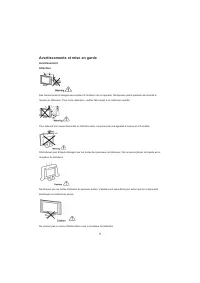
5 Avertissements et mise en garde Avertissement Attention Des hautes tensions dangereuses existent à l'intérieur de cet appareil. Ne déposez pas le panneau de sécurité à l'arrière du téléviseur. Pour toute réparation, veuillez faire appel à un technicien qualifié. Pour prévenir tout risque d'incendi...
Page 62 - Distances minimales
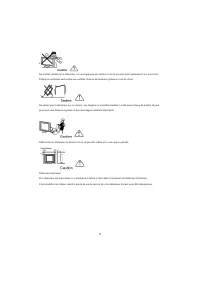
6 Ne montez jamais sur le téléviseur, ne vous appuyez pas dessus et ne le poussez pas brusquement sur son socle. Prêtez une attention particulière aux enfants. Risque de blessures graves en cas de chute. Ne placez pas le téléviseur sur un chariot, une étagère ou une table instable. Le téléviseur ris...
Page 63 - Caractéristiques principales; Données principales
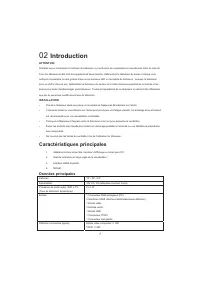
7 02 Introduction ATTENTION N'altérez aucun composant à l'intérieur du téléviseur ou tout bouton de commande non mentionnés dans ce manuel. Tous les téléviseurs LED sont des appareils de haute tension. Débranchez le téléviseur du secteur lorsque vous nettoyez la poussière ou des gouttes d'eau sur le...
Page 64 - MODE PRÉDÉFINI
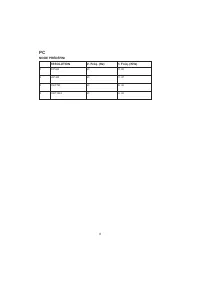
8 PC MODE PRÉDÉFINI RESOLUTION V. Fréq. (Hz) H. Fréq. (KHz) 1 800*600 60 37. 88 2 640*480 60 31. 47 3 1024*768 60 48. 36 4 1280*1024 60 63. 98
Page 65 - Instructions d'assemblage du socle de base; Localisez le bas du socle.; REMARQUES SUR L'INSTALLATION; visualisation confortable.
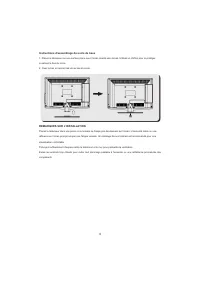
9 Instructions d'assemblage du socle de base 1. Placez le téléviseur sur une surface plane avec l'écran orienté vers le bas. Utilisez un chiffon pour le protéger. Localisez le bas du socle. 2. Fixez le bas en serrant les vis au bas du socle. REMARQUES SUR L'INSTALLATION Placez le téléviseur dans une...
Page 66 - DIRECTIVES D'INSTALLATION DU SUPPORT MURAL; protéger contre tout dommage.
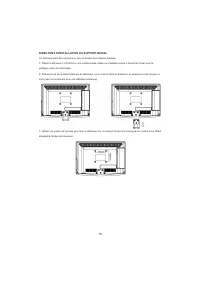
10 DIRECTIVES D'INSTALLATION DU SUPPORT MURAL Ce téléviseur peut être accroché au mur en suivant la procédure suivante : 1. Placez le téléviseur LCD LED sur une surface solide. Mettez un matériau souple à l'avant de l'écran pour le protéger contre tout dommage. 2. Retirez les vis de la partie inféri...
Page 67 - Télécommande; Panneau frontal; Prises arrières/latérales
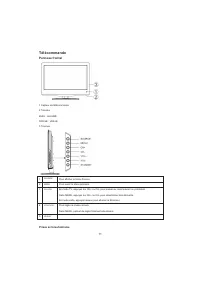
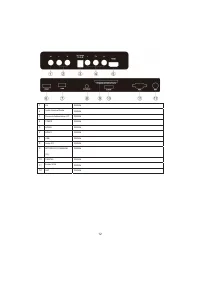
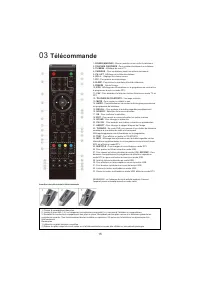
11 Télécommande Panneau frontal 1 Capteur de télécommande 2 Témoins BLEU : ALLUMÉ. ROUGE : VEILLE. 3 Touches. 1 SOURCE Pour afficher le Menu Source. 2 MENU Pour ouvrir le Menu principal. 3 CH+/CH- En mode TV, appuyez sur CH+ ou CH- pour passer au canal suivant ou précédent. Dans MENU, appuyez sur CH...
Page 69 - CONNEXION DE VOTRE TV
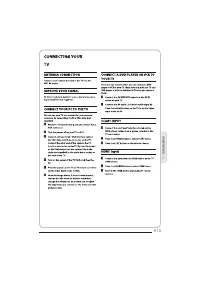
13 CONNEXION DE VOTRE TV RACCORDEMENT DE L'ANTENNE Connectez votre antenne à l'arrière du téléviseur dans la prise ANT IN. AMÉLIORER VOTRE SIGNAL Pour améliorer la qualité de l'image dans une région de mauvaise réception, utilisez un amplificateur de signal (non fourni). CONNECTEZ VOTRE PC AU TÉLÉVI...
Page 70 - INTERFACE COMMUNE
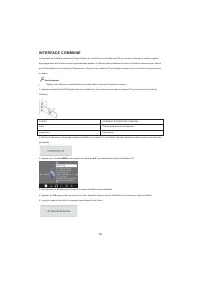
14 INTERFACE COMMUNE Le logement de l'interface commune (CI) est destiné à un module d'accès conditionnel (CA) et une carte à puce pour pouvoir regarder des programmes télé et des services supplémentaires payants. Contactez votre prestataire de services d'interface commune pour obtenir plus d'inform...
Page 72 - TÉLÉCOMMANDE; TEXTE
16 TÉLÉCOMMANDE TÉLÉTEXTE Le télétexte est un système d'information diffusé par certaines chaînes, qui se consulte comme un journal. Il offre également l'accès aux sous-titrages pour les personnes malentendantes ou qui ne sont pas familiers avec la langue de transmission (réseaux câblés, chaînes sat...
Page 73 - UTILISATION; Guide d'installation
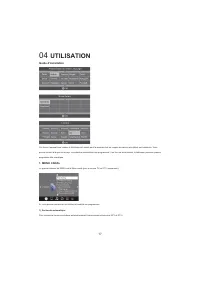
17 04 UTILISATION Guide d'installation Cet écran n'apparaît que lorsque le téléviseur est allumé pour la première fois ou lorsque les valeurs par défaut sont restaurés. Vous pouvez choisir la langue et le pays, la recherche automatique des programmes. Une fois cet écran tourné, le téléviseur passe a...
Page 75 - Supprimer
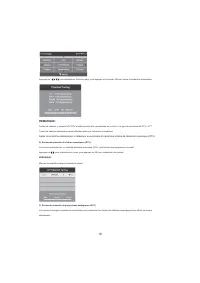
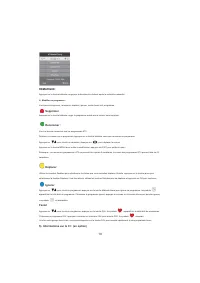
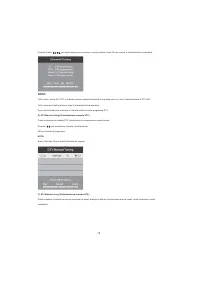
19 REMARQUE : Appuyez sur la touche télétexte rouge pour mémoriser les chaînes après la recherche manuelle. 4). Modifier un programme : Vous pouvez supprimer, renommer, déplacer, ignorer, rendre favori tout programme. Supprimer Appuyez sur la touche télétexte rouge, le programme pointé par le curseu...
Page 77 - MENU VERROUILLAGE
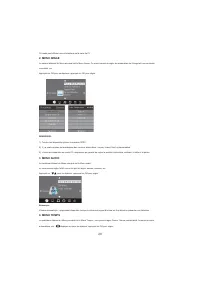
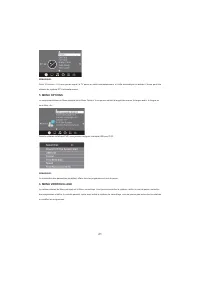
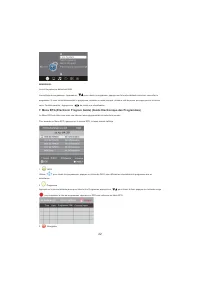
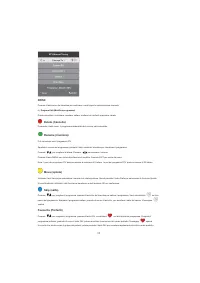
21 REMARQUE : Dans 15 minutes, il n'y aura pas de signal, la TV passe en veille automatiquement, si Veille automatique est activée. L'heure peut être obtenue du système DTV automatiquement. 5. MENU OPTIONS Le cinquième élément du Menu principal est le Menu Options. Vous pouvez choisir la langue des ...
Page 83 - Format de stockage du lecteur USB
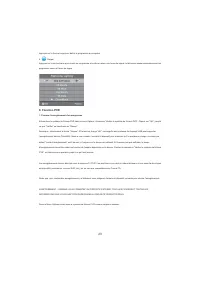
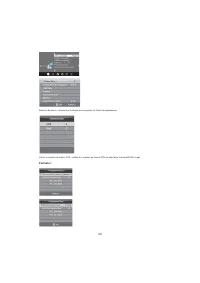
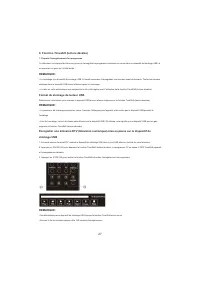
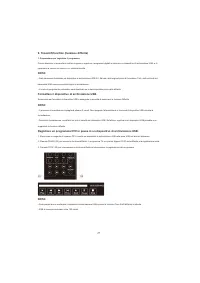
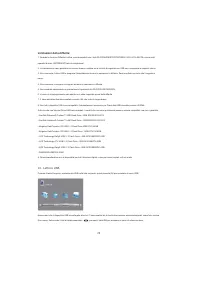
27 9. Fonction Timeshift (lecture décalée) 1. Préparer l'enregistrement d'un programme Ce téléviseur vous permet de faire une pause et d'enregistrer le programme numérique en cours dans un dispositif de stockage USB, et de reprendre au point où il s'était arrêté. REMARQUE : • Le formatage d'un dispo...
Page 84 - Limites du TimeShift :
28 Limites du TimeShift : 1). Lorsque la fonction TimeShift est activée, seules les touches PLAY/PAUSE/STOP/FWD/REV/ VOL+/VOL-/MUTE et quelques touches de fonctionnement de base (ENTRER / EXIT / navigation) sont disponibles. 2). La lecture vidéo peut ne pas être continue et peut présenter des sauts ...
Page 86 - Dépannage; Symptôme du problème
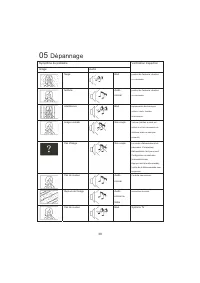
30 05 Dépannage Symptôme du problème Image Audio Vérification Inspection Neige Bruit position de l'antenne, direction ou connexion fantôme Audio normal position de l'antenne, direction ou connexion Interférence Bruit équipements électroniques, voiture / moto, lumière fluorescente Image normale Son c...
Page 87 - Spécifications; Description entrée/sortie péritel
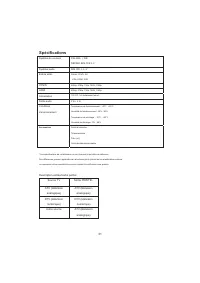
31 Spécifications Système de couleurs PAL-B/G, I, D/K SECAM- B/G, D/K L, L' Système audio B/G, DK, I, L, L' Entrée vidéo Péritel, YPbPr, AV, VGA, HDMI, USB. Y/Pb/Pr 480i/p, 576i/p, 720p, 1080i, 1080p HDMI 480i/p, 576i/p, 720p, 1080i, 1080p Alimentation 12V CC, 3A (Adaptateur fourni) Sortie audio 3 W...
Page 88 - TV LED
TV LED MANUALE DELL'UTENTE Leggete attentamente questo manuale prima di utilizzare il vostro televisore e conservatelo in un posto sicuro per future consultazioni . MODELLO: LET19C430 LET22C430 LET24C430
Page 90 - 1 Sicurezza ed avvisi; BENVENUTI; INFORMAZIONI IMPORTANTI; RISCHIO DI SHOCK ELETTRICO
3 01 Sicurezza ed avvisi BENVENUTI Grazie per aver acquistato questo televisore LED LCD 19"/ 22”/24". Questa guida vi aiuterà ad impostare e ad iniziare ad utilizzare il vostro televisore. Per prima cosa, controllate il contenuto della confezione con la lista di controllo delle parti sottost...
Page 92 - NOTIFICHE DI SICUREZZA; servizio qualificato.
5 NOTIFICHE DI SICUREZZA • Avviso: Per ridurre il rischio di shock elettrici, non rimuovete il coperchio (o il retro). Non vi sono parti a cui l'utente possa fare manutenzione da solo all'interno. Per tutta la manutenzione fate riferimento a personale di servizio qualificato. • Avviso: per ridurre i...
Page 93 - AVVISI E CAUTELA
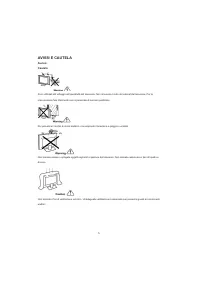
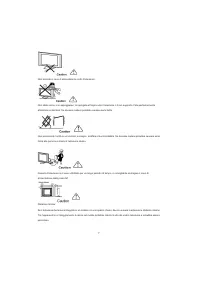
6 AVVISI E CAUTELA Avviso: Cautela: Sono utilizzati alti voltaggi nell'operatività del televisore. Non rimuovete il retro del cabinet dal teleuisore. Per la manutenzione fate riferimento solo a personale di servizio qualificato. Per prevenire il rischio di shock elettrico, non esponete il televisore...
Page 95 - Introduzione; Caratteristiche principali; Parametri principali
8 02 Introduzione CAUTELA Non maneggiate mai alcun componente all'interno del televisore, né altri controlli di regolazione non menzionati in questo manuale. Tutti i televisori LED sono strumenti ad alto voltaggio. Quando pulite lo schermo LED o il CABINET, il cavo di alimentazione dovrebbe essere s...
Page 96 - MODALITA' PRECONFIGURAZIONE; Istruzioni di assemblaggio della base di sostegno; proteggere lo schermo Posizionate il fondo sul sostegno.; NOTE DI INSTALLAZIONE; visione confortevole.
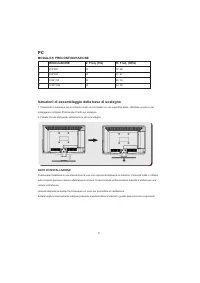
9 PC MODALITA' PRECONFIGURAZIONE RISOLUZIONE V. Freq. (Hz) H. Freq. (KHz) 1 800*600 60 37. 88 2 640*480 60 31. 47 3 1024*768 60 48. 36 4 1280*1024 60 63. 98 Istruzioni di assemblaggio della base di sostegno 1. Posizionate il televisore con lo schermo rivolto verso il basso su una superficie piana. U...
Page 97 - LINEE GUIDA PER L'INSTALLAZIONE A MURO; Questo televisore può essere montato a muro come segue:
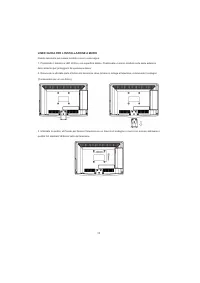
10 LINEE GUIDA PER L'INSTALLAZIONE A MURO Questo televisore può essere montato a muro come segue: 1. Posizionate il televisore LED LCD su una superficie stabile. Posizionate un panno morbido sulla parte anteriore dello schermo per proteggerlo da qualunque danno. 2. Rimuovete le viti dalla parte infe...
Page 98 - Telecomando; Controlli del pannello anteriore
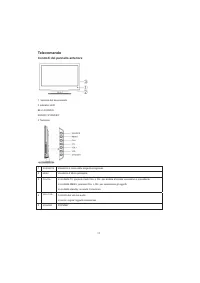
11 Telecomando Controlli del pannello anteriore 1. Sensore del telecomando. 2 Indicatori LED: BLU: ACCESO. ROSSO: STAND BY. 3 Tastierino 1 SORGENTE Visualizza il menù delle sorgenti in ingresso. 2 MENU Visualizza il Menù principale 3 CH+/CH- In modalità TV, premete i tasti CH+ o CH- per andare al ca...
Page 99 - Prese sul retro/sul lato
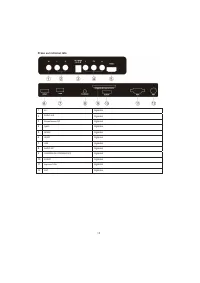
12 Prese sul retro/sul lato 1 AV Ingresso 2 AUDIO L/R Ingresso 3 Alimentazione DC Ingresso 4 YpbPr Ingresso 5 HDMI2 Ingresso 6 HDMI1 Ingresso 7 USB Ingresso 8 AUDIO PC Ingresso 9 COMMON IN INTERFACE(CI) Ingresso 10 SCART Ingresso 11 Ingresso VGA Ingresso 12 ANT Ingresso
Page 103 - TELECOMANDO; TELETEXT
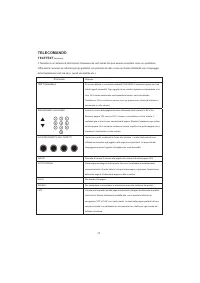
16 TELECOMANDO TELETEXT (televideo) Il Televideo è un sistema di informazioni trasmesso da certi canali che può essere consultato come un quotidiano. Offre anche l'accesso ai sottotitoli per gli spettatori con problemi di udito o che non hanno familiarità con il linguaggio della trasmissione (reti v...
Page 104 - OPERATIVITÀ; Guida all'installazione
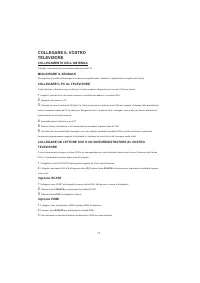
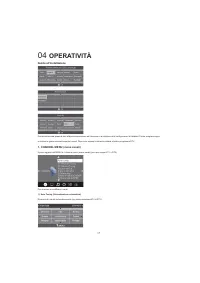
17 04 OPERATIVITÀ Guida all'installazione Questa schermata apparirà solo alla prima accensione del televisore o al ripristino delle configurazioni di fabbrica. Potete scegliere lingua e nazione e girare automaticamente i canali. Dopo aver acceso lo schermo salterà al primo programma DTV. 1. CHANNEL ...
Page 114 - Formattare il dispositivo di archiviazione USB.
27 9. Timeshift function (funzione differita) 1. Preparazione per registrare il programma Questo televisore vi permette di mettere in pausa e registrare i programmi digitali in visione in un dispositivo di archiviazione USB, e di riprendere la visione nel punto in cui è stata interrotta. NOTA: • Sar...
Page 115 - Limitazioni della differita:
28 Limitazioni della differita: 1. Quando la funzione Differita è attiva, sono disponibili solo i tasti PLAY/PAUSE/STOP/FWD/REV/ VOL+/VOL-/MUTE e alcuni tasti operativi di base (ENTER/EXIT/tasti di navigazione). 2. La riproduzione video potrebbe non essere lineare e saltare se la velocità di registr...
Page 117 - 5 Risoluzione dei problemi; Sintomo del problema
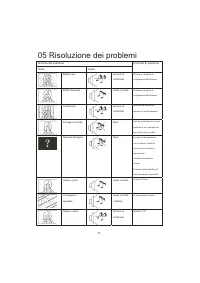
30 05 Risoluzione dei problemi Sintomo del problema Video Audio Controllo di ispezione Effetto neve Rumore di sottofondo Posizione, direzione o collegamento dell'antenna. Effetto fantasma Audio normale Posizione, direzione o collegamento dell'antenna. Interferenze Rumore di sottofondo Attrezzatura e...
Page 118 - Uscita Audio; Uscita SCART
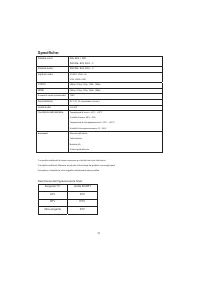
31 Specifiche: Sistema colori. PAL-B/G, I, D/K SECAM- B/G, D/K L, L' Sistema audio. SECAM- B/G, D/K L, L' Ingresso video SCART, YPbPr, AV, VGA, HDMI, USB. Y/Pb/Pr 480i/p, 576i/p, 720p, 1080i, 1080p HDMI 480i/p, 576i/p, 720p, 1080i, 1080p Numero di canali memorizzabili 1000 Alimentazione: DC 12V, 3A ...
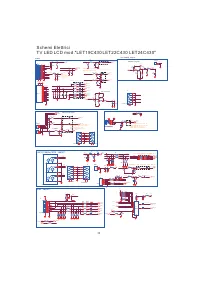
Page 120 - PANEL POWER
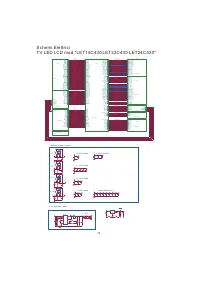
HP_LINP ROUT+ LOUT+ ROUT# HP_RINP# ROUT# HP_LINP# SVRRLOUT# SC_AROUT ROUT- ROUT- ROUT- ROUT- HP_LIN HP_RIN AMP-Rout AMP-Lout AUOUTR1 AUOUTL1 SC_ALOUT HP_LIN HP_RIN HP_LINP# HP_LINP# HP_LINN# HP_LINN# LOUT+ LOUT+ LOUT+ LOUT+ LOUT- HP_RINP# HP_RINN# ROUT- LOUT- ROUT+ MUTEn VCC-OP2 VCC-OP2 HP_RINP LOUT...
Page 121 - VGA INPUT
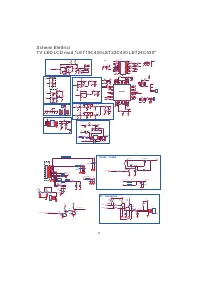
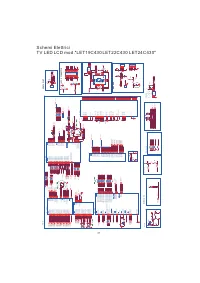
SPDIF_O SPDIFOUT VGA_ARIVGA_ALI HP_SR SIDE_AVINSIDE_AULIN SIDE_AURIN SPDIFOUT HP_SMUTE HP_SL VGA_ALIVGA_ARI SIDE_AV CVBS_OUT VOUT VGA_ALVGA_AR AV1_AL AV1_AR RGB0_GIN- RGB0_BIN- RGB0_RIN- SC1_FB Pb Y Y Pb Pr SCART_AV VOUT AV1-V Pr AV1-L SC1_FSO SC_AROUT AV1-R SC_ALOUT RGB0_BIN+ RGB0_GIN+ RGB0_RIN+ RG...

















 Haier HF11CM10NW
User Manual
Haier HF11CM10NW
User Manual
 Haier BCF46B
User Manual
Haier BCF46B
User Manual
 Haier HCC2230AGS
User Manual
Haier HCC2230AGS
User Manual
 Haier HLTD500ACW
User Manual
Haier HLTD500ACW
User Manual
 Haier HRT18RCPB1
User Manual
Haier HRT18RCPB1
User Manual
 Haier HVTS18DTBB
User Manual
Haier HVTS18DTBB
User Manual
 Haier HRT18R1APB
User Manual
Haier HRT18R1APB
User Manual
 Haier ESA3159
User Manual
Haier ESA3159
User Manual
 Haier CPN11XCJ
User Manual
Haier CPN11XCJ
User Manual
 Haier PBFS21EDAS
User Manual
Haier PBFS21EDAS
User Manual
 Haier HLP24E
User Manual
Haier HLP24E
User Manual
 Haier DWL4035DBWW
User Manual
Haier DWL4035DBWW
User Manual
 Haier CPN12XH9
User Manual
Haier CPN12XH9
User Manual