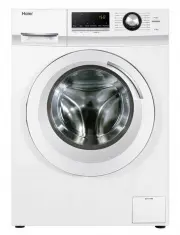
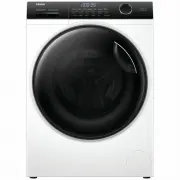
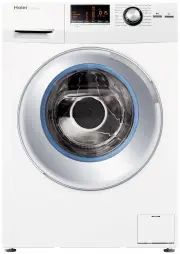
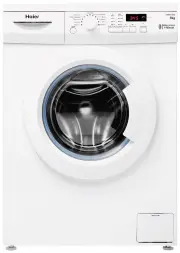
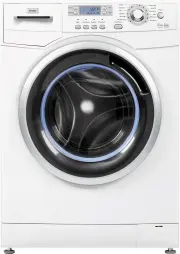
Page 2 - CONTENTS; Installation & adjustment; Operation and Wash Cycles
CONTENTS Product overviewSafety precautions Installation & adjustment Before washing Operation Cleaning and Maintenance Packing listSpecification Trouble-shooting 1 2 2 2 4 4 5 5 6 7 889 17 7 8 1516 18 Description of symbolsSafety warnings Installing the bottom plate Balancing the washing machin...
Page 3 - Product overview
Product overview Outer tub cover Top lid Inner tub Pulsator Detergent tray Base frame Screw cover Adjustable feet (2 pieces) Top deck Cabinet Cold water inlet valve Fixed feet (2 pieces) Control panel Handle Hook Power cord Back cover Please understand the shapes of the washing machine and accessori...
Page 4 - Description of symbols; Warning sign; Safety precautions; Warning
Description of symbols Warning sign Forbidden sign Contents marked with this symbol are related to the safe use of the product and the personal safety of the user. Please operate in acc ordance with the contents of this manual to avoid harm to the user or damage to the machine. Contents marked with ...
Page 5 - Forbidden
Safety precautions Forbidden 60 If you are using an extension cord or a portable electrical outlet device (not recommended), ensure that it is positioned so that it does not come into contact with water or moisture. Do not install this appliance in a damp or wet environment. Do not leave wet laundry...
Page 6 - Installation & Adjustment
If power cord or other parts of this machine become damaged or faulty, please contact a technician to have it repaired .. Do not attempt repairs by yourself as this may cause personal harm or void warranty. Safety precautions Please install and adjust the machine according to the directions containe...
Page 7 - Balanc
Installation & Adjustment Drain hose 5 2. First connect the drain hose to the connection point on the lower right side of the cabinet, and fasten with drain hose clamp (provided). 3. Connect drain hose guide on to the outside of drain hose. To guide the drain hose over the tub or standpipe, the ...
Page 8 - Connection between the water inlet hose and the; Check the inlet hose connections; Water inlet
Installation & Adjustment Connection between the water inlet hose and the washer 1.Do not take off the water absorption cushion. Please check if the cushion is dropped or damaged before each usage. If this happens please contact our after-sale department immediately.2.Put the nut of the water in...
Page 9 - Preparation before washing; Check the following before washing; Before washing
Preparation before washing 1.Connect the water inlet hose. Open the water faucet. 2.Insert the power plug into the wall power socket. 3.Ensure the drain hose is mounted at the correct height. 4.When the water pressure in the user's home is too low, it may not be able to wash detergents and softeners...
Page 10 - Usage of detergent; How to use liquid detergent; Operation; Loading your laundry; How to use washing powder
Usage of detergent How to use liquid detergent How to use softener The rated washing capacity refers to the largest dry weight of a load that can be washed. Before washing, please make sure that the water level covers the clothes. Adjust the number of clothes according to the actual situation. The c...
Page 11 - Explanation of buttons; Child Lock function; Indicator display
Operation Explanation of buttons P ush the Power button, set the desired washing program, after setting, push down the “Start/Pause” button, then hold the “Progress” buttonand “Delay” button at the same time for more than 1 seconds.The digital display “CL” , the child lock. All of the buttons are lo...
Page 12 - Sta r t
Operation After the power is switched on, press it to start the machine. To pause the wash cycle, press the “start/pause” button.To restart a wash cycle, press the “start/pause” button again . Sta r t Pause K "Start/Pause" button 10 Page 16 During the wash cycle, the digital display will sho...
Page 15 - After the power is turned on, the default is Mixed program.; Press the button to switch power on/off; Press the button to customise the pre-set options
Operation and Wash Cycles 13 After the power is turned on, the default is Mixed program. Then rotate the knob to select other programs.For example, when you want to wash light dirty clothes quickl y , use a Express procedure. Separate the fadable clothes separately before putting them into the washi...
Page 16 - Operating Method of Delay Procedure; The wash will finish
Operation and Wash Cycles 14 When the power is turned on, the washing machine Delay procedure is automatically set to non-startup state. The laundry process will begin immediately after pressing the Start/Pause button. Before setting the appointment time, first set up the program and other options, ...
Page 17 - Cleaning and Maintenance; Maintenance
Remove Both lint filters must be used during washing. Must be cleaned after each use. Clean the detergent box and set it on the control panel seat. 1.The method of dismantling: Tilt upward pull out and gently. 2.The method of cleaning: Use a brush and duster cloth to clean it, then flush it with wat...
Page 18 - Problem
Is the water inlet hose loose? The water tap leaks. Redistribute the load evenly. Push the Start/Pause button once. Level the machine. Push the Start/Pause button once. The display shows E4. . Is the water tap closed or has the water supply been interrupted? Is the water inlet valve blocked? Is the ...
Page 19 - Common occurrences; Packing list
The display shows F2.The display shows E2-1. Overflow ErrorThe door lock alarm Trouble-shooting Common occurrences The display shows FC2. The spinning is intermittent after it starts. 17 Packing list Problem Possible causes What to do Redistribute the load evenly.Close the top lid. Select spin progr...
Page 20 - Specification
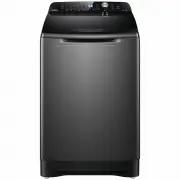
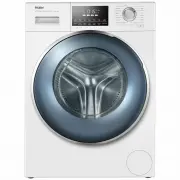
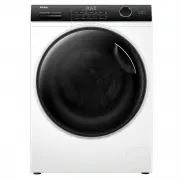
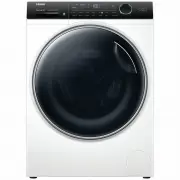
18 TOP LOAD FULL-AUTOMATIC WASHING MACHINE Specification TypeModelRated voltage/frequencyRated washing powerRated spinning powerNet weightGross weightDimensions(mm)Water inlet pressureRated Washing capacity 220-240V/50Hz400W370W40kg45kg 7kg W 550 D 570 H 10000.03MPa-1.0MPa HWT07AN1 220-240V/50Hz350W...