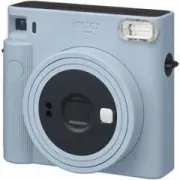
Page 9 - Names of Parts; Front; English
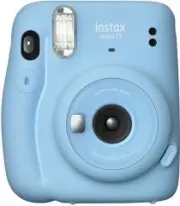
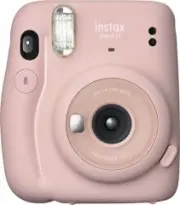
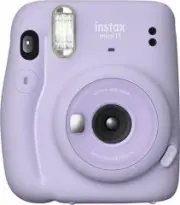
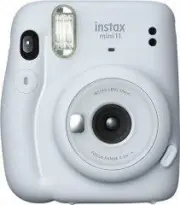
9 EN Names of Parts Front 1 3 2 4 5 6 8 9 12 10 7 11 Back 15 16 12 18 14 13 17 1 AE light sensor 2 Flash light sensor 3 Film ejection slot 4 Flash lampface 5 Viewfinder 6 Shutter button 7 Lens cover / Lens 8 Selfie mirror 9 Lens barrel 10 Power button 11 Flash charging lamp 12 Strap eyelet 13 Viewfi...
Page 10 - Taking Pictures
10 EN Taking Pictures Do not open the back cover until you have used up the film. Otherwise, the rest of the film will become exposed and turn white, and can no longer be used. 1 Once the batteries are loaded, press the power button to turn the camera on. The lens barrel extends and the flash chargi...
Page 11 - Taking a Photo in Selfie Mode; Taking a picture of yourself; Taking a closeup
11 EN Taking a Photo in Selfie Mode To switch from the selfie mode to normal shooting mode, turn off the camera by pushing the lens barrel back in and then turn it on again. Taking a picture of yourself If you shoot in selfie mode, you can take a picture of yourself using the selfie mirror on the fr...
Page 12 - Precautions for Taking Photos; Precautions for Holding the Camera; Flash charging
12 EN Precautions for Taking Photos Precautions for Holding the Camera Correct way to hold Do not cover the flash lampface with a finger Do not cover the flash light sensor and AE light sensor with a finger • Take care that a finger or the strap does not cover the flash light sensor, AE light sensor...
Page 14 - Handling; Handling of Camera
14 EN Handling ■ Handling of Camera 1. The camera is a precision instrument, so do not get it wet, drop it, or subject it to shock. Also, do not place the camera where it will be exposed to sand. 2. Before using a commercially available strap, check the strength of the strap. Be especially careful w...
Page 16 - Specifications; Information for traceability in Europe
16 EN Specifications Film FUJIFILM INSTAX Mini instant film Photo Picture Size 62 mm × 46 mm Lens 2 components, 2 elements, f = 60 mm, 1:12.7 Viewfinder Real image finder, 0.37×, with target spot Shooting Range 0.3 m and beyond (use selfie mode for 0.3 m to 0.5 m) Shutter Programmed electronic shutt...
Page 19 - Названия деталей; Лицевая сторона; Русский
1 RU Названия деталей Лицевая сторона 1 3 2 4 5 6 8 9 12 10 7 11 Тыльная сторона 15 16 12 18 14 13 17 1 Светочувствительный датчик АЕ 2 Светочувствительный датчик вспышки 3 Канал вывода снимков 4 Лампа вспышки 5 Видоискатель 6 Кнопка спуска затвора 7 Крышка объектива/Объектив 8 Зеркало для автопортр...
Page 20 - Съемка
2 RU Съемка Не открывайте заднюю крышку, пока не израсходуете фотобумагу. В противном случае оставшаяся фотобумага засветится и станет белой и будет непригодна для использования. 1 Вставьте батарейки и нажмите кнопку питания, чтобы включить фотокамеру. Оправа объектива выдвигается, и индикатор заряд...
Page 21 - Съемка автопортрета; Съемка крупным планом
3 RU Съемка в режиме автопортрета (селфи) Чтобы переключиться из режима автопортрета в обычный режим съемки, выключите фотокамеру, задвинув ствол объектива внутрь, а затем снова включите ее. Съемка автопортрета В режиме автопортрета можно сфотографировать себя, установив композицию с помощью зеркала...
Page 22 - Меры предосторожности при съемке; Состояние
4 RU Меры предосторожности при съемке Меры предосторожности при удерживании фотокамеры Правильный способ держать фотокамеру Не закрывайте лампу вспышки пальцем Не закрывайте светочувствительный датчик вспышки и светочувствительный датчик AE пальцем • Следите за тем, чтобы палец или ремешок не закрыв...
Page 24 - Уход за изделием; Уход за фотокамерой
6 RU Уход за изделием ■ Уход за фотокамерой 1. Фотокамера является точным инструментом, поэтому берегите ее от намокания, падения и ударной нагрузки. Кроме того, не держите фотокамеру в местах, где в нее может попадать песок. 2. Перед использованием имеющегося в продаже ремешка проверьте его прочнос...
Page 26 - Технические характеристики; Информация для отслеживания в Европе
8 RU Технические характеристики Фотобумага Фотобумага для моментальной печати INSTAX mini производства FUJIFILM Размер фотоснимка 62 мм × 46 мм Объектив Двухкомпонентный, двухэлементный объектив, f = 60 мм, 1:12,7 Видоискатель Визир реального изображения, 0,37×, с отметкой цели Диапазон съемки 0,3 м...