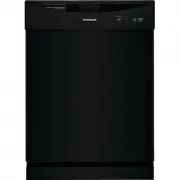
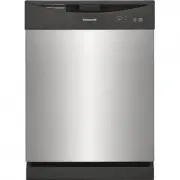
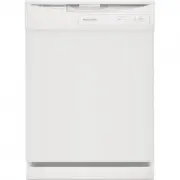
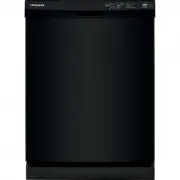
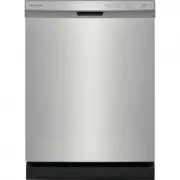
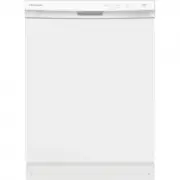
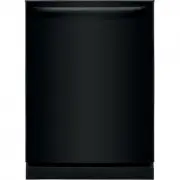
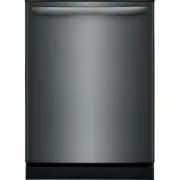
Page 2 - family; NOTE
2 INTRODUCTION Welcome to our family Thank you for bringing Frigidaire into your home! We see your purchase as the beginning of a long relationship together.This manual is your resource for the use and care of your product. Please read it before using your appliance. Keep it handy for quick referenc...
Page 3 - IMPORTANT SAFETY INFORMATION; WARNING
3 IMPORTANT SAFETY INFORMATION WARNING When using your dishwasher, follow basic precautions, including the following: For your Safety • Use your dishwasher only as instructed in this Use and Care Manual. • This Manual does not cover every possible condition and situation that may occur. Use common s...
Page 4 - SAVE THESE INSTRUCTIONS
4 WARNING To reduce the risk of fire, electrical shock or injury when using your dishwasher, follow the previous basic precautions . SAVE THESE INSTRUCTIONS WARNING WARNING indicates a potentially hazardous situation which, if not avoided, could result in death or serious injury. IMPORTANT IMPORTANT...
Page 5 - FEATURES; IMPORTANT; Features may vary according to model
5 FEATURES IMPORTANT Accessories are available for your appliance and may be purchased at Frigidaire.com or by calling 1-800-374-4432 (Frigidaire.ca or 1-800-265-8352 in Canada) or from an authorized seller. Your dishwasher cleans by spraying a mixture of hot water and detergent through the spray ar...
Page 6 - Making a Selection
6 CONTROLS AND SETTINGS Wash Cycle and Options Cycle times are approximate and vary by options selected. Hot water is necessary to activate dishwasher detergent and melt fatty food soils.The Smart Sensor checks the soil level on your dishes in the NORMAL, ECO , SANITIZE, and HEAVY cycles. Cycle time...
Page 7 - Operation Selections
7 CONTROLS AND SETTINGS Option Selections 2 Selecting a Dry Setting Touch and slide to select a dry setting based on the touch release point. Updates to the cycle time display in the status window. Releasing the slide input between dry programs will select the Medium Dry program. AIR DRY If the AIR ...
Page 8 - CONTROLS AND SETTINGS
8 CONTROLS AND SETTINGS Press START and close the door immediately (within 4 seconds). A tone indicating that countdown has started sounds while the Close Door LEDs blink. The selected cycle starts when the countdown is completed. If the cycle was not yet started, to cancel a delay time press the de...
Page 10 - OPERATING INSTRUCTIONS; Status Window; Cycle Completes
10 OPERATING INSTRUCTIONS Status Window The STATUS window, available on some models, indicates the following activity: 1-12h Indicates number of delay start hours for selected cycle. ECO Leaves Selecting a wash setting automatically selects the default dry setting. Each wash and dry setting displays...
Page 12 - Preparing the Dishes; Loading the Dishes; Loading the Cutlery Rack
12 Preparing the Dishes Scrape away large pieces of food, bones, pits, toothpicks, etc. The continuously filtered wash fluid will remove remaining food particles. Burned-on foods should be loosened before loading. Empty liquids from glasses and cups.Foods such as mustard, mayonnaise, vinegar, lemon ...
Page 13 - Loading the Upper Rack
13 OPERATING INSTRUCTIONS Loading the Upper Rack Features and appearance of racks and silverware basket may vary from your model.The upper rack is designed for flexibility in loading a wide variety of items including cups, glasses, stemware, small plates, bowls, etc. • Load glasses and plastic items...
Page 14 - Flex Wash System
14 OPERATING INSTRUCTIONS Flex Wash System The Flex Wash system gives you the ability to wash the inside areas of baby bottles, narrow glassware and other items. To turn this feature on turn these clips to have them pointing upward (B). To turn off just slide them back down toward the rack (A).See i...
Page 15 - Loading the bottom rack
15 OPERATING INSTRUCTIONS The Stemware holder is used to securely hold your wine glasses in place for the best wash. To properly secure you glass simply press the stem of the glass into the center of the Cupshelf the plastic pieces will secure around the stem to hold the glass in place. Loading the ...
Page 16 - Fold-down tines lower rack; Adding a dish
16 OPERATING INSTRUCTIONS Fold-down tines lower rack The fold-down tines in the top and bottom racks makes it easy to load those extra large and hard-to-fit items. The tines may be left up for normal use or folded down for more flexible loading. Loading the silverware basket Features and appearance ...
Page 17 - Detergent usage chart
17 OPERATING INSTRUCTIONS Dishwasher dispenser and detergents Filing the detergent dispenser The detergent dispenser has one covered cup. The covered cup opens automatically to release detergent.To add detergent: 1. Press the dispenser cover latch to open the main wash detergent cup. 2. Add the reco...
Page 19 - Clean the coarse filter
19 CARE AND CLEANING Cleaning To replace the fine filter, press down and rotate clockwise until the arrows are aligned. A mechanical click will indicate that the filter is firmly in place. 1. Rotate it counterclockwise. Clean the coarse filter Take out the Cylinder Fine Filter and remove the Coarse ...
Page 20 - To Disconnect Service:; Removing spots and film; CAUTION
20 CARE AND CLEANING Winterizing A dishwasher left in an unheated place should be protected from freezing. Have a qualified person do the following. To Disconnect Service: 1. Turn off electrical power to the dishwasher at the supply source by removing fuses or tripping circuit breaker. 2. Shut off w...
Page 21 - DishSense; technology
21 SAVING ENERGY Energy use The yellow energy guide label that came on your unit tells how much energy it would use in one year and how it compares to others that are available. The energy is based on the NORMAL cycle response to tests that apply soils and dishware that simulate the average use. Eig...
Page 23 - TROUBLESHOOTING
23 Factors affecting performance Water Pressure The hot water line to dishwasher must provide water pressure between 20 and 120 psi.Low water pressure may occur when laundry or showers are in operation. If you experience poor wash performance you may need to wait until water use is reduced before st...
Page 26 - Removing Spots and Film
26 TROUBLESHOOTING • Check to see that the dishwasher is level. (See Installation Instructions). • Avoid oversudsing by using the correct amount of detergent designed for automatic dishwashers. Dishwasher Won’t Run • Check to see if circuit breaker is tripped or if a fuse is blown. • Make sure water...
Page 27 - LIMITED WARRANTY
27 LIMITED WARRANTY Your appliance is covered by a one year limited warranty. For one year from your original date of purchase, Electrolux will pay all costs for repairing or replacing any parts of this appliance that prove to be defective in materials or workmanship when such appliance is installed...
Page 28 - Our home is your home. Visit us if you; registration; (See your registration card; welcome
Frigidaire.com 1-800-374-4432 Frigidaire.ca 1-800-265-8352 owner support accessories service Our home is your home. Visit us if you need help with any of these things: registration (See your registration card for more information.) welcome home.