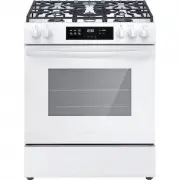
Page 2 - INTRODUCTION; family; Installation Checklist
2 INTRODUCTION Welcome to our family Thank you for bringing Frigidaire into your home! We see your purchase as the beginning of a long relationship together.This manual is your resource for the use and care of your product. Please read it before using your appliance. Keep it handy for quick referenc...
Page 3 - DEFINITIONS; WARNING; Tip Over Hazard
3 IMPORTANT SAFETY INSTRUCTIONS DEFINITIONS This is the safety alert symbol. It is used to alert of potential personal injury hazards. Obey all safety messages that follow this symbol to avoid possible injury or death. WARNING Indicates a potentially hazardous situa- tion which, if not avoided, may ...
Page 4 - IMPORTANT SAFETY INSTRUCTIONS; GROUNDING INSTRUCTIONS
4 IMPORTANT SAFETY INSTRUCTIONS GROUNDING INSTRUCTIONS WARNING • Avoid fire hazard or electrical shock. Failure to follow this warning may cause serious injury, fire, or death. • Avoid fire hazard or electrical shock. Do not use an adapter plug, use an extension cord, or remove grounding prong from ...
Page 10 - Cooking ReCommendations; special Features
10 Cooking ReCommendations special Features Use the special features of your Frigidaire oven to get the best baking and roasting results. goal Feature • Breads and pastries that rise higher with a crispy, golden crust and a light and flaky interior Steam BakeSteam baking slows the formation of the c...
Page 11 - Bakeware
11 Cooking ReCommendations Bakeware The material of bakeware affects how evenly and quickly it transfers heat from the pan to the food. material attributes Recommendation Shiny metal bakeware Shiny, aluminum, and non-coat- ed bakeware is the best for even heating. It is suitable for all baked goods....
Page 12 - Cooking Conditions
12 Cooking ReCommendations Cooking Conditions Conditions in your kitchen can affect the performance of your appliance when cooking food. Condition attributes Recommendation Aging cookware As pans age and become discolored, cooking times may need to be reduced slightly. If food is too dark or overcoo...
Page 14 - note; Sounds; How does induction work?
14 Before Setting Surface controlS caution Although induction cooking zones do not pro- duce heat, they can become hot from contact with hot cookware . Burns may occur if a cooking zone or the surrounding area is touched before it has cooled to a safe temperature. note Be sure to read detailed instr...
Page 15 - Before Setting Surface controlS; using Proper cookware; caution
15 Before Setting Surface controlS using Proper cookware The size and type of cookware used will influence the heat setting needed for best cooking results. Be sure to follow the recommendations for using proper cookware as illustrated in Figure 5. figure 2: testing cookware Check for flatness by ro...
Page 16 - Pan Sensing; Minimum and Maximum Pan Size
16 Before Setting Surface controlS Pan Sensing figure 5: Pan sensing conditions • Cookware centered correctly on cooking zone. • Flat pan bottom and straight sides. • Pan rests completely and is level on the cooktop surface. • Pan is properly balanced. • Pan bottom rests on cooktop edge. • Cookware ...
Page 18 - Home canning
18 Before Setting Surface controlS figure 11: lock key Home canning Be sure to read and observe all the following points when home canning with your appliance. Check with the USDA (United States Department of Agri- culture) Web site and be sure to read all the infor- mation they have available as we...
Page 19 - Setting Surface controlS; cooktop controls
19 Setting Surface controlS 1. Power: Press to turn on or turn off the cooktop. 2. lock: Lock the cooktop controls to prevent accidental activation of cooking zones. 3. cooking Zone Power Button: The rectangu- lar controls (4 or 5 depending on the model) indicate cook zones. The circle indicates whi...
Page 20 - Setting induction cooking zones
20 Setting Surface controlS Setting induction cooking zones To operate an induction cooking zone:1. Turn the cooktop on by pressing the Power key. 2. Place correctly sized cookware on the front left cooking zone. The zone will become active, and the off indicator will light up. figure 12: induction ...
Page 21 - Bridge function
21 Setting Surface controlS Suggested induction cooking zone settings Start most cooking operations on a higher setting and then turn to a lower setting to finish cooking.The suggested settings found in Table 1 below are based on cooking with medium-weight stainless steel pans with lids. Settings ma...
Page 22 - temp lock function
22 Setting Surface controlS temp lock function Temp Lock uses a temperature sensor to maintain a consistent temperature when cooking. When cool batter, liquid, or food is added to a hot pan, the pan cools down a little. Temp Lock senses this change and will use extra power to maintain the desired te...
Page 23 - Before Setting oven ControlS; CAUtion; oven vent location; iMPortAnt
23 Before Setting oven ControlS • flat oven racks may be used for most cooking needs and may be placed in most oven rack positions. • The fully extendable glide rack makes food preparation easier. This oven rack has glide tracks that allow the rack to be pulled away from the oven without rubbing the...
Page 24 - removing and replacing the glide racks
24 Before Setting oven ControlS WArning Do not line the oven walls, racks, bottom or any other parts of the range with aluminum foil. Do- ing so will alter heat distribution, produce poor baking results and may cause permanent damage to the oven interior. During self-clean tempera- tures the oven wi...
Page 25 - Settings; oven light
25 Before Setting oven ControlS Settings To open the settings menu, press and hold the light key for 3 seconds. Then use the + and - keys to select which setting to adjust.• delay start (see page 42)• audio• temperature units• energy savings mode• UPO• factory reset Set Clock When first installed or...
Page 26 - energy Savings Mode
26 Before Setting oven ControlS fahrenheit / Celcius To change temperature units:1. Press and hold the light key for 3 seconds to open the settings menu. 2. Use the + and - keys on the left to select the Temperature Units function ( unt ). 3. Use the + and - keys on the right to select f or C . 4. P...
Page 27 - Setting Oven COntrOlS; Mode Control
27 Setting Oven COntrOlS Mode Control 1. Off: Turns off all modes. 2. Bake: is for delicate foods that need heat to rise and move gently in the oven. 3. Air Fry: works best for single rack baking with packaged and convenience foods. 4. Slow Cook: is for foods that will cook or braise at low temperat...
Page 28 - Modes; iMPOrtAnt
28 Setting Oven COntrOlS Modes • Bake (page 29)• Air Fry (page 30)• Slow Cook (page 31)• Broil (page 31)• Convection Bake (page 33)• Convection Roast (page 34)• Steam Bake (page 36)• Steam Roast (page 36)• No Preheat (page 37)• Self Clean (page 40)• Steam Clean (page 42) iMPOrtAnt When you want to s...
Page 29 - Bake; CAUtiOn
29 Setting Oven COntrOlS Bake Bake uses heat that rises from the oven bottom for best baking results. A reminder tone will sound indicating when the set bake temperature is reached and to place the food in the oven. Bake may be set for any oven temperature be- tween 175°F (79°C) to 550°F (288°C). Ba...
Page 30 - Air Fry
30 Setting Oven COntrOlS Air Fry The Air Fry feature works best for single rack bak- ing with packaged and convenience foods. It works well with most recipes and can be programmed for temperatures between 175°F (79°C) and 550°F (288°C). Follow the recipe or package directions for food preparation qu...
Page 31 - Slow Cook; Broil; WArning
31 Setting Oven COntrOlS to set Slow Cook: 1. Push in and turn the Oven Mode knob to SlOW COOK . The temperature display will show on and 130 will show in the Set teMP display. The - and + keys will become active. 2. Use the - and + keys to adjust the Set teMP . The Temp knob is not active in Slow C...
Page 33 - Convection Bake
33 Setting Oven COntrOlS Convection Bake Convection Bake uses a fan to circulate the oven’s heat uniformly around the oven. This improved heat distribution allows for even cooking and browning results. Heated air flows around the food from all sides. Convection bake may be set for any oven tempera- ...
Page 34 - Convection roast
34 Setting Oven COntrOlS Convection roast Convection roast combines a cook cycle with the convection fan and elements to rapidly roast meats and poultry. Heated air circulates around the meat from all sides, sealing in juices and flavors. Meats cooked with this feature are crispy and brown on the ou...
Page 35 - Meat
35 Setting Oven COntrOlS table 5: Convection roasting recommendations Meat Weight Oven temp internal temp Mins per lb Beef Standing rib roast* 4 to 6 lb. 350°F (177 ° C) *160 ° F (71 ° C) 25-30 Rib eye roast* 4 to 6 lb. 350°F (177 ° C) *160 ° F (71 ° C) 25-30 Tenderloin roast 2 to 3 lb. 400°F (204 °...
Page 37 - no Preheat
37 Setting Oven COntrOlS no Preheat No Preheat is available for single rack baking with packaged and convenience foods and can be used with regular recipes also. No Preheat may be used with temperatures between 175°F (79°C) and 550°F (288°C). Follow the recipe or package direc- tions for food prepar...
Page 38 - Cooking with Food Probe; Insert
38 Setting Oven COntrOlS Cooking with Food Probe Use the probe feature for best results when cook- ing foods such as roasts, hams, or poultry.The Food Probe works with the following oven modes: Bake, Convection Bake, Air Fry, Convection Roast, and Steam Roast.The probe feature, when set correctly, w...
Page 40 - Self Clean
40 Setting Oven COntrOlS Self Clean A self cleaning oven cleans itself with high tem- peratures (well above normal cooking tempera- tures), which vaporizes soils or reduces them to a fine powdered ash you can wipe away afterwards with a damp cloth. This function can be pro- grammed for clean times b...
Page 42 - Steam Clean; Delay Start
42 Setting Oven COntrOlS Steam Clean The Steam Clean feature offers a chemical free and time saving method to assist in the routine clean- ing of small and light soils. For heavier baked on soils use the Self Clean feature. CAUtiOn Do not add bleach, ammonia, oven cleaner, or any other abrasive hous...
Page 44 - Care and Cleaning; CaUTiOn
44 Care and Cleaning Remove spills and any heavy soiling as soon as possible. Regular cleaning will reduce the difficulty of major cleaning later. Surface or area Cleaning recommendation Aluminum and vinyl Using a soft cloth, clean with mild dish detergent and water. Rinse with clean water, dry and ...
Page 46 - Cooktop Maintenance; Cooktop Cleaning; iMPOrTanT
46 Care and Cleaning Cooktop Maintenance Consistent and proper cleaning is essential to maintaining your ceramic glass cooktop. Prior to using your cooktop for the first time, apply a ceramic cooktop cleaning cream (available in most hardware, grocery, and department stores) to the ceramic surface. ...
Page 47 - general Cleaning
47 Care and Cleaning general Cleaning Refer to the table at the beginning of this chapter for more information about cleaning specific parts of the oven. Cleaning Porcelain enamel Oven The oven interior is porcelain on steel, it is safe to clean using oven cleaners. Follow these cleaning precautions...
Page 48 - replacing the Oven light; nOTe; Warning
48 Care and Cleaning replacing the Oven light CaUTiOn Be sure the oven is unplugged and all parts are cool before replacing the oven light. The interior oven light is located at the rear of the oven cavity and is covered by a glass shield. The glass shield must be in place whenever the oven is in us...
Page 49 - Caring for Your glide racks
49 Care and Cleaning Caring for Your glide racks CaUTiOn Handle oven racks only when they are cool. After cooking or after the fresh-clean cycle, racks will be very hot and can cause burns. important notes: • Remove all oven racks, including ladder racks,before starting a clean cycle. • Do not use c...
Page 50 - removing and replacing the Oven door
50 Care and Cleaning removing and replacing the Oven door Figure 24: door hinge location To remove the oven door: 1. Open oven door completely, horizontal with floor (Figure 24). 2. Pull up the lock located on each hinge support toward front of the oven until the lock stops. You may have to apply a ...
Page 51 - Before You Call; oven Baking
51 Before You Call oven Baking For best cooking results, preheat the oven before baking cookies, breads, cakes, pies, pastries, etc. There is no need to preheat the oven for roasting meat or baking casseroles. The cooking times and tempera- tures needed to bake a product may vary slightly from your ...
Page 55 - Warranty
55 Warranty Your appliance is covered by a one year limited warranty. For one year from your date of delivery, Electrolux will pay all costs for repairing or replacing any parts of this appliance that prove to be defective in materials or workmanship when such appliance is installed, used and mainta...
Page 56 - welcome; home; owner support; Our home is your home. Visit us if you; registration
welcome home Frigidaire.com 1-800-374-4432 owner support accessories service Our home is your home. Visit us if you need help with any of these things: registration (See your registration card for more information.)