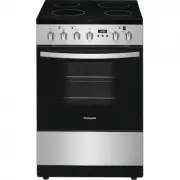
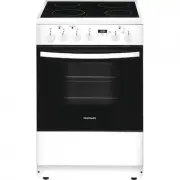
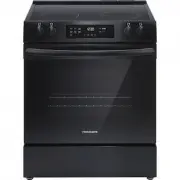
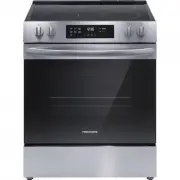
Page 2 - Installation Checklist; INTRODUCTION
2 Thank you for bringing Frigidaire into your home! We see your purchase as the beginning of a long relationship together. This manual is your resource for the use and care of your product. Please read it before using your appliance. Keep it handy for quick reference. If something doesn’t seem right...
Page 3 - DEFINITIONS; WHAT TO DO IF YOU SMELL GAS:; Installation and service must be per-
3 Read all instructions before using this appliance.This manual contains important safety symbols and instructions. Please pay attention to these symbols and follow all instructions given.Do not attempt to install or operate your appliance until you have read the safety precautions in this manual. S...
Page 4 - GROUNDING INSTRUCTIONS; WARNING; • Do not use an adapter plug, an; IMPORTANT SAFETY INSTRUCTIONS
4 attached to the appliance. Do not remove model/serial number plate.Cold temperatures can damage the elec-tronic control. If this appliance has not been used for a long time, make sure that it has been stored at temperatures above 32ºF (0ºC) for at least 3 hours before turn-ing on power to the appl...
Page 6 - Stepping, leaning or sitting on the; CAUTION; Do not attempt to operate the oven
6 DO NOT TOUCH SURFACE BURNERS, AREAS NEAR THESE BURNERS, OVEN HEATING ELEMENTS OR INTERIOR SUR-FACES OF THE OVEN OR THE WARMER DRAWER (if provided). Both surface burners and oven heating elements may be hot even though surface burner flames are not visible or oven elements are dark in color. Areas ...
Page 7 - • Do not use stove top grills on the
7 IMPORTANT INSTRUCTIONS FOR USING YOUR GAS COOKTOP Know which knob controls each surface burner. Place a pan of food on the burner before turning it on, and turn the burner off before removing the pan. Always turn the knob to the full LITE posi-tion when igniting top burners. Visually check that bu...
Page 10 - FEATURES
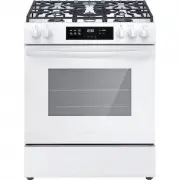
10 General description 1. Cooktop2. Control panel 3. Inside lights 4. Seal5. Oven door6. Fan7. Rack/tray support frame shelf Cooktop 1. 18000 BTU brass coated burners1. 12000 BTU black coated burners2. Left grate 4. Central grate 5. Right grate Control panel 1. Oven display Cooktop knobs: 2. Cooktop...
Page 12 - Regular rack
12 Oven shelf positions The appliance is fitted with shelf supports to posi-tion trays and racks at different heights. The inser-tion heights are indicated from the bottom upwards. Available accessories Regular rack Useful for supporting containers with food during cooking. Telescopic guide set Usef...
Page 13 - NOTE
13 Protective cover Used to cover and protect the temperature probe socket when the temperature probe is not in use. Special accessories (not included) Low backguard The low backguard is intended to be mounted over the included backguard as an extended duct for the heat dispersal openings located on...
Page 14 - First power on; Preliminary setup; Blackout management; BEFORE USING THE APPLIANCE
14 First power on Preliminary setup When setting the clock or a timer, depending on how you turn the knob, you can set a different increase / decrease speed for the settable minutes. • Turn and release: minutes increase / decrease one by one. Example: 00:00 > 00:01 > 00:02 > 00:03 > etc....
Page 15 - Installing the burners; USING THE COOKTOP
15 Cooking with the gas cooktop Preliminary information • Remove all packaging materials and literature from the cooktop surface. • Wipe with a clean, damp sponge and dry.• There may be a slight odor during the first few uses. This is normal and will disappear. • Optimum cooking results depend on th...
Page 16 - Cooktop grates placement; Cooking utensils
16 To install the burner components:1. The shape of the burner skirt openings must match the shape of the openings in the burner base. 2. The flame-spreader crown must be centered on the burner skirt. 3. The burner cover must be leveled and centered with respect to the burner skirt. Each burner comp...
Page 17 - Operating the cooktop burners; • Do not allow the burner flames to
17 Cookware properties are a factor in how quickly and evenly heat is distributed, which affects cook-ing results. A non-stick finish has the same charac-teristics as its base material. For example, a non-stick finish on aluminum cookware will take on the properties of aluminum. Always use a utensil...
Page 18 - To operate the cooktop burners; Setting the flame size; Oven preparation
18 To operate the cooktop burners 1. Place your cookware on the burner.2. Push in the cooktop knob to engage the electronic spark device. 3. Keep pushing the knob and turn it left to the first “ MAX ” position until the burner is lit. 4. Once the burner is lit, keep the knob pressed in for a few sec...
Page 21 - Temperature probe; Cooking with the oven; Bake; USING THE OVEN
21 Temperature probe With the temperature probe, roasts, pork loin and various cuts and sizes of meat can be cooked to perfection.The probe, in fact, allows foods to be cooked to perfection because it accurately monitors the core temperature of the food. The core temperature of the food is measured ...
Page 22 - Manual cooking; Preliminary information; Convection roast
22 Manual cooking Preliminary information • The word “ START ” flashes in the upper right corner of the display to indicate that is possi-ble to start the selected function. • Once a function is started or when setting the temperature and timing functions the word “ START ” disappears. • When you se...
Page 23 - To set a manual cooking cycle; Manual cooking in progress; Preheating
23 To set a manual cooking cycle 1. Press the oven mode knob. The default screen will show: 2. Turn the oven mode knob to select the cooking function. If you keep turning the knob, you can select the auxiliary functions and the special functions (see “Auxiliary functions” and “Special functions”). 3...
Page 25 - Timed cooking; Timed cooking in progress; IMPORTANT
25 5. Press the oven mode knob to start cooking. Cooking timer in progress During cooking you can change or deactivate the cooking timer by pressing the oven temperature knob until the display shows the number of min-utes/hours that were previously selected.1. To reset the timer, keep the temperatur...
Page 26 - End of timed cooking; Delayed cooking; To set a delayed function:
26 You can change the temperature and the timing functions by pressing and turning the temperature knob even during the pause. Close the door to resume cooking.To stop cooking, turn and release the oven mode knob to the left. End of timed cooking At the end of cooking, a buzzer sounds and “ End ” wi...
Page 28 - End of Proof function; Warm; Warm function in progress; Special functions; Sabbath
28 End of Proof function At the end of the Proof function, a buzzer sounds and “ END ” will appear on the display together with the current time. Turn and release the oven mode button to stop the buzzer and the function. The display goes into standby mode. Warm To set the Warm function 1. Press the ...
Page 29 - Sabbath function; To set the Sabbath function:; Sabbath function in progress; End of Sabbath function; Meat probe cooking
29 Sabbath function The Sabbath function operates the appliance in a particular way:• The maximum operating time is 72 hours.• A timed cooking from 10 minutes to a maxi- mum of 72 hours can be set. • No minute minder timer is allowed.• No delayed cooking is allowed.• No preheating will be performed....
Page 31 - Meat probe cooking in progress; Oven cooking tips; Air circulation in the oven
31 5. Press the oven temp. knob to confirm the selection and to allow the probe target temperature to be changed (shown at the bottom). 6. Turn the oven temp. knob to change the probe target temperature. 7. Press the oven temp. knob to confirm the selection and switch to the probe cooking settings s...
Page 32 - Bake function tips
32 When baking with two or more racks we recom-mend arranging the pans on the upper rack closer to the door and the pans on the lower rack closer to the fans (see the figure below). Make sure that pans don't touch the internal glass pane of the door or the back wall of the oven. Pan position for fou...
Page 34 - User settings menu; Child lock mode
34 User settings menu The user settings menu allows you to set the fol-lowing parameters (displayed in this order): 1. Child lock mode: The child lock mode allows you to lock the oven controls to prevent the appliance being activated unintentionally. 2. Demo mode: This mode deactivates all the heati...
Page 36 - Oven cooking tables; Recommended pan
36 Oven cooking tables Bake function cooking tableFood Rack position Recommended pan Cookies 2 Shiny pan with no sides/ very low sides placed on the rack Biscuits 3 Shiny pan with no sides/ very low sides placed on the rack Convection Bake function cooking tableFood Rack position Recommended pan Coo...
Page 38 - Steam clean function
38 Steam clean function Before setting and starting the Steam cleaning cycle, completely remove all accessories from inside the oven.To set the Steam Clean function (display in standby mode):1. Press the oven mode knob.2. Turn the oven mode knob until the Steam clean screen appears on the display: 3...
Page 39 - End of Steam clean function
39 6. Pour approximately 13.5 fl. oz. (400 cc - 1.7 cup) of water onto the bottom of the oven. Make sure it does not overflow out of the cavity. 7. Close the oven door. The display now shows only the current time and the flashing word “ START ”. 8. Press the oven mode knob to start the Steam Clean f...
Page 40 - CARE AND CLEANING
40 Surface type Cleaning recommendations Aluminum & chrome surfaces (rear backguard and handle tips) Use hot, soapy water and a cloth. Dry with a clean cloth. Plastic & Zamak alloy (control knobs) For general cleaning, use hot soapy water and a cloth. For more difficult to remove soil and bu...
Page 41 - Oven maintenance; Removing the shelf supports; Replacing the oven light; ELECTRIC SHOCK HAZARD
41 Oven maintenance Removing the shelf supports To remove the shelf supports:1. Pull the frame towards the inside of the oven to unhook it from its groove A , then slide it out of the seats B at the back. 1. When cleaning is complete, repeat the above procedures to put the self supports back in. Rep...
Page 44 - Cooktop cleaning and maintenance; Cooktop surface
44 applying slight pressure. Cooktop cleaning and maintenance Cooktop surface Use only a soft, dry cloth for the normal cleaning of the surfaces. In case of persistent residues or to restore the original surface finish, moisten a soft cloth with water and pass it over the surface to be cleaned, lett...
Page 45 - BEFORE YOU CALL
45 Let us help you troubleshoot your concern! This section will help you with common issues. If you need us, visit our website, chat with an agent, or call us. We may be able to help you avoid a service visit. If you do need service, we can get that started for you! 1-887-435-3287 (United States) El...
Page 47 - WARRANTY
USA1.800.374.4432 Frigidaire10200 David Taylor DriveCharlotte, NC 28262 Canada 1.800.265.8352 Electrolux Canada Corp. 5855 Terry Fox Way Mississauga, Ontario, Canada L5V 3E4 47 Your appliance is covered by a one year limited warranty. For one year from your original date of purchase, Electrolux will...
Page 48 - welcome; home
welcome home Our home is your home. Visit us if youneed help with any of these things: