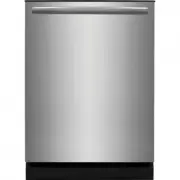
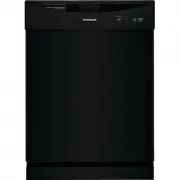
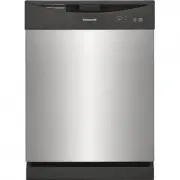
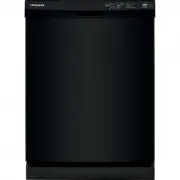
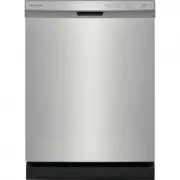
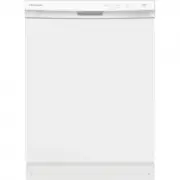
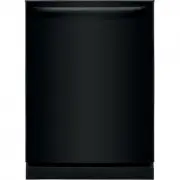
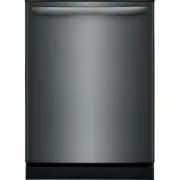
Page 2 - family; NOTE
2 INTRODUCTION Welcome to our family Thank you for bringing Frigidaire into your home! We see your purchase as the beginning of a long relationship together.This manual is your resource for the use and care of your product. Please read it before using your appliance. Keep it handy for quick referenc...
Page 3 - IMPORTANT SAFETY INFORMATION; WARNING
3 IMPORTANT SAFETY INFORMATION WARNING This symbol will help alert you to such dangers as personal injury, burns, fire and electrical shock. WARNING To reduce the risk of fire, electrical shock or injury when using your dishwasher, follow the above basic precautions. For your Safety • Use your dishw...
Page 4 - SAVE THESE INSTRUCTIONS
4 SAVE THESE INSTRUCTIONS WARNING WARNING indicates a potentially hazardous situation which, if not avoided, could result in death or serious injury. IMPORTANT IMPORTANT indicates installation, oper- ation or maintenance information which is important but not hazard-related. DANGER DANGER indicates ...
Page 5 - IMPORTANT; FEATURES
5 IMPORTANT Accessories are available for your appliance and may be purchased at Frigidaire.com or by calling 1-800-374-4432 (Frigidaire.ca or 1-800-265-8352 in Canada) or from an authorized seller. FEATURES A Nozzle or Spray Arm (located inside the unit) B Top Rack C Serial Label (Located on Right)...
Page 6 - CONTROLS AND SETTINGS; CAUTION; Wash Cycle Selections; Recommended Cycle for typical
6 CONTROLS AND SETTINGS 1 Cycle times are approximate and will vary with options selected. Hot water is necessary to activate dishwasher detergent and melt fatty food soils. An automatic sensor will check the incoming water temperature and, if it is not hot enough, the cycle will be lengthened for a...
Page 7 - Option Selections
7 CONTROLS AND SETTINGS 3 Status Indicator Lights The console lights provide information about the cycle selection and current status. During operation, while the door is closed, these lights will remain on. At the completion of the cycle, the clean light will come on. The sanitization light will al...
Page 9 - OPERATING INSTRUCTIONS; Cycle and Option Chart
9 OPERATING INSTRUCTIONS The DishSense TM Technology checks the soil level on your dishes in the Heavy Wash , Normal Wash , and Energy Saver cycles . In response, automatic cycle adjustments are made to assure the dishware gets clean - with less food the cycle gets shorter. Cycle time will also vary...
Page 10 - CARE AND CLEANING; Dish Preparation; Loading the Top Rack
10 CARE AND CLEANING Dish Preparation Scrape away large pieces of food, bones, pits, toothpicks, etc. The continuously filtered wash fluid will remove remaining food particles. Burned-on foods should be loosened before loading. Empty liquids from glasses and cups.Foods such as mustard, mayonnaise, v...
Page 11 - Adjustable Upper Rack; Loading the Bottom Rack
11 CARE AND CLEANING Upper Rack The Upper Rack cycle directs cleaning only to items in the upper rack and can be used to wash a wide assortment of items. It is useful for washing partial loads - especially when the upper rack fills up with glasses and the lower rack is still empty. STEMWARE HOLDER/C...
Page 12 - Loading the Silverware Basket
12 CARE AND CLEANING Features and appearance of racks and silverware basket as shown may vary from your model. Load the silverware basket while it is in the bottom rack or take the basket out for loading on a counter or table.For baskets with lids, small items like baby bottle caps, jar lids, corn c...
Page 14 - Water Pressure
14 IMPORTANT Before starting a cycle, run hot water to clear cool water from pipe. Rinse Aid Rinse aid greatly improves drying and Rinse aid greatly improves drying and reduces water spots. reduces water spots. With it water “sheets” off dishes rather than forming water droplets that cling and leave...
Page 15 - To empty the glass trap:
15 CARE AND CLEANING Outer Door - Clean outer door with warm soapy water and a dishcloth or sponge. Rinse with clean water and a dry cloth. Do not use harsh cleaners. Inside - The inside of the dishwasher and filter are self-cleaning with normal use. If needed, clean around the tub gasket area with ...
Page 16 - Care of Drain Air Gap; To Disconnect Service:
16 CARE AND CLEANING Care of Drain Air Gap If a drain air gap was installed for your built-in dishwasher, check to make sure it is clean so the dishwasher will drain properly. A drain air gap is usually mounted on countertop and can be inspected by removing the cover. This is not part of your dishwa...
Page 17 - TROUBLESHOOTING
17 TROUBLESHOOTING Before calling for service, review this list. It may save you both time and expense. This list includes common experiences that are not the result of defective workmanship or material in your dishwasher. Food Soils Left on Dishes • Choose another cycle for longer washing time. • C...
Page 19 - Removing Spots and Film
19 TROUBLESHOOTING Dishwasher Won’t Run • Check to see if circuit breaker is tripped or if a fuse is blown. • Make sure water supply is turned on.• Check to see if cycle is set correctly. (See Operating Instructions). • Is dishwasher set for Delay Start Option? • Make sure START/Cancel button is pre...
Page 20 - LIMITED WARRANTY
20 LIMITED WARRANTY USA 1-800-374-4432 Frigidaire 10200 David Taylor Drive Charlotte, NC 28262 Canada 1.800.265.8352 Electrolux Canada Corp. 5855 Terry Fox Way Mississauga, Ontario, Canada L5V 3E4 Your appliance is covered by a one year limited warranty. For one year from your original date of purch...
Page 24 - welcome; home; owner support; Our home is your home. Visit us if you; registration; (See your registration card
welcome home Frigidaire.com 1-800-374-4432 Frigidaire.ca 1-800-265-8352 owner support accessories service Our home is your home. Visit us if you need help with any of these things: registration (See your registration card for more information.)