Page 2 - family; Installation Checklist
2 INTRODUCTION INTRODUCTION Welcome to our family Thank you for bringing Frigidaire into your home! We see your purchase as the beginning of a long relationship together. This manual is your resource for the use and care of your product. Please read it before using your appliance. Keep it handy for ...
Page 3 - DEFINITIONS; WARNING; Tip Over Hazard; Range
3 IMPORTANT SAFETY INSTRUCTIONS DEFINITIONS This is the safety alert symbol. It is used to alert of potential personal injury hazards. Obey all safety messages that follow this symbol to avoid possible injury or death. WARNING Indicates a potentially hazardous situa-tion which, if not avoided, may r...
Page 4 - GROUNDING INSTRUCTIONS; • Avoid
4 IMPORTANT SAFETY INSTRUCTIONS IMPORTANT INSTRUCTIONS FOR UNPACKING AND INSTALLATION IMPORTANT Read and follow the below instructions and precautions for unpacking, installing, and servicing your appliance. Remove all tape and packaging before us-ing the appliance. Destroy the carton and plastic ba...
Page 7 - IMPORTANT SAFETY INSTRUCTIONS
7 IMPORTANT SAFETY INSTRUCTIONS Improper cookware may break due to sudden changes in temperature. Check the cookware manufacturer’s recommenda-tions for cooktop use. Never leave surface elements unattend-ed. Boil-overs may cause smoking and greasy spills that may ignite. A pan that has boiled dry co...
Page 10 - COOKING RECOMMENDATIONS; Special Features; Goal
10 COOKING RECOMMENDATIONS Special Features Use the special features of your Frigidaire oven to get the best baking and roasting results. Goal Feature • Steaks perfectly cooked to your preference • Juicy pork and poultry • Eggs just as hard or soft as you like them • Vegetables that remain fi rm and ...
Page 11 - Bakeware; Material
11 COOKING RECOMMENDATIONS Bakeware The material of bakeware aff ects how evenly and quickly it transfers heat from the pan to the food. Material Attributes Recommendation Shiny metal bakeware Shiny, aluminum, and non-coat-ed bakeware is the best for even heating. It is suitable for all baked goods....
Page 12 - Cooking Conditions
12 COOKING RECOMMENDATIONS Cooking Conditions Conditions in your kitchen can aff ect the performance of your appliance when cooking food. Condition Attributes Recommendation Aging cookware As pans age and become discolored, cooking times may need to be reduced slightly. If food is too dark or overco...
Page 13 - Convection Cooking
13 COOKING RECOMMENDATIONS Material Recommendation Broiling / Roasting Broiling pan For best results when broiling, use a broil pan with an insert designed to drain the fat from the food, help avoid spatter, and reduce smoking. The broiler pan will catch grease spills, and the insert helps prevent g...
Page 14 - BEFORE SETTING SURFACE CONTROLS; About the Radiant Surface Elements; CAUTION; About the Ceramic Glass Cooktop; IMPORTANT; NOTE
14 BEFORE SETTING SURFACE CONTROLS About the Radiant Surface Elements The element temperature rises gradually and even-ly. As the temperature rises, the element will glow red. To maintain the selected setting the element will cycle on and off . The heating element retains enough heat to provide a un...
Page 15 - Using Proper Cookware; Figure 1: Testing cookware; Cookware Material Types; Figure 2: Proper cookware
15 BEFORE SETTING SURFACE CONTROLS Using Proper Cookware The size and type of cookware used will infl uence the heat setting needed for best cooking results. Be sure to follow the recommendations for using proper cookware as illustrated in “Figure 1: Testing cookware” and “Figure 2: Proper cookware”....
Page 16 - Types of Ceramic Cooktop Elements; Figure 3: Single elements
16 BEFORE SETTING SURFACE CONTROLS Types of Ceramic Cooktop Elements The circles on the ceramic glass cooktop outline the size and type of element underneath. The ele-ments on your cooktop depend on the model. • A single radiant element has one circle. Some models have a large Simmer to Boil element...
Page 17 - Figure 7: Element On and Hot Surface indicators; Home Canning
17 BEFORE SETTING SURFACE CONTROLS Element On and Hot Surface Indicator Lights The ELEMENT ON indicator light will turn on when one or more elements are turned on. A quick glance at this indicator light when cooking is fi n-ished is an easy check to be sure all surface ele-ments are turned off . The ...
Page 18 - SETTING SURFACE CONTROLS; Suggested radiant surface element settings
18 SETTING SURFACE CONTROLS Single radiant surface elements (all mod-els) To operate single radiant elements (including Sim-mer to Boil elements): 1. Place correctly sized cookware on surface ele- ment. 2. Push in and turn the surface control knob in either direction (Figure 1) to the desired settin...
Page 20 - Always start with hot food.
20 SETTING SURFACE CONTROLS Warm Zone (some models) Use the warm zone to keep cooked foods hot. Always start with hot food. It is not recommended to heat cold food on the keep warm zone. All food placed on the warming zone should be covered with a lid to maintain quality. For best results, when warm...
Page 21 - BEFORE SETTING OVEN CONTROLS; Flat oven racks; Figure 10: Oven rack types; Oven Vent Location
21 BEFORE SETTING OVEN CONTROLS Figure 9: Oven vent Flat oven racks may be used for most cooking needs and may be placed in most oven rack posi-tions. Figure 10: Oven rack types CAUTION Always use pot holders or oven mitts when using the oven. When cooking, the oven interior, oven exterior, oven rac...
Page 22 - Clock; Temperature Display >; Oven Light
22 BEFORE SETTING OVEN CONTROLS Using Menu Options to Customize Your Cooking Experience When you fi rst install your appliance, the screen will prompt you to set your preferences. You can always change them later using the menu . 1. Touch the Menu Options bars and scroll to fi nd the desired option. 2...
Page 23 - Favorites; Smoke Shield
23 BEFORE SETTING OVEN CONTROLS Screen Brightness Volume Volume allows the oven control to operate with strong tones, quiet tones, or no tones. Use the slid-er to set the volume. Oven Temperature Calibration Your appliance has been factory calibrated and tested to ensure an accurate baking temperatu...
Page 24 - Sabbath Mode; Scroll to Factory Reset and touch
24 BEFORE SETTING OVEN CONTROLS Sabbath Mode 1. Scroll to Sabbath Mode. 2. Read and follow all instructions to set and when fi nished cancel. See “Setting the Sabbath Feature for the Jewish Sabbath and Holidays (some models)” on page 46 for complete details on how Sabbath mode works with your oven co...
Page 25 - Food Probe; About the Appliance
25 BEFORE SETTING OVEN CONTROLS Food Probe Food probe options can be found in the Settings menu and the Oven Modes menu. Select Food Probe from the Settings menu to select whether the oven turns off or stays on when the specifi ed temperature is reached during cooking. 1. Scroll to Food Probe and tou...
Page 26 - SETTING OVEN CONTROLS; Table 2: Minimum and maximum control settings; BACK; START; WARM ZONE
26 SETTING OVEN CONTROLS Table 2: Minimum and maximum control settings Feature Mode Min Temp/ Time Max Temp/Time No Preheat 170°F (77°C) 550°F (288°C) Bake 170°F (77°C) 550°F (288°C) Broil 400°F (205°C) 550°F (288°C) Air Fry 170°F (77°C) 550°F (288°C) Sous Vide 100°F (38°C) 205°F (94°C) Steam Bake 1...
Page 27 - To select other cooking options, touch; Oven Modes; and scroll to the desired fea-; Quick Start; Modes
27 SETTING OVEN CONTROLS Use the scroll bar to fi nd your oven mode as shown in the oven mode table on the right. When you select a cooking mode simply follow the tips for setting the particular mode. Important: Valuable tips to help you get the best results are included in the display and also can b...
Page 28 - Setting Bake
28 SETTING OVEN CONTROLS Setting Bake Bake uses heat that rises from the oven bottom for best baking results. A reminder tone will sound indicating when the set bake temperature is reached and to place the food in the oven. Bake may be set for any oven temperature be-tween 170°F (77°C) to 550°F (288...
Page 29 - Setting Cook Time; Off
29 SETTING OVEN CONTROLS Setting Cook Time Use Cook Time to set the amount of time need-ed for most oven functions. The oven will turn on immediately (or after a specifi ed delay) and stop automatically after the set cook time ends. In most cases you will see a cooking tip suggesting to set Cook Time...
Page 30 - Convection Bake
30 SETTING OVEN CONTROLS Convection Bake Convection Bake uses a fan to circulate the oven’s heat uniformly around the oven. This improved heat distribution allows for even cooking and browning results. Heated air fl ows around the food from all sides. Convection bake may be set for any oven tempera-t...
Page 31 - Air Fry
31 SETTING OVEN CONTROLS Air Fry The Air Fry feature works best for single rack bak-ing with packaged and convenience foods. It works well with most recipes and can be programmed for temperatures between 170°F and 550°F. Follow the recipe or package directions for food preparation quantity, time, an...
Page 32 - No Preheat
32 SETTING OVEN CONTROLS No Preheat No Preheat is available for single rack baking with packaged and convenience foods and can be used with regular recipes also. No Preheat may be used with temperatures between 170°F and 550°F. Follow the recipe or package directions for food preparation time and te...
Page 33 - Air Sous Vide; Advantages of Sous Vide; Food Safety
33 SETTING OVEN CONTROLS Air Sous Vide Air Sous Vide is ideal for cooking meats to achieve tenderness without overcooking. How Sous Vide Works Sous vide is a French phrase meaning “under vacu-um”. In sous vide cooking, food is vacuum-sealed in plastic pouches, which are then placed in a cooking medi...
Page 34 - Vacuum Sealing
34 SETTING OVEN CONTROLS Vacuum Sealing Sous vide cooking in your oven requires a vacuum sealer and vacuum pouches. The pouch needs to be sealed so no air or liquid can leak out. A pouch that leaks will produce poor cooking results and may produce smoke and residue that can burn during future cookin...
Page 36 - Dehydrate; Bread Proof
36 SETTING OVEN CONTROLS Dehydrate For best results when dehydrating food use the Air Fry tray which allows air to circulate all around the food for faster preservation. Tips • Always use clean equipment and utensils. • Keep meat and poultry refrigerated -- 40°F (4°C) or slightly below -- before deh...
Page 37 - Convection Roast; Slow Cook
37 SETTING OVEN CONTROLS Convection Roast Convection roast combines a cook cycle with the convection fan and elements to rapidly roast meats and poultry. Heated air circulates around the meat from all sides, sealing in juices and fl avors. Meats cooked with this feature are crispy and brown on the ou...
Page 38 - Table 6: Convection Roasting recommendations; Meat; Beef; Convection Roasting tips:
38 SETTING OVEN CONTROLS Table 6: Convection Roasting recommendations Meat Weight Oven Temp Internal Temp Mins per lb Beef Standing rib roast* 4 to 6 lb. 350°F (177ºC) *160ºF (71ºC) 25-30 Rib eye roast* 4 to 6 lb. 350°F (177ºC) *160ºF (71ºC) 25-30 Tenderloin roast 2 to 3 lb. 400°F (204ºC) *160ºF (71...
Page 39 - Setting Broil; Oven Mode
39 SETTING OVEN CONTROLS Setting Broil Use the broil function to cook foods that require direct exposure to radiant heat for optimum browning results. Broiling may produce smoke. If smoke is excessive, place food further away from the heating element. The broil feature preset to 550°F. Broil may be ...
Page 40 - Table 7: Broil recommendations
40 SETTING OVEN CONTROLS Table 7: Broil recommendations Food item Rack Posi-tion Temp Cook time in minutes Internal Tempera-ture Doneness 1st side 2nd side Steak 1” thick 5 550°F (288°C) 4:00 4:00 140ºF (60ºC) Rare** Steak 1” thick 5 550°F (288°C) 6:00 4:00 145°F (63°C) Medium Steak 1” thick 5 550°F...
Page 43 - Steam Roast; Keep Warm
43 SETTING OVEN CONTROLS Steam Roast Steam creates the best conditions for roasting pro-teins. Meats will be crisp outside and juicy inside. Steam Roast is recommended for meat or poultry. Use fl at rack in position 1 for best results for Steam Bake. To set Steam Roast: 1. Select Oven Modes and scrol...
Page 44 - Setting Delay Start
44 SETTING OVEN CONTROLS Setting Delay Start Delay Start allows a delayed starting time only for Bake, Convection Bake, No Preheat, Convection Roast, Steam Roast, Steam Clean, and Self Clean. Prior to setting a delay start, be sure the time of day is set correctly. The maximum delay for a Delay Star...
Page 45 - Self Clean; Figure 15: Clean around the oven door gasket
45 SETTING OVEN CONTROLS Self Clean A self cleaning oven cleans itself with high tem-peratures (well above normal cooking tempera-tures), which vaporizes soils or reduces them to a fi ne powdered ash you can wipe away afterwards with a damp cloth. This function can be pro-grammed for clean times betw...
Page 47 - Setting Delay Start Self Clean
47 SETTING OVEN CONTROLS Setting Delay Start Self Clean To start a delay self clean with default clean time of 3 hours. 1. Press ON/OFF key and touch Oven Modes . 2. Scroll and touch Delay Start. If it becomes necessary to stop self clean when active: • Press OFF . • If self clean has heated the ove...
Page 48 - Steam Clean
48 SETTING OVEN CONTROLS Steam Clean The Steam Clean feature off ers a chemical free and time saving method to assist in the routine clean-ing of small and light soils. For heavier baked on soils use the Self Clean feature. Figure 16: Add 1 cup of tap water Be sure the oven is level and cool before ...
Page 49 - Cooking with Food Probe; Proper placement of probe in food.
49 SETTING OVEN CONTROLS Cooking with Food Probe Use the probe feature for best results when cook-ing foods such as roasts, hams, or poultry. The Food Probe works with the following oven modes: Bake, Convection Bake, Air Fry, Convection Roast, Steam Roast, and Turkey. The probe feature, when set cor...
Page 50 - Using the Food Probe for Turkey
50 SETTING OVEN CONTROLS Table 8: USDA recommended minimum internal cooking temperatures Food Type Internal Temp. Ground meat and meat mixtures Beef, Pork, Veal, Lamb 160°F (71°C) Turkey, Chicken 165°F (74°C) Fresh beef, veal, lamb Medium rare + 145°F (63°C) Medium 160°F (71°C) Well Done 170°F (77°C...
Page 52 - SETTING SABBATH MODE:
52 SETTING OVEN CONTROLS SETTING SABBATH MODE: Sabbath Mode is set using the Menu Options. 1. Touch the Menu Options bars. 2. Scroll to Sabbath Mode. 3. Touch Sabbath Mode and follow all instructions on screen. To exit Sabbath Mode, press and hold EXIT for three seconds.
Page 53 - CARE AND CLEANING; Figure 18: Use cleaners with caution
53 CARE AND CLEANING Remove spills and any heavy soiling as soon as possible. Regular cleaning will reduce the diffi culty of major cleaning later. Figure 18: Use cleaners with caution Surface or Area Cleaning Recommendation Aluminum and vinyl Using a soft cloth, clean with mild dish detergent and w...
Page 54 - Surface or Area
54 CARE AND CLEANING Surface or Area Cleaning Recommendation Porcelain-enameled broiler pan and insert Porcelain door liner Porcelain body parts Rinse with clean water and a damp cloth. Scrub gently with a soapy, non-abrasive scouring pad to remove most spots. Rinse with a 50/50 solution of clean wa...
Page 55 - Cooktop Maintenance; Figure 19: Cooktop care; Cooktop Cleaning
55 CARE AND CLEANING Cooktop Maintenance Consistent and proper cleaning is essential to maintaining your ceramic glass cooktop. Prior to using your cooktop for the fi rst time, apply a ceramic cooktop cleaning cream (available in most hardware, grocery, and department stores) to the ceramic surface. ...
Page 56 - General Cleaning; Follow these cleaning precautions:
56 CARE AND CLEANING General Cleaning Refer to the table at the beginning of this chapter for more information about cleaning specifi c parts of the oven. Follow these cleaning precautions: • Allow the oven to cool before cleaning. • Wear rubber gloves when cleaning the appli-ance manually. Remove so...
Page 57 - Replacing the Oven Light; To replace the oven interior light bulb:; Figure 22: Oven Halogen light
57 CARE AND CLEANING Replacing the Oven Light CAUTION Be sure the oven is unplugged and all parts are cool before replacing the oven light. The interior oven light is located at the rear of the oven cavity and is covered by a glass shield. The glass shield must be in place whenever the oven is in us...
Page 58 - Removing and Replacing the Oven Door
58 CARE AND CLEANING Removing and Replacing the Oven Door Figure 23: Door hinge location To remove the oven door: 1. Open oven door completely, horizontal with fl oor (Figure 23). 2. Pull up the lock located on each hinge support toward front of the oven until the lock stops. You may have to apply a ...
Page 59 - BEFORE YOU CALL; Oven Baking; Baking Problems and Solutions Baking Problems
59 BEFORE YOU CALL Oven Baking For best cooking results, preheat the oven before baking cookies, breads, cakes, pies, pastries, etc. There is no need to preheat the oven for roasting meat or baking casseroles. The cooking times and tempera-tures needed to bake a product may vary slightly from your p...
Page 60 - Problem
60 BEFORE YOU CALL 1-800-265-8352 (Canada) Frigidaire.ca 1-800-374-4432 (United States) Frigidaire.com Let us help you troubleshoot your concern! This section will help you with common issues. If you need us, visit our website, chat with an agent, or call us. We may be able to help you avoid a servi...
Page 61 - Cooktop Problems
61 BEFORE YOU CALL Cooktop Problems Problem Cause / Solution Surface element is too hot or not hot enough. Incorrect surface control setting. Adjust power level setting. Surface element does not heat or does not heat evenly. Be sure the correct surface control knob is turned on for the element need-...
Page 63 - WARRANTY; Exclusions; DISCLAIMER OF IMPLIED WARRANTIES LIMITATION OF REMEDIES
63 WARRANTY Your appliance is covered by a one year limited warranty. For one year from your original date of purchase, Electrolux will pay all costs for repairing or replacing any parts of this appliance that prove to be defective in materials or workmanship when such appliance is installed, used a...
Page 64 - welcome; home; owner support
welcome home Frigidaire.com 1-800-374-4432 Frigidaire.ca 1-800-265-8352 owner support accessories service Our home is your home. Visit us if you need help with any of these things: registration (See your registration card for more information.)



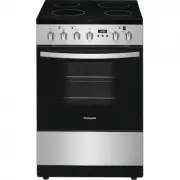 Frigidaire FCFE2425AS
User Manual
Frigidaire FCFE2425AS
User Manual
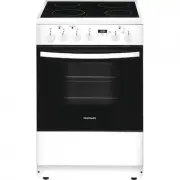 Frigidaire FCFE2425AW
User Manual
Frigidaire FCFE2425AW
User Manual
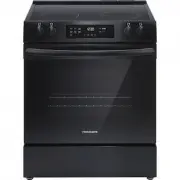 Frigidaire FCFE3062AB
User Manual
Frigidaire FCFE3062AB
User Manual
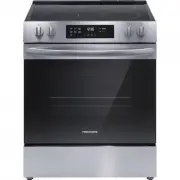 Frigidaire FCFE3062AS
User Manual
Frigidaire FCFE3062AS
User Manual
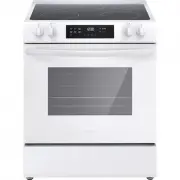 Frigidaire FCFE3062AW
User Manual
Frigidaire FCFE3062AW
User Manual
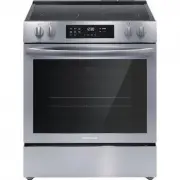 Frigidaire FCFE3083AS
User Manual
Frigidaire FCFE3083AS
User Manual
 Frigidaire FCFE308LAF
User Manual
Frigidaire FCFE308LAF
User Manual
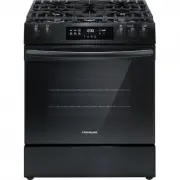 Frigidaire FCFG3062AB
User Manual
Frigidaire FCFG3062AB
User Manual
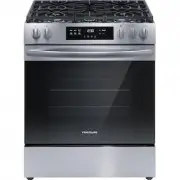 Frigidaire FCFG3062AS
User Manual
Frigidaire FCFG3062AS
User Manual
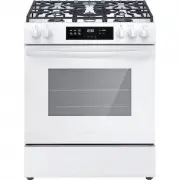 Frigidaire FCFG3062AW
User Manual
Frigidaire FCFG3062AW
User Manual