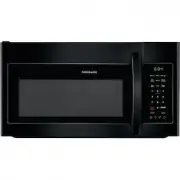
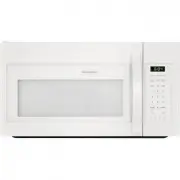
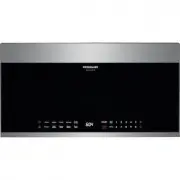
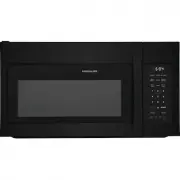
Page 2 - Welcome & Congratulations; PLEASE CAREFULLY READ AND SAVE THESE INSTRUCTIONS; IMPORTANT SAFETY INSTRUCTIONS; PRECAUTIONS TO AVOID POSSIBLE
Welcome & Congratulations Before you call for service, there are a few things you can do to help us serve you better. Read this manual. It contains instructions to help you use and maintain your microwave oven properly. If you received a damaged Microwave Oven... immediately contact the dealer (...
Page 3 - What You Need to; DANGER; SAVE THESE INSTRUCTIONS; WARNING; MPORTANT SAFETY INSTRUCTIONS
To avoid personal injury or property damage, observe the following: 1. deep fat fry in oven. Fat could overheat and be hazardous to handle. 2. cook or reheat eggs in shell or with an unbroken yolk using microwave energy. Pressuremay build up and erupt. Pierce yolk with fork orknife before cooking. 3...
Page 4 - GROUNDING; IMPORTANT SAFETY INSTRUCTIONS
SAVE THESE INSTRUCTIONS FederalCommunicationsCommission RadioFrequency InterferenceStatement (U.S.A. Only) WARNING WARNING To avoid risk of electrical shock or death, this oven must be grounded and plug must not be altered. a. A short power-supply cord is provided to reduce the risks resulting from ...
Page 5 - Radio Interference; MPORTANT SAFET Y INSTRUCTIONS
SAVE THESE INSTRUCTIONS WARNING Liquids such as water, coffee, or tea can beheated beyond the boiling point without appearing tobe boiling due to surface tension of the liquid. Visiblebubbling or boiling when the container is removed fromthe microwave oven is not always present. THIS COULD RESULT IN...
Page 6 - When using electrical appliances, basic safety
SAVE THESE INSTRUCTIONS WARNING When using electrical appliances, basic safety precautions should be followed to reduce therisk of burns, electric shocks, fire or injury topersons or exposure to excessive microwaveenergy. 1. READ ALL instructions before using oven. 2. READ AND FOLLOW the specific “P...
Page 7 - Features & Specifications; Control panel
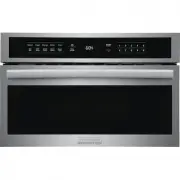
Features & Specifications Control panel Microwave features Turntable ring assembly Turntable glass tray Door assembly Interlock system Turntable Shaft Control panel Window (1) (2) (3) Popcorn (4) (5) (6) Melt/Soften (16) St o p /Can c el : (9) User Pref (10) (12) Sensor Cook (13) Ti m er (7) Aut...
Page 8 - Before Operating; Microwave utensil guide; CAUTION; Use; Learn more about your microwave oven
Before Operating Microwave utensil guide CAUTION To avoid risk of personal injury or property damage, do not operate the microwave oven empty. To avoid risk of personal injury or property damage, do not use stoneware, aluminum foil, metal utensils, ormetal trimmed utensils in the microwave oven. To ...
Page 9 - Manual Operation; Setting the timer; Heating with high power level
Manual Operation Safety Lock Using Quick Start 1. Press Timer pad once. 2. Enter desired time using number pads. (timer may be set up to 99 minutesand 99 seconds). 3. Press pad . Example: setting timer for 5 minutes Example: to set the safety lock ON: Example: to change the safety lock from ON to OF...
Page 10 - Heating with multiple cooking stages; USING AUTO DEFROST
Manual Operation Adding cook time (+30sec) 1. Press START/+30sec pad 2 times. NOTE: The “ +30sec ” function is not available when using the “ weight defrost ” or any of the “ convenience operation ” features. Pressing the START/+30sec pad once starts 30 seconds of cooking at a 100% power level. Pres...
Page 11 - Popcorn; SETTING VEGGIES; Food
Popcorn CAUTION DO NOT leave microwave oven unattended while The popcorn feature lets you pop 3 different commercially packaged microwave popcorn sized bags. Use the tablebelow to determine the setting to use: 1. 2. Press START/+30 sec pad Manual Operation When finished, you will hear a series of be...
Page 12 - Sensor Operations; Sensor Cook Operating Tips; Reheat; Potato; Baked Potato
Sensor Operations The Sensor Cook categories are designed to detect the increasing humidity released by the food during thecooking process. The microwave oven sensor willautomatically adjust the cooking time to the type andamount of food. The food categories that are controlledwith the humidity sens...
Page 13 - Con enient Features; PREFERENCES
Con enient Features v This section gives instructions for operating each function. Please read this section carefully. USER REFERENCE The microwave oven has settings that allow you to customize the operation for your convenience. Below is the table showing the various settings. Touch the User settin...
Page 14 - Cleaning suggestions
Care & Cleaning Cleaning suggestions Follow these instructions to clean and care for yourmicrowave oven: Keep the inside (cavity) of the oven clean. Food particlesand spilled liquids can stick to the oven walls, causingthe oven to work less efficiently. Wipe up spills immediately. Use a damp, cl...
Page 15 - Before You Call; Troubleshooting guide; Questions or for Service Call:
Before You Call Solutions to Common Problems Troubleshooting guide If you have a problem you cannot solve, please do not hesi-tate to call our service line: Before you call a repair person for your microwave, checkthe list below for possible easy solutions to some commonproblems. Food is cooking too...
Page 16 - Compact Appliance Warranty Information
21 Compact Appliance Warranty Information Your appliance is covered by a one year limited warranty . For one year from your original date of purchase, Electrolux will pay costs, except as set forth below, associated with replacing any parts of this appliance that proveto be defective in materials or...