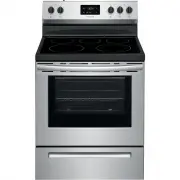
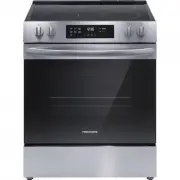
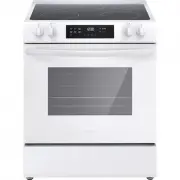
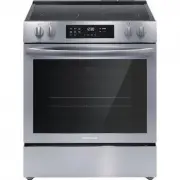
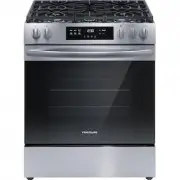
Page 2 - Product Registration; Record model & serial numbers here; PRODUCT RECORD AND REGISTRATION; Visit the Frigidaire web site at www.frigidaire.com
2 2017 Electrolux Home Products, Inc. All rights reserved. Printed in the USA Product Registration . . . . . . . . . . . . . . . . . . . . . . . . . .2 Product Record and Registration . . . . . . . . . . . . . . . . . 2 Need Help? . . . . . . . . . . . . . . . . . . . . . . . . . . . . . . . . .2 Im...
Page 3 - DEFINITION; This is the safety alert symbol. It is used to; Save these instructions for future reference; WARNING; Tip Over Hazard; Range; IMPORTANT; IMPORTANT SAFETY INSTRUCTIONS
3 Read all instructions before using this appliance.This manual contains important safety symbols and instructions. Please pay attention to these symbols and follow all instructions given.Do not attempt to install or operate your appliance until you have read the safety precautions in this manual. S...
Page 4 - GROUNDING INSTRUCTIONS
4 IMPORTANT SAFETY INSTRUCTIONS Save these instructions for future reference IMPORTANT INSTRUCTIONS FOR UNPACKING AND INSTALLATION IMPORTANT - Read and follow the below instruc-tions and precautions for unpacking, installing, and servicing your appliance:Remove all tape and packaging before using th...
Page 5 - Storage In or On Appliance
5 IMPORTANT SAFETY INSTRUCTIONS Save these instructions for future reference IMPORTANT INSTRUCTIONS FOR USING THE APPLIANCE Storage In or On Appliance —Flammable materials should not be stored in an oven or microwave, near surface burners or elements, or in the storage or warmer drawer (if equipped)...
Page 6 - IMPORTANT INSTRUCTIONS FOR GLASS; CAUTION
6 IMPORTANT SAFETY INSTRUCTIONS Save these instructions for future reference IMPORTANT INSTRUCTIONS FOR USING YOUR RADIANT COOKTOP Know which knob or key controls each surface heating area. Place cookware with food on the cooking area before turning it on. Turn the cooking area off before removing t...
Page 8 - Bakeware; Material; COOKING RECOMMENDATIONS
8 COOKING RECOMMENDATIONS Bakeware The material of bakeware affects how evenly and quickly it transfers heat from the pan to the food. Material Attributes Recommendation Shiny metal bakeware Shiny, aluminum, and non-coated bakeware is the best for even heating. It is suitable for all baked goods. Re...
Page 9 - Cooking Results
9 COOKING RECOMMENDATIONS Cooking Conditions: Conditions in your kitchen can affect the performance of your appliance when cooking food. Condition Attributes Recommendation Aging cookware As pans age and become discolored, cooking times may need to be reduced slightly. If food is too dark or overcoo...
Page 10 - Using Proper Cookware; Cookware Material Types; BEFORE SETTING SURFACE CONTROLS
10 Using Proper Cookware The size and type of cookware used will influence the heat setting needed for best cooking results. Be sure to follow the recommendations for using proper cookware as illus-trated in Figure 1 and Figure 2 . Cookware Material Types The cookware material determines how evenly ...
Page 12 - Element On and Hot Surface Indicator Lights; On indicator light
12 BEFORE SETTING SURFACE CONTROLS Element On and Hot Surface Indicator Lights The ELEMENT ON indicator light will turn on when one or more elements are turned on. A quick glance at this indicator light when cooking is finished is an easy check to be sure all surface elements are turned off. The HOT...
Page 13 - Single radiant surface elements; SETTING SURFACE CONTROLS
13 Single radiant surface elements To operate the single radiant element: 1. Place correctly sized cookware on surface element. 2. Push in and turn the surface control knob in either direction ( Figure 6 ) to the desired setting (refer to the “Suggested radiant surface element settings” in Table 1 )...
Page 15 - Warm Zone
15 SETTING SURFACE CONTROLS Warm Zone Use the warm zone feature to keep cooked foods hot. Always start with hot food. It is not recommended to heat cold food on the warm zone. All food placed on the warm zone should be covered with a lid to maintain quality. For best results, when warming pastries o...
Page 16 - Home Canning
16 SETTING SURFACE CONTROLS Home Canning Be sure to read and observe all the following points when home canning with your appliance. Check with the USDA (United States Department of Agriculture) Web site and be sure to read all the information they have available as well as follow their recommendati...
Page 17 - BEFORE SETTING OVEN CONTROLS
17 Oven Vent Location The oven is vented as shown below. When the oven is on, warm air is released through the vent. This venting is necessary for proper air circulation in the oven and good baking results. Do not block oven vent. Never close off the openings with aluminium foil or any other materia...
Page 18 - Setting the Clock; Set Clock; Set; OFF; Timer; SETTING OVEN CONTROLS
18 1. Bake - Use to select for all baking. 2. Broil - Use to select the broil feature. When broil is active the indicator light above the broil key will glow. 3. Timer On-Off - Use to set or cancel the minute timer. The minute timer does not start or stop cooking. 4. Set Clock - Use with up or down ...
Page 19 - Broil; Operating oven light; To change the timer while it is in use:
19 SETTING OVEN CONTROLS Temperature display (Fahrenheit/Celsius) The electronic oven control is set to operate in Fahrenheit (°F) at the factory. The oven may be programmed for any temperature from 170°F to 500°F (77°C to 260°C). To change the temperature to Celsius (°C) or from °C to °F: 1. Press ...
Page 20 - Setting Bake; Baking Tips
20 SETTING OVEN CONTROLS Setting Bake Bake cooks with heat that rises from the oven bottom. The heat and air circulate naturally in the oven. Follow baking recommendations for best results. The oven (and oven on indicator light) will cycle on and off to maintain the set temperature. The oven can be ...
Page 21 - Setting Broil; To set Broil
21 SETTING OVEN CONTROLS Setting Broil Broiling is direct heat cooking and will produce some smoke. If smoke is excessive, place food further away from the element. Watch food to prevent burning. Always remember to arrange the oven racks while oven is still cool. Position the rack as suggested in Ta...
Page 22 - Adjusting the oven temperature; NOTE
22 SETTING OVEN CONTROLS Adjusting the oven temperature Your appliance has been factory calibrated and tested to ensure an accurate baking temperature. For the first few uses, follow your recipe times and temperature recommen-dations carefully. If you think the oven is cooking too hot or too cool fo...
Page 23 - Figure 14: Use cleaners with caution; CARE AND CLEANING
23 CARE AND CLEANING Remove spills and any heavy soiling as soon as possible. Regular cleaning will reduce the difficulty of major cleaning later. • Before cleaning any part of the appliance, be sure all controls are turned off and the appliance is cool. • If ammonia or appliance cleaners are used, ...
Page 25 - Cooktop Maintenance; Cooktop Cleaning; For light to moderate soil:
25 CARE AND CLEANING Cooktop Maintenance Consistent and proper cleaning is essential to maintaining your ceramic glass cooktop. Prior to using your cooktop for the first time, apply a ceramic cooktop cleaning cream (available in most hardware, grocery, and department stores) to the ceramic surface. ...
Page 26 - Aluminum Foil and Utensils; Cleaning under bake element (some models); Figure 17: Lift bake element
26 CARE AND CLEANING Cooktop Maintenance (cont’d) Aluminum Foil and Utensils Cleaning under bake element (some models) The bake element is located in the lower oven cavity. For some models, if the lower bake element is visible it may be tilted up for easier access to the oven bottom for cleaning. Re...
Page 27 - Removing and Replacing the Oven Door; To remove oven door; To replace oven door:; Figure 18: Door hinge location; about
27 CARE AND CLEANING Removing and Replacing the Oven Door To remove oven door : 1. Open oven door completely, horizontal with floor (See Figure 18 ). 2. Pull the door hinge locks on both left and right door hinges down from the oven frame completely towards the oven door (See Figure 19 ). A tool suc...
Page 28 - Replacing the Oven Light; Remove and replace storage drawer (some; Figure 22: Oven light
28 CARE AND CLEANING Replacing the Oven Light Replacing the oven interior light bulb: The interior oven light is located at the rear of the oven cavity ( Figure 22 ). 1. Turn electrical power off at the main source or unplug the appliance. 2. Replace the bulb with a new appliance bulb. 3. Turn the p...
Page 29 - Oven Baking; Baking Problems and Solutions; BEFORE YOU CALL
29 Oven Baking For best cooking results, preheat the oven before baking cookies, breads, cakes, pies, pastries, etc. There is no need to preheat the oven for roasting meat or baking casseroles. The cooking times and temperatures needed to bake a product may vary slightly from your previously owned a...
Page 30 - Solutions to Common Problems:; Problem
30 BEFORE YOU CALL Solutions to Common Problems: Before you call for service, review the following list. It may save you time and expense. Possible solutions are provided with the problem listed. Problem Cause / Solution Entire appliance does not operate. Appliance not connected. Make sure power cor...
Page 31 - Cooktop Problems; Other Problems
31 BEFORE YOU CALL Cooktop Problems Surface element is too hot or not hot enough. Incorrect surface control setting. Adjust power level setting. Surface element does not heat or does not heat evenly. Be sure the correct surface control knob is turned on for the element needed. Cookware is light weig...
Page 32 - WARRANTY
WARRANTY Yo u r a p p l i a n c e i s c o ve re d b y a o n e y e a r l i m i t e d wa r ra n ty. Fo r o n e ye a r f ro m y o u r o r i g i n a l d a t e o fpurchase, Electrolux will pay all costs for repairing or replacing any parts of this appliance that proveto be defective in materials or workm...