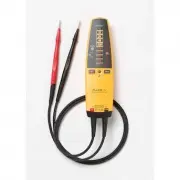
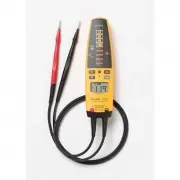
Page 2 - XW; Warning; The Tester is to be used only by qualified personnel.
T+/T+PRO English Instruction Sheet Page 2 Safety Information XW Warning To avoid possible electric shock or personal injury, follow these guidelines: • Use the Tester only as specified in this instruction sheet, otherwise the protection provided by the Tester may be impaired. • The Tester is to be u...
Page 3 - Page 3; Caution
T+/T+PRO English Instruction Sheet Page 3 • For voltages above 240 V, you must only connect to a voltage source for a MAXIMUM of 30s and then disconnect for a MINIMUM of 300s. • Perform a self test before any measurements are taken for voltage, continuity, resistance, or rotary field. See “Self Test...
Page 4 - Symbol Explanation Symbol Explanation
T+/T+PRO English Instruction Sheet Page 4 Symbols The following symbols appear on the Tester or in this instruction sheet. Table 1. Symbols Symbol Explanation Symbol Explanation W WARNING - RISK OF DANGER. Consult user documentation. X WARNING. HAZARDOUS VOLTAGE. Risk of electric shock. T Double ins...
Page 5 - Table 2. Accessories; Pushbuttons; Table 3. Pushbuttons
T+/T+PRO English Instruction Sheet Page 5 Optional Accessories Accessories are available for the T+/T+ PRO Electrical Tester. See Table 2. Table 2. Accessories Item Item Number Belt Holster H3 Replaceable Test Probes (1 red and 1 black) TP2 Pushbuttons Use the pushbuttons to toggle switchable functi...
Page 6 - Page 6; Item Description
T+/T+PRO English Instruction Sheet Page 6 Understanding the Display (T+ PRO Only) Display indicators are shown and described in Figure 1. 1 8 7 2 3 4 5 6 eqc001f.emf Item Description Low battery icon. If the battery is depleted the voltage will still be displayed by the LED stack but the beeper a...
Page 7 - Vibration Voltage Indication
T+/T+PRO English Instruction Sheet Page 7 Beeper When the Tester detects a voltage, the LEDs light to indicate the voltage level, the Tester vibrates, and a beeper sounds (the T+ PRO also shows the voltage on the display). The beeper tones are different depending on what is being measured: • AC volt...
Page 8 - LED Display Voltages; Table 4. LED Display Voltages; Self Test; To avoid possible electric shock or personal injury:; Measuring Voltage
T+/T+PRO English Instruction Sheet Page 8 Removing the Probe Tips To remove the probe tips: 1. Grasp the probe firmly in one hand. 2. Hold the test lead jack firmly in the other hand. 3. Pull to disengage the test lead probe from the test lead jack. LED Display Voltages Table 4 shows the differences...
Page 9 - Page 9; DC Voltage; Figure 2. Measuring Voltage
T+/T+PRO English Instruction Sheet Page 9 V the LCD remains blank. The AC, DC+ and DC- LEDs will only operate for voltages greater than 24 V. Refer to Figure 2. DC Voltage 600 V dc maximum AC Voltage 600 V rms maximum 45 Hz to 66 Hz 12 V dc 120 V ac CONTINUITY 120 208 48 24 12 240 277 600 480 CONTIN...
Page 10 - Testing for Continuity; To avoid electrical shock:; Figure 3. Continuity Test
T+/T+PRO English Instruction Sheet Page 10 Testing for Continuity XW Warning To avoid electrical shock: • Make sure the power to the circuit is turned off and all capacitors are discharged. • If the beeper is disabled, the Tester will not beep and only P will light. On the T+ PRO, the display will a...
Page 11 - Figure 4. Measuring Resistance
T+/T+PRO English Instruction Sheet Page 11 Measuring Resistance (T+ PRO Only) XW Warning To avoid electrical shock when measuring resistance in a circuit, make sure the power to the circuit is turned off and all capacitors are discharged. To measure resistance, turn off the circuit power, press O , ...
Page 12 - GFCI Test
T+/T+PRO English Instruction Sheet Page 12 GFCI Test XW Warning To avoid electrical shock, do not touch any exposed metalwork during the test. This test will switch off the power to the circuit. To test a GFCI receptacle, do the following: 1. Insert the Tester probes into the GFCI receptacle under t...
Page 14 - Figure 5. Rotary Field Measurement
T+/T+PRO English Instruction Sheet Page 14 CONTINUIT Y 120 208 48 24 12 240 277 600 480 CONTINUIT Y 120 208 48 24 12 240 277 600 480 600 CONTINUITY 120208 48 24 12 240 277 480 eqc05f.emf Figure 5. Rotary Field Measurement
Page 15 - Maintenance; Replacing the Batteries; Specifications; Relative Humidity: 0
T+/T+PRO English Instruction Sheet Page 15 Maintenance W Caution Do not use abrasives or solvents on the Tester. Clean the case with a damp cloth and mild detergent. Replacing the Batteries Perform a self test to determine the charge state of the batteries on T+ Testers. The self test will not work ...