Page 3 - CONTENTS; Registration
3 Safety and warnings 4 Installation instructions 6 Before your first wash 12 Safety features 13 Control panel 14 Wash cycles 17 The unique cleansmart™ wash 19 Wash preparation 20 Getting started quickly 23 Wash options 25 Customising Wash options 29 Changing pre-set options 31 Caring for your washe...
Page 4 - SAFETY AND WARNINGS; Electrical Shock Hazard; Failure to follow this advice may result in; • If you are using an extension cord or a portable; General
4 SAFETY AND WARNINGS ! WARNING! Electrical Shock Hazard Failure to follow this advice may result in electrical shock or death. • If you are using an extension cord or a portable electrical outlet device (eg multi-socket outlet box), ensure that it is positioned so that it does not come into contact...
Page 5 - MODEL CODE
5 SAFETY AND WARNINGS MODEL CODE MAX CAPACITY* (KG) WL8060P 8 *Capacity refers to the maximum dry weight of items the washer can wash at any one time. z Do not overload your washing machine beyond its rated capacity. z Do not wash an electric blanket in your washer unless the care label specifically...
Page 6 - Accessories; x hose guide; Unpacking
INSTALLATION INSTRUCTIONS 6 INSTALLATION INSTRUCTIONS Accessories Check if you received the following accessories with your Fisher & Paykel washer. You will find them inside the drum or attached to the packaging. z 2 x inlet hose(s) z 1 x hose guide 1 Remove the outer packaging. 2 Tilt the washe...
Page 7 - INSTALLATION INSTRUCTIONS; Product and minimum clearance dimensions; PROFILE VIEW
INSTALLATION INSTRUCTIONS 7 Product and minimum clearance dimensions PRODUCT DIMENSIONS MM A Overall height of product* (to highest point on console) 1045 – 1075 B Overall width of product 600 C Overall depth of product 600 D Height of product to top of lid closed* 950 – 980 E Height of product to t...
Page 8 - Levelling instructions; Wall; Release the rear feet:
INSTALLATION INSTRUCTIONS 8 Levelling instructions It is IMPORTANT to level the washer to ensure good spin performance. A level is provided with your washer. The washer is level when the bubble sits in the centre, within the two lines.Your washer is equipped with self-locking feet at the front to en...
Page 9 - Only use the new hose set provided with your washer.; Inlet hose ends
INSTALLATION INSTRUCTIONS 9 Water supplyInlet hoses This clothes washer should be plumbed into both a hot and cold water supply otherwise some cycles may not function correctly. Your washer does not have an internal heater to heat water. Only use the new hose set provided with your washer. Water sup...
Page 10 - Hose inlet large bore; Draining; drain hose can be trimmed to length.; Electrical connection; Placing the drain hose in a standpipe or tub:
INSTALLATION INSTRUCTIONS 10 SPARE PARTS* PART NO. Hose inlet long (2m) 422680P Hose inlet large bore 426123P Drain hose extension (not suitable for attaching to a spigot) 425627P *Available from your Fisher & Paykel dealer or a Fisher & Paykel trained and supported service technician. Pull ...
Page 11 - Completing the installation; Installation test cycle; OPTIONS
INSTALLATION INSTRUCTIONS 11 Completing the installation z Turn on the water and check all hose connections for leaks. Make sure there are no kinks in the hoses. Check the hose connections for leaks again after 24 hours. z Uncoil power cord, remove and discard the plastic pin cover, and plug into wa...
Page 12 - BEFORE YOUR FIRST WASH; CleanSmartTM washer capacity
12 BEFORE YOUR FIRST WASH CleanSmart™ washer capacity CleanSmart™ washer offers a generous 8 kg capacity. The list below outlines what is included in a 8 kg wash load (in accordance with AS/NZS 2040.1:2005). The above load composition is indicative only. We recommend for everyday use that you separa...
Page 13 - SAFETY FEATURES; Lid lock; LID LOCKED; To unlock the lid at any time during the cycle touch .; BOWL CLEAN; Auto drain; Do not put anything down the lid lock slot in the top deck of
13 SAFETY FEATURES Lid lock The lid of your CleanSmart™ washer is locked for some parts of the wash cycle, ensuring safety for you and your family while it is operating.The LID LOCKED light (above the button) is illuminated when the lid lock is activated, letting you know at a glance if you can open...
Page 14 - CONTROL PANEL; POWER
14 CONTROL PANEL 1 POWER Touch to turn the washer ON/OFF. 2 Keylock Touch to disable all buttons on the display panel, except POWER button. This prevents accidental button presses. 3 Wash cycle Select your desired wash cycle by turning the SmartTouch™ Control Dial. The wash cycle icons will illumina...
Page 15 - KEYLOCK; Time to go; To turn; If; Keylock
15 CONTROL PANEL 1 To turn your washer on, touch for 2 seconds. This will activate the display panel. KEYLOCK will remain activated but let you select your wash cycle options and start the cycle. To pause your washer at any time during the cycle, touch for 2 seconds, or touch twice in quick successi...
Page 16 - for 2 seconds or touch
16 CONTROL PANEL 3 To stop your washer or power off at any time, touch for 2 seconds or touch twice in quick succession.
Page 17 - WASH CYCLES; Wash cycle guide
17 WASH CYCLES Wash cycle guide Your washer has a number of wash cycles to suit your laundering needs. Selecting the most appropriate cycle for each particular wash load will help ensure you get the best wash result. CYCLE EFFICIENCY DESIGNED FOR AGITATE TIME* (min) WASH TEMP RINSE SEQUENCE SPIN SPE...
Page 18 - Towels; then select the required option.
18 WASH CYCLES CYCLE EFFICIENCY DESIGNED FOR AGITATE TIME* (min) WASH TEMP RINSE SEQUENCE SPIN SPEED (RPM) Towels HE On Washing lightly soiled towels and when you want to save water. 9 – 13 Warm / Cold Spray / HE Deep Fast (1100) HE Off Everyday washing of towels, new towels that may release dye du...
Page 19 - THE UNIQUE CLEANSMARTTM WASH; CYCLE; The CleanSmartTM washer has two modes of washing,; Detergent Activating wash
19 THE UNIQUE CLEANSMART™ WASH Some cycles can be used in both modes, whilst others are available in only one. CYCLE HE ON HE OFF Regular Heavy Delicate Sheets – Easy Iron – Bulky – Allergy Quick – Towels These two wash modes mean that your CleanSmart™ washer gives you the best of both worlds, accom...
Page 20 - WASH PREPARATION; Sorting; Before you load; Selecting the right detergent; Do not use soap flakes or granulated soap powders.; Where do I put my detergent?
20 WASH PREPARATION Sorting Sort items according to colour, fabric type, and soil type. Wash fine, delicate fabrics separately from thick, heavy fabrics. Always separate coloured items from whites, especially when they are new. Colour run could be an issue if you wash items at higher temperatures. S...
Page 21 - Choosing the right cycle; SOFTENER; Adding the fabric softener; If you wish to use fabric softener we recommend:; Cleaning the dispenser
21 WASH PREPARATION Choosing the right cycle If you wish to use fabric softener you will need to select SOFTENER by touching the OPTIONS button which will give you a deep rinse. If the SOFTENER option is not selected, the fabric softener will not be dispensed correctly. A small volume of water remai...
Page 22 - Wash Boost options
22 WASH PREPARATION Wash Boost options Your CleanSmart™ washer has an extra dispenser located on the left hand side called the Wash Boost dispenser. You can use this dispenser to boost your wash performance in two ways: Stain Treatment The STAIN TREATMENT option allows you to add a liquid in-wash fa...
Page 23 - The buttons require only a gentle touch to activate.; GETTING STARTED QUICKLY; Touch; High Efficiency; WARM; wash temperature and a; SLOW; refer to the; WASH OPTIONS
23 The buttons require only a gentle touch to activate. GETTING STARTED QUICKLY 1 Touch to activate your CleanSmart™ washer. 2 Select your desired wash cycle by turning the SmartTouch™ Control Dial. refer to the WASH CYCLES section. High Efficiency This allows you to select either a high efficiency ...
Page 26 - Spin Speed; Soak; Options; Ensure items are colourfast before using soak.
26 WASH OPTIONS Spin Speed Your CleanSmart™ washer offers three spin speeds: 1100 rpm, 700 rpm and 300 rpm, plus an additional NO SPIN option. Wash Boost If you have stains in your wash load that you need to treat or wish to perform a double wash, select STAIN TREATMENT or DUAL WASH from the WASH BO...
Page 27 - wring items out thoroughly before placing them in your washer.; Eco Rinse
27 WASH OPTIONS DO NOT use your washer to soak items in bleach or sanitiser and if you’ve soaked items in a bucket, do not tip the contents of the bucket into your washer. The chemicals in these products are very corrosive to metal surfaces and can damage your washer. Rinse and wring items out thoro...
Page 28 - Clothes care safeguards; wash on the
28 WASH OPTIONS Clothes care safeguards To avoid accidentally damaging your clothes there are a few options that your washer will not allow. For example you cannot select a HOT wash on the DELICATE or EASY IRON cycles. Washing bulky items The BULKY cycle takes special care of bulky items. Bulky garm...
Page 29 - CUSTOMISING WASH OPTIONS; To customise a cycle; TOWELS
29 CUSTOMISING WASH OPTIONS To customise a cycle You can program your CleanSmart™ washer to remember the wash options you prefer for each wash cycle. For instance, you may want to set the TOWELS cycle to a WARM / HOT wash or set the HEAVY cycle to include a SOAK . 1 Touch . 2 Turn the dial to select...
Page 30 - To change your customised wash cycle simply repeat these steps.
30 CUSTOMISING WASH OPTIONS To change your customised wash cycle simply repeat these steps. 5 Touch to store your customised cycle. A long beep will sound to confirm that your changes have been saved..
Page 31 - There are a number of pre-set options, which; CHANGING PRE-SET OPTIONS
31 Option Adjustment mode After using your washer a number of times you may want to fine tune some of the options to suit your wash needs. There are a number of pre-set options, which can be changed: 1 The wash temperatures, including changing the COLD wash temperature to CONTROLLED COLD . 2 The out...
Page 32 - Wash temperatures; To modify the wash temperature:; Adjusting your options; and
32 CHANGING PRE-SET OPTIONS Wash temperatures All wash temperatures can be individually adjusted if you think they are too hot or too cold.The hot temperature will be the same as the hot water supply temperature. To modify the wash temperature: Adjusting your options 1 1 Wash Temp OOB Recovery Facto...
Page 33 - Controlled Cold; To programme the Controlled Cold temperature option:
33 CHANGING PRE-SET OPTIONS Controlled Cold If your incoming cold water temperature is very low you will get a less effective wash. The CONTROLLED COLD option solves this problem by adding a small amount of hot water to raise the temperature of the wash to approximately 20°C. To programme the Contro...
Page 34 - Out of balance recovery routine
34 CHANGING PRE-SET OPTIONS If you always use COLD or CONTROLLED COLD water, we recommend that a WARM or HOT wash be used regularly, eg every 5th wash should be at least a warm one to maintain the cleanliness of your washer. Out of balance recovery routine When your washer is spinning it can sense i...
Page 35 - Automatic recovery ON; Select the; MORE; or; LESS; to increase or; End of cycle beeps; To modify the number of beeps sounding at the end of the cycle:; Select the; SHEETS
35 CHANGING PRE-SET OPTIONS Automatic recovery ON Your washer will try to automatically correct the out of balance load. It will fill with water and agitate to redistribute the load before trying to spin up again. To change the out of balance (OOB) recovery routine: 1 Factory Reset Wash Temp OOB Rec...
Page 36 - Factory reset; To reset your washer to its factory settings:; EASY IRON
36 CHANGING PRE-SET OPTIONS Factory reset You can reset your washer to the default settings it left the factory with. To reset your washer to its factory settings: 2 Factory Reset EOC Beeps Wash Temp OOB Recovery Touch the MORE or LESS button to increase or decrease the number of beeps, or for no be...
Page 37 - CARING FOR YOUR WASHER; When you have finished using your washer; Unplug the machine from the power socket.; Cleaning your CleanSmartTM washer
37 CARING FOR YOUR WASHER When you have finished using your washer z Turn off the taps to prevent the chance of flooding should a hose burst. z Unplug the machine from the power socket. Cleaning your CleanSmart™ washer Before you start cleaning your CleanSmart™ washer, ensure that it is disconnected...
Page 38 - Cleaning the inside of your washer; NEED
38 Cleaning the inside of your washer It is important that you occasionally clean the inside of your washer. Your CleanSmart™ washer has a BOWL CLEAN cycle specifically for this purpose and will remind you every 100 cycles to run this cycle (the BOWL CLEAN cycle icon will flash to alert you), or we ...
Page 39 - Cleaning your low-profile agitator; cycle to remove any residual bleach (refer to the ‘; Wash cycles’; Automatic lint disposal system; Products that might damage your washer; Turn the washer off at the wall when not in use.
39 CARING FOR YOUR WASHER Cleaning your low-profile agitator If your low-profile agitator becomes stained we recommend you use household bleach to clean it. Ensure you wear gloves. Tip a small amount of household bleach onto a soft cloth and apply to the stain. Be careful to avoid metal surfaces of ...
Page 40 - BEFORE YOU CALL FOR SERVICE; PROBLEM; Ensure hot tap has been turned on.; User warnings; warning on the screen:
40 BEFORE YOU CALL FOR SERVICE PROBLEM DISPLAYED AS WHAT TO DO The washer is not getting any hot water. Hot water supply is not hot enough to maintain the wash temperature you have selected. Select a lower wash temperature. Inlet hose filters may be blocked and should be cleaned or replaced. There m...
Page 42 - FAULT CODES; and a number appears on the display, a fault has occurred.; Turn your washer off at the power point.; RINSE
42 FAULT CODES When a continuous series of beeps is sounded, all the lights turn off on the control panel and a number appears on the display, a fault has occurred. The washer will automatically enter this mode if a fault occurs. The fault code will be displayed as a number on the digital display. T...
Page 43 - TROUBLESHOOTING; Operating problems; touched
43 TROUBLESHOOTING The following is a list of problems you may encounter when using this appliance and some suggestions that may help to correct the problem. If you still have problems, please contact your Fisher & Paykel Authorised Repairer. Operating problems PROBLEM POSSIBLE CAUSES WHAT TO DO...
Page 44 - Too many soap suds
44 TROUBLESHOOTING Operating problems PROBLEM POSSIBLE CAUSES WHAT TO DO Towels causing out of balance Heavy, wet towels have become unevenly distributed. Try washing a mixture of large towels and smaller towels. Reduce the size of your load with a minimum of two towels to balance the bowl. Too much...
Page 45 - Wash problems; Creasing
45 TROUBLESHOOTING Wash problems PROBLEM POSSIBLE CAUSES WHAT TO DO Wash cycle time longer than usual If water pressure is low, cycle time will increase due to longer fill times. Ensure that inlet hose filters are not blocked. The out of balance automatic recovery setting may be selected (ie Automat...
Page 46 - Poor soil removal
46 TROUBLESHOOTING Wash problems PROBLEM POSSIBLE CAUSES WHAT TO DO Poor soil removal Wash cycle selected not suited to soil level in load. Check you are using appropriate soil level for amount of dirt. Warm wash water is too cold. Refer to ‘Wash Temp’. Not enough detergent for load size or amount o...
Page 47 - Detergent residue; Dye transfer
47 TROUBLESHOOTING Wash problems PROBLEM POSSIBLE CAUSES WHAT TO DO Detergent residue Overloading the washer. Try reducing your load size. Incorrect detergent dosage. Try using less detergent. Check the detergent instructions. Cold ambient temperatures, cold washes and/or short agitation times may n...
Page 48 - MANUFACTURER’S WARRANTY; These Manufacturer’s Warranties DO NOT cover; Water on the floor due to incorrect loading or excessive suds.
48 Fisher & Paykel undertakes to: Repair or, at its option, replace without cost to the owner either for material or labour any part of the product, the serial number of which appears on the product, which is found to be defective within two years of the date of purchase.You also receive an addi...
Page 49 - . Such service shall be; For Australian customers; Keep this user guide in a safe place.
49 MANUFACTURER’S WARRANTY This product has been designed for use in a normal domestic (residential) environment. This product is not designed for any commercial use (whatsoever). Any commercial use by a customer will affect this product’s Manufacturer’s Warranty.Service under these Manufacturer’s W...
Page 50 - CUSTOMER CARE; In New Zealand if you need service or assistance:; Your product is correctly installed.
50 CUSTOMER CARE In New Zealand if you need service or assistance: Go online to our website and book a service or call the Fisher & Paykel Customer Care Centre and talk to one of our Customer Care Consultants. Toll Free: 0800 FP CARE or 0800 372 273 Email: [email protected] Website: fisherpaykel...
Page 51 - Complete and keep for safe reference:
51 CUSTOMER CARE Registration Register your product with us so we can provide you with the best service possible. To register your product visit our website: fisherpaykel.com Complete and keep for safe reference: Model Serial No. Purchase Date Purchaser Dealer Suburb Town Country


 Fisher & Paykel MW513
User Manual
Fisher & Paykel MW513
User Manual
 Fisher & Paykel MW60
User Manual
Fisher & Paykel MW60
User Manual
 Fisher & Paykel WA1068G1
User Manual
Fisher & Paykel WA1068G1
User Manual
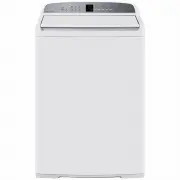 Fisher & Paykel WA1068G2
User Manual
Fisher & Paykel WA1068G2
User Manual
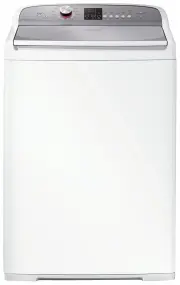 Fisher & Paykel WA1068P1
User Manual
Fisher & Paykel WA1068P1
User Manual
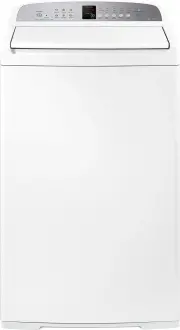 Fisher & Paykel WA7060E1
User Manual
Fisher & Paykel WA7060E1
User Manual
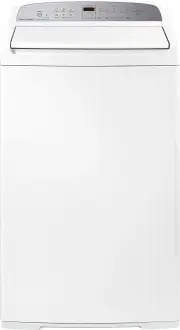 Fisher & Paykel WA7060G1
User Manual
Fisher & Paykel WA7060G1
User Manual
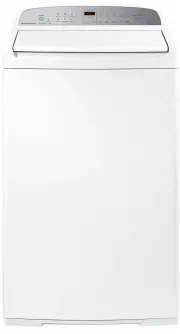 Fisher & Paykel WA7060G2
User Manual
Fisher & Paykel WA7060G2
User Manual
 Fisher & Paykel WA70T60FW1
User Manual
Fisher & Paykel WA70T60FW1
User Manual
 Fisher & Paykel WA70T60GW1
User Manual
Fisher & Paykel WA70T60GW1
User Manual
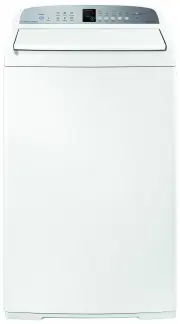 Fisher & Paykel WA7560E1
User Manual
Fisher & Paykel WA7560E1
User Manual
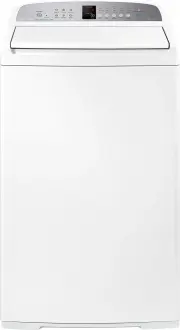 Fisher & Paykel WA8060E1
User Manual
Fisher & Paykel WA8060E1
User Manual
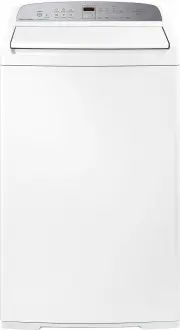 Fisher & Paykel WA8060G1
User Manual
Fisher & Paykel WA8060G1
User Manual
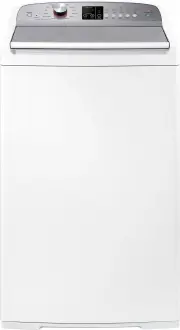 Fisher & Paykel WA8060P1
User Manual
Fisher & Paykel WA8060P1
User Manual
 Fisher & Paykel WA80T65FW1
User Manual
Fisher & Paykel WA80T65FW1
User Manual
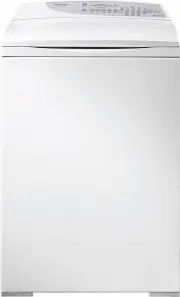 Fisher & Paykel WA80T65GW1
User Manual
Fisher & Paykel WA80T65GW1
User Manual
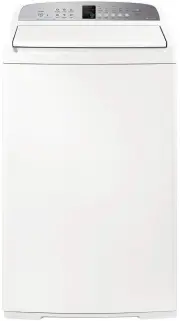 Fisher & Paykel WA8560E1
User Manual
Fisher & Paykel WA8560E1
User Manual
 Fisher & Paykel WA8560G1
User Manual
Fisher & Paykel WA8560G1
User Manual
 Fisher & Paykel WA8560P1
User Manual
Fisher & Paykel WA8560P1
User Manual
 Fisher & Paykel WD7560P1
User Manual
Fisher & Paykel WD7560P1
User Manual