Page 3 - Contents; SAVE THESE INSTRUCTIONS
1 Installation instructions 3 Before you do your first wash 7 The unique AquaSmart 2™ wash 8 Sorting and loading 9 Detergent 11 Fabric softener 12 AquaSmart 2™ safety features 13 Wash cycles 14 Getting started quickly Before you start 18 AquaSmart 2™ controls 20 Choosing your wash cycle 22 Changing ...
Page 4 - Welcome to; AquaSmart 2; Introduction
2 Welcome to AquaSmart 2 ™ Thank you for buying a Fisher & Paykel AquaSmart 2™ clothes washer. We are very proud of this washer and trust it will serve you well for many years. At Fisher & Paykel we aim to provide innovative products that are simple to use, ergonomic and kind to the environm...
Page 5 - Installation instructions; Unpacking; Removing the packaging; Installation
3 Installation instructions Unpacking To ensure the best performance from your new AquaSmart 2™ clothes washer please follow the instructions below. Removing the packaging 1 Remove the outer packaging. 2 Tilt the machine backwards and walk it off the bottom packer one foot at a time. 3 Remove the bo...
Page 6 - Water supply; Inlet hose replacement; Electrical
4 Installation instructions Water supply This clothes washer should be plumbed into both a hot and cold water supply otherwise some cycles may not function correctly. Your hot water should not exceed 65˚C, and your cold water should not exceed 35˚C. Temperatures above these may cause a fault or caus...
Page 7 - Levelling your machine
5 Installation instructions Levelling your machine It is IMPORTANT to level the machine to ensure good spin performance and effective detergent and fabric softener dispensing. 1 Separate the 4 rubber foot inserts from the moulding and fit into the feet on the base of the machine. 2 Move the machine ...
Page 8 - Clothes washer safety; Accessories and spare parts
6 Installation instructions Clothes washer safety This clothes washer is not intended for use by persons (including children) with reduced physical, sensory or mental capabilities, or lack of experience and knowledge, unless they have been given supervision or instruction concerning use of the appli...
Page 9 - TM water consumption; TM capacity; Before you do your first wash
7 You owe it to yourself and your AquaSmart 2™ to have it installed correctly by a technician from a Fisher & Paykel Authorised Repairer. Before you start, it is a good idea to go through the following checklist: 1 Has the basepacker been removed? 2 Is the hot hose connected to the hot valve mar...
Page 10 - The unique AquaSmart 2TM wash
8 The unique AquaSmart 2™ wash The AquaSmart 2™ washer has two modes of washing, High Efficiency and Conventional . Both modes start the same way, with a Detergent Activating wash. Detergent Activating wash AquaSmart 2™ fills the bowl at the selected water temperature, with just enough water so the ...
Page 11 - Sorting and loading; Sorting; Lint Givers; Before you load; Loading
9 Sorting and loading When sorting your wash load and loading your AquaSmart 2™ there are some important things to consider: Sorting Care labels provide valuable information about the fabric type and how the garment should be washed. Sort items according to what they are soiled with – some soils, li...
Page 12 - Sorting and loading explained
10 Sorting and loading You may notice that your AquaSmart 2 ™ clothes washer behaves differently from your previous washer. Your AquaSmart 2™, like all High Efficiency washers, has fully automatic water level selection. This means that, like front loaders, the selection of the water level is left en...
Page 13 - Choosing the right detergent; Low Sudsing Detergent; Where do I put my detergent?; Detergent
11 Choosing the right detergent Your AquaSmart 2™ is a High Efficiency clothes washer and needs a Low Sudsing Detergent to prevent oversudsing problems. This is the same type of detergent Front Loaders use and is labelled, “Low Suds”, “Matic”, “High Efficiency” or “HE”. We recommend the use of liqui...
Page 14 - Fabric softener; Choosing the right cycle
12 Fabric softener Choosing the right cycle If you wish to use fabric softener you will need to select the SOFTENER option which will give you a deep rinse. If the softener option is not selected, the softener will not be dispensed. For instructions on selecting the SOFTENER option please refer to p...
Page 15 - AquaSmart 2TM safety features; Auto drain; Lid lock; To unlock the lid at any time press START/PAUSE.
13 AquaSmart 2™ safety features Auto drain Unsupervised clothes washers filled with water can present a drowning hazard to small children. In order to minimise any risk of this type of accident, your AquaSmart 2™ has been pre-programmed to know when this potential hazard is created and drain the was...
Page 16 - Wash cycles; Wash cycles explained
14 Wash cycles Your AquaSmart 2™ washer has a number of wash cycles to suit your laundering needs. Selecting the most appropriate cycle for each particular wash load will help ensure you get the best possible wash result. Wash cycles explained Regular Regular – High Efficiency mode For normally soil...
Page 19 - Specific bulky wash options
17 Specific bulky wash options Duvet/Doona Blanket Throw Jacket Sleeping bag Rinse and Spin Rinse and Spin – High Efficiency mode This cycle allows you to select a water efficient Rinse and Spin only. Rinse and Spin – High Efficiency mode OFF This cycle allows you to select Rinse and Spin only, usin...
Page 20 - Getting started quickly; Before you start; Low Sudsing
18 Getting started quickly Before you start It is important to sort your clothes, particularly by colour (eg separate white/light colours from dark colours), as well as separating out sheets and washing them on the SHEETS cycle. Refer to page 9 for more details on sorting and loading. Wash new, high...
Page 21 - Easy touch buttons and LCD screen
19 Getting started quickly Easy touch buttons and LCD screen These buttons require only a gentle touch to activate. 1 Touch POWER to activate your AquaSmart 2™ washer. 2 HIGH EFFICIENCY – this light tells you when ‘High Efficiency’ mode is selected. The button allows you to switch between High Effic...
Page 22 - AquaSmart 2TM controls; Easy touch controls; High Efficiency mode; Scroll
20 AquaSmart 2™ controls Easy touch controls These smooth, easy clean buttons require only a gentle touch to activate. To scroll you need to remove your finger to break contact and touch it again. High Efficiency mode This button activates or deactivates the HIGH EFFICIENCY mode. The light will be o...
Page 23 - The display screen; Regular; Time to go
21 AquaSmart 2™ controls The display screen The display screen allows you to view the available wash cycles and modify options. It provides feedback on what your AquaSmart 2™ washer is doing and how long the wash has to go, to keep you informed throughout the cycle. The screen will also display mess...
Page 24 - Choosing your wash cycle; Using the soft touch display; To select a wash cycle; Whites
22 Choosing your wash cycle Using the soft touch display When you turn your AquaSmart 2™ washer on, the main wash cycles will be displayed on the screen. Regular CHOOSE WASH To view all 10 wash cycles, the Lifestyle cycles and menu options, use the right arrow button to scroll along the menu (use th...
Page 25 - Changing the wash cycle options; Regular wash; WARM
23 Changing the wash cycle options 1 Select the wash option you wish to modify, highlight it by touching the SELECT button. Regular wash START? FAST SPIN WARM SOFTENER 2 Choose your preferred setting and press SELECT. eg wash temperature: CHOOSE TEMP COLDER WARMER WARM 3 You will then be given the o...
Page 26 - Temperature; Wash cycle options explained
24 Changing the wash cycle options Temperature AquaSmart 2™ offers five wash temperatures. Cold Tap Controlled Cold Warm/Cold Warm Warm/Hot Hot Incoming water from tap 20°C 35°C 40°C 50°C 60°C Using the SCROLL buttons, simply scroll to the left to decrease the wash temperature or to the right to inc...
Page 27 - Controlled Cold; Spin Speed; Wash cycle options continued
25 Changing the wash cycle options Controlled Cold The temperature of cold tap water varies widely, depending on your location and the season. The lower the cold water temperature, the less effective the cold wash becomes. To help with this issue we have developed CONTROLLED COLD which adds a small ...
Page 28 - Delay Start; Soak; Wash cycle progress
26 Changing the wash cycle options Delay Start The Delay Start option delays the start of the wash cycle between 15 minutes and 18 hours. This can be useful to time your washing to finish when you arrive home from work, or to start once you have finished in the shower. Simply scroll right to increas...
Page 29 - No experience necessary; Lifestyle cycles
27 Lifestyle cycles No experience necessary Your AquaSmart 2™ washer offers you a range of special Lifestyle cycles, to make washing even easier. These cycles have been specifically designed by our washing experts, with you in mind. We have incorporated 70 years of washing knowledge into 19 easy to ...
Page 30 - Special Care; Handwash
28 Lifestyle cycles The Lifestyle cycles are presented in five distinct categories to help you to access them quickly and easily. The following pages explain the unique cycles that are located within these categories and how they might be of help. Special Care Some fabrics require extra special care...
Page 31 - Stains
29 Lifestyle cycles Stains We recommend that you treat a stain as soon as you can. There are a number of stains that need special treatment due to their unique composition. Some water temperatures can actually set stains rather than remove them. This is why we have carefully designed our STAINS cycl...
Page 32 - Family; Allergy; Hygiene; Nappy Rinse
30 Lifestyle cycles Family Some common household washing situations may require extra washing knowledge. We have created five unique FAMILY cycles to help you with those tricky situations. Duvet/Doona Duvets and doonas can be difficult items to wash as they are bulky and often float out of the water...
Page 33 - Sports; Sweaty; Clean up; Clean Me
31 Lifestyle cycles Sports Outdoor activities can create some unique washing challenges. We have created four helpful wash cycles to quickly deal with these situations. Sweaty The clothes you exercise in require a little extra care to remove the odours and dirt that tend to penetrate into the fabric...
Page 34 - Settings menu; To access the Settings menu:; Temperature Adjust
32 Settings menu After using your AquaSmart 2™ washer you may wish to fine-tune some of the options available to suit your individual needs. Any options changed in this menu will be a permanent change, unless RESET DEFAULTS is selected (refer to page 35). To access the Settings menu: 1 Turn your Aqu...
Page 35 - Balance Recovery
33 Settings menu Balance Recovery When your washer is spinning it can sense if the wash load is out of balance. It will stop and try to spin up to three times. If the machine still senses an unbalanced load, there are two options the machine can take: 1. Machine Stops Your machine is automatically s...
Page 37 - Trouble Shooting; Replay Intro
35 Settings menu Trouble Shooting For help with some of the more common issues you may encounter. Access the Settings menu (refer page 32). Scroll to the TROUBLE SHOOTING option, and press SELECT. Use the SCROLL buttons to scroll through the information provided. Press CANCEL/BACK to return to the S...
Page 38 - Cleaning the soft touch buttons, screen and topdeck; Cleaning steps; Caring for your AquaSmart 2TM washer
36 When you have finished the cycle Turn off the taps to prevent the chance of flooding should a hose burst. Unplug the machine from the wall socket. Cleaning your AquaSmart 2 ™ Before you start cleaning your AquaSmart 2™ washer, ensure that it is turned off at the wall (or that the Keylock mode has...
Page 39 - Cleaning your low-profile agitator; Automatic lint disposal system; Nappy sanitisers/bleach
37 Cleaning your low-profile agitator If your low-profile agitator becomes stained we recommend you use household bleach to clean it. Ensure you wear gloves, tip a small amount of household bleach onto a soft cloth and apply to the stain. Be careful to avoid metal surfaces of your machine. Leave it ...
Page 40 - Before you call for service; If your; TM beeps for help; A musical series of beeps every 5 seconds and...
38 Before you call for service Please read the following pages before you call for service. You can correct many of your machine’s problems yourself, using the checklists on the following pages. Your AquaSmart 2™ is capable of diagnosing its own problems and if it has a problem it will beep and disp...
Page 41 - “I am not getting any COLD WATER”; Single beep every second and ...; “I need SERVICE” message and fault number
39 Before you call for service “I am not getting any COLD WATER” Check that the cold water supply has been turned on.Your cold water temperature may exceed the recommended limits (refer to ‘Installation instructions’, page 4).Check that the inlet hose filter is not blocked.Check that the inlet hoses...
Page 42 - Solving operating problems
40 Solving operating problems Pressing POWER does not turn on machine. Is the power switched on at the wall?Unplug from wall. Wait 60 seconds, plug back in, turn on and try again.Could household power supply be at fault? Try plugging in another appliance.Keylock mode may be activated. Try holding do...
Page 43 - Wash CYCLE TIME longer than usual.
41 Solving operating problems Wash CYCLE TIME longer than usual. If water pressure is low, cycle time will increase due to longer fill times. Ensure that inlet hose filters are not blocked.Your machine may have initiated Wash Recovery mode where it has sensed your load is washing unevenly. Ensure yo...
Page 44 - Solving wash problems; BLACK or GRAY MARKS on Clothes.
42 Solving wash problems CREASING. Was the washer or dryer overloaded?Selecting the EASY IRON cycle will minimise creasing.Try not to leave wet clothes sitting in the washer or laundry basket. LINTING. Was the washer overloaded?Wash lint givers, eg towels, separately from lint receivers, eg syntheti...
Page 45 - Manufacturer’s Warranty; Note; These warranties DO NOT cover
43 Manufacturer’s Warranty You automatically receive a 2 year Manufacturer’s Warranty with the purchase of this Product covering parts and labour for servicing within the country of purchase. Fisher & Paykel undertakes to: Repair or, at its option, replace without cost to the owner either for ma...
Page 46 - For Australian Customers
44 Manufacturer’s Warranty E Normal recommended maintenance as set out in the product’s user guide. F Repairs when the appliance has been dismantled, repaired or serviced by other than a Fisher & Paykel authorised repairer or the selling dealer. G Pick-up and delivery. H Transportation or travel...
Page 47 - Customer Care; Before you call for service or assistance...; Product details
45 Customer Care Before you call for service or assistance… Check the things you can do yourself.Refer to your User Guide and check: 1 Your appliance is correctly installed. 2 You are familiar with its normal operation. 3 You have read the problem solving at the back of the book. If after checking t...



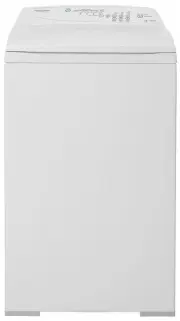 Fisher & Paykel MW513
User Manual
Fisher & Paykel MW513
User Manual
 Fisher & Paykel MW60
User Manual
Fisher & Paykel MW60
User Manual
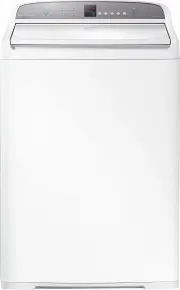 Fisher & Paykel WA1068G1
User Manual
Fisher & Paykel WA1068G1
User Manual
 Fisher & Paykel WA1068G2
User Manual
Fisher & Paykel WA1068G2
User Manual
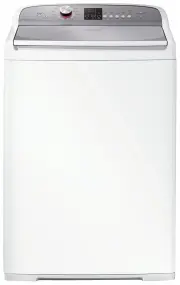 Fisher & Paykel WA1068P1
User Manual
Fisher & Paykel WA1068P1
User Manual
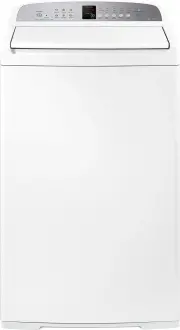 Fisher & Paykel WA7060E1
User Manual
Fisher & Paykel WA7060E1
User Manual
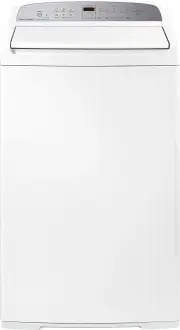 Fisher & Paykel WA7060G1
User Manual
Fisher & Paykel WA7060G1
User Manual
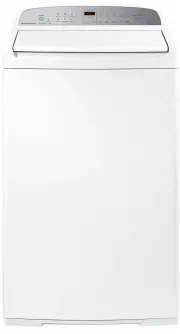 Fisher & Paykel WA7060G2
User Manual
Fisher & Paykel WA7060G2
User Manual
 Fisher & Paykel WA70T60FW1
User Manual
Fisher & Paykel WA70T60FW1
User Manual
 Fisher & Paykel WA70T60GW1
User Manual
Fisher & Paykel WA70T60GW1
User Manual
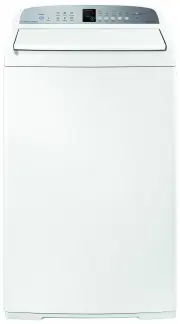 Fisher & Paykel WA7560E1
User Manual
Fisher & Paykel WA7560E1
User Manual
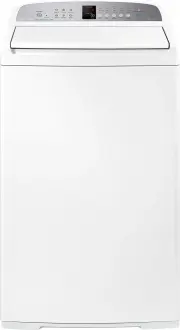 Fisher & Paykel WA8060E1
User Manual
Fisher & Paykel WA8060E1
User Manual
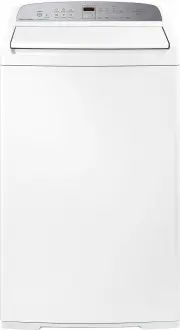 Fisher & Paykel WA8060G1
User Manual
Fisher & Paykel WA8060G1
User Manual
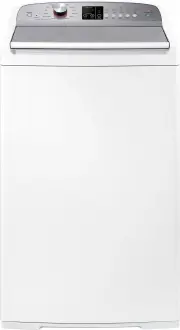 Fisher & Paykel WA8060P1
User Manual
Fisher & Paykel WA8060P1
User Manual
 Fisher & Paykel WA80T65FW1
User Manual
Fisher & Paykel WA80T65FW1
User Manual
 Fisher & Paykel WA80T65GW1
User Manual
Fisher & Paykel WA80T65GW1
User Manual
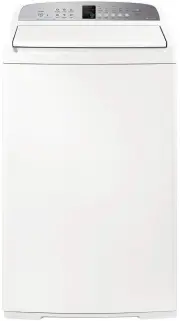 Fisher & Paykel WA8560E1
User Manual
Fisher & Paykel WA8560E1
User Manual
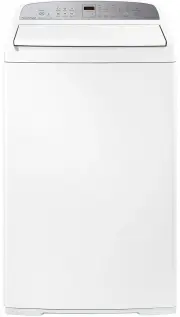 Fisher & Paykel WA8560G1
User Manual
Fisher & Paykel WA8560G1
User Manual
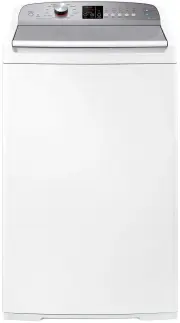 Fisher & Paykel WA8560P1
User Manual
Fisher & Paykel WA8560P1
User Manual
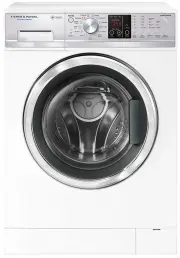 Fisher & Paykel WD7560P1
User Manual
Fisher & Paykel WD7560P1
User Manual