Page 3 - CONTENTS
3 CONTENTS Safety and warnings 4 Control panel 6 Safety features 7 First use 8 Wash cycles 10 Wash preparation 12 Wash modifiers 15 Auto Dose 18 Favourites 19Option Adjustment mode 20 Saving water, energy and the environment 26 Wi-Fi and remote 27 Care and cleaning 28 Before you call for service 31 ...
Page 4 - SAFETY AND WARNINGS; Electrical Shock Hazard; Failure to follow this advice may result in; • If you are using an extension cord or a portable; General
4 SAFETY AND WARNINGS ! WARNING! Electrical Shock Hazard Failure to follow this advice may result in electrical shock or death. • If you are using an extension cord or a portable electrical outlet device (eg multi-socket outlet box), ensure that it is positioned so that it does not come into contact...
Page 5 - MODEL CODE
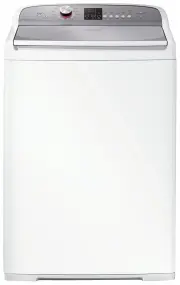
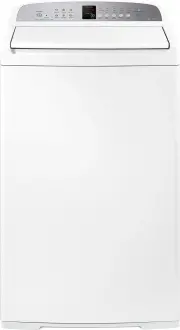
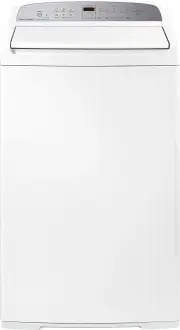
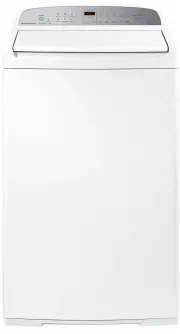
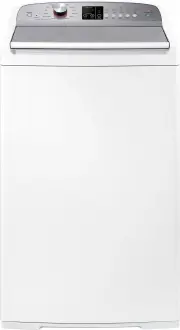
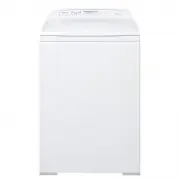
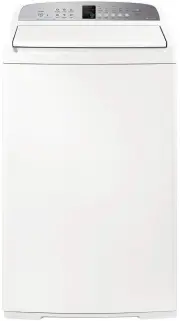
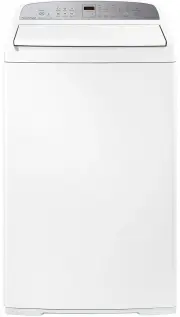
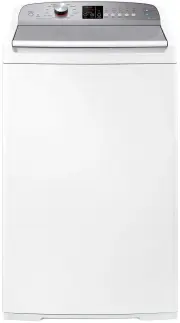
5 SAFETY AND WARNINGS MODEL CODE MAX CAPACITY* (KG) WL1064P1 10 WL1264P1 12 *Capacity refers to the maximum dry weight of items the washer can wash at any one time. (Note: Cycle dependent) z Do not overload your washing machine beyond its rated capacity. z Do not wash an electric blanket in your was...
Page 6 - CONTROL PANEL
6 CONTROL PANEL 1 POWER Press to turn the washer ON/OFF . 2 Wash Cycles Turn the dial to select the desired cycle for your load. 3 Remote Press and hold to control washer from the Fisher & Paykel app when Wi-Fi is enabled. 4 Delay Start Press to delay start time. 5 Display Shows the following: z...
Page 7 - KEYLOCK; SAFETY FEATURES; Keylock
7 will illuminate when the LID LOCK is active. To unlock the lid at any time during the cycle, press . In some circumstances, there may be a delay before the lid can be opened, for safety reasons. Do not obstruct the lid lock slot. Do not try to disable the lid lock. Turn KEYLOCK on: After starting ...
Page 8 - FIRST USE; Press to activate your washer.; Press to begin the cycle.
8 FIRST USE All controls only require a gentle press to activate. For best results, avoid repeated interruptions to the cycle, such as pressing , and ensure all items are removed as soon as the cycle has finished. 1 2 4 3 Press to activate your washer. Select your desired wash cycle using the dial. ...
Page 9 - Pausing a cycle
9 FIRST USE 1 1 1 To pause your washer during the cycle, press . To cancel a cycle or power the washer off at any time, press . During a cycle, the progress indicators will illuminate to show the stage of the cycle that is being performed. Pausing a cycle Cancelling a cycle Progress indicators
Page 10 - WASH CYCLES; Wash cycle guide
10 WASH CYCLES Wash cycle guide Your washer has a number of wash cycles to suit your needs. Selecting the most appropriate cycle for each wash load will help ensure you get the best wash result. CYCLE WASH DESCRIPTION MAX LOAD (KG) WASH TEMP SPIN SPEED Mixed A wash for mixed everyday loads including...
Page 11 - Washing bulky items; The
11 Washing bulky items The BULKY cycle takes special care of bulky items. Bulky garments and bedding wash most effectively when they can move freely. Ensure that there is sufficient room in the bowl for the load to move during the wash.When washing a single bulky item add a large beach towel to the ...
Page 12 - WASH PREPARATION; Sorting; and; low sudsing detergent; to
12 WASH PREPARATION Sorting Sort items according to colour, fabric type, and soil type. Wash fine, delicate fabrics separately from thick, heavy fabrics. Always separate coloured items from whites, especially when they are new. Colour run could be an issue if you wash items at higher temperatures. S...
Page 13 - Auto Dose; Where do I put my detergent?
13 WASH PREPARATION Auto Dose Where do I put my detergent? Open the cover of the Auto Dose dispenser and fill to ‘Max’ with liquid detergent. Close the cover. z Only liquid detergent must be used in the dispenser. z Do not fill past ‘Max’. z The amount of detergent dispensed per wash can be adjusted...
Page 14 - Fabric Softener; If you wish to use fabric softener we recommend:; Adding the fabric softener; Manual Dose
14 Fabric Softener Fabric softener should not be added when ECO option is selected or for a RINSE cycle. The softener will not be dispensed. If you wish to use fabric softener we recommend: z Using it sparingly. Measure it carefully to ensure you do not fill above the ‘Max’ level of the dispenser. z...
Page 15 - WASH MODIFIERS; Water Level; FAST
15 WASH MODIFIERS Once you have selected your wash cycle you may wish to change the default wash options. Press WASH TEMP to increase or decrease the wash temperature. Press WATER LEVEL to increase or decrease the water level. Water Level The washer defaults to AUTO for most cycles. If preferred, th...
Page 16 - Wash Options
16 WASH MODIFIERS Press WASH OPTIONS to select the desired wash modifier. Press WASH BOOST to select the desired wash modifier. Wash Options This option allows you to add a combination of SOAK and/or RINSE + to your cycle . Wash Boost This option allows you to add a combination of PRE WASH and/or WA...
Page 17 - Delay Start
17 WASH MODIFIERS Press DELAY START to cycle through the delay times. Press to start the countdown. When DELAY START has begun, the time will begin counting down.If DELAY START is paused, the indicator and remaining time will illuminate solidly. Delay Start The DELAY START option can delay the start...
Page 18 - AUTO DOSE; Lo
18 AUTO DOSE Open the cover of the Auto Dose dispenser and fill to ‘Max’ with liquid detergent. Close the cover. When using AUTO DOSE, the amount of detergent dispensed can be increased or decreased if required. Refer to ‘Detergent adjustment’ for details. Ensure Auto Dose is set to AUTO . Liquid de...
Page 19 - FAVOURITES; SET
19 FAVOURITES 1 2 3 4 Using the dial, select the desired wash cycle. Press and hold the desired wash modifier for 3 seconds. A long tone will sound and SET will display onscreen. Adjust the desired wash modifiers. Press for 3 seconds to save the selected settings. A long tone will sound to confirm s...
Page 20 - OPTION ADJUSTMENT MODE; To enter Option Adjustment mode; COLD
20 OPTION ADJUSTMENT MODE To enter Option Adjustment mode : After using your washer a number of times you may want to personalise some of the options to suit your wash needs. There are a number of pre-set options, which can be changed: z The wash temperatures, including changing COLD to CONTROLLED C...
Page 21 - Wash temperature adjustment
21 OPTION ADJUSTMENT MODE Wash temperature adjustment COLD, WARM COLD , WARM and WARM HOT can be adjusted by increments of 1°C using the wash temperature adjustment feature. To adjust COLD further refer to ‘Controlled Cold’ over page. HOT will be set by the hot water supply temperature and cannot be...
Page 22 - Controlled Cold
22 OPTION ADJUSTMENT MODE Controlled Cold CONTROLLED COLD adds a small amount of hot water to the cold wash to raise the water temperature to approximately 20°C. This can be effective if your water supply temperature is very low or if the cold wash performance is not meeting your needs. 1 2 3 4 With...
Page 23 - Out of balance recovery; oPAd
23 OPTION ADJUSTMENT MODE Out of balance recovery If an out of balance load is detected, the washer will stop and try to redistribute the load. To adjust the number of times the washer attempts to re-fill, OUT OF BALANCE RECOVERY can be used. 1 2 3 4 With the washer on at the wall, but off at the di...
Page 24 - End of cycle beeps
24 OPTION ADJUSTMENT MODE End of cycle beeps The beeps signalling the end of a cycle can be increased or decreased using the END OF CYCLE BEEPS adjustment menu. 1 With the washer on at the wall, but off at the display, press and hold and together for 3 seconds. oPAd will show on the display. 4 Press...
Page 25 - Factory reset; The display will show
25 OPTION ADJUSTMENT MODE Factory reset Factory reset will clear any favourites saved by the user and any custom settings applied. 2 3 Select DELICATE using the dial. The display will show rSt . 1 With the washer on at the wall, but off at the display, press and hold and together for 3 seconds. oPAd...
Page 26 - SAVING WATER, ENERGY AND THE ENVIRONMENT
26 Water efficient washing machines will save you money, but it is also worth thinking about energy use, recycling water and the environment. z Use ECO . z Use AUTO WATER LEVEL . z Wash larger loads instead of several smaller loads. z Reduce the wash temperature. z Follow instructions on the deterge...
Page 27 - Connecting to your home Wi-Fi
27 WI-FI AND REMOTE Ensure the washer is powered on.Press and hold REMOTE and DELAY START until APP shows onscreen. will flash while connecting and will show as solid when connected.Follow the instructions in the app to complete the connection. Press and hold REMOTE for 3 seconds. will illuminate to...
Page 28 - CARE AND CLEANING; to remove the dial or lid.; cycle to remove
28 CARE AND CLEANING Before you start cleaning your washer, ensure that it is disconnected from the power. Cleaning the control panel, topdeck and lid Use a soft damp cloth to wipe all surfaces, and wipe dry. Avoid using chemical or scouring cleaners, as these will damage the paint and plastic surfa...
Page 29 - Drum Clean
29 CARE AND CLEANING Drum Clean It is important that you regularly clean the inside of your washer. Your washer has a DRUM CLEAN cycle designed for this purpose. We recommend the use of commercial washing machine cleaners only. Ensure the cleaner used is compatible with your waste water system, i.e....
Page 30 - Auto Dose Tank Clean; The cycle will start.
30 CARE AND CLEANING Auto Dose Tank Clean If AUTO is not frequently used, detergent in the tank can become viscous, dry out and cause inaccurate dosing. Use the Tank Clean cycle when you experience poor cleaning performance. 2 1 3 After 7 minutes add 750ml of warm water to the Auto Dose dispenser as...
Page 31 - BEFORE YOU CALL FOR SERVICE; User warnings
31 BEFORE YOU CALL FOR SERVICE User warnings Please read the following pages before you call for service.Your washer is capable of diagnosing its own problems. If your washer gives a musical series of beeps every 10 seconds it is telling you that it has a problem which you can solve using the checkl...
Page 32 - FAULT CODES; RINSE
32 FAULT CODES If a continuous series of beeps sound, all the lights turn off on the control panel and a number appears on the display, a fault has occurred. The washer automatically enters this mode when there is a fault. To stop the beeps, touch any button then perform the following steps: 1 Turn ...
Page 33 - TROUBLESHOOTING; Operating problems
33 TROUBLESHOOTING Operating problems PROBLEM POSSIBLE CAUSES WHAT TO DO Washer not turning on Power not switched on at the wall. Switch the power on at the wall. Then press . Household power supply not working. Try plugging in another electrical appliance. Washer not filling with water when pressed...
Page 37 - Wash problems
37 TROUBLESHOOTING Wash problems PROBLEM POSSIBLE CAUSES WHAT TO DO Detergent residue Overloading the washer. Try reducing your load size. Incorrect detergent dosage. Try using less detergent. Check the detergent instructions. Cold ambient temperatures, cold washes and/or short agitation times may n...
Page 38 - MANUFACTURER’S WARRANTY; These Manufacturer’s Warranties DO NOT cover; Water on the floor due to incorrect loading or excessive suds.
38 MANUFACTURER’S WARRANTY These Manufacturer’s Warranties DO NOT cover A Service calls which are not related to any defect in the product. The cost of a service call will be charged if the problem is not found to be a product fault. For example: 1 Correcting the installation, eg removal of bottom p...
Page 39 - . Such service shall be; For Australian customers; Keep this user guide in a safe place.
39 MANUFACTURER’S WARRANTY G Pick-up and delivery. H Transportation or travelling costs involved in the repair when the product is installed outside the Fisher & Paykel trained and supported service technician’s normal service area. Nothing in this Manufacturer’s Warranty is intended to, nor lim...
Page 40 - CUSTOMER CARE; In New Zealand if you need service or assistance:; Your product is correctly installed.
40 CUSTOMER CARE In New Zealand if you need service or assistance: Go online to our website and book a service or call the Fisher & Paykel Customer Care Centre and talk to one of our Customer Care Consultants. Toll Free: 0800 FP CARE or 0800 372 273 Email: [email protected] Website: fisherpaykel...
Page 41 - Complete and keep for safe reference:; Registration
41 CUSTOMER CARE Complete and keep for safe reference: Model Serial No. Purchase Date Purchaser Dealer Suburb Town Country Registration Register your product with us so we can provide you with the best service possible. To register your product visit our website: fisherpaykel.com