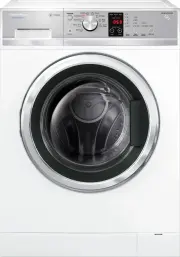
Page 3 - Contents; WashSmart; User warnings; SAVE THESE INSTRUCTIONS
1 Contents Introduction 2 Installation instructions 3 Machine information 8 Before you do your first wash 9 Getting started quickly 10 WashSmart ™ and QuickSmart ™ controls 14 Safety features 15 Sorting and loading 16 Detergent and fabric softener 18 Wash cycles 20 Wash cycle options 22 Customising ...
Page 4 - Introduction; Welcome to; WashSmartTM; and; QuickSmartTM
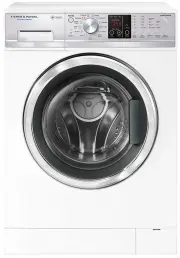
2 Introduction Welcome to WashSmart™ and QuickSmart™ Thank you for buying a Fisher & Paykel clothes washer from our Front Loading range. We are proud of this washer and trust it will serve you well for many years. At Fisher & Paykel we aim to provide innovative products that are simple to us...
Page 5 - Installation instructions; Accessories; Removing the packaging
3 Installation instructions Accessories Please check you received the following accessories with your Fisher & Paykel washer. You will find them inside the drum: ■ ■ 2 x Inlet hoses ■ ■ 1 x Drain hose guide ■ ■ 1 x Installation instructions and User guide ■ ■ 1 x Spanner ■ ■ 1 x Installation lea...
Page 6 - Location; Inlet hoses
Installation instructions 4 Location Install the machine on a solid and level floor surface ensuring it has at least 20 mm clearance on each side. The washer must not be installed on any textured floor coverings (eg carpet, rugs). Levelling the machine It is IMPORTANT to level the machine to ensure ...
Page 7 - Hot ‘N’ Safe Valves available are:; Water supply requirements:; Draining; Drain hose placement
5 Installation instructions If you have an uncontrolled water heating source (eg a wet back or solar heating system) you should fit a Hot ‘N’ Safe Valve. This will ensure the hot water temperature remains within safe limits. Hot ‘N’ Safe Valves available are: RMC TVA 50HFRMC TVA 75HFS Adjustable bet...
Page 8 - Electrical connection; Spare parts
6 Installation instructions Electrical connection 1 This appliance must be connected to a 220 V – 240 V, 50 Hz, sinusoidal, 10 A electrical supply. 2 Uncoil the power cord, remove and discard the plastic pin cover and plug into a wall socket. 3 Connect the appliance to an earthed outlet protected by...
Page 9 - Completing the installation; Installation test cycle; Clothes washer safety
7 Installation instructions Completing the installation Installation test cycle Important! Do this before you wash any items in your washer. This is to check that your washer is installed correctly and that it is functioning correctly prior to use. 1 Turn your washer on by pressing the POWER button....
Page 10 - Machine information; Specifications
8 Machine information Specifications Name Model number Maximum capacity (kg) Width (mm) Depth (mm) Depth with door open (mm) Height (mm) WashSmart™ WH7560P1 7.5 600 590 1010 850 WashSmart™ WH8560P1 8.5 600 645 1065 850 QuickSmart™ WH7560J1 7.5 600 590 1010 850 QuickSmart™ WH8560J1 8.5 600 645 1065 8...
Page 11 - Before you do your first wash
9 Before you do your first wash Before you start, it is a good idea to go through the following checklist: 1 Have the packaging and transit bolts been removed? 2 Is the drain hose threaded through the ‘U bend‘ (with no more than 20 mm extended) and hooked into your standpipe or tub? 3 Is the hot hos...
Page 12 - Getting started quickly; Low Sudsing; ‘Front
10 Getting started quickly Fig.8 WashSmart™ control panel 1 2 WashSmart™ – WH7560P1, WH8560P1 ■ ■ Sort your washing carefully. Separate white / light colours from dark colours. Wash new, highly coloured and dark coloured items separately to prevent dye transfer. Refer to page 16. ■ ■ Load your cloth...
Page 16 - WashSmartTM and QuickSmartTM controls
14 WashSmart™ and QuickSmart™ controls SmartTouch Control Dial The SmartTouch Control Dial provides easy and efficient wash cycle selection. As you rotate the dial, the icon of the wash cycle selected will be illuminated, along with the default settings for that cycle on the right side of the contro...
Page 17 - Safety features; Door lock; To unlock the door during the cycle; Opening the door during a power failure; Your washer also has the following protective measures:
15 Safety features Door lock The door of your washer is locked once you touch START / PAUSE until the machine beeps at the end of the cycle, ensuring safety for you and your family while your machine is operating. To unlock the door during the cycle ■ ■ You can open the door to add or remove items d...
Page 18 - Sorting and loading; Sorting; Items / Wash requirements
16 Sorting and loading When preparing your wash load there are some important things to consider: Sorting Sort items according to colour, fabric type, and soil type. Wash fine, delicate fabrics separately from thick, heavy fabrics. Always separate coloured items from whites, especially when they are...
Page 19 - Before you load
17 Sorting and loading Before you load ■ ■ Check pockets for items that could damage your clothes or get caught in the washer. ■ ■ Close zippers, hooks and eyes, and other fastenings (ie fasten the opening of duvet / doona covers), and remove loose bra wires. All these can damage both your washer an...
Page 20 - Detergent and fabric softener; Detergent type; Where do I put my detergent?; Powdered or liquid detergent; Pods
18 Detergent and fabric softener Detergent type Your WashSmart ™ or QuickSmart ™ washer requires low sudsing detergent to prevent oversudsing problems. Low sudsing detergent comes in powder, liquid or pod form and is labelled “Front Loading”, “Low Suds”, High Efficiency” or “HE”. Using top loading d...
Page 21 - Detergent advice; Fabric softener; If you wish to use fabric softener we recommend to:; Scrud
19 Detergent and fabric softener How much detergent? The correct detergent dosage varies depending on the amount of soil in your load, the size of the load and the water quality, so getting the correct dose takes some trial and error. Use the instructions stated on the detergent label as a guide, th...
Page 22 - Wash cycles
20 Wash cycles Your WashSmart ™ washer has a number of wash cycles to suit your laundering needs. Selecting the most appropriate cycle for each particular wash load will help ensure you get the best wash result. Cycle Designed for Description Max. load size (kg)* Default wash temp. (°C) Max. wash te...
Page 23 - QuickSmart
21 Wash cycles Your QuickSmart ™ washer has a number of wash cycles to suit your laundering needs. Selecting the most appropriate cycle for each particular wash load will help ensure you get the best wash result. Cycle Designed for Description Max. load size (kg)* Default wash temp. (°C) Max. wash t...
Page 24 - Wash cycle options; Wash Temp
22 Wash cycle options All wash cycles default to the recommended options for that cycle based on the average expected load to be washed using that cycle. You can vary the options (eg WASH TEMP, SPIN SPEED) to create your desired cycle. Note: some options are not available on some cycles, for clothes...
Page 25 - Wash Boost; Pre Wash; compartment marked “2”.; Options; Eco
23 Wash cycle options Wash Boost Pre Wash For extra dirty loads you can perform a PRE WASH. Your washer will start the wash with a short wash in cool water to remove excess soil. After this the machine will drain and then fill at the selected temperature for the main wash. If you use the PRE WASH op...
Page 26 - Keylock; To turn Keylock mode ON or OFF, when the washer is powered on:; If Keylock mode is activated and the machine is powered off:; Delay Start
24 Wash cycle options Keylock This option enables you to deactivate the buttons on the display panel, except for the POWER and KEYLOCK buttons. This prevents accidental button presses. To turn Keylock mode ON or OFF, when the washer is powered on: ■ ■ Touch and hold the KEYLOCK button for 2 seconds....
Page 27 - Customising wash cycles; To customise a cycle:; Factory Reset
25 Customising wash cycles After using your washer a few times you may discover there are some wash options you prefer for some cycles. You can programme your washer to remember the wash options you prefer for each wash cycle. For instance, you may want to set the EASY IRON cycle to cold wash temper...
Page 28 - Caring for your washer; When you have finished using your washer; Cleaning your; TM or; Cleaning the control panel and outer surfaces of the washer; Cleaning the drum and the door
26 Caring for your washer When you have finished using your washer ■ ■ Unplug the machine from the power socket. ■ ■ Wipe around the door and in the rubber gasket to remove any remaining water and foreign matter. ■ ■ Turn off the taps to prevent the chance of flooding should a hose burst. Cleaning y...
Page 29 - Cleaning the pump filter
27 Caring for your washer Cleaning the pump filter The pump has a filter to trap foreign objects that enter the washer along with clothing. The pump filter can be accessed from the front of the washer. To clean the filter: This should be cleaned out approximately once a month. 1 Turn the power off a...
Page 30 - Cleaning the hoses
28 Caring for your washer Cleaning the hoses Each hose has a filter in it, preventing any solid contaminants in the water entering your washing machine. Occasionally you should unscrew the water inlet hoses where they connect to the taps, check these for any build-up of dirt and wash this out. Nappy...
Page 31 - Before you call for service; Description
29 Before you call for service User warnings Your washer is capable of diagnosing a number of its own problems. It will sound a continuous series of beeps and display a code when it has a problem that you can correct yourself. All control panel lights will turn off and the code will be displayed to ...
Page 33 - Fault codes
31 Fault codes When a continuous series of beeps is sounded, all the lights turn off on the control panel and a number appears on the display, a fault has occurred. The washer will automatically enter this mode if a fault occurs. The fault code will be displayed as “Err” followed by a number on the ...
Page 34 - Solving operating problems; Pressing POWER does not turn on machine
32 Solving operating problems The following is a list of problems you may encounter when using this appliance and some suggestions that may help to correct the problem. If you still have problems, please contact your Fisher & Paykel Authorised Repairer. Pressing POWER does not turn on machine Is...
Page 35 - Filling continuously
33 Solving operating problems Filling continuously Ensure drain hose is located in standpipe or tub.Ensure standpipe or tub is at least 800 mm high so machine is not siphoning. Poor rinsing Are you using low sudsing, front loader detergent?Are you overdosing your detergent?Has the load gone out of b...
Page 36 - Your washing comes out very wet at the end of the cycle
34 Solving operating problems Detergent or fabric softener remaining in detergent dispenser at the end of the cycle Was the detergent dispenser drawer closed throughout the entire cycle?Is the dispenser accumulating dirt? If so clean it out (refer to page 26).Was the dispenser overloaded with deterg...
Page 37 - Solving wash problems; Creasing; Dye transfer
35 Solving wash problems Creasing Was the washer (or dryer) overloaded?Use the EASY IRON or HANDWASH cycles.Try selecting a slower spin speed.Select the WRINKLE FREE option.Try not to leave wet clothes sitting in the washer or laundry basket.Try selecting a lower wash temperature.Sort your load so t...
Page 38 - Manufacturer’s Warranty; Note; These warranties DO NOT cover
36 Manufacturer’s Warranty You automatically receive a 2 year Manufacturer’s Warranty with the purchase of this Product covering parts and labour for servicing within the country of purchase. Fisher & Paykel undertakes to: Repair or, at its option, replace without cost to the owner either for ma...
Page 39 - For Australian Customers
37 Manufacturer’s Warranty E Normal recommended maintenance as set out in the product’s user guide. F Repairs when the appliance has been dismantled, repaired or serviced by other than a Fisher & Paykel authorised repairer or the selling dealer. G Pick-up and delivery. H Transportation or travel...
Page 40 - Customer Care; Before you call for service or assistance...
38 Customer Care Before you call for service or assistance… Check the things you can do yourself.Refer to your User Guide and check: 1 Your appliance is correctly installed. 2 You are familiar with its normal operation. 3 You have read the problem solving at the back of the book. If after checking t...
Page 41 - Product details
39 Customer Care Product details can be found on the rear of the machine, and / or above the drum opening (when the door is open). Product details Fisher & Paykel Appliances Model/Serial No. Date of Purchase Purchaser Dealer Suburb Town Country Feel free to contact us at our website on www.fishe...