Page 3 - CONTENTS; Registration
3 CONTENTS Registration To register your product visit our website: fisherpaykel.com/register Introduction 5Safety and warnings 6 Installation instructions 9 Before you do your first wash 19 Getting started 20 Washer controls 24 Safety features 25 Sorting and loading 26 Detergent and fabric softener...
Page 5 - Welcome; INTRODUCTION
5 Welcome Thank you for buying a Fisher & Paykel clothes washer. We are proud of this washer and trust it will serve you well for many years.At Fisher & Paykel we aim to provide innovative products that are simple to use, ergonomic and kind to the environment. Your washer has numerous wash c...
Page 6 - SAFETY AND WARNINGS; READ AND SAVE THIS GUIDE; Risk of Fire Hazard; For your safety the information in this manual must be followed to; What to do if you smell gas; DO NOT try to light any appliance.; Water heater safety
6 SAFETY AND WARNINGS READ AND SAVE THIS GUIDE Many washers are located near a gas dryer or a water heater in the home. ! WARNING! Risk of Fire Hazard z For your safety the information in this manual must be followed to minimize the risk of fire or explosion or to prevent property damage, personal i...
Page 7 - Risk of Fire, Electric Shock and Injury to Persons Hazards
7 SAFETY AND WARNINGS ! WARNING! Risk of Fire, Electric Shock and Injury to Persons Hazards ● Follow the safety precautions outlined in this User guide. ● Failure to do so can result in death, electric shock, fire or injury to persons. WARNING! When using your clothes washer, follow basic precaution...
Page 8 - defects or other reproductive harm.; SAVE THESE INSTRUCTIONS
8 SAFETY AND WARNINGS z Use this appliance only for its intended purpose as described in this User guide. z Connect to a properly rated, protected and sized power supply circuit to avoid electrical overload. z Connect to adequate plumbing and drain facilities as described in the Installation Instruc...
Page 9 - Product dimensions; FRONT VIEW; INSTALLATION INSTRUCTIONS
9 INSTALLATION INSTRUCTIONS Product dimensions WH2424F & WH2424P PRODUCT DIMENSIONS INCHES (MM) A Overall height of product 33 1/2” (850) B Overall width of product 23 5/8” (600) C Overall depth of product (including dial and door when closed) 25 5/8” (645) D Depth of door open 42” (1065) E Mini...
Page 10 - Accessories; x Inlet hoses; Unpacking; Removing the packaging:; these will result in damage to the machine.
10 INSTALLATION INSTRUCTIONS Accessories Please check you received the following accessories with your Fisher & Paykel washer. You will find them inside the drum or attached to the packaging. z 2 x Inlet hoses z 1 x Drain hose guide z 1 x Installation instructions and User guide z 1 x Wrench z 1...
Page 11 - Location; DO NOT install the washer:; Minimum installation clearances; ) of open area. If the closet contains both a washer and a dryer, doors
11 INSTALLATION INSTRUCTIONS To remove the bolts: 1 Use a wrench or socket to unscrew and remove all four transit bolts at the back of the washer ( A ). 2 Pull the black rubber grommets to remove the bolt, grommet and black plastic spacers from the machine. Keep the transit bolts in case they are re...
Page 12 - Installing the washer
12 INSTALLATION INSTRUCTIONS Installing the washer 1 Run some water from the hot and cold faucets to flush the water lines and remove particles that might clog the water valve screens. 2 Remove the inlet hoses from the plastic bag. Remove black rubber washers from bag and insert into hose fitting be...
Page 13 - Before starting the washer, check to make sure:; machine to fault or cause damage to the machine.
13 INSTALLATION INSTRUCTIONS 7 Attach U-shaped hose guide to the end of the drain hose. Place the hose in a standpipe. Note: if the drain hose is placed in a standpipe without forming a U shape, a siphoning action could occur. There must be an air gap around the drain hose. A snug hose fit can also ...
Page 14 - Water supply requirements
14 INSTALLATION INSTRUCTIONS If you have an uncontrolled water heating source (eg a wet back or solar heating system) you should fit a tempering valve. This will ensure the hot water temperature remains within safe limits. Contact your registered plumber to select and install the tempering valve. IM...
Page 15 - Drain hose placement in a stand pipe or tub:
15 INSTALLATION INSTRUCTIONS Draining Drain hose placement in a stand pipe or tub: 1 To guide the drain hose over the tub or standpipe the hose guide must be fitted to the drain hose. The height of the standpipe or tub should be between 31 1/2” – 47 1/4” (800 – 1200mm). 2 Secure the hose guide so it...
Page 16 - The power cord plug is compatible with the power socket of
16 INSTALLATION INSTRUCTIONS Electrical connection ! WARNING! Electric Shock Hazard ● Plug into a grounded 3-prong outlet ● DO NOT remove ground prong. ● DO NOT use an adapter. ● DO NOT use an extension cord. ● Failure to follow these instructions can result in death, fire or electrical shock. Circu...
Page 17 - Do not touch or operate the machine with wet hands or with bare-feet.; SPARE PARTS; Drain Hose Extension
17 INSTALLATION INSTRUCTIONS Washer must be electrically grounded in accordance with local codes and ordinances, or in the absence of local codes, with latest edition of the NATIONAL ELECTRICAL CODE, ANSI/NFPA NO. 70 or CANADIAN ELECTRICAL CODE, CSA C22.1. Check with a licensed electrician if you ar...
Page 18 - Completing the installation
18 INSTALLATION INSTRUCTIONS Completing the installation Installation test cycle IMPORTANT! Do this before you wash any items in your washer. This is to check that your washer is installed correctly and that it is functioning correctly prior to use. 1 Turn your washer on by pressing the ‘POWER’ butt...
Page 19 - BEFORE YOU DO YOUR FIRST WASH; Have the packaging and transit bolts been removed?; YOUR LIMITED WARRANTY WILL BE COMPROMISED.
19 BEFORE YOU DO YOUR FIRST WASH Before you start, it is a good idea to go through the following checklist: 1 Have the packaging and transit bolts been removed? 2 Is the drain hose threaded through the ‘U bend’ (with no more than 3/4” (20mm) extended) and hooked into your standpipe or tub, or attach...
Page 20 - GETTING STARTED
20 WARNING! To reduce the risk of fire, electric shock, or injury to persons, read the IMPORTANT SAFETY INSTRUCTIONS before operating this appliance. WH2424F model ● Sort your washing carefully. Separate white/light colors from dark colors. Wash new, highly colored and dark colored items separately ...
Page 21 - your expectations of wash performance may not be met.
21 GETTING STARTED 1 Press ‘POWER’ to activate your washer. 2 Select your wash cycle by turning the SmartTouch™ Control Dial. 3 Choose your wash options, if you wish to select options different from the default options for the cycle. 4 Touch to start the cycle. ● If you make an invalid selection the...
Page 24 - WASHER CONTROLS
24 WASHER CONTROLS SmartTouch™ Control Dial The SmartTouch™ Control Dial provides easy and efficient wash cycle selection. As you rotate the dial, the icon of the wash cycle selected will be illuminated, along with the default settings for that cycle on the right side of the control panel. SmartTouc...
Page 25 - SAFETY FEATURES; Door lock; To unlock the door during the cycle:; Opening the door during a power failure; Your washer also has the following protective measures:
25 SAFETY FEATURES Door lock The door of your washer will lock once you touch until the machine beeps at the end of the cycle, ensuring safety for you and your family while your machine is operating. To unlock the door during the cycle: ● You can open the door to add or remove items during the wash ...
Page 26 - SORTING AND LOADING; Sorting; * Cycles and spin speeds available will depend on your washer model.
26 SORTING AND LOADING When preparing your wash load there are some important things to consider: Sorting Sort items according to color, fabric type, and soil type. Wash fine, delicate fabrics separately from thick, heavy fabrics. Always separate colored items from whites, especially when they are n...
Page 28 - DETERGENT AND FABRIC SOFTENER; Detergent type; Liquid detergent; MUST; be
28 DETERGENT AND FABRIC SOFTENER Detergent type Your washer requires low sudsing detergent to prevent oversudsing problems. Low sudsing detergent comes in powder, liquid or pod form and is labelled ‘High Efficiency’ or ‘HE’. Using top loading detergent in your front loader washer may lead to excessi...
Page 29 - Pods; be removed from the dispenser drawer. To
29 DETERGENT AND FABRIC SOFTENER Pods Detergent pods are a ‘no mess’ alternative to powdered or liquid detergent. Pod type detergent or wash boosters must be placed at the back of the drum prior to loading your clothes. This will ensure they are activated quickly in the wash. Do not place pods in th...
Page 30 - . When you select ‘Pre Wash’, the pre wash compartment is flushed; Detergent advice
30 DETERGENT AND FABRIC SOFTENER WH2424P model If you wish to use the ‘Pre Wash’ option, liquid or powdered detergent only must beplaced in the pre wash detergent compartment on the right side of the drawer, markedwith a . When you select ‘Pre Wash’, the pre wash compartment is flushed at the start ...
Page 31 - Fabric softener; If you wish to use fabric softener we recommend to:; Scrud
31 DETERGENT AND FABRIC SOFTENER Fabric softener Add fabric softener to the middle compartment of the dispenser marked with a . The washer will automatically flush the fabric softener during the rinse part of the cycle. If you wish to use fabric softener we recommend to: 1 Use it sparingly. Measure...
Page 32 - WASH CYCLES
32 WASH CYCLES Your washer has a number of wash cycles to suit your laundering needs. Selecting the most appropriate cycle for each particular wash load will help ensure you get the best wash result. CYCLE DESIGNED FOR DESCRIPTION MAX. LOAD SIZE DEFAULT WASH TEMP. MAX. WASH TEMP. DEFAULT SPIN SPEED ...
Page 34 - WASH CYCLE OPTIONS; Wash Temp
34 WASH CYCLE OPTIONS All wash cycles default to the recommended options for that cycle based on the average expected load to be washed. You can vary the options (eg ‘Wash Temp’, ‘Spin Speed’) to create your desired cycle. Note: some options are not available on some cycles, for clothes care reasons...
Page 35 - Wash Boost; Pre Wash
35 WASH CYCLE OPTIONS Soil Level (WH2424P model only) The ‘Soil Level’ option lets you adjust the wash to suit the amount of soil in your load. For example, select ‘Heavy’ for dirty clothes; for items that are only lightly soiled, select ‘Light’. This adjusts the wash time accordingly to give the lo...
Page 36 - Options; Wrinkle Free; Add a Garment; door and add or remove items. Close the door and touch
36 WASH CYCLE OPTIONS Options Soak (WH2424F model only) A soak option is available on selected wash cycles. When this option is chosen the machine will add a one hour soak sequence, which combines periods of tumbling with soaking to help lift stubborn stains. If ‘Soak’ and ‘Time Saver’ are selected ...
Page 37 - Keylock; To turn Keylock mode ON or OFF when the washer is powered on:; Delay Start
37 WASH CYCLE OPTIONS Keylock This option enables you to deactivate the buttons on the display panel, except for the ‘Power’ and ‘Keylock’ buttons. This prevents accidental button presses. To turn Keylock mode ON or OFF when the washer is powered on: ● Touch and hold the button for 2 seconds. Note: ...
Page 38 - CUSTOMIZING WASH CYCLES; To customize a cycle:; Factory Reset
38 CUSTOMIZING WASH CYCLES After using your washer a few times you may discover there are some wash options you prefer for some cycles. You can program your washer to remember the wash options you prefer for each wash cycle. For instance, you may want to set the ‘Perm Press’ cycle to cold wash tempe...
Page 39 - CARING FOR YOUR WASHER; When you have finished using your washer; Cleaning the control panel and outer surfaces of the washer; Cleaning the inside of your washer
39 CARING FOR YOUR WASHER When you have finished using your washer ● Unplug the machine from the power socket. ● Wipe around the door and in the rubber gasket to remove any remaining water and foreign matter. ● Turn off the faucets to prevent the chance of flooding should a hose burst. Cleaning your...
Page 40 - Cleaning the drum and the door
40 CARING FOR YOUR WASHER Cleaning the drum and the door ● Use a soft damp cloth to wipe the door, cleaning any water marks or residue off it. ● Wipe the rubber seal around the door. Remove any items or lint accumulating in the bottom of the seal catchment and wipe out any accumulated water. If this...
Page 41 - Diaper sanitizers/bleach; remember to replace the transit bolts before moving it.; These will protect internal; washer so they cannot be accidentally trapped inside it.
41 CARING FOR YOUR WASHER Cleaning the hose(s) Each hose has a filter in it, preventing any solid contaminants in the water entering your washing machine. Occasionally you should disconnect the water inlet hose(s) where they connect to the faucet(s). Check these for any build up of dirt and wash thi...
Page 42 - BEFORE YOU CALL FOR SERVICE; User warnings; Check this chart before you call for service.; PROBLEM; Touch and hold the ‘Keylock’ button for 2 seconds.
42 BEFORE YOU CALL FOR SERVICE User warnings Your washer is capable of diagnosing a number of its own problems. In most cases, your washer will sound a continuous series of beeps and display a code when it has a problem that you can correct yourself. All control panel lights will turn off and the co...
Page 43 - Too many
43 BEFORE YOU CALL FOR SERVICE PROBLEM DISPLAYED AS WHAT TO DO Too many suds Machine will stop and flash while waiting for suds to dissipate. The machine will not beep during this time. When the suds have dissipated, the machine will automatically restart.Check you are using a suitable detergent.Che...
Page 44 - FAULT CODES; panel and a number appears on the display, a fault has occurred.
44 FAULT CODES When a continuous series of beeps is sounded, all the lights turn off on the control panel and a number appears on the display, a fault has occurred. The washer will automatically enter this mode if a fault occurs. The fault code will be displayed as followed by a number on the digita...
Page 45 - TROUBLESHOOTING; Solving operating problems
45 TROUBLESHOOTING The following is a list of problems you may encounter when using this appliance and some suggestions that may help to correct the problem. If you still have problems, please contact your Fisher & Paykel trained and supported service technician. Solving operating problems PROBL...
Page 47 - Wash time is approximate.
47 TROUBLESHOOTING Solving operating problems PROBLEM POSSIBLE CAUSES WHAT TO DO Small puddle of water from under the machine Inlet hose or drain hose leaking. Check inlet hose(s) and the drain hose are correctly attached and not damaged. Lots of suds. Suds may have leaked and then dissolved. Deterg...
Page 48 - Washing very wet
48 TROUBLESHOOTING Solving operating problems PROBLEM POSSIBLE CAUSES WHAT TO DO Washing very wet at the end of the cycle Cycle selected not appropriate. Particularly short or delicate cycles have shorter spins which can result in wetter washing at the end of the cycle. Incorrect spin speed for load...
Page 49 - Solving wash problems; Creasing
49 TROUBLESHOOTING Solving wash problems PROBLEM POSSIBLE CAUSES WHAT TO DO Creasing Washer overloaded. Do not overload washer. Incorrect cycle for load type. Use the ‘Perm Press’ or ‘Delicate’ cycle for creasable items. Spin speed too fast. Select a slower spin speed. Wet clothes left in washer or ...
Page 50 - Dye transfer
50 TROUBLESHOOTING Solving wash problems PROBLEM POSSIBLE CAUSES WHAT TO DO Dye transfer Colored items not washed separately from white/light colored items. Remember to separate whites and colors. New or non-colorfast items not washed separately. Wash non-colorfast items separately and select ‘Cold’...
Page 51 - LIMITED WARRANTY; How long do these limited warranties last?
51 LIMITED WARRANTY When you purchase any new Fisher & Paykel FabricSmart™ or WashSmart™ clothes washer product for personal or consumer use you automatically receive a two year limited warranty covering parts and labor for servicing within the 48 mainland United States, Hawaii, Alaska, Washingt...
Page 52 - These limited warranties do not cover:
52 LIMITED WARRANTY These limited warranties do not cover: A Service calls that are not related to any defect in the product. The cost of a service call will be charged if the problem is not found to be a defect of the product. For example: 1 Correcting faulty installation of the product. 2 Instruct...
Page 53 - How to get service; USA and Canada; Commercial use
53 LIMITED WARRANTY How to get service Please read your User guide. If you then have any questions about operating the product, need the name of your local Fisher & Paykel Authorized Service Agent, or believe the product is defective and wish service under this limited warranty, please contact y...
Page 54 - Complete and keep for safe reference:
54 LIMITED WARRANTY Complete and keep for safe reference: Model Serial No. Purchase Date Purchaser Dealer City State Zip Country


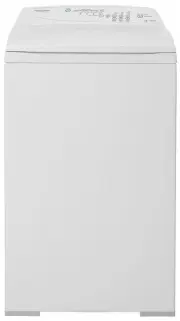 Fisher & Paykel MW513
User Manual
Fisher & Paykel MW513
User Manual
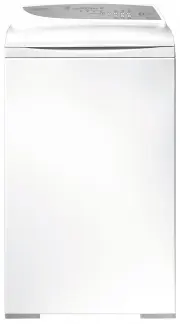 Fisher & Paykel MW60
User Manual
Fisher & Paykel MW60
User Manual
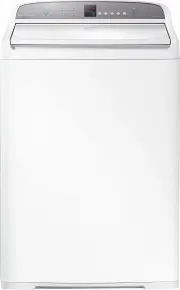 Fisher & Paykel WA1068G1
User Manual
Fisher & Paykel WA1068G1
User Manual
 Fisher & Paykel WA1068G2
User Manual
Fisher & Paykel WA1068G2
User Manual
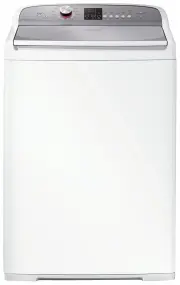 Fisher & Paykel WA1068P1
User Manual
Fisher & Paykel WA1068P1
User Manual
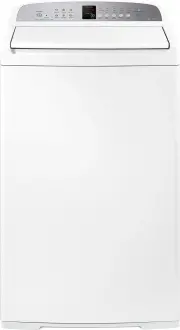 Fisher & Paykel WA7060E1
User Manual
Fisher & Paykel WA7060E1
User Manual
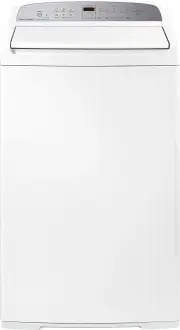 Fisher & Paykel WA7060G1
User Manual
Fisher & Paykel WA7060G1
User Manual
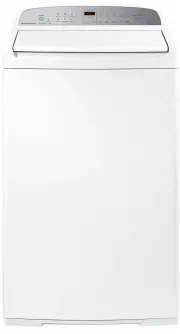 Fisher & Paykel WA7060G2
User Manual
Fisher & Paykel WA7060G2
User Manual
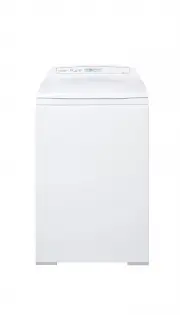 Fisher & Paykel WA70T60FW1
User Manual
Fisher & Paykel WA70T60FW1
User Manual
 Fisher & Paykel WA70T60GW1
User Manual
Fisher & Paykel WA70T60GW1
User Manual
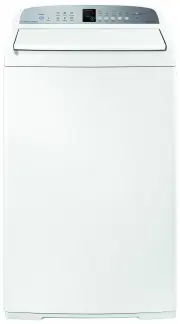 Fisher & Paykel WA7560E1
User Manual
Fisher & Paykel WA7560E1
User Manual
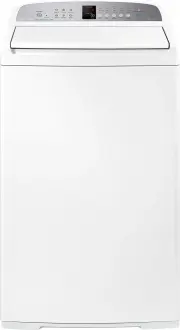 Fisher & Paykel WA8060E1
User Manual
Fisher & Paykel WA8060E1
User Manual
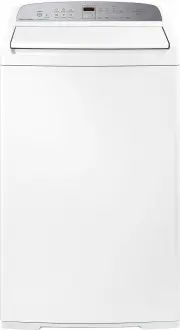 Fisher & Paykel WA8060G1
User Manual
Fisher & Paykel WA8060G1
User Manual
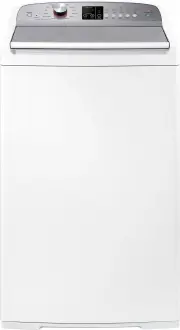 Fisher & Paykel WA8060P1
User Manual
Fisher & Paykel WA8060P1
User Manual
 Fisher & Paykel WA80T65FW1
User Manual
Fisher & Paykel WA80T65FW1
User Manual
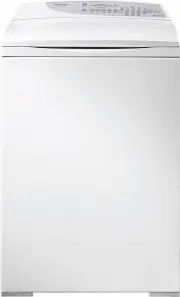 Fisher & Paykel WA80T65GW1
User Manual
Fisher & Paykel WA80T65GW1
User Manual
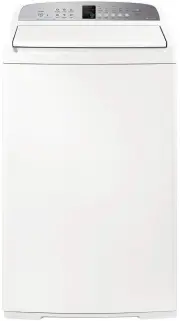 Fisher & Paykel WA8560E1
User Manual
Fisher & Paykel WA8560E1
User Manual
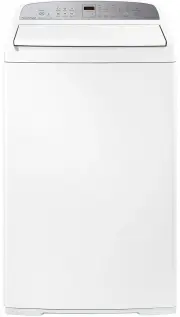 Fisher & Paykel WA8560G1
User Manual
Fisher & Paykel WA8560G1
User Manual
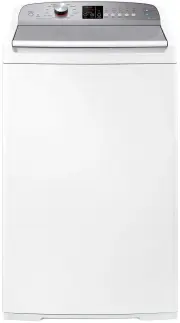 Fisher & Paykel WA8560P1
User Manual
Fisher & Paykel WA8560P1
User Manual
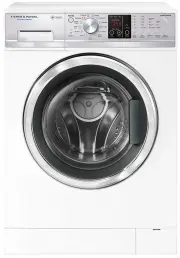 Fisher & Paykel WD7560P1
User Manual
Fisher & Paykel WD7560P1
User Manual