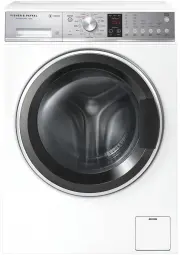
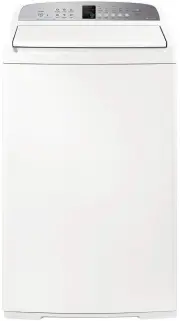
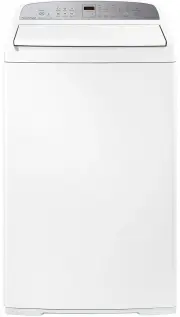
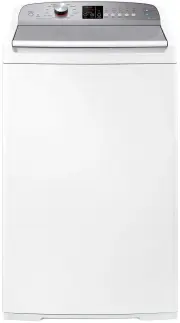
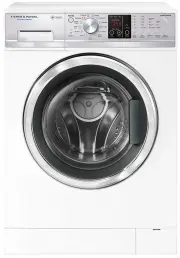
Page 3 - CONTENTS; SAVE THESE INSTRUCTIONS; Registration
1 CONTENTS Introduction 3Safety and warnings 4 Installation instructions 5 Before you do your first wash 13 Getting started quickly 14 Washer controls 16 Safety features 17 Sorting and loading 18 Detergent and fabric softener 20 Wash cycles 23 Wash cycle options 24 Customising wash cycles 27 Caring...
Page 5 - INTRODUCTION; Welcome
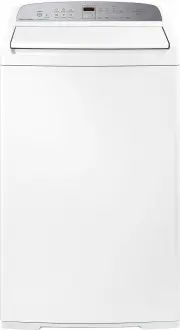
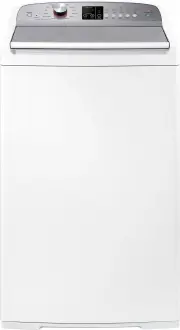
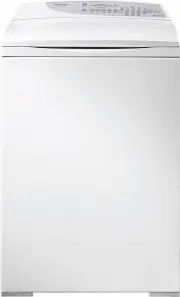
3 INTRODUCTION Welcome Thank you for buying a Fisher & Paykel clothes washer. We are proud of this washer and trust it will serve you well for many years. At Fisher & Paykel we aim to provide innovative products that are simple to use, ergonomic and kind to the environment. Your washer has n...
Page 6 - SAFETY AND WARNINGS; IMPORTANT SAFETY INSTRUCTIONS
4 SAFETY AND WARNINGS ! WARNING! Electric Shock Hazard If you are using an extension cord or a portable electrical outlet device (eg multi-socket outlet box), ensure that it is positioned so that it does not come into contact with water or moisture. Failure to do so may result in death or electrical...
Page 7 - Removing the packaging; remove these will result in damage to the machine.; To remove the bolts; INSTALLATION INSTRUCTIONS
5 Accessories Please check you received the following accessories with your Fisher & Paykel washer. You will find them inside the drum or attached to the packaging. ● ● 2 x Inlet hose(s) ● ● 1 x Inlet valve cap ● ● 1 x Drain hose guide ● ● 1 x Installation instructions and user guide ● ● 1 x Spa...
Page 11 - Hot ‘N’ Safe Valves available are:; Adjustable between 35°C – 55°C
9 INSTALLATION INSTRUCTIONS If you have an uncontrolled water heating source (eg a wet back or solar heating system) you should fit a Hot ‘N’ Safe Valve. This will ensure the hot water temperature remains within safe limits. Hot ‘N’ Safe Valves available are: RMC TVA 50HF RMC TVA 75HFS Adjustable be...
Page 12 - Drain hose placement in a stand pipe or tub
10 INSTALLATION INSTRUCTIONS Draining Drain hose placement in a stand pipe or tub 1 To guide the drain hose over the tub or standpipe the hose guide must be fitted to the drain hose. The height of the standpipe or tub should be between 800 – 1200mm. 2 Secure the hose guide so it cannot become dislod...
Page 13 - Electrical connection; Hose Inlet Large Bore
11 INSTALLATION INSTRUCTIONS Electrical connection 1 This appliance must be connected to a 220V – 240V, 50Hz, sinusoidal, minimum 10A electrical supply. 2 Release the power cord (transit bolts must be removed). 3 Remove and discard the plastic pin cover and plug into a wall socket. 4 Connect the app...
Page 14 - Completing the installation
12 INSTALLATION INSTRUCTIONS Completing the installation Installation test cycle IMPORTANT! Do this before you wash any items in your washer. This is to check that your washer is installed correctly and that it is functioning correctly prior to use. 1 Turn your washer on by pressing the ‘POWER’ butt...
Page 15 - BEFORE YOU DO YOUR FIRST WASH; Have the packaging and transit bolts been removed?; YOUR MANUFACTURER’S WARRANTY WILL BE COMPROMISED.
13 BEFORE YOU DO YOUR FIRST WASH Before you start, it is a good idea to go through the following checklist: 1 Have the packaging and transit bolts been removed? 2 Is the drain hose threaded through the hose guide ‘U bend’ (with no more than 20mm extended) and hooked into your standpipe or tub, or at...
Page 16 - GETTING STARTED QUICKLY
14 ● ● Sort your washing carefully. Separate white/light colours from dark colours. Wash new, highly coloured and dark coloured items separately to prevent dye transfer. Refer to the ‘Sorting and loading’ section. ● ● Load your clothes individually into the wash drum. Close the door. ● ● Use ‘ Low S...
Page 17 - your expectations of wash performance may not be met.
15 GETTING STARTED QUICKLY 1 Press ‘POWER’ to activate your washer. 2 Select your wash cycle by turning the SmartTouch™ Control Dial. 3 Choose your wash options, if you wish to select options different from the default options for the cycle. 4 Touch to start the cycle. ● ● If you make an invalid sel...
Page 18 - WASHER CONTROLS
16 WASHER CONTROLS SmartTouch™ Control Dial The SmartTouch™ Control Dial provides easy and efficient wash cycle selection. As you rotate the dial, the icon of the wash cycle selected will be illuminated, along with the default settings for that cycle on the right side of the control panel. SmartTouc...
Page 19 - SAFETY FEATURES; Door lock; Unlocking the door during the cycle; Opening the door during a power failure; Your washer also has the following protective measures:
17 SAFETY FEATURES Door lock The door of your washer will lock once you touch and will stay locked until the machine beeps at the end of the cycle, ensuring safety for you and your family while your machine is operating. Unlocking the door during the cycle You can open the door to add or remove item...
Page 20 - SORTING AND LOADING
18 SORTING AND LOADING When preparing your wash load there are some important things to consider: Sorting Sort items according to colour, fabric type, and soil type. Wash fine, delicate fabrics separately from thick, heavy fabrics. Always separate coloured items from whites, especially when they are...
Page 22 - DETERGENT AND FABRIC SOFTENER; Where do I put my detergent?; Liquid detergent
20 DETERGENT AND FABRIC SOFTENER Where do I put my detergent? Liquid detergent Add to the front left compartment labelled ‘MAIN WASH Liquid’ ( A ). As the machine fills, water is flushed into this compartment and is mixed with the detergent. The detergent solution is then delivered into the drum. Th...
Page 23 - Detergent advice
21 DETERGENT AND FABRIC SOFTENER How much detergent? The correct detergent dosage varies depending on the amount of soil in your load, the size of the load and the water quality, so getting the correct dose takes some trial and error. Use the instructions stated on the detergent package as a guide, ...
Page 24 - Fabric softener; If you wish to use fabric softener we recommend to:; Scrud
22 DETERGENT AND FABRIC SOFTENER Fabric softener Add fabric softener to the front right compartment of the dispenser labelled ‘FABRIC SOFTENER’ ( D ). The washer will automatically flush the fabric softener during the rinse part of the cycle. If you wish to use fabric softener we recommend to: 1 Use...
Page 25 - WASH CYCLES
23 WASH CYCLES Your washer has a number of wash cycles to suit your laundering needs. Selecting the most appropriate cycle for each particular wash load will help ensure you get the best wash result. CYCLE DESIGNED FOR DESCRIPTION MAX. LOAD SIZE (kg) DEFAULT WASH TEMP. (°C) MAX. WASH TEMP. (°C) DEFA...
Page 26 - WASH CYCLE OPTIONS; and select your new setting, then touch; Wash Temp; Your washer offers five wash temperatures:; glass part of the door. Keep children away from the washer.
24 WASH CYCLE OPTIONS All wash cycles default to the recommended options for that cycle based on the average expected load to be washed. You can vary the options (eg ‘Wash Temp’, ‘Spin Speed’) to create your desired cycle. Note: some options are not available on some cycles, for clothes care reasons...
Page 27 - Wash Boost; Pre Wash; Options; Wrinkle Free
25 WASH CYCLE OPTIONS Wash Boost Pre Wash For extra dirty loads you can perform a ‘Pre Wash’. Your washer will start the wash with a short wash in cool water to remove excess soil. After this the machine will drain and then fill at the selected temperature for the main wash. Simply touch the ‘Wash B...
Page 28 - Add a Garment; To turn Keylock mode ON or OFF when the washer is powered on:; Delay Start
26 WASH CYCLE OPTIONS Add a Garment The ‘Add a Garment’ option enables you to add or remove items during the wash stage of the cycle, under certain conditions. Once the ‘Add a Garment’ button is touched, the button and time to go will flash. Wait until you hear the door unlock. Open the door and add...
Page 29 - CUSTOMISING WASH CYCLES; To customise a cycle:; Factory Reset
27 CUSTOMISING WASH CYCLES After using your washer a few times you may discover there are some wash options you prefer for some cycles. You can programme your washer to remember the wash options you prefer for each wash cycle. For instance, you may want to set the ‘Easy Iron’ cycle to cold wash temp...
Page 30 - Cleaning the control panel and outer surfaces of the washer; CARING FOR YOUR WASHER
28 When you have finished using your washer ● ● Unplug the machine from the power socket. ● ● Wipe around the door and in the rubber gasket to remove any remaining water and foreign matter. ● ● Turn off the taps to prevent the chance of flooding should a hose burst. Cleaning your washer Before you s...
Page 31 - Cleaning the drum and the door
29 CARING FOR YOUR WASHER Cleaning the drum and the door ● ● Use a soft damp cloth to wipe the door, cleaning any water marks or residue off it. ● ● Wipe the rubber seal around the door. Remove any items or lint accumulating in the bottom of the seal catchment and wipe out any water accumulated here...
Page 32 - they cannot be accidentally trapped inside it.
30 Cleaning the hoses Each inlet hose has a filter in it, preventing any solid contaminants in the water from entering your washing machine. Occasionally you should disconnect the water inlet hoses where they connect to the taps, check these for any build up of dirt and wash the filters out. Nappy s...
Page 33 - BEFORE YOU CALL FOR SERVICE; User warnings; Check this chart before you call for service.; USER WARNINGS; Touch and hold the ‘Keylock’ button for 2 seconds.
31 BEFORE YOU CALL FOR SERVICE User warnings Your washer is capable of diagnosing a number of its own problems. In most cases, your washer will sound a continuous series of beeps and display a code when it has a problem that you can correct yourself. All control panel lights will turn off and the co...
Page 34 - Machine will stop and flash; Close the door fully and touch
32 BEFORE YOU CALL FOR SERVICE USER WARNINGS AND DESCRIPTIONS WHAT TO DO Too many suds Machine will stop and flash while waiting for suds to dissipate. The machine will not beep during this time. When the suds have dissipated the machine will automatically restart. If a suds event has occurred durin...
Page 35 - FAULT CODES; panel and a number appears on the display, a fault has occurred.
33 FAULT CODES When a continuous series of beeps is sounded, all the lights turn off on the control panel and a number appears on the display, a fault has occurred. The washer will automatically enter this mode if a fault occurs. The fault code will be displayed as followed by a number on the digita...
Page 36 - TROUBLESHOOTING; Solving operating problems; Washer not
34 TROUBLESHOOTING The following is a list of problems you may encounter when using this appliance and some suggestions that may help to correct the problem. If you still have problems, please contact your Fisher & Paykel trained and supported service technician. Solving operating problems PROBL...
Page 39 - Solving wash problems; Do not overload washer.
37 TROUBLESHOOTING Solving wash problems PROBLEM POSSIBLE CAUSES WHAT TO DO Creasing. Washer overloaded. Do not overload washer. Incorrect cycle for load type. Use the ‘Easy Iron’ or ‘Handwash’ cycle for creasable items. Spin speed too fast. Select a slower spin speed. Wet clothes left in washer or ...
Page 40 - Black or grey
38 TROUBLESHOOTING Solving wash problems PROBLEM POSSIBLE CAUSES WHAT TO DO Dye transfer. Coloured items not washed separately from white/light coloured items. Remember to separate whites and colours. New or non-colourfast items not washed separately. Wash non-colourfast items separately and select ...
Page 41 - MANUFACTURER’S WARRANTY; These Manufacturer’s Warranties DO NOT cover
39 MANUFACTURER’S WARRANTY For New Zealand and Australia only. You automatically receive a 2 year Manufacturer’s Warranty with the purchase of this clothes washer covering parts and labour for servicing within the country of purchase. Fisher & Paykel undertakes to: Repair or, at its option, repl...
Page 42 - For Australian customers; Please keep this user guide in a safe place.
40 MANUFACTURER’S WARRANTY G Pick-up and delivery. H Transportation or travelling costs involved in the repair when the product is installed outside the Fisher & Paykel trained and supported service technician’s normal service area. Nothing in this Manufacturer’s Warranty is intended to, or does...
Page 43 - CUSTOMER CARE; Your product is correctly installed.; In New Zealand if you need assistance...*; If you need service...*; In Australia if you need assistance...*; Fisher & Paykel Appliances Australia Pty Ltd, PO Box 798, Cleveland
41 CUSTOMER CARE Before you call for service or assistance... Check the things you can do yourself. Refer to your user guide and check: 1 Your product is correctly installed. 2 You are familiar with its normal operation. 3 You have read the ‘Before you call for service’, ‘Fault codes’ and ‘Troublesh...
Page 44 - Complete and keep for safe reference:
42 CUSTOMER CARE Registration Register your product with us so we can provide you with the best service possible. To register your product visit our website: www.fisherpaykel.com Complete and keep for safe reference: Model Serial No. Purchase Date Purchaser Dealer Suburb Town Country