Page 3 - CONTENTS; Registration
3 CONTENTS Safety and warnings 5 First use 8 Setting a cycle 11 Loading suggestions 14 Wash cycles 15 Cycle settings 17 Cycle options 18 Detergent and softener 20 Wi-Fi connection and Remote Mode 22 Cleaning 24Drum Clean 26 Cleaning the dispenser drawer 27 Cleaning the pump filters 28 Unlocking the ...
Page 4 - SAFETY AND WARNINGS; Electric Shock Hazard; Failure to follow this advice may result in; • If you are using an extension cord or a portable
4 SAFETY AND WARNINGS WARNING! Electric Shock Hazard Failure to follow this advice may result in electric shock or death. • If you are using an extension cord or a portable electrical outlet device (eg multi-socket outlet box), ensure that it is positioned so that it does not come into contact with ...
Page 5 - READ AND SAVE THIS GUIDE; exercise basic safety precautions including the following:
5 SAFETY AND WARNINGS READ AND SAVE THIS GUIDE WARNING! Read Safety Guide. Failure to follow all guides and rules could cause personal injury or property damage. Use this appliance only for the intended purpose as described in the user guide and installation guide of this appliance. When using this ...
Page 6 - Do not overload your washing machine beyond its rated capacity.; MODEL CODE; from the supply after installation.; Water supply requirements:; may result in a flood and damage to property.; Disposal
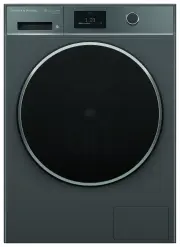
6 SAFETY AND WARNINGS z Do not overload your washing machine beyond its rated capacity. MODEL CODE MAXIMUM CAPACITY* (KG) WH1160H1 & WH1160HG1 11kg *Capacity refers to the maximum dry weight of items the washing machine can wash at any one time Installation z Install the appliance on a solid and...
Page 7 - FIRST USE; Features and accessories
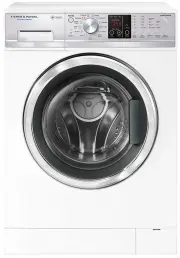
7 FIRST USE *Located behind filter cover. 2 3 4 5 1 Features and accessories 1 Detergent/Softener dispenser drawer 2 Washer controls 3 Drum light 4 Door seal 5 Pump filters/Door release tab*
Page 8 - Control panel
8 FIRST USE Control panel 1 Menu Press to access additional features and settings. 2 Touchscreen display Use to navigate and select cycles, features and settings. 3 Start/Pause button Press to start or pause a cycle. 4 Control dial z Press the dial to turn the display on. z Turn the dial to scroll. ...
Page 9 - Adjust the detergent or softener dosage when using; The dosage level will apply across all cycles.
9 FIRST USE Menu AUTO DOSE Adjust the detergent or softener dosage when using AUTO DOSE . The dosage level will apply across all cycles. LOCK Lock the controls to prevent accidental use. The controls can be locked at any time including while a cycle is running. When locked, the controls will be unre...
Page 10 - SETTING A CYCLE; Press the dial to turn on the display.; to access additional cycle options.
10 SETTING A CYCLE 2 Press the dial to turn on the display. 4 Adjust the settings as needed or press OPTIONS to access additional cycle options. For more information refer to ‘Cycle settings.’ and ‘Cycle options.’ 3 Select a wash mode then select a wash cycle. Place items in the washer. For best res...
Page 11 - , ensure that liquid; Press
11 SETTING A CYCLE Check detergent and fabric softener and add if needed. If detergent is set to AUTO , ensure that liquid detergent has been added to the auto dose compartment.Do not add detergent to the manual detergent compartment if detergent is set to AUTO . 5 6 Press to start the cycle.
Page 12 - Press to pause the cycle.; at any time during the wash; and then; Pausing a cycle
12 SETTING A CYCLE Press to pause the cycle. Press ADD ITEM at any time during the wash phase of the cycle to add or remove an item. The door will unlock once water level has reduced, which may take a few minutes. Press CANCEL and then CONFIRM . The door will remain locked if the water level is too ...
Page 13 - LOADING SUGGESTIONS; Sorting; Wash fine, delicate fabrics separately from thick, heavy fabrics.; Before you load
13 LOADING SUGGESTIONS Sorting z Sort items according to colour, fabric type, and soil type. z Wash fine, delicate fabrics separately from thick, heavy fabrics. z Always separate coloured items from whites, especially when they are new. z Colour run could be an issue if you wash items at higher temp...
Page 14 - WASH CYCLES
14 WASH CYCLES CYCLE DESIGNED FOR MAX. LOAD SIZE (KG) WASH TEMP² (°C) SPIN SPEED (RPM) MIXED An everyday cycle for mixed fabrics. Ideal for items like t-shirts and trousers. 11 30 (Cold-60) 1400 (0-1400) COTTON¹ A warmer cycle for natural cotton fabrics. 11 40 (Cold-90) 1400 (0-1400) DELICATE A gent...
Page 15 - Woolmark Wool Care
15 WASH CYCLES CYCLE DESIGNED FOR MAX. LOAD SIZE (KG) WASH TEMP² (°C) SPIN SPEED (RPM) SYNTHETICS An everyday cycle for synthetic fabrics. Ideal for synthetic fabrics and polyester-cotton blends 4 40 (Cold-60) 1100 (0-1100) BULKY A gentle cycle for large or bulky items. Ideal for items like jackets,...
Page 16 - CYCLE SETTINGS; TEMP; OPTIMISE
16 CYCLE SETTINGS TEMP Select a temperature best suited to the items in the load. Some temperatures are not available on certain cycles to ensure optimal fabric care. SPIN Select a spin speed best suited to the items in the load. Use a lower spin speed for more delicate items. DETERGENT When set to ...
Page 17 - CYCLE OPTIONS; SOFTENER; as this may cause dye run to occur.
17 CYCLE OPTIONS SOFTENER Fabric softener can be used to add softness to your laundry. When activated, softener is automatically added during a cycle. Not recommended for towels. SOIL LEVEL Adjust the soil level to suit your load. The wash time will be adjusted to suit. PRE WASH Add a pre wash to re...
Page 18 - SOAK; Accessing options; will remain active for up to 8 hours or until cancelled. To cancel,
18 CYCLE OPTIONS SOAK Add extra time for items to soak. Ideal for helping to lift stubborn stains. RINSE+ Add an extra rinse to the cycle. Ideal for people with sensitive skin, or for heavily soiled items. Accessing options WRINKLE FREE After the cycle is complete the load will continue to tumble pe...
Page 19 - DETERGENT AND SOFTENER; If detergent is set to; AUTO DOSE LIQUID DETERGENT; Liquid or powder detergent for a single wash.; Filling the dispensers
19 DETERGENT AND SOFTENER AUTO DOSE If detergent is set to AUTO , ensure liquid detergent has been added to the auto dose detergent compartment. Add softener to the fabric softener compartment. Do not exceed the MAX levels indicated. Do not add detergent to the manual detergent compartment if deterg...
Page 20 - Detergent; until the cycle is complete and the washer has stopped spinning.; Fabric softener; Fabric softener advice
20 DETERGENT AND SOFTENER Detergent Only use detergent designed for front loader washing machines. Your washer requires low-sudsing detergent to prevent oversudsing problems. The washer has AUTO DOSE compartments for liquid detergent and fabric softener, and a MANUAL DOSE compartment for powder or l...
Page 21 - WI-FI CONNECTION AND REMOTE MODE; Getting started; Connecting to your home Wi-Fi
21 WI-FI CONNECTION AND REMOTE MODE Your appliance may be connected to your home wireless network and operated remotely using the app. Connect your appliance to ensure it stays up to date with the latest software and features. Getting started z Ensure your home Wi-Fi network is turned on. z You will...
Page 22 - Enabling Remote Mode; Select
22 WI-FI CONNECTION AND REMOTE MODE Enabling Remote Mode Select START BY REMOTE. 1 Follow the instructions onscreen then press . Remote Mode is now enabled. 2
Page 23 - CLEANING; Surfaces; Plastic or stainless steel scouring pads; Cleaning the drum and the door
23 CLEANING Turn the washer off at the wall before doing any cleaning or maintenance. Surfaces Wipe with a damp cloth and mild detergent, then dry with a clean, lint-free cloth. We do not recommend using the following cleaning products as they may cause damage: z Plastic or stainless steel scouring ...
Page 24 - Saving water, energy and the environment; Turn off the taps when not in use.; Use concentrated detergent – it costs less per wash.; Products that might damage your washer
24 CLEANING Saving water, energy and the environment Water efficient washing machines will save you money, but it is also worth thinking about energy use, recycling water and the environment. Some options to consider are: z Turn off the taps when not in use. z Select cooler wash temperatures. z Wash...
Page 25 - DRUM CLEAN; Setting Drum Clean
25 DRUM CLEAN Run the drum clean cycle regularly to clean your washer. z Ensure the drum is empty. z Add washing machine cleaner directly into the washer drum. z Follow the manufacturer’s instructions for recommended dosage. Setting Drum Clean Press Fridge 3.0 °C Fridge 3.0 °C Fridge 5.0 °C then sel...
Page 26 - CLEANING THE DISPENSER DRAWER; compartment; compartments to drain.
26 CLEANING THE DISPENSER DRAWER To remove the dispenser drawer from the washer, pull it open, push down on the tab to the left of the MANUAL DOSE compartment and pull it out from the washer. 1 2 To empty the dispenser drawer, turn the dispenser drawer upside down in the sink and allow the leftover ...
Page 27 - CLEANING THE PUMP FILTERS; Push the centre of the filter cover to open.
27 CLEANING THE PUMP FILTERS Unhook the outlet hose and pull it out (approximately 150mm). Remove the plug and allow any water to drain into a shallow dish (approximately 250ml).After draining, replace the plug and refit the hose back into the housing. Push the centre of the filter cover to open. 2 ...
Page 28 - UNLOCKING THE DOOR
28 UNLOCKING THE DOOR When power is restored, the wash cycle will resume. If the cycle doesn’t resume automatically, press . Use the door release tab to unlock the washer door during a power failure. The door release tab is located behind the filter cover. Do not attempt this if the water level in t...
Page 29 - TROUBLESHOOTING; PROBLEM
29 TROUBLESHOOTING PROBLEM POSSIBLE CAUSES WHAT TO DO Display will not turn on No power. Ensure the dryer is plugged in and the power supply is turned on at the wall. Display not responding Washer needs to be reset. Press the dial to turn the washer off. Wait a few seconds, then press the dial again...
Page 32 - Creasing
32 TROUBLESHOOTING PROBLEM POSSIBLE CAUSES WHAT TO DO Creasing Washer overloaded. Do not overload the washer. Incorrect cycle for load type. Use the EASY IRON , HANDWASH or STEAM REFRESH cycle for creasable items. Spin speed too fast. Select a slower spin speed. Wet clothes left in washer or laundry...
Page 34 - FAULT CODES; How do I know if there is a problem?; ALERT
34 FAULT CODES How do I know if there is a problem? Your washer will beep and an alert will show in the display. What to do First try to fix the issue and clear the alert according to the instructions onscreen or the steps in the following table. If the problem persists 1 Note down the fault code. 2...
Page 36 - MANUFACTURER’S WARRANTY AND SERVICE GUIDE; To access your Warranty and Service Guide; NZ; Complete and keep for safe reference:
36 MANUFACTURER’S WARRANTY AND SERVICE GUIDE To access your Warranty and Service Guide Scan the QR code with your smartphone to access your warranty and book a service, or view online at https://www.fisherpaykel.com/nz/help-and-support/warranty-information This product has been designed for use in a...