Page 3 - CONTENTS; SAVE THESE INSTRUCTIONS
1 CONTENTS Safety and warnings 2 Installation instructions 6 Introduction 14 Using your dishwasher - quick reference 15 CH & CHP models Controls and starting a wash 16 Setting a Delayed start 19 User preference settings 20 CK models Controls and starting a wash 22 Setting Delay start 25 Changing...
Page 4 - IMPORTANT SAFETY INSTRUCTIONS; Read all instructions before using the dishwasher.; SAFETY AND WARNINGS
2 IMPORTANT SAFETY INSTRUCTIONS WARNING! When using your dishwasher, follow basic precautions, including the following: ● Read all instructions before using the dishwasher. ● The information in this manual must be followed to minimise the risk of fire or explosion or to prevent property damage, pers...
Page 5 - Installation
3 SAFETY AND WARNINGS IMPORTANT SAFETY INSTRUCTIONS Installation ● This dishwasher must be installed and located in accordance with the Installation instructions before it is used. ● If you did not receive Installation instructions with your dishwasher, you can order them by calling your Authorised ...
Page 6 - Maintenance; The water inside the dishwasher is not suitable for drinking.
4 SAFETY AND WARNINGS IMPORTANT SAFETY INSTRUCTIONS Maintenance ● Disconnect the appliance from the power supply before any cleaning or maintenance. ● When disconnecting the appliance pull the plug rather than the power supply cord or junction of cord to avoid damage. ● Do not repair or replace any ...
Page 8 - INSTALLATION INSTRUCTIONS; Before you start; Safety and compliance
6 INSTALLATION INSTRUCTIONS Before you start Safety and compliance ● These instructions are intended as a guide only. It is the responsibility of the installer to ensure that installation complies with applicable regulations and local government by-laws. ● Installation must be performed by a suitabl...
Page 9 - Technical data; Anti-flood protection
7 INSTALLATION INSTRUCTIONS Technical data Check the electrical data on the rating label (located on the left-hand side of the dishwasher’s stainless steel inner door). Should the data on the rating label be different to those specified below, consider those on the rating label as correct. Anti-floo...
Page 10 - Product and cabinetry dimensions; Overall width of product; Cabinetry Dimensions; min. inside width of cavity
8 INSTALLATION INSTRUCTIONS Product and cabinetry dimensions * The top panel may be removed to suit underbench cavity height. See instructions further below.**Depending on feet height adjustment. Product Dimensions mm A Overall height of product with top panel in place with top panel removed* 850 (m...
Page 11 - Preparing the product and cabinetry; mm
9 INSTALLATION INSTRUCTIONS Preparing the product and cabinetry ● The top panel may be removed to suit underbench cavity height. See the illustrations below. IMPORTANT! To prevent possible steam damage to the cabinetry, ensure that any bare wood surrounding the dishwasher is sealed with an oil-based...
Page 12 - Levelling and positioning the dishwasher; Do not lift the dishwasher from the door handle or top panel.
10 INSTALLATION INSTRUCTIONS 1 2 3 Levelling and positioning the dishwasher ● Before sliding the dishwasher into position, adjust the feet with a spanner (1) to ensure that the dishwasher is level (2) and the required height. ● Do not lift the dishwasher from the door handle or top panel. ● Position...
Page 13 - Drainage option A: Separate sink and dishwasher waste systems
11 INSTALLATION INSTRUCTIONS Plumbing -- Waste connection These drainage options are designed to eliminate problems that occur with combinedsink-dishwasher waste systems. Drainage option A: Separate sink and dishwasher waste systems ● The standpipe must have a minimum diameter of 38 mm and stand 750...
Page 14 - Do not shorten the inlet hose.
12 INSTALLATION INSTRUCTIONS Plumbing -- Water inlet connection IMPORTANT! ● The appliance should be connected to the water main using the new water inlet hose supplied. Old hoses should not be used. ● Do not shorten the inlet hose. 1 Take note of water connection requirements. ● The dishwasher has ...
Page 15 - Electrical connection
13 INSTALLATION INSTRUCTIONS Electrical connection ● The dishwasher must not be connected to the electrical supply while installation is being carried out. Ensure all domestic wiring is properly earthed. ● Check the rating label (located on the left-hand side of the dishwasher’s stainless steel inne...
Page 16 - INTRODUCTION
14 INTRODUCTION Before you start ● Make sure the installer has completed the ‘Final checklist’ in the Installation instructions. ● Read this guide, taking special note of the ‘Safety and warnings’ section. ● Remove all packaging and check you have the accessories listed below. Upper basket Utensil t...
Page 17 - USING YOUR DISHWASHER – QUICK REFERENCE; Starting a wash; ‘Controls and starting a wash’; After the wash; ‘After the wash’
15 USING YOUR DISHWASHER – QUICK REFERENCE Starting a wash 1 Remove food scraps and load dishes carefully For more detail, see sections ‘Caring for your dinnerware’ ‘Loading’ 2 Add detergent For more detail, see sections ‘Water hardness and dishwashing’ ‘Wash programmes and detergent quantities’ ‘Ad...
Page 18 - CONTROLS AND STARTING A WASH - CH & CHP MODELS; Control panel feature
16 CONTROLS AND STARTING A WASH - CH & CHP MODELS On/Off andKeylock Delaystart Display Rinse aidindicator ALL CH MODELS Keylockindicator Control panel feature ACTION TO TAKE On/Off Turns the power to the dishwasher on and off. Press briefly to turn the dishwasher on and off. Keylock This d...
Page 19 - To select and start a wash programme
17 CONTROLS AND STARTING A WASH - CH & CHP MODELS To select and start a wash programme 1 Press to turn the dishwasher on. The display will flash. 2 Press until the indicator of the desired programme lights up. 3 Press to start the programme. ● The display will stop flashing and the dishwasher wi...
Page 20 - To cancel a wash programme once it has started; Heavy
18 CONTROLS AND STARTING A WASH - CH & CHP MODELS To cancel a wash programme once it has started 1 Press to pause the programme. 2 Press to turn the dishwasher off. The programme has now been cancelled. If you wish, you can start a different one. Note: you may need to refill the detergent dispen...
Page 21 - SETTING A DELAYED START - CH & CHP MODELS; Delay start; To activate Delay start:; Keylock
19 SETTING A DELAYED START - CH & CHP MODELS Delay start This feature can delay the start of a wash programme from 1 to 12 hours. To activate Delay start: 1 Load the dishes, add detergent and close the door. 2 Press to turn the dishwasher on. 3 Select the wash programme. 4 Press Delay. The displ...
Page 22 - USER PREFERENCE SETTINGS - CH & CHP MODELS; To adjust the Rinse Aid level
20 USER PREFERENCE SETTINGS - CH & CHP MODELS These allow you to: ● Adjust the Rinse aid level. ● Turn the Beeps on or off. To adjust the Rinse Aid level 1 Press to turn the dishwasher on. 2 To enter the User preference settings, press and hold Delay and together until: ● The display shows the c...
Page 23 - To turn the Beeps on or off
21 USER PREFERENCE SETTINGS - CH & CHP MODELS To turn the Beeps on or off 1 Make sure the dishwasher is on. 2 To enter the User preference settings, press and hold Delay and together until: ● The display shows the current Rinse Aid setting. 3 Press to scroll to the Beeps menu. ● The display will...
Page 24 - CONTROLS AND STARTING A WASH - CK MODELS
22 CONTROLS AND STARTING A WASH - CK MODELS Power/Keylock Program Auto Delay Keylock indicator Display Options Rinse Aid indicator Wash programme indicators Programme status indictors Delay start indicator Option indicator Start/Pause Press to power on or offor press and hold until the keylock indic...
Page 25 - To start a wash programme
23 CONTROLS AND STARTING A WASH - CK MODELS To start a wash programme 1 Press and hold to turn the dishwasher on. 2 Check that the wash programme displayed is the one you would like to use. If not, see section ‘Changing the wash programme.’ 3 Once the display shows the programme you would like to us...
Page 27 - SETTING DELAY START - CK MODELS; To set Delay start with Auto
25 SETTING DELAY START - CK MODELS This feature can delay the start of a wash programme by 1 to 12 hours. 1 Load the dishes, add detergent and close the door. 2 Press to turn the dishwasher on. 3 Check that the display shows the wash programme you require. If not, see instructions for ‘Changing the ...
Page 28 - CHANGING THE WASH OPTIONS - CK MODELS; Half load Option; Press
26 CHANGING THE WASH OPTIONS - CK MODELS Along with selecting the wash programme you may select the additional option of either Half Load or Intensive wash. Half load Option If you don’t have a full load, you can choose to use the 1/2 load option. This may be useful if, for example, you only wish to...
Page 29 - Intensive wash Option
27 SETTING DELAY START - CK MODELS Intensive wash Option This option uses a more intensive water spray from the bottom spray arm. Use this option if you have a few more heavily soiled dishes. Place the more heavily soiled dishes on the bottom rack. 1 Make sure the dishwasher is on. 2 Press Program t...
Page 30 - USER PREFERENCE SETTINGS - CK MODELS; To turn the Rinse Aid on or off
28 USER PREFERENCE SETTINGS - CK MODELS These allow you to: ● Turn the rinse aid on or off ● Turn the beeps on or off. To turn the Rinse Aid on or off 1 Press to turn the dishwasher on. 2 Press and hold Options and Delay together until the display shows the current Rinse Aid setting. 3 Press Delay t...
Page 31 - Make sure the dishwasher is on.
29 USER PREFERENCE SETTINGS - CK MODELS To turn the Beeps on or off 1 Make sure the dishwasher is on. 2 Press and hold Options and Delay together until the display shows the current Rinse Aid setting. 3 Press Options to scroll to the Beeps menu 4 Press Delay to toggle between Beeps On ( ) and Be...
Page 32 - CARING FOR YOUR DINNERWARE
30 CARING FOR YOUR DINNERWARE The combination of high temperatures and dishwasher detergent may cause damage to some items if they are washed in the dishwasher. Remember, if in any doubt about any aspect concerning items washed in the dishwasher, follow the instructions from the manufacturer of the ...
Page 33 - LOADING; DOs
31 LOADING DOs DON’Ts ● Arrange the dishes neatly, spacing them evenly for maximum exposure to water. ● Remove any large food particles before placing dishes in the dishwasher. This is to prevent the filters from becoming clogged. ● Pre-soak any pots and pans with baked-on residue. This will elimina...
Page 34 - Upper basket and utensil tray; Turn the front safety stops on
32 LOADING Upper basket and utensil tray Adjusting the height of the upper basket - CH & CHP models ● The upper basket is designed to hold items like glasses, cups, saucers, plates, small bowls and shallow pans. ● Use the utensil tray to securely hold long or sharp items like knives, chopsticks,...
Page 35 - Adjusting the height of the upper basket - CK models; Lever
33 LOADING Adjusting the height of the upper basket - CK models ● You can adjust the height of the upper basket even when it is fully loaded, as you do not have to remove it from the dishwasher. ● To lift the basket, hold it on one side and carefully pull upwards until it clicks into place. Repeat f...
Page 36 - Lower basket
34 LOADING Lower basket Cutlery basket ● Place the largest items here: pots, pans, lids, serving dishes and bowls. ● Fold down the tines to place pots and pans flat on the bottom. ● Ensure dishware items do not block the spray arm above from rotating. ● If you need more height for tall items, you ca...
Page 37 - WATER HARDNESS AND DISHWASHING; What is water hardness?; If your home has hard water ...
35 WATER HARDNESS AND DISHWASHING What is water hardness? Hard water is water with a high concentration of minerals such as calcium and magnesium. In soft water, this concentration is low. Water hardness varies by geographical location. How does water hardness affect dishwashing? ● Hard water can be...
Page 38 - WASH PROGRAMMES AND DETERGENT QUANTITIES; The indicator light will show which option has been selected.
36 WASH PROGRAMMES AND DETERGENT QUANTITIES ● The quantities in the table below are for powdered detergent and typical levels of soiling. If your home has softer or harder water, or to suit the particular load, you may need to adjust these quantities. ● If you are using tablets, follow the tablet ma...
Page 39 - Only use detergents recommended for automatic dishwashers.; Press the button on the right of the dispenser.; Tablets should only be placed in the main wash (larger) compartment.; Remove any excess detergent from the edges of the dispenser.
37 ADDING DETERGENT IMPORTANT! ● Only use detergents recommended for automatic dishwashers. ● Dishwasher detergents are strongly alkaline. They can be extremely dangerous if swallowed. Avoid contact with the skin and eyes and keep children and infirm persons away from the dishwasher when it is open....
Page 40 - USING RINSE AID; When to refill the rinse aid dispenser; Press the button to snap the dispenser cover open.; CK models only
38 USING RINSE AID We highly recommend using liquid rinse aid regularly to get the best drying results. Rinse aid gives a streak-free, sparkling clean look to glass and chinaware. In addition, it prevents metal from tarnishing. When to refill the rinse aid dispenser When rinse aid level becomes low,...
Page 41 - AFTER THE WASH; Holiday time
39 AFTER THE WASH When the wash programme is over, the dishwasher will beep six times, then automatically turn off in a few seconds. 1 Open the door slightly and leave it ajar (about 100 mm) to help the drying process. 2 Once the dishes are cool to touch, they can be removed. IMPORTANT! Never leave ...
Page 42 - CARE AND CLEANING; Cleaning the dishwasher exterior
40 CARE AND CLEANING Over time, food residue or limescale deposits may accumulate inside your dishwasher. Thesemay reduce efficiency, and food residue may produce a bad odour. Inspect and clean yourdishwasher regularly. IMPORTANT ! ● Before any cleaning or maintenance, always disconnect the dishwash...
Page 43 - Cleaning the filters; Rinse them thoroughly under running water and then replace.; Cleaning the spray arms; To remove the upper spray arm, unscrew its locking nut.
41 CARE AND CLEANING Cleaning the filters The filters prevent larger food particles in the wash water from reaching the pump. These particles may occasionally block the filters. We recommend cleaning the filters whenever there is evidence of food particles. ● To remove the drain filter, turn the fil...
Page 44 - FAULT CODES; If the dishwasher still will not work, or shows any other fault code; Press to turn the dishwasher off and wait a few minutes.
42 FAULT CODES If the dishwasher malfunctions, it will display a fault code and beep. Check the table below to see if you can correct the fault yourself before contacting Fisher & Paykel Customer Care. If the dishwasher still will not work, or shows any other fault code 1 Press to turn the dishw...
Page 45 - POSSIBLE CAUSES; Water tap not turned on.; Flood switch activated.
43 FAULT CODES If the problem persists, or the dishwasher shows any other fault code, disconnect the dishwasher from the power supply, turn the water supply off and then contact Fisher & Paykel Customer Care with the fault code information. FAULT CODES AND DESCRIPTIONS POSSIBLE CAUSES WHAT TO DO...
Page 46 - TROUBLESHOOTING; PROBLEM
44 TROUBLESHOOTING PROBLEM POSSIBLE CAUSE WHAT TO DO Dishwasher will not start. No power. Ensure the dishwasher is plugged in and the power supply is turned on at the wall. The door is not properly closed. Close the door. Start/Pause button has not been pressed. Press the Start/Pause button . Water ...
Page 49 - WARRANTY AND SERVICE; Complete and keep for safe reference:
47 Before you call for service or assistance ... Check the things you can do yourself. Refer to the installation instructions and your user guide and check that: 1 Your product is correctly installed. 2 You are familiar with its normal operation. If after checking these points you still need assista...
Page 50 - WASH PROGRARMME DATA; Stages
48 WASH PROGRARMME DATA CH and CHP models HEA V Y NORMAL NORMAL EC O* F A S T DELICA TE RINSE A U T O** Stages pr e- w ash pr e- w ash rinse 45 o C p re -w ash main w ash 68 o C main w ash 60 o C main w ash 46 o C main w ash 45 o C main w ash 45 o C main w ash 45-68 o C pos t-rinse pos t-rinse pos t...
Page 51 - STANDARDS TEST; Upper basket
49 STANDARDS TEST The dishwasher is tested to AS/NZS 2007 standards for both wash and dry performance using the parameters detailed below. Wash programme Normal Eco When the programme is finished, open the door 100mm to help with drying Powdered detergent quantities 5 g pre-wash + 27.5 g main wash R...
Page 56 - NZ AU
590719 A 11.14 www.fi sherpaykel.com Copyright © Fisher & Paykel 2014. All rights reserved. The product specifications in this booklet apply to the specific products and models described at the date of issue. Under our policy of continuous product improvement, these specifications may change at a...
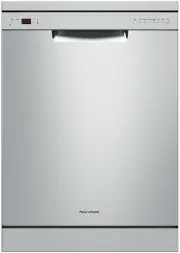


 Fisher & Paykel DD24DAX9 N
User Manual
Fisher & Paykel DD24DAX9 N
User Manual
 Fisher & Paykel DD24DT4NX9
User Manual
Fisher & Paykel DD24DT4NX9
User Manual
 Fisher & Paykel DD24DTX6HI1
User Manual
Fisher & Paykel DD24DTX6HI1
User Manual
 Fisher & Paykel DD24DTX6PX1
User Manual
Fisher & Paykel DD24DTX6PX1
User Manual