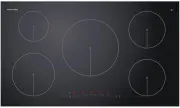
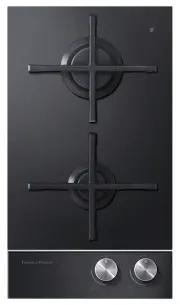
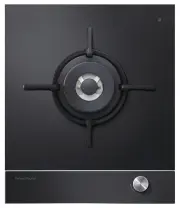
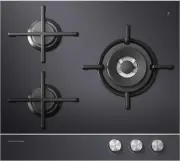
Page 3 - Contents; SAVE THESE INSTRUCTIONS
1 Contents Safety and warnings 2 Installation instructions 6 Introduction 12 Choosing the right cookware 14 Using your induction cooktop 15 Using your cooktop’s special features 18 Cooking guidelines 28 Care and cleaning 30 Troubleshooting 31 Warranty and service 33 Important! SAVE THESE INSTRUCTION...
Page 4 - Safety and warnings; Installation; Electrical Shock Hazard
2 Safety and warnings Your safety is important to us. Please read this information before using your cooktop. Installation WARNING! Electrical Shock Hazard Disconnect the appliance from the mains electricity supply before carryingout any work or maintenance on it.Connection to a good earth wiring sy...
Page 5 - Important safety instructions
3 Safety and warnings Important safety instructions Read these instructions carefully before installing or using this appliance. No combustible material or products should be placed on this appliance at any time. Please make this information available to the person responsible for installing the app...
Page 6 - Operation and maintenance; Hot Surface Hazard
4 Safety and warnings Operation and maintenance WARNING! Hot Surface Hazard During use, accessible parts of this appliance will become hot enough to cause burns.Do not let body, clothing or any item other than suitable cookware contactwith the ceramic glass until the surface is cool.Never leave meta...
Page 7 - Cut Hazard
5 Important safety instructions Never leave the appliance unattended when in use. Boilover causes smoking and greasy spillovers that may ignite. Never use your appliance as a work or storage surface. Never leave any objects or utensils on the appliance. Do not place or leave any magnetisable objects...
Page 8 - Cooktop and cutout dimensions
6 Installation instructions Cooktop and cutout dimensions A B C D G F E Cooktop and cutout dimensions (mm) CI604D T CI754D T CI905D T A overall width of cooktop 600 750 900 B overall depth of cooktop 530 530 530 C height of chassis (plastic housing incl. terminal block) below top of bench 50 50 50 D...
Page 9 - Installation instructions; Clearances
7 Installation instructions 500 x 50 mm Oven withcooling fan 500 x 10 mm 4 mm 4 mm Thermal protection barrier 500 x 10 mm 80 mm Clearances A B C C E E E D Clearances (mm) CI604D T CI754D T CI905D T A minimum clearance from rear edge of cutout to: nearest combustible surface 55 55 53 B minimum cleara...
Page 10 - Before you install the cooktop, make sure that
8 Installation instructions Before you install the cooktop, make sure that the benchtop is square and level, and no structural members interfere with space requirements the benchtop is made of a heat-resistant material the cooktop will not be installed directly above a dishwasher, fridge, freezer, w...
Page 11 - PE; Connecting the cooktop to the mains power supply; supply
9 Installation instructions PE 1 2 3 4 5 N L PE 1 2 3 4 5 N L 1 L 2 PE 1 2 3 4 5 N L 1 L 3 L 2 PE 1 2 3 4 5 N L Single-phase connection 220-240V~ Single-phase connection 220-240V~ Two-phase connection 380-415V 2N~ Three-phase connection 380-415V 3N~ Connecting the cooktop to the mains power supply I...
Page 12 - Applying the supplied foam seal; Clamping down the cooktop
10 Applying the supplied foam seal 1 Turn the cooktop upside down and place it carefully on a soft surface. Important! To avoid damage to the glass, ensure there is a protective cover underneath it. 2 Apply the foam seal around the glass overhang, 5 mm in from the edge of the glass. 3 Turn the cookt...
Page 13 - Final checklist; TO BE COMPLETED BY THE INSTALLER; LEAVE THESE INSTRUCTIONS WITH THE CUSTOMER
11 Final checklist TO BE COMPLETED BY THE INSTALLER Is the cooktop earthed? Check that there is an adequate and constant flow of fresh air from outside the cabinetry to the base of the cooktop. Check that the power supply cable is not accessible via cupboard doors or drawers. Is the cooktop clamped ...
Page 14 - Before using your new cooktop; Using the touch controls; Introduction
12 Introducing your cooktop Congratulations on your new purchase. Your Fisher & Paykel induction cooktop is the ultimate ininduction cooking, giving you the speed, precision, and simplicity of electronic control, and the easy-care elegance of a ceramic glass surface. For more information, visit ...
Page 16 - Choosing the right cookware
14 Choosing the right cookware Important! Only use cookware with a base suitable for induction cooking. Look for the induction symbol on the packaging or the bottom of the pan. You can check whether your cookware is suitable by carrying out a magnet test. Move a magnet towards the base of the pan. I...
Page 17 - Using your induction cooktop; To start cooking
15 Using your induction cooktop To start cooking 1 Touch and hold the ON/OFF control for 2 seconds. 3 Place a suitable pan on the cooking zone you wish to use. Make sure the bottom of the pan and the surface of the cooking zone are clean and dry. If a display flashes alternately with the heat settin...
Page 18 - When you have finished cooking; OR; Turn the cooking zone off; Turn the whole cooktop off
16 Using your induction cooktop When you have finished cooking OR 1a Turn the cooking zone off by scrolling down to 0 or touching – and + together. Make sure the display shows 0 . 1b Turn the whole cooktop off by touching the ON/OFF control. 2 Beware of hot surfaces H will show which cooking zone is...
Page 19 - Locking the controls; To lock the controls
17 Using your induction cooktop Locking the controls You can lock the controls to prevent unintended use (for example children accidentally turning cooking zones on). When the controls are locked, all controls except the ON/OFF control are disabled. To lock the controls 1 Make sure that the cooktop ...
Page 20 - Using your cooktop’s special features; Using the PowerBoost feature; To set a cooking zone for PowerBoost
18 Using your cooktop’s special features Using the PowerBoost feature This feature enables you to sear meat or bring liquid to the boil very quickly. When a cooking zone is set for PowerBoost, it uses more than 100% of the power of that particular cooking zone, resulting in a boost of intense heat. ...
Page 21 - Using the GentleHeat feature; To set a cooking zone for GentleHeat
19 Note: You can set two (CI604DT and CI754DT ) or three (CI905DT ) cooking zones for PowerBoost, as long as one is not behind the other. For example: If you wish to set more than one cooking zone for PowerBoost, you need to set them separately. When a cooking zone is set for PowerBoost, the cooking...
Page 22 - Using the Auto Heat-reduce feature; To set a cooking zone for Auto Heat-reduce
20 Using your cooktop’s special features Using the Auto Heat-reduce feature Cooking zones set for this feature will: first quickly heat up food or liquid at the highest setting then automatically reduce the heat to a pre-selected lower setting to cook the food through. To set a cooking zone for Auto...
Page 23 - When Auto Heat-reduce is set; Pre-selected lower heat setting
21 Using your cooktop’s special features When Auto Heat-reduce is set To increase the lower heat setting while A is flashing, simply touch + . If you would like a lower or higher heat setting than you originally selected, touch – and + together and set the cooking zone for Auto Heat-reduce again. Al...
Page 24 - Using the timer; Timer overview
22 Using your cooktop’s special features Using the timer You may use the timer in two different ways: You can use it as a minute minder. In this case, the timer will not turn any cooking zone off when the set time is up. You can set it to turn one or more cooking zones off after the set time is up. ...
Page 25 - Using the timer as a minute minder; If you are not using any cooking zones
23 Using your cooktop’s special features Using the timer as a minute minder If you are not using any cooking zones You can use the timer as a minute minder even if you are not using any cooking zones. In this case, the cooktop will turn itself off 10 seconds after you have set the time, but the time...
Page 26 - Setting the timer to turn one or more cooking zones off
24 Using your cooktop’s special features Setting the timer to turn one or more cooking zones off 1 Make sure the cooking zone(s) you want to set the timer for are in use. 3 Set the time while the small red light in the bottom corner of the minute display is on. The timer is now set for the right rea...
Page 28 - When the timer is set
26 Using your cooktop’s special features When the timer is set When the set time is up If the timer is set for more than one cooking zone, only the indicator belonging to the cooking zone with the shortest remaining time setting will flash. The cooking zone whose set time is up will automatically tu...
Page 29 - To change or cancel a timer setting
27 Using your cooktop’s special features To change or cancel a timer setting 1 With the cooktop turned on, touch the – and + controls of the timer together and repeat until: the indicator of the desired cooking zone or the minute minder indicator is flashing and the small red light in the bottom cor...
Page 30 - Cooking tips; Simmering, cooking rice; Cooking guidelines
28 Important! Take care when frying: oil and fat heat up very quickly, particularly if you’re using PowerBoost. At extremely high termperatures oil and fat will ignite spontaneously and this presents a serious fire risk. Cooking tips When food comes to the boil, reduce the temperature setting. Using...
Page 31 - Heat settings; Heat setting
29 Heat settings The settings below are guidelines only. The exact setting will depend on several factors, including your cookware and the amount you are cooking. Experiment with the cooktop to find the settings that best suit you. Cooking guidelines P e rc entage of po w er % 100 80 60 40 20 0 u 1 ...
Page 32 - Care and cleaning
30 Care and cleaning What? How? Important! Everyday soilingon glass(fingerprints, marks, stains left by food or non-sugary spillovers on the glass) 1 Switch the power to the cooktop off at the wall. 2 Apply cooktop cleaner while the glass is still warm (but not hot!) 3 Rinse and wipe dry with a clea...
Page 33 - Troubleshooting; Troubleshooting chart; Problem; Some or all displays flash
31 Troubleshooting Troubleshooting chart Problem Possible causes What to do The cooktop cannot beturned on. No power. Make sure the cooktop is connected to the power supply and that it is switched on at the wall. Check whether there is a power outage in your home or area. If you’ve checked everythin...
Page 35 - Warranty and service
33 Warranty and service Before you call for service or assistance ... Check the things you can do yourself. Refer to the installation instructions and your user guide and check that: 1 your product is correctly installed 2 you are familiar with its normal operation. If after checking these points yo...
Page 36 - Product details
34 This cooktop has been designed and constructed in accordance with the followingcodes and specifications: In New Zealand and Australia:AS/NZS 60335-1 General Requirements for Domestic electrical appliancesAS/NZS 60335-2-6 Particular Requirements for Domestic electrical cooking appliancesAS/NZS 104...