Page 3 - CONTENTS; Registration
CONTENTS Safety and warnings 4 First use 8 Safety features 9 Cookware 10Using your burner 12 Using your induction zones 14 SmartZones 16PowerBoost 18GentleHeat 19Auto RapidHeat 20 Using the timer 22 Cooking guide 24 Care and cleaning 27 Troubleshooting 30Energy guidelines 34 Warranty and service 35 ...
Page 4 - SAFETY AND WARNINGS; Electrical Shock Hazard; Fire Hazard; Failure to follow this advice may result in; Health Hazard; Failure to follow this advice may result
SAFETY AND WARNINGS ! WARNING! Electrical Shock Hazard Failure to follow this advice may result in electrical shock or death. • Switch the power to the cooktop off at the wall before cleaning or maintenance. • Do not cook on a broken or cracked cooktop. If the glass should break or crack, turn off t...
Page 5 - Explosion Hazard; Hot Surface Hazard; Poisoning Hazard
SAFETY AND WARNINGS ! WARNING! Explosion Hazard Failure to follow this advice may result in death or serious injury. • Do not use or store flammable materials such as gasoline near this appliance. • Do not spray aerosols in the vicinity of this appliance while it is in operation. ! WARNING! Hot Surf...
Page 6 - READ AND SAVE THIS GUIDE
SAFETY AND WARNINGS READ AND SAVE THIS GUIDE WARNING! To reduce the risk of fire, injury to persons or damage when using the appliance, follow the important safety instructions listed below. Read all the guidance before using the appliance. General Use z Never use your appliance as a work or storage...
Page 7 - Child Safety
SAFETY AND WARNINGS z Ensure the electrical connection is accessible after installation Child Safety z Do not allow children to play with the appliance or sit, stand, or climb on it. z Do not store items of interest to children in cabinets above the appliance. Children climbing on the cooktop could ...
Page 8 - FIRST USE; Cooktop features
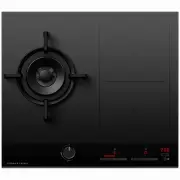
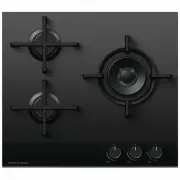
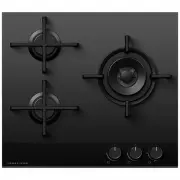
FIRST USE Cooktop features 1 Dual wok burner 2 Pan support 3 Induction zones 4 Control panel 5 Burner dial 6 Zone indicator 7 Zone display 8 Zone heat selector 9 GentleHeat control !0 GentleHeat indicators !1 Cooktop ON/OFF !2 Timer control !3 Timer display !4 Keylock 1 Zone display Description Cook...
Page 9 - SAFETY FEATURES; . Touch and hold the keylock control
SAFETY FEATURES The cooktop control dials can be locked for cleaning and to prevent unintended use. When the cooktop is locked the controls and cooktop display will remain unresponsive. Ensure all cooking zones have been turned to OFF . Touch and hold the keylock control for 5 seconds. The indicator...
Page 10 - COOKWARE; Cooking zone; Cookware size
COOKWARE CGI603DTB CGI905DTB Cooking zone Min. pan size* max. pan size* 1 Dual wok burner without small pan support 200mm 340mm with wok stand no minimum 400mm 2 Smartzone unbridged 120mm no maximum bridged 250mm no maximum Cookware size For optimal performance, ensure the size of the cookware is su...
Page 11 - Quickest heating Performance; Induction cookware
COOKWARE Quickest heating Performance High content of ferromagnetic material. Heating area is consistent across the base and up the sides of pan. Average heating Performance Reduced area of ferromagnetic material. Reduced zone of heating, results in poor performance and slower heating. Slow heating ...
Page 12 - USING YOUR BURNER; Setting both the inner and outer rings; Setting the inner ring
USING YOUR BURNER When using your burner, you can choose to use the inner burner only or both the inner and outer burners as desired. Setting both the inner and outer rings Turn the dial to any heat setting between MEDIUM and HIGH before releasing. If the flame on the outer ring appears to flutter, ...
Page 13 - Manual lighting; and; Do not set or leave the dial between; and
USING YOUR BURNER Manual lighting If the burner will not light after several attempts, it can be manually lit. If you have attempted to light the burner with the ignition, allow 1 minute for any accumulated gas to dissipate before manually lighting. Wait until the flame is burning evenly before turn...
Page 14 - USING YOUR INDUCTION ZONES; To begin cooking; Touch and hold the
USING YOUR INDUCTION ZONES To begin cooking Touch and hold the ON/OFF control for 2 seconds. The indicator light above the control will glow. 0 will appear in the cooking zone display. Place a suitable pan on the cooking zone.Ensure the bottom of the pan and the surface of the cooking zone are clean...
Page 15 - Turn the cooking zone off:
USING YOUR INDUCTION ZONES Turn the cooking zone off: Touch or slide the setting selector until 0 shows in the zone display. Turn the cooktop off: touch the ON/OFF control. If H flashes in the display: H will flash in the cooking zone display of any zone that is too hot to touch. It will remain illu...
Page 16 - SMARTZONES; Bridging Zones; You can only bridge a cooking zone with the one directly behind it.
SMARTZONES The SmartZones can accommodate several small pots. These small pots will be detected as one large pot.The entire SmartZone is activated when a pot is detected. This means that other magnetic items (such as cutlery) sitting in the cooking zone will heat up. Do not leave cutlery or other ma...
Page 17 - The bridging function will switch off.; To cancel bridging; Sliding the scale down to
SMARTZONES If no pan is detected on one cooking zone: The left hand display will still show the selected temperature and the right hand display will still show . If after 10 minutes no pan is detected: z The bridging function will switch off. z The cooking zone without a detectable pan will turn off...
Page 18 - POWERBOOST; Using PowerBoost; Setting PowerBoost
POWERBOOST Using PowerBoost This feature enables you to sear meat or bring liquid to boil very quickly. When a cooking zone is set to PowerBoost, it uses more than 100% of the power of that particular cooking zone, resulting in a boost of intense heat. PowerBoost heats food and liquids very quickly....
Page 19 - GENTLEHEAT; Using GentleHeat; For Medium setting
GENTLEHEAT Using GentleHeat There are two GentleHeat settings. z The Low setting is ideal for the most delicate cooking tasks (such as melting chocolate), as the cooking zone will provide a very low continuous gentle heat. z The Medium setting is ideal for keeping cooked food warm and the gentle war...
Page 20 - AUTO RAPIDHEAT; will flash alternately with; Using Auto RapidHeat; This feature enables the cooking zones to:; Setting a cooking zone for Auto RapidHeat; Keep your finger on the selector.
AUTO RAPIDHEAT Initially, while the cooking zone is at the highest setting, A will flash alternately with your selected lower setting. The length of time at the highest setting depends on the selected lower heat setting. 3 Using Auto RapidHeat This feature enables the cooking zones to: z heat up foo...
Page 21 - will stop flashing and the cooking; and PowerBoost will remain.; starts flashing. Alternatively, wait until A stops flashing
AUTO RAPIDHEAT Then, when the period of highest setting is over, A will stop flashing and the cooking zone will automatically reduce the heat to your pre-selected lower setting. 4 To quit Auto RapidHeat setting while A is flashing Either touch or slide the setting selector to a new setting or to 0 t...
Page 22 - Setting the timer for individual cooking zones; USING THE TIMER; Using timer as minute minder; When the set time is up
Setting the timer for individual cooking zones . USING THE TIMER You can set the timer for up to 1 hour and 59 minutes. The time will be displayed in hours and minutes when the timer is set for longer than 10 minutes. Using timer as minute minder The minute minder can be set when not using any cooki...
Page 23 - To cancel a timer setting; Setting the minute minder when other timers are set
USING THE TIMER With the cooktop turned on, tap the – and + controls together until the indicator light in the desired cooking zone illuminates. Press and hold the – control until the minute display shows 0 . Scrolling down the time to 0 will not turn off the cooking zone. When you have finished coo...
Page 24 - COOKING GUIDE; presents a serious fire risk.; Cooking tips; Simmering, cooking rice
COOKING GUIDE Take care when frying: oil and fat heat up very quickly, particularly if you’re using PowerBoost. At extremely high temperatures oil and fat will ignite spontaneously and this presents a serious fire risk. Cooking tips z When food comes to the boil, reduce the temperature setting. z Us...
Page 25 - Induction heat settings; er
COOKING GUIDE Induction heat settings The settings below are guidelines only. The exact setting will depend on several factors, including your cookware and the amount you are cooking. Experiment with the cooktop to find the settings that best suit you. P er centage of po w er % 100 80 60 40 20 0 u 1...
Page 26 - Burner supports; Small pan support
COOKING GUIDE Burner supports Small pan support The small pan support has been designed for supporting cookware with a base diameter smaller than 200mm. Using the small pan support Ensure cooktop is cool before slotting the small pan support onto the centre of the dual wok burner as shown. Ensure al...
Page 27 - CARE AND CLEANING; Replacing burner parts; Pan supports
Ensure that all burner parts are correctly fitted. An incorrectly assembled burner may produce dangerous flames. Flames should be blue with no yellow tipping, and burn without fluttering around the burner cap. CARE AND CLEANING Replacing burner parts Burner skirt do not remove Burner cap Burner ring...
Page 28 - Burner; Burner caps, rings, flame spreaders and accessories
CARE AND CLEANING The burner should be cleaned regularly. Food residue may obstruct the ignitor and the notches of the flame spreader, preventing the burner from functioning correctly. Refer to ‘Replacing burner parts’ for details on safely removing and refitting burner parts. All checking and maint...
Page 30 - TROUBLESHOOTING; PROBLEM; General
TROUBLESHOOTING PROBLEM POSSIBLE CAUSES WHAT TO DO The cooktop cannot be turned on. No power. Ensure the cooktop is connected to the power supply, that it is switched on at the wall and there is no power outage. If the problem persists, call your Authorised Service Centre or Customer Care. The glass...
Page 31 - Induction zones; Er
TROUBLESHOOTING Induction zones PROBLEM POSSIBLE CAUSES WHAT TO DO The touch controls are unresponsive. The controls are locked. Unlock the controls. Refer to ‘Safety features’. The touch controls aredifficult to operate. There may be a slight film of water over the controls or you may be using the ...
Page 34 - ENERGY GUIDELINES; In New Zealand and Australia:
ENERGY GUIDELINES This cooktop has been designed and constructed in accordance with the following codes and specifications: In New Zealand and Australia: z AS/NZS 60335-1:2011 General Requirements for Domestic electrical appliances z AS/NZS 60335-2-6:2014 Particular Requirements for Domestic electri...
Page 35 - WARRANTY AND SERVICE; Complete and keep for safe reference:; Before you call for service or assistance; Your product is correctly installed.
WARRANTY AND SERVICE Complete and keep for safe reference: Model Serial No. Purchase Date Purchaser Dealer Suburb Town Country Before you call for service or assistance Check the things you can do yourself. Refer to the installation instructions and your user guide and check that: 1 Your product is ...