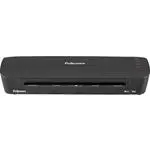
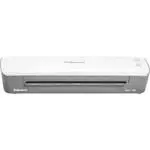
Page 2 - ENGLISH; CAPABILITIES; IMPORTANT SAFETY INFORMATION
175 125 80 100 175 125 80 100 ENGLISH CAPABILITIES IMPORTANT SAFETY INSTRUCTIONS — Please Read Before Using! • The socket-outlet must be installed near the equipment and be easily accessible.• To prevent electrical shock, do NOT use laminator close to water and do NOT spill water on laminator, elect...
Page 4 - HOT LAMINATION STEPS
4 ENGLISH HOT LAMINATION STEPS 1. Please connect the laminator to the socket using the separate power cable supplied. 2. Switch laminator on with Power On / Off button at back of machine. 3. Press Stand-by button at left of front operating panel to switch laminator on. 4. Use navigation keys to sele...
Page 5 - Problem; MAINTENANCE - Unique Easi-Access technology; Solution
175 125 80 100 5 LIMITED WARRANTY Fellowes warrants all parts of the laminator to be free of defects in material and workmanship for 2 years from the date of purchase by the original consumer. If any part is found to be defective during the warranty period, your sole and exclusive remedy will be rep...
Page 6 - FRANÇAIS; CARACTERISTIQUES; AVERTISSEMENT; CONSIGNES IMPORTANTES DE SÉCURITÉ
175 125 80 100 175 125 80 100 FRANÇAIS CARACTERISTIQUES CONSIGNES DE SECURITE IMPORTANTES — Lire attentivement avant d’utiliser l’appareil ! • La prise de courant doit être installée à proximité de l’appareil et doit être facilement accessible. • Afin d’éviter tout risque d’électrocution, NE PAS uti...
Page 7 - CONSEILS
8 7 6 2 1 175 125 80 100 3 175 125 80 100 4 • Toujours placer le document dans une pochette. Ne jamais plastifier une pochette vide. • Couper l’excédent de plastique autour du document après la plastification et le refroidissement. • Après 15 à 20 applications, nettoyer les rouleaux de la plastifieu...
Page 8 - ETAPES DE LA PLASTIFICATION A CHAUD
8 FRANÇAIS ETAPES DE LA PLASTIFICATION A CHAUD 1. Connecter la plastifieuse à la prise à l’aide du câble fourni. 2. Mettre la plastifieuse en marche en appuyant sur le bouton marche/arrêt à l’arrière de l’appareil. 3. Appuyer sur le bouton de veille sur la gauche du panneau de contrôle avant pour al...
Page 9 - GARANTIE LIMITEE; DÉPANNAGE; ENTRETIEN - Technologie unique Easi-Access
175 125 80 100 9 GARANTIE LIMITEE Fellowes garantit que tous les composants de la plastifieuse sont exempts de tout vice provenant d’un défaut de matière ou de fabrication pendant une période de 2 ans à partir de la date de l’achat initial. Si une pièce s’avère défectueuse pendant la période de gara...
Page 10 - ESPAÑOL; CARACTERÍSTICAS GENERALES; ADVERTENCIA; INFORMACIÓN IMPORTANTE DE SEGURIDAD
175 125 80 100 175 125 80 100 ESPAÑOL CARACTERÍSTICAS GENERALES INSTRUCCIONES DE SEGURIDAD IMPORTANTES — ¡Lea todas las instrucciones antes del uso! • La toma eléctrica debe encontrarse cerca del equipo instalado y tener fácil acceso. • Para evitar una descarga eléctrica, NO use la plastificadora ce...
Page 11 - SUGERENCIAS
8 7 6 2 1 175 125 80 100 3 175 125 80 100 4 • Siempre ponga un documento dentro de la bolsa. Nunca plastifique una bolsa vacía.• Recorte el material excedente de la bolsa alrededor del artículo plastificado, cuando éste ya se haya enfriado. • Para garantizar resultados óptimos en el proceso de plast...
Page 12 - PASOS PARA PLASTIFICADO EN CALIENTE
12 ESPAÑOL PASOS PARA PLASTIFICADO EN CALIENTE 1. Conecte la plastificadora a la toma de corriente mediante el cable de alimentación independiente suministrado. 2. Encienda la plastificadora con el botón de Encendido/Apagado situado en la parte posterior de la máquina. 3. Pulse el botón de Suspensió...
Page 13 - GARANTÍA LIMITADA; RESOLUCIÓN DE PROBLEMAS; MANTENIMIENTO - Tecnología Easi-Access exclusiva
175 125 80 100 13 GARANTÍA LIMITADA Fellowes garantiza que todas las piezas de la plastificadora estarán libres de defectos de material y mano de obra durante 2 años a partir de la fecha en que el consumidor original haya adquirido el producto. Si se encuentra algún defecto en cualquiera de las piez...
Page 14 - DEUTSCH; LEISTUNGSMERKMALE; ACHTUNG; WICHTIGE SICHERHEITSHINWEISE
175 125 80 100 175 125 80 100 DEUTSCH LEISTUNGSMERKMALE WICHTIGE SICHERHEITSHINWEISE — Bitte vor Gebrauch lesen! • Die Steckdose muss in Gerätenähe installiert und gut zugänglich sein.• Um einen Stromschlag zu vermeiden, den Laminator NICHT in der Nähe von Wasser verwenden und KEIN Wasser auf den La...
Page 15 - TIPPS
8 7 6 2 1 175 125 80 100 3 175 125 80 100 4 • Den zu laminierenden Artikel immer in eine Laminierfolientasche geben. Niemals eine leere Laminierfolie laminieren. • Nach dem Laminieren und Abkühlen überschüssiges Laminierfolienmaterial um den Artikel herum abschneiden. • Die Laminatorrollen nach 15-2...
Page 16 - VORGEHENSWEISE BEI HEISSLAMINIERUNG
16 DEUTSCH VORGEHENSWEISE BEI HEISSLAMINIERUNG 1. Den Laminator mit dem mitgelieferten Netzkabel an einer Steckdose anschließen. 2. Den Laminator am Ein-/Aus-Schalter hinten am Gerät einschalten. 3. Die Taste „Bereit” vorne links im Bedienfeld drücken, um den Laminator einzuschalten. 4. Mit den Navi...
Page 17 - BESCHRÄNKTE GEWÄHRLEISTUNG; FEHLERDIAGNOSE UND -BEHEBUNG
175 125 80 100 17 BESCHRÄNKTE GEWÄHRLEISTUNG Fellowes garantiert, dass alle Teile des Laminators für einen Zeitraum von 2 Jahren ab ursprünglichem Kaufdatum an den Erstkäufer frei von Material- und Verarbeitungsfehlern sind. Sollte sich ein Teil während der Garantiezeit als defekt erweisen, haben Si...
Page 18 - ITALIANO; CARATTERISTICHE; AVVERTENZA; INFORMAZIONI IMPORTANTI PER LA SICUREZZA
175 125 80 100 175 125 80 100 ITALIANO CARATTERISTICHE NORME DI SICUREZZA IMPORTANTI — Leggere prima dell’uso! • La presa di corrente deve essere situata presso la plastificatrice ed essere facilmente accessibile. • Per evitare il rischio di scosse elettriche, NON usare la plastificatrice in prossim...
Page 19 - SUGGERIMENTI
8 7 6 2 1 175 125 80 100 3 175 125 80 100 4 • Inserire sempre un oggetto nella busta. Non plastificare mai una busta vuota.• Dopo la plastificazione e il raffreddamento, rifilare la busta dal materiale in eccesso. • Per garantire il funzionamento ottimale dell’apparecchio, dopo 15-20 applicazioni, p...
Page 20 - PLASTIFICAZIONE A CALDO
20 ITALIANO PLASTIFICAZIONE A CALDO 1. Collegare la plastificatrice alla presa di corrente mediante il cavo di alimentazione (separato) accluso. 2. Accendere la plastificatrice azionando l’interruttore generale, situato sulla parte posteriore. 3. Portare la plastificatrice nella modalità di normale ...
Page 21 - GARANZIA LIMITATA; MANUTENZIONE - Esclusiva tecnologia Easi-Access; RISOLUZIONE DEI PROBLEMI
175 125 80 100 21 GARANZIA LIMITATA Fellowes garantisce che tutti i componenti della plastificatrice saranno esenti da difetti di materiali e fabbricazione per due anni a decorrere dalla data d’acquisto da parte dell’utente originale. Nel caso in cui si riscontrino dei difetti durante il periodo di ...
Page 22 - NEDERLANDS; MOGELIJKHEDEN; WAARSCHUWING; BELANGRIJKE VEILIGHEIDSINFORMATIE
175 125 80 100 175 125 80 100 NEDERLANDS MOGELIJKHEDEN BELANGRIJKE VEILIGHEIDSINSTRUCTIES — Lezen vóór gebruik! • Het stopcontact dient dichtbij de apparatuur geïnstalleerd te zijn en dient gemakkelijk toegankelijk te zijn. • Om elektrische schok te voorkomen, mag u de lamineermachine NIET gebruiken...
Page 23 - TIPS
7 6 5 2 1 175 125 80 100 3 175 125 80 100 4 • Steek voorwerp altijd in een lamineerhoes. Lamineer nooit een lege hoes.• Knip na lamineren en afkoelen overtollig hoesmateriaal rond het voorwerp weg.• Reinig de lamineerrollen met Fellowes doekjes voor rollen (artikel #5703701) na 15-20 gebruik voor ee...
Page 24 - STAPPEN VOOR WARM LAMINEREN
24 NEDERLANDS STAPPEN VOOR WARM LAMINEREN 1. Sluit de laminator aan op het stopcontact met het afzonderlijk meegeleverde elektricit-eitssnoer. 2. Schakel laminator in met stroom Aan / Uit knop aan de achterzijde van het toestel. 3. Druk op de Stand-by knop aan de linkerkant van het bedieningspaneel ...
Page 25 - BEPERKTE GARANTIE; ONDERHOUD - Unieke Easi-Access technologie; PROBLEMEN OPLOSSEN
175 125 80 100 25 BEPERKTE GARANTIE Fellowes garandeert dat alle onderdelen van de lamineermachine zonder gebreken zijn betreffende materiaal en afwerking gedurende 2 jaar vanaf datum van aankoop door de originele gebruiker. Als van enig onderdeel tijdens de garantieperiode wordt vastgesteld dat dit...
Page 26 - SVENSKA; EGENSKAPER; VARNING; VIKTIG SÄKERHETSINFORMATION
175 125 80 100 175 125 80 100 SVENSKA EGENSKAPER VIKTIGA SÄKERHETSANVISNINGAR — Läs före användning! • Nätuttaget skall finnas nära utrustningen och vara lättåtkomligt.• För att undvika elstötar får laminatorn INTE användas i närheten av vatten; vatten får absolut INTE komma på laminator eller elsla...
Page 28 - VARM LAMINERING
28 SVENSKA VARM LAMINERING 1. Anslut laminatorn till uttaget med den separata sladd som den levereras med. 2. Sätt på laminatorn med strömbrytaren på baksidan av maskinen. 3. Tryck på Stand-by på vänster sida av manöverpanelen för att sätta på laminatorn. 4. Använd navigationsknapparna för att vid l...
Page 29 - BEGRÄNSAD GARANTI; FELSÖKNING
175 125 80 100 29 BEGRÄNSAD GARANTI Fellowes garanterar att alla delar av maskinen är fria från materialfel eller tillverkningsfel i upp till två (2) år efter försäljning till första kund. Om någon del är defekt under garantiperioden kommer den enda och uteslutande ersättningen att bli reparation el...
Page 30 - DANSK; KVALIFIKATIONER; ADVARSEL; VIGTIG SIKKERHEDSINFORMATION
175 125 80 100 175 125 80 100 DANSK KVALIFIKATIONER VIGTIGE SIKKERHEDSVEJLEDNINGER — Bør læses før anvendelse! • Stikkontakten skal være installeret i nærheden af udstyret og skal være let tilgængelig. • For at forhindre elektrisk stød bør lamineringsmaskinen IKKE anvendes i nærheden af vand og der ...
Page 32 - FREMGANGSMÅDE VED VARM LAMINERING
32 DANSK FREMGANGSMÅDE VED VARM LAMINERING 1. Tilslut lamineringsmaskinen til stikkontakten med det specielle el-kabel som medleveres. 2. Tænd for lamineringsmaskinen med Tænd- / Sluk-knappen på maskinens bagside. 3. Tryk på Standby-knappen til venstre på forsidens betjeningspanel for at tænde for l...
Page 33 - BEGRÆNSET GARANTI; VEDLIGEHOLDELSE- Unik Easi-Access teknologi; FEJLSØGNING
175 125 80 100 33 BEGRÆNSET GARANTI Fellowes garanterer, at alle lamineringsmaskinens dele er fri for materialedefekter og fabrikationsfejl i 2 år fra den oprindelige kundes købsdato. Hvis det konstateres, at en del er defekt under garantiperioden, vil den eneste og eksklusive afhjælpende foranstalt...
Page 34 - SUOMI; OMINAISUUDET; VAROITUS; TÄRKEITÄ TURVAOHJEITA
175 125 80 100 175 125 80 100 SUOMI OMINAISUUDET TÄRKEITÄ TURVAOHJEITA — Lue ennen käyttöä! • Laite on sijoitettava lähelle helppopääsyistä pistorasiaa.• Sähköiskun välttämiseksi laminointikonetta EI saa käyttää veden lähellä. Laminointikoneen, sähköjohdon tai pistorasian päälle EI saa roiskia vettä...
Page 35 - VINKKEJÄ
8 7 6 2 1 175 125 80 100 3 175 125 80 100 4 • Aseta laminoitava kohde aina laminointitaskuun. Älä koskaan laminoi tyhjää taskua. • Leikkaa ylimenevät taskun reunat kohteen ympäriltä laminoinnin jälkeen, kun laminointitasku on jäähtynyt. • Puhdista laminointikoneen telat Fellowesin puhdistusliinoilla...
Page 36 - KUUMALAMINOINNIN VAIHEET
36 SUOMI KUUMALAMINOINNIN VAIHEET 1. Kytke laminointikone verkkovirtaan laitteen mukana toimitetulla virtajohdolla. 2. Käynnistä laminointikone takana olevasta virtakytkimestä. 3. Käynnistä laminointikone painamalla ohjaustaulun vasemmalla olevaa valmiuspainiketta. 4. Valitse kuumalaminoitavan tasku...
Page 37 - RAJOITETTU TAKUU; VIANMÄÄRITYS
175 125 80 100 37 RAJOITETTU TAKUU Fellowes takaa, että laminointikoneen osissa ei ole materiaali- tai valmistusvikoja 2 vuoden ajan tuotteen alkuperäisestä ostopäivästä. Jos osassa havaitaan vika takuuaikana, ainoana ja yksinomaisena ratkaisuna on viallisen osan korjaus tai vaihto Fellowesin valinn...
Page 38 - NORSK; YTELSE; VIKTIG SIKKERHETSINFORMASJON
175 125 80 100 175 125 80 100 NORSK YTELSE VIKTIGE SIKKERHETSANVISNINGER — Les disse før bruk! • Stikkontakten må være nær utstyret og lett å komme til.• Laminatoren må IKKE brukes i nærheten av vann, og IKKE søl vann på laminatoren, nettledningen eller stikkontakten. Dette for å forebygge elektrisk...
Page 40 - TRINN VED VARMLAMINERING
40 NORSK TRINN VED VARMLAMINERING 1. Sett laminatoren i stikkontakten med den separate nettledningen som følger med. 2. Slå på laminatoren med av-/på-bryteren bak på apparatet. 3. Trykk på standby-knappen på venstre side av operatørpanelet når du vil slå på laminatoren. 4. Still inn den lommetykkels...
Page 41 - BEGRENSET GARANTI; FEILFINNING
175 125 80 100 41 BEGRENSET GARANTI Fellowes garanterer at alle deler i laminatoren er fri for feil i materialer og utførelse i 2 år fra den opprinnelige kjøperens kjøpsdato. Hvis noen deler finnes å være defekte under garantiperioden, vil din eneste og eksklusive godtgjørelse være reparasjon eller ...
Page 42 - POLSKI; PARAMETRY TECHNICZNE; UWAGA; WAŻNE INFORMACJE Z ZAKRESU BEZPIECZEŃSTWA
175 125 80 100 175 125 80 100 POLSKI PARAMETRY TECHNICZNE WAŻNE WSKAZÓWKI BEZPIECZEŃSTWA — Przeczytać przed użyciem! • Urządzenie powinno znajdować się w pobliżu łatwo dostępnego gniazda zasilania. • Aby nie dopuścić do porażenia prądem, nie WOLNO użytkować laminatora w pobliżu wody oraz nie WOLNO r...
Page 44 - CZYNNOŚCI PRZY LAMINACJI NA GORĄCO
44 POLSKI CZYNNOŚCI PRZY LAMINACJI NA GORĄCO 1. Podłączyć laminator do gniazda zasilania dołączonym do zestawu przewodem zasilania. 2. Włączyć laminator przyciskiem On/Off znajdującym się z tyłu urządzenia. 3. Nacisnąć przycisk pracy jałowej po lewej stronie przedniego panelu operacyjnego, aby włącz...
Page 45 - OGRANICZONA GWARANCJA; KONSERWACJA – Unikalna technologia Easi-Access; Potrzebna; USUWANIE USTEREK
175 125 80 100 45 OGRANICZONA GWARANCJA Fellowes gwarantuje, że wszystkie części laminatora będą wolne od was materiału i wykonania przez 2 lata od daty zakupu przez pierwszego użytkownika. Jeżeli w okresie gwarancji okaże się, że jakakolwiek część urządzenia jest uszkodzona, użytkownikowi przysługu...
Page 46 - РУССКИЙ; ВОЗМОЖНОСТИ
175 125 80 100 175 125 80 100 РУССКИЙ ВОЗМОЖНОСТИ ВАЖНЫЕ ПРАВИЛА ТЕХНИКИ БЕЗОПАСНОСТИ — Прочтите перед использованием! • Штепсельная розетка должна быть установлена вблизи от устройства в легко доступном месте. • Чтобы предотвратить поражение электрическим током НЕ ИСПОЛЬЗУЙТЕ ламинатор рядом с водо...
Page 48 - ПОРЯДОК ВЫПОЛНЕНИЯ ГОРЯЧЕГО ЛАМИНИРОВАНИЯ
48 РУССКИЙ ПОРЯДОК ВЫПОЛНЕНИЯ ГОРЯЧЕГО ЛАМИНИРОВАНИЯ 1. Подключать ламинатор к розетке электросети следует с помощью отдельного шнура питания, поставляемого в комплекте. 2. Включите ламинатор с помощью кнопки включения/выключения питания на его задней панели. 3. Нажмите кнопку ожидания слева на пере...
Page 49 - ОГРАНИЧЕННАЯ ГАРАНТИЯ; ТЕХНИЧЕСКОЕ ОБСЛУЖИВАНИЕ - уникальная технология Easi-Access; Нужна; УСТРАНЕНИЕ НЕПОЛАДОК
175 125 80 100 49 ОГРАНИЧЕННАЯ ГАРАНТИЯ Компания Fellowes гарантирует отсутствие дефектов материалов или производственных дефектов всех деталей данного ламинатора на протяжении 2 лет со дня приобретения первоначальным покупателем. Если в течение гарантийного срока будет обнаружен дефект какой-либо д...
Page 50 - ΕΛΛΗΝΙΚΑ; ΔΥΝΑΤΟΤΗΤΕΣ
175 125 80 100 175 125 80 100 ΕΛΛΗΝΙΚΑ ΔΥΝΑΤΟΤΗΤΕΣ ΣΗΜΑΝΤΙΚΕΣ ΟΔΗΓΙΕΣ ΑΣΦΑΛΕΙΑΣ — Διαβάστε τις πριν χρησιμοποιήσετε το προϊόν! • Η πρίζα πρέπει να είναι εγκατεστημένη κοντά στον εξοπλισμό και να είναι εύκολα προσβάσιμη. • Για την αποτροπή ηλεκτροπληξίας, ΜΗ χρησιμοποιείτε τον πλαστικοποιητή κοντά σε...
Page 51 - ΣΥΜΒΟΥΛΕΣ
8 7 6 2 1 175 125 80 100 3 175 125 80 100 4 • Τοποθετείτε πάντα τα αντικείμενα σε σακούλα. Μην πλαστικοποιείτε άδειες σακούλες. • Αφαιρέστε τυχόν υλικό σακούλας που περισσεύει γύρω από το αντικείμενο μετά την πλαστικοποίηση και ψύξη του. • Καθαρίζετε τους κυλίνδρους του πλαστικοποιητή με πανάκια κυλ...
Page 52 - ΒΗΜΑΤΑ ΓΙΑ ΘΕΡΜΗ ΠΛΑΣΤΙΚΟΠΟΙΗΣΗ
52 ΕΛΛΗΝΙΚΑ ΒΗΜΑΤΑ ΓΙΑ ΘΕΡΜΗ ΠΛΑΣΤΙΚΟΠΟΙΗΣΗ 1. Παρακαλούμε συνδέστε τον πλαστικοποιητή στην πρίζα με τη χρήση του ξεχωριστού καλωδίου ηλεκτροδότησης που παρέχεται. 2. Ενεργοποιήστε τον πλαστικοποιητή με τη χρήση του κουμπιού ηλεκτροδότησης στο πίσω μέρος του μηχανήματος. 3. Πιέστε το κουμπί αναμονής...
Page 53 - ΠΕΡΙΟΡΙΣΜΕΝΗ ΕΓΓΥΗΣΗ; ΣΥΝΤΗΡΗΣΗ - Μοναδική τεχνολογία εύκολης πρόσβασης “Easi-Access”; Χρειάζεστε; ΕΠΙΛΥΣΗ ΠΡΟΒΛΗΜΑΤΩΝ
175 125 80 100 53 ΠΕΡΙΟΡΙΣΜΕΝΗ ΕΓΓΥΗΣΗ Η Fellowes εγγυάται ότι κανένα από τα εξαρτήματα του πλαστικοποιητή δεν θα παρουσιάσει ελαττώματα σε υλικά και εργατικά για 2 έτη από την ημερομηνία αγοράς από τον αρχικό αγοραστή. Εάν παρουσιαστεί ελάττωμα σε οποιοδήποτε εξάρτημα κατά την περίοδο εγγύησης, η μ...
Page 54 - TÜRKÇE; ÖZELLİKLERİ; UYARI; ÖNEMLİ GÜVENLİK BİLGİLERİ
175 125 80 100 175 125 80 100 TÜRKÇE ÖZELLİKLERİ ÖNEMLİ GÜVENLİK TALİMATLARI — Kullanmadan Önce Lütfen Okuyun! • Elektrik prizi ekipmana yakın ve kolay erişilebilir olmalıdır. • Elektrik şokunu önlemek için, laminatörü suya yakın yerlerde KULLANMAYIN ve laminatörün, elektrik kablosunun ya da prizin ...
Page 55 - YARARLI BİLGİLER
8 7 6 2 1 175 125 80 100 3 175 125 80 100 4 • Cismi daima bir torbaya koyun. Boş bir torbayı asla lamine etmeyin. • Laminasyon işleminin ardından cisim soğuduktan sonra etrafındaki fazla torba malzemesini kesin. • En iyi laminasyon sonuçlarını elde etmek için, 15-20 uygulamadan sonra laminatör merda...
Page 56 - SICAK LAMİNASYON ADIMLARI
56 TÜRKÇE SICAK LAMİNASYON ADIMLARI 1. Lütfen, ürünle birlikte gelen ayrı elektrik kablosunu kulanarak laminatörü prize takın. 2. Laminatörün arkasındaki Güç Açma / Kapatma anahtarını kullanarak cihazı açın. 3. Laminatörü açmak için, ön çalıştırma panelinin sol tarafındaki Bekleme tuşuna basın. 4. G...
Page 57 - SINIRLI GARANTİ; Yardım; ARIZA GİDERME
175 125 80 100 57 SINIRLI GARANTİ Fellowes, laminatörün tüm parçalarının, ilk tüketici tarafından satın alınma tarihinden itibaren 2 yıl süreyle malzeme ve işçilik açısından kusursuz olacağını garanti eder. Eğer garanti dönemi içinde herhangi bir parça kusurlu bulunursa, yegane ve münhasır tazminatı...
Page 58 - ČESKY; TECHNICKÉ ÚDAJE; UPOZORNĚNÍ; DŮLEŽITÉ BEZPEČNOSTNÍ INFORMACE
175 125 80 100 175 125 80 100 ČESKY TECHNICKÉ ÚDAJE DŮLEŽITÉ BEZPEČNOSTNÍ POKYNY — Přečtěte si je laskavě před použitím! • Síťová zásuvka by se měla nacházet v blízkosti zařízení a musí být snadno přístupná. • Abyste předešli úrazu elektrickým proudem, NEPOUŽÍVEJTE laminovací stroj v blízkosti vodní...
Page 60 - POSTUP HORKÉ LAMINACE
60 ČESKY POSTUP HORKÉ LAMINACE 1. Připojte prosím laminátor do zásuvky s použitím dodaného samostatného napájecího kabelu. 2. Zapněte laminátor hlavním vypínačem na zadní straně přístroje. 3. Stisknutím tlačítka „Pohotovost“ na levé přední straně ovládacího panelu zapněte laminátor. 4. Použitím navi...
Page 61 - OMEZENÁ ZÁRUKA; Potřebujete; ODSTRAŇOVÁNÍ PORUCH
175 125 80 100 61 OMEZENÁ ZÁRUKA Společnost Fellowes zaručuje, že všechny součásti laminátoru budou prosty vad materiálu a provedení po dobu 2 let od data nákupu prvním spotřebitelem. Pokud se v průběhu záruční doby kterákoli část ukáže závadnou, vaše jediná a výlučná forma nápravy bude oprava nebo ...
Page 62 - SLOVENSKY; SCHOPNOSTI; UPOZORNENIE; DÔLEŽITÉ BEZPEČNOSTNÉ POKYNY
175 125 80 100 175 125 80 100 SLOVENSKY SCHOPNOSTI DÔLEŽITÉ BEZPEČNOSTNÉ POKYNY - Prečítajte pred použitím! • Uzemnená zásuvka musí byť nainštalovaná v blízkosti zariadenia a musí byť jednoducho prístupná. • Aby ste predišli zasiahnutiu elektrickým prúdom, NEPOUŽÍVAJTE laminátor blízko vody a NEROZL...
Page 63 - TIPY
8 7 6 2 1 175 125 80 100 3 175 125 80 100 4 • Predmet vždy vložte do vrecka. Nikdy nelaminujte prázdne vrecko. • Zostrihajte zvyšky materiálu vrecka z okolia laminovaného predmetu po laminovaní a vychladnutí. • Aby ste zabezpečili optimálne výsledky laminovania, vyčistite valčeky laminátora po 15 - ...
Page 64 - POSTUP HORÚCEHO LAMINOVANIA
64 SLOVENSKY POSTUP HORÚCEHO LAMINOVANIA 1. Pripojte laminátor do zásuvky pomocou dodaného elektrického kábla. 2. Zapnite laminátor pomocou tlačidla napájania zapnutie/vypnutie v zadnej časti prístroja. 3. Stlačte tlačidlo pohotovostného režimu na ľavej strane operačného panela, aby ste zapli laminá...
Page 65 - OBMEDZENÁ ZÁRUKA; Potrebujete; ODSTRAŇOVANIE PORÚCH
175 125 80 100 65 OBMEDZENÁ ZÁRUKA Spoločnosť Fellowes zaručuje, že všetky súčasti stroja budú bez chýb materiálu a výroby po dobu 2 rokov od dátumu nákupu pôvodným spotrebiteľom. Ak sa nájde počas záručnej lehoty chybná časť, výhradné nápravné opatrenie bude oprava alebo výmena chybnej časti na nák...
Page 66 - MAGYAR; TULAJDONSÁGOK; VIGYÁZAT; FONTOS BIZTONSÁGI INFORMÁCIÓ
175 125 80 100 175 125 80 100 MAGYAR TULAJDONSÁGOK FONTOS BIZTONSÁGI UTASÍTÁSOK — Használat előtt olvassa el! • A konnektornak a berendezéshez közelinek, továbbá könnyen hozzáférhetőnek kell lennie. • Az áramütés megelőzéséhez NE használja a laminátort vízhez közel, és NE öntsön vizet a laminátorra,...
Page 68 - MELEG LAMINÁLÁS LÉPÉSEI
68 MAGYAR MELEG LAMINÁLÁS LÉPÉSEI 1. Kérjük, a laminátort a mellékelt különálló tápkábellel csatlakoztassa a konnektorba. 2. A gép hátsó oldalán levő, az áramot be- és kikapcsoló gombbal kapcsolja be a laminátort. 3. A laminátor bekapcsolására nyomja be az elülső kezelőpanel bal oldalán található „K...
Page 69 - KORLÁTOZOTT GARANCIA; Segítségre; HIBAELHÁRÍTÁS
175 125 80 100 69 KORLÁTOZOTT GARANCIA A Fellowes az eredeti fogyasztó általi vásárlás dátumától számított 2 évre garantálja, hogy a laminátor minden alkatrésze mentes az anyag- és megmunkálási hibáktól. Ha a garanciális időszak alatt valamely alkatrész hibásnak bizonyul, az egyetlen és kizárólagos ...
Page 70 - PORTUGUÊS; CAPACIDADES; ADVERTÊNCIA; INFORMAÇÕES DE SEGURANÇA IMPORTANTES
175 125 80 100 175 125 80 100 PORTUGUÊS CAPACIDADES INSTRUÇÕES DE SEGURANÇA IMPORTANTES — Leia antes de utilizar o aparelho! • A tomada eléctrica deve ser instalada próximo do equipamento e deve ser de fácil acesso. • De modo a evitar choques eléctricos, NÃO use a plastificadora perto de água e NÃO ...
Page 72 - PASSOS DE PLASTIFICAÇÃO A QUENTE
175 125 80 100 7 72 PORTUGUÊS PASSOS DE PLASTIFICAÇÃO A QUENTE 1. Ligue a plastificadora à tomada com o cabo de alimentação fornecido. 2. Ligue a plastificadora através do botão ligado/ desligado na parte de trás da máquina. 3. Pressione o botão de prontidão à esquerda do painel de comando dianteiro...
Page 73 - GARANTIA LIMITADA; MANUTENÇÃO - Tecnologia exclusiva Easi-Access; RESOLUÇÃO DE PROBLEMAS
175 125 80 100 7 8 175 125 80 100 73 GARANTIA LIMITADA A Fellowes garante que todas as peças da plastificadora estão isentas de defeitos de material e mão-de-obra durante um período de 2 anos a contar da data de compra pelo consumidor original. Se encontrar um defeito em qualquer peça durante o perí...
Page 76 - Office Laminators; Declaration of Conformity; Help Line
fellowes.com fellowes.com 1789 Norwood Avenue, Itasca, Illinois 60143-1095 • USA • 630-893-1600 Australia Canada Deutschland France Japan Polska United Kingdom Benelux China España Italia Korea Singapore United States Office Laminators Declaration of Conformity Useful Phone Numbers 2006 Fellowes, In...