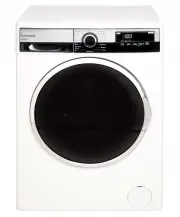
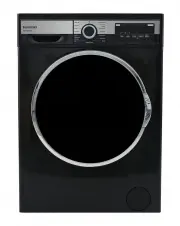
Page 3 - USER MANUAL; SAFETY INSTRUCTIONS; CONTENTS
USER MANUAL PG 3 SAFETY INSTRUCTIONS Explanation of the symbols ........................................................... Pg 05 INSTALLATION Product description ........................................................................ Pg 10 Accessories included ........................................
Page 5 - Explanation of the symbols
USER MANUAL PG 5 SAFETY INSTRUCTIONS Warning!This combination of symbol and signal word indicates a potentially dangerous situation which may result in death or serious injuries unless it’s avoided. Caution!This combination of symbol and signal word indicates a potentially dangerous situation which ...
Page 6 - POTENTIAL ELECTRIC SHOCK
USER MANUAL PG 6 SAFETY INSTRUCTIONS Warning! POTENTIAL ELECTRIC SHOCK • This appliance is for indoor use only.• Do not put washing machine in a humid place • Hands shall not be inserted into running spin-dry tub .• If the spin-dry tub does not stop within 15 seconds after opening the cover, please ...
Page 8 - INSTALLATION WARNING!
USER MANUAL PG 8 SAFETY INSTRUCTIONS INSTALLATION WARNING! RISK OF DAMAGING APPLIANCES! • This washing machine is for indoor use only.• It isn’t intended to be built-in.• The openings must not be obstructed by a carpet.• Washing machine shall not be installed in bath room or very wet rooms as well a...
Page 9 - OPERATING THE APPLIANCES!
USER MANUAL PG 9 SAFETY INSTRUCTIONS OPERATING THE APPLIANCES! PACKAGING / OLD APPLIANCES • Before washing with clothes for the first time, run a wash program with the machine empty to ensure any residue from manufacturing processes is removed. • Flammable and explosive or toxic solvents are forbidd...
Page 10 - INSTALLATION; Product description
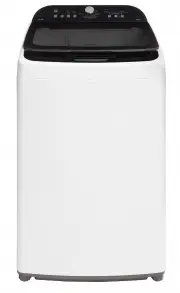
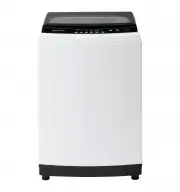
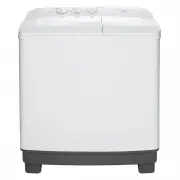
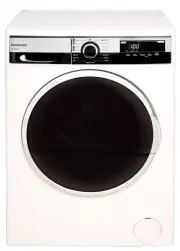
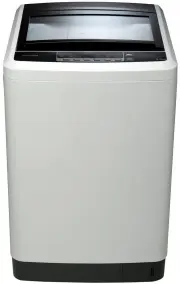
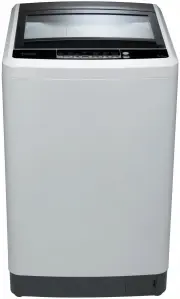
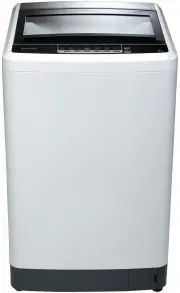
USER MANUAL PG 10 INSTALLATION Product description Note: The product diagram is for reference only and may differ to the final product. Note: if the drain hose is already installed on the machine, then there is nospring clamp and drain hose in the accessories. Accessories included Detergent Dispense...
Page 11 - Installation area
USER MANUAL PG 11 INSTALLATION Installation area Unpacking the washing machine Warning!• Ensure the machine is level to minimise vibration when in operation.• Ensure the power lead is not by caught under the machine where it can be come damaged. Warning!• Packaging material (e.g. Films, Styrofoam) c...
Page 12 - Levelling the washing machine
USER MANUAL PG 12 INSTALLATION Warning!• Position drain hose properly ,otherwise damage might result in water leakage. • Do not kink or protract the drain hose.• If drain hose is too long, do not force it into washing machine as it will cause abnormal noises. Warning!• The lock nuts on all four feet...
Page 13 - Connection of inlet hose, tap and washing machine
USER MANUAL PG 13 INSTALLATION Connection of inlet hose, tap and washing machine Tap with threads and inlet hose Special tap for washing machine Warning!• To prevent leakage or water damage, follow the instructions in this chapter• Do not kink, crush, modify or sever the water inlet or drainage hose...
Page 14 - OPERATION; Prior to commencing use
USER MANUAL PG 14 OPERATION Prior to commencing use Quick Start Caution• Before washing, please make sure the washing machine is installed properly.• Before washing with clothes for the first time, run a wash program with the machine empty to ensure any residue from manufacturing process is removed....
Page 15 - Articles of washing that require attention.
USER MANUAL PG 15 OPERATION Articles of washing that require attention. Washing Powder and Detergent Advice • The ambient temperature in the room where the washing machine is placed should be between 0 - 40°C. If used under 0°C,the inlet valve and draining system may be damaged. If the machine is st...
Page 16 - Control Panel
USER MANUAL PG 16 OPERATION Control Panel WATER LEVEL WATER TEMPERATURE FAST+ PROGRAMME POWER START/PAUSE Select water level according toamount of clothes loaded into themachine. Options are Low, Mid, High and Max. Press this button to select the water temperature. After selecting the desired washse...
Page 17 - DISPLAY
USER MANUAL PG 17 DISPLAY RINSE DELAY CHILD LOCK With each press of the button, the numbers 0, 1, 2 or 3 will cycle on the LCD screen. After selecting a Program, press the Delay button to choose a delayed start time. Press Start/Pause to commence the delay operation. To switch the delay start off, s...
Page 18 - Program Variables; Manual Program Selection
USER MANUAL PG 18 OPERATION Program Variables The below buttons can be used to change variables on all wash programs. Water Level Select water level according to amount of clothes loaded into the machine. Low, Mid, High and Max are available to be selected. Rinse Type Select the no. of rinses requir...
Page 19 - Rinse and Spin Only; One Touch Auto Wash; Child Lock
USER MANUAL PG 19 OPERATION Fast+ will reduce the washing cycle time by 20-40% by increasing the intensity of the agitator. The Fast+ function can only be applied to the Daily, Sport, Mixed, Whites and Colour wash programmes F + START - PAUSE Fast + Rinse and Spin Only START - PAUSE SPIN The One Tou...
Page 20 - Washing Program Table
USER MANUAL PG 20 OPERATION Washing Program Table Program Duration Description Daily** 1:18 Everyday program suitable for a variety of garments that are normally soiled. Sport 1:13 Suitable for more durable garments such as sports and outdoor wear. Mixed 1:11 Suitable for mixed load of garments such...
Page 21 - 0kg Program Variables
USER MANUAL PG 21 OPERATION 10kg Program Variables Program Delay (H) Water level Soak Duration Wash Duration Rinse Type Spin Daily 0 ~24 auto /1~4 — 26 0~3( 2 ) 0/5/7/ 9 /11 Sport 0 ~24 auto /1~4 — 14 0~3( 2 ) 0/5/7/9/ 11 Mixed 0 ~24 auto /1~4 — 14 0~3( 2 ) 0/5/7/ 9 /11 Whites 0 ~24 auto /1~4 — 18 0...
Page 22 - 2kg Program Table
USER MANUAL PG 22 12kg Program Table OPERATION Program Delay (H) Water level Soak Duration Wash Duration Rinse Type Spin Daily 0 ~24 auto /1~4 — 26 0~3( 2 ) 0/5/7/ 9 /11 Sport 0 ~24 auto /1~4 — 14 0~3( 2 ) 0/5/7/9/ 11 Mixed 0 ~24 auto /1~4 — 14 0~3( 2 ) 0/5/7/ 9 /11 Whites 0 ~24 auto /1~4 — 18 0~3( ...
Page 23 - MAINTENANCE; Cleaning and care; alcohol solvents or chemical products,etc.
USER MANUAL PG 23 MAINTENANCE Cleaning and care Warning!• Before performing maintenance , please unplug the machine and close the tap. Proper maintenance on the washing machine can extend its working life. The surface can be cleaned with diluted non-abrasive neutral detergents when necessary. If the...
Page 24 - Cleaning the drain pump filter; Only applicable to certain models.
USER MANUAL PG 24 MAINTENANCE Cleaning the drain pump filter Only applicable to certain models. Warning!• Be careful of the hot water!• Allow detergent solution to cool down.• Unplug the machine to avoid electrical shock before cleaning.• Drain pump filter can filter lint and small foreign objects f...
Page 25 - Troubeshooting; Fault
USER MANUAL PG 25 MAINTENANCE Troubeshooting If the machine will not turn on or stops during operation, refer to the table below to diagnose the problem. If a solution cannot be achieved, please contact the service provider. Fault Possibe Cause No washing The power is off or the fuse is burned out.T...
Page 26 - Technical Information; Model No. Washing Capacity Unit Dimensions Unit Weight; Standard Water Pressures:
USER MANUAL PG 26 MAINTENANCE Technical Information H D W Model No. Washing Capacity Unit Dimensions Unit Weight Rated Power Power Supply ETL1000RCW 10kg 601 (W) x 611 (D) x 1060 (H) 46kg 600W 220-240V~50Hz ETL1200RCW 12kg 640 (W) x 684 (D) x1085 (H) 53kg 600W 220-240V~50Hz Standard Water Pressures:...
Page 27 - MANUFACTURER
USER MANUAL PG 27 This warranty is provided in Australia by Glen Dimplex Australia Pty Limited ABN 69 118 275 460 (Phone number 1300 556 816) and in New Zealand by Glen Dimplex New Zealand Limited NZBN 9429000069823 (Phone number 09 274 8265) in respect of the Euromaid product. 1. Euromaid Express W...
Page 29 - NOTES
Page 32 - READ THE INSTRUCTION BOOKLET BEFORE INSTALLING AND USING THE
PG 32 VERSION 20210303 Glen Dimplex Australia Pty Ltd www.glendimplex.com.au For service advice, please contact the Customer Care Centre by phone or email below. Australia Ph: 1300 556 816 [email protected] READ THE INSTRUCTION BOOKLET BEFORE INSTALLING AND USING THE APPLIANCE. The manufacturer will...