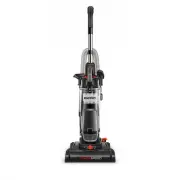
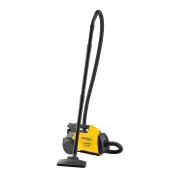
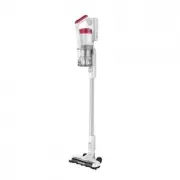
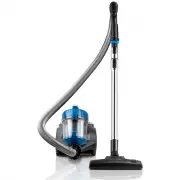
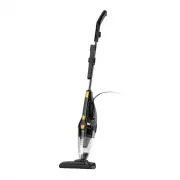
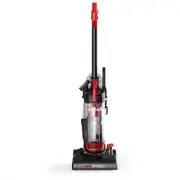
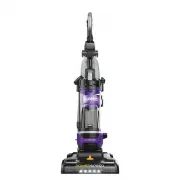
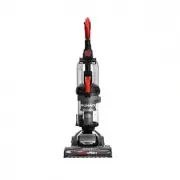
Page 2 - Where to find impor tant vacuum information; This Owner’s Guide provides important instructions to
Eureka Customer Service HELPLINE 1-800-282-2886 2 Where to find impor tant vacuum information Keep this information Write the model, type and serial number here:Date of purchase (keep your receipt) _______________Model number and type ________________________Serial number ___________________________...
Page 3 - Do not leave vacuum cleaner when plugged in; READ ALL INSTRUCTIONS BEFORE USING THIS VACUUM CLEANER; SAVE THESE INSTRUCTIONS; To reduce the risk of electric shock; WARNING; IMPORTANT SAFEGUARDS
www.eureka.com 3 To reduce the risk of fire, electric shock, or injury: • Do not use outdoors or on wet surfaces. • Do not leave vacuum cleaner when plugged in . Turn off the switch and unplug the electrical cord when not in use and before servicing. • Do not allow to be used as a toy. Close attenti...
Page 4 - What comes in the carton
Eureka Customer Service HELPLINE 1-800-282-2886 4 OWNER’S GUIDE Important safeguards Vacuum cleaner What comes in the carton Upholstery tool Crevice tool Dusting brush Handle
Page 5 - How to assemble your vacuum cleaner
www.eureka.com 5 How to assemble your vacuum cleaner Vacuum cleaner with dust cup. Slide handle into top of vacuum cleaner. Push down until it clicks. Store dusting brush, upholstery tool and crevice tool on back of vacuum cleaner. Loop hose over hose retainer. Push loose end of hose securely onto h...
Page 6 - How to identify parts of your vacuum cleaner; For filter maintenance instructions, see page 9
Eureka Customer Service HELPLINE 1-800-282-2886 6 How to identify parts of your vacuum cleaner For filter maintenance instructions, see page 9 Handle with wand Dust cup Dust cup Vacuum cleaner Brushroll Belt Filter screen Washable foam filter Dust cup release button Carry handle Height adjustment kn...
Page 7 - How to use your vacuum cleaner; Empty dust cup after every use
www.eureka.com 7 How to use your vacuum cleaner Plug power cord into outlet. Turn height adjustment knob to adjust for low to high pile carpet. Step on power switch to turn vacuum cleaner on. Step on again to turn off. Step on handle release to lower handle into position for vacuuming floors. Press ...
Page 8 - How to use accessories
Eureka Customer Service HELPLINE 1-800-282-2886 8 How to use accessories • Place vacuum in upright position. • Turn height adjustment knob to highest position. • Pull up on hose connection to release hose end from hose inlet (Fig. 1). • Push end of hose into top of handle and twist clockwise until i...
Page 9 - How to maintain dust cup and filters; Dust cup – Empty after each use
www.eureka.com 9 How to maintain dust cup and filters Dust cup – Empty after each use Washable dust cup filters – Clean monthly Press release button and lift off dust cup Pull dust cup latch to lift up dust cup lid. Lift out foam filter and shake off dust. Rinse foam filter and dry thoroughly. Grip ...
Page 10 - How to clear a blockage
Eureka Customer Service HELPLINE 1-800-282-2886 10 How to clear a blockage C A U T I O N Make sure vacuum is turned off and power cord is unplugged. If vacuum is not cleaning carpet, or if no suction at end of hose, check to be sure air path is not blocked. • Press release button and lift off dust c...
Page 11 - How to maintain brushroll
www.eureka.com 11 How to maintain brushroll • Step on handle release to lower handle. • Turn vacuum face down on floor. • To avoid unnecessary service calls, check brushroll for debris. • Use scissors to clip heavy threads or strings. C A U T I O N Make sure vacuum is turned off and power cord is un...
Page 12 - How to replace brushroll or belt
Eureka Customer Service HELPLINE 1-800-282-2886 12 How to replace brushroll or belt • Step on handle release and lay vacuum cleaner face down. • Use Phillips screwdriver to remove 6 screws from brushroll cover (Fig. 1). Lift off cover. Refer to Fig. 7 for location of screws. • Rotate right end of br...
Page 13 - Problem solving
www.eureka.com 13 Problem solving Make sure vacuum is turned off and power cord is unplugged. ! N O T I C E : T h e r m a l c u t - o f f This vacuum cleaner has a special thermostat that protects the vacuum in case of motor overheating. If the vacuum suddenly shuts off , proceed as follows: 1) Push...
Page 14 - The Eureka limited warranty
Eureka Customer Service HELPLINE 1-800-282-2886 14 1-800-282-2886 Midea America Corp. 5 Sylvan WayParsippany, NJ 07054 Eureka warrants this vacuum cleaner to be free from defects in material and workmanship for a term of two years for normal household use. Warranty is granted only to the original pu...
Page 15 - Order genuine Eureka accessories and replacement parts
www.eureka.com 15 Order genuine Eureka accessories and replacement parts Crevice tool E0102 Dusting brush tool E0101 Upholstery tool E0201 Washable foam filter E0202 Brushroll E0203 Hose E0204 Belt E0205 Detachable handle E0206 Visit www.eureka.com or call 1-800-282-2886
Page 16 - Owner’s Guide
Owner’s Guide Do not return to the store, callEureka Customer Service HELPLINE 1-800-282-2886 Eureka stands by our Clean Promise seal. Learn more at www.eureka.com/cleanpromise © 2017 Midea Corp. Printed in China 02155180_WMT_rev2 www.eureka.com